
site-md
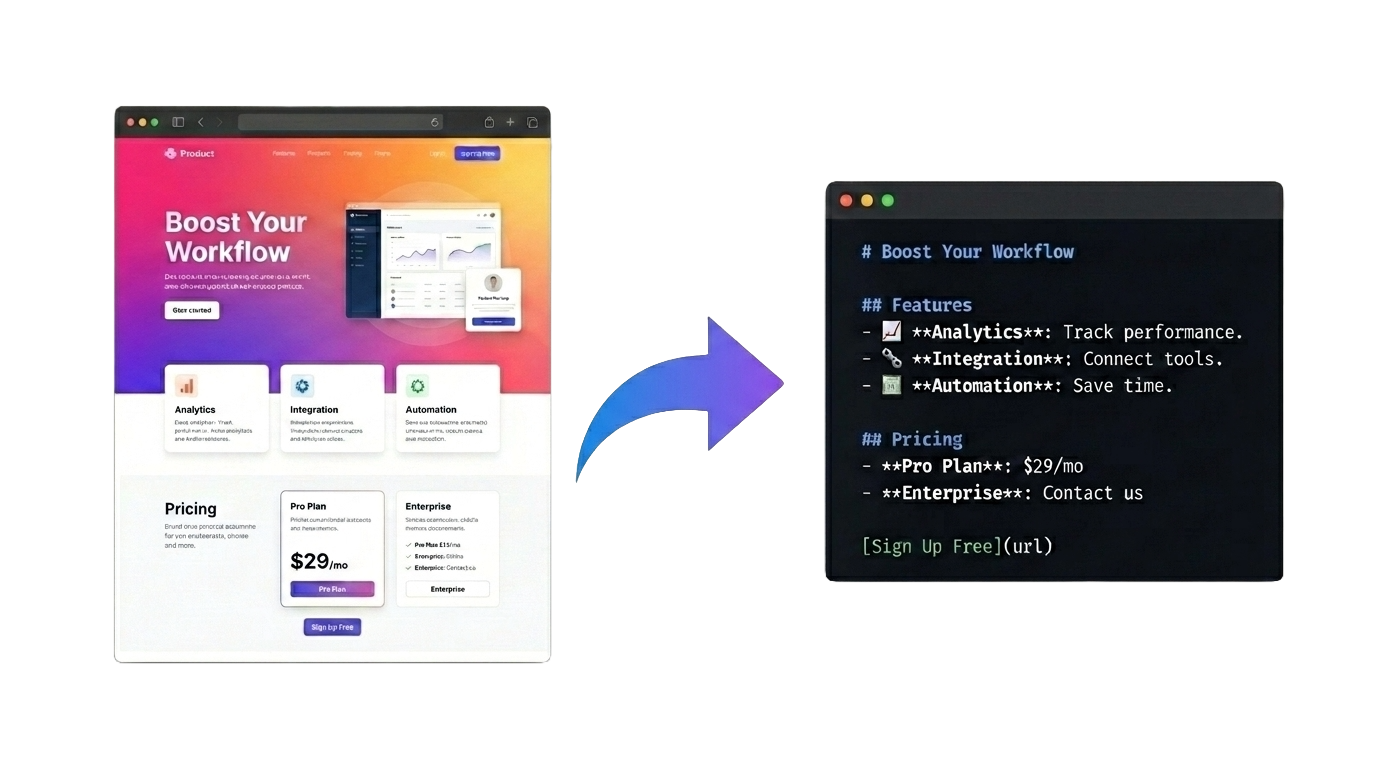
Serve clean Markdown from your Next.js site — for AI agents, crawlers, and LLMs.
Your human visitors keep getting HTML. AI agents get fast, clean Markdown of the same pages.
npx site-md — installs, wires up middleware, merges your next.config. No content duplication. No rewrites.


Install · How it works · Config · Troubleshooting
GET /docs                           →  <html>…</html>   (humans)
GET /docs.md                        →  # Docs …         (agents)
GET /docs   Accept: text/markdown   →  # Docs …         (agents)
Install in one command
npx site-md
That's it. The CLI detects your package manager (pnpm / npm / yarn / bun) and src/ layout, installs site-md, and wires up everything:
- Writes
middleware.ts— or AST-merges into your existing one, preserving your logic and matcher. - Writes
app/api/site-md/[...path]/route.ts. - Wraps your
next.config.{ts,mjs,js,cjs}withwithNextMd— or creates one if absent.
Then restart your dev server and try:
curl http://localhost:3000/               # HTML
curl http://localhost:3000/index.md       # Markdown
curl http://localhost:3000/llms.txt       # Markdown site index
Non-interactive mode
For CI or agent scripts:
npx site-md --title "My Site" --description "Public docs for AI agents" --yes
Manual install
If you'd rather wire it up yourself, the CLI's output is just these three files:
middleware.ts (or src/middleware.ts)
export { proxy as middleware } from "site-md/proxy";

export const config = {
  matcher: [
    "/((?!api|_next|static|favicon.ico|.*\\.(?:js|css|json|xml|txt|map|webmanifest|png|jpg|jpeg|gif|svg|ico|woff|woff2|ttf|eot)$).*)",
  ],
};
app/api/site-md/[...path]/route.ts
export { GET } from "site-md/handler";
next.config.mjs (optional — enables /llms.txt and /llms-full.txt)
import { withNextMd } from "site-md/config";

export default withNextMd(
  {
    /* your existing config */
  },
  {
    llmsTxt: {
      title: "My Site",
      description: "Public docs for AI agents",
    },
  },
);
Do not use a folder starting with
_(e.g.__site_md) for the route — Next.js App Router treats underscore-prefixed folders as private and silently excludes them from routing.
How detection works
A request is treated as "agent" and served Markdown when any of these match (first wins):
| Trigger | Example |
|---|---|
Path ends with .md |
/docs.md, /blog/post.md |
?format=md query param |
/docs?format=md |
Accept: text/markdown header |
agents that negotiate content |
| Known bot User-Agent | GPTBot, ClaudeBot, Googlebot, … |
Path is /llms.txt or /llms-full.txt |
standard LLM index files |
Everything else passes through untouched.
Configuration (optional)
Only needed if you want to tune caching, bot policy, or the llms.txt output. Wrap your next.config.ts:
import { withNextMd } from "site-md/config";

export default withNextMd(
  {
    reactStrictMode: true,
  },
  {
    cacheTTL: 600,                         // cache Markdown for 10 min
    passthrough: ["/admin/*", "/app/*"],   // never convert these
    stripSelectors: [".cookie-banner"],    // remove from Markdown output
    bots: {
      trainingScrapers: "block",           // block GPTBot, Bytespider, etc.
      searchCrawlers: "markdown",
      userAgents: "markdown",
    },
    llmsTxt: {
      title: "My Site",
      description: "Public docs for AI consumers",
      sitemapUrl: "/sitemap.xml",          // used to build /llms-full.txt
    },
  },
);
Bot policy values
Each bot category accepts one of:
"markdown"— serve Markdown (default)"block"— return403 Forbidden"passthrough"— serve the normal HTML page
Changing the internal route prefix
internalRoutePrefix must match your route folder:
app/api/<internalRoutePrefix>/[...path]/route.ts
The default prefix is site-md.
Never start this name with an underscore. Next.js App Router treats _-prefixed folders as private and silently excludes them from routing, so __site_md, _md, etc. will 404. Safe choices: site-md, site_md, md.
What you get for free
/llms.txt— Markdown index of your site, good for LLM discovery./llms-full.txt— concatenated full-content Markdown pulled from your sitemap.- Response headers:
Content-Type: text/markdown; charset=utf-8Vary: Accept, User-AgentX-Content-Source: site-md
Safety notes
- Internal self-fetches carry a bypass header so they can't loop.
- Self-fetches strip cookies and auth — only public content is converted.
- Login redirects are treated as non-public and return a 404 Markdown response.
- Cache key includes URL +
Accept-Language.
Package exports
| Import | What it is |
|---|---|
site-md/proxy |
Next.js middleware that detects + rewrites |
site-md/handler |
App Router GET handler for conversion |
site-md/config |
withNextMd() next.config wrapper |
site-md |
Full re-exports |
Troubleshooting
Agents still receive HTML.
- Is
middleware.tsin the project root (orsrc/if you use that layout)? - Does the matcher include the path you're testing?
- Try
curl http://localhost:3000/index.md— if that works butAccept: text/markdowndoesn't, the issue is the header, not the route.
404, 307, or HTML on /index.md.
- Your route folder name starts with
_(e.g.__site_md). Next.js App Router treats any_-prefixed folder as private and won't register routes inside it. Rename the folder to something likesite-mdand setinternalRoutePrefix: "site-md"inwithNextMdto match. - Or:
internalRoutePrefixdoesn't match the folder name. They must be identical. - Restart the dev server — middleware and
next.configare not hot-reloaded.
/llms.txt is empty.
- Set
llmsTxt.sitemapUrl(defaults to/sitemap.xml) or providellmsTxt.pagesexplicitly.
Local development
pnpm install
pnpm test
pnpm test:integration
pnpm build
License
MIT — see LICENSE.
Built by @yazinsai · GitHub · npm · Report an issue