
SmartMacroAI
Smart RPA Automation for Windows





Features • Download • Quick Start • Driver Level • Build • Donate • Tiếng Việt
Overview
SmartMacroAI is a professional-grade Windows macro automation tool with AI integration. It automates repetitive tasks — game farming, web form filling, data entry, UI testing — with support for anti-cheat games via kernel-level Interception driver.
Created by Phạm Duy – Giải pháp tự động hóa thông minh.
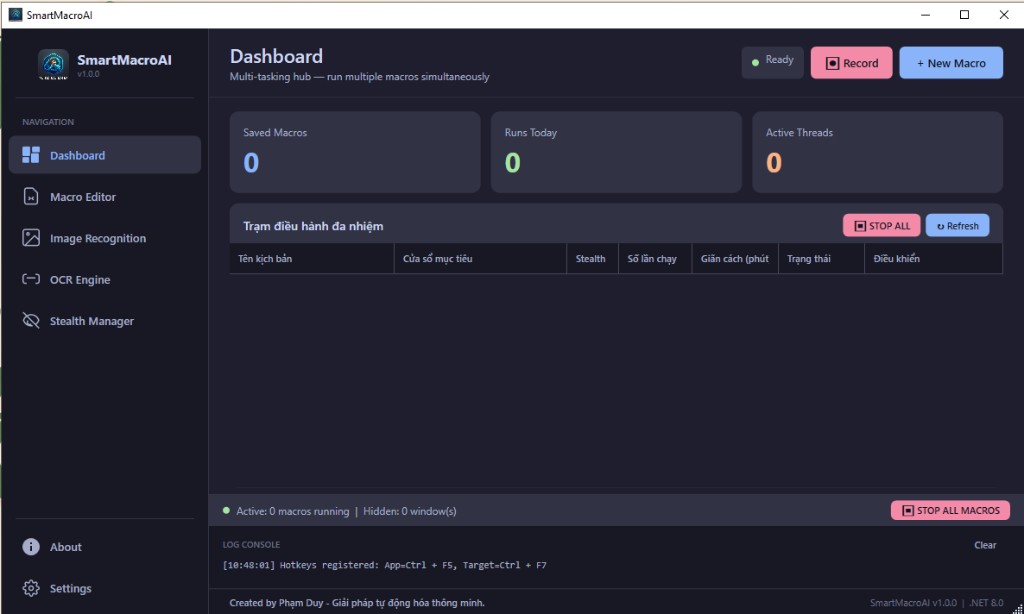
Features
Input Automation
| Mode | Click | Key Press | Scroll | Drag | Description |
|---|---|---|---|---|---|
| Stealth | ✅ | ✅ | ✅ | ✅ | Background PostMessage — window doesn't need focus |
| Raw Input | ✅ | ✅ | ✅ | ✅ | SendInput with hardware scan codes |
| Hardware | ✅ | ✅ | ✅ | ✅ | SetCursorPos + mouse_event |
| Driver Level | ✅ | ✅ | ✅ | ✅ | Kernel Interception driver — bypasses anti-cheat |
Core Capabilities
- Image Recognition — Find image on screen with confidence threshold, auto-click at found position
- Pixel Color Detection — Check pixel color at coordinates (lightweight alternative to image match)
- OCR Text Detection — Read text from screen regions via Tesseract 5.2
- If/Else Branching — Conditional logic with nested Then/Else action branches
- Loop Control — Count-based, infinite, and break-condition loops
- Variables — Set, read, branch (supports regex matching)
- CSV Auto Fill — Loop CSV rows into web/desktop forms automatically
- AI Integration — OpenAI & Gemini for smart decision-making within macros
- Web Automation — Playwright-based browser control for web tasks
- CDP Stealth — Chrome DevTools Protocol for 100% background Chromium clicks
Productivity
- Multi Dashboard — Monitor and control multiple macros simultaneously
- Macro Recording — Record mouse clicks, scroll, keyboard in real-time
- Scheduler — Time-based, interval, or startup-triggered execution
- Undo/Redo — Full Ctrl+Z / Ctrl+Y support in macro editor
- Copy/Paste — Duplicate actions with Ctrl+C / Ctrl+V
- Drag & Drop — Reorder actions, move in/out of If/Else branches
- ROI Picker — Visual drag-select region for image search area
- 6 Templates — Pre-built macro templates ready to customize
- Run History — Execution logs with filtering and statistics
Security & Distribution
- Macro Lock — Password-protect individual macros
- Script Sharing — Share macros via encoded strings
- Anti-Detection — Bézier mouse curves + randomized delays
- Telegram Alerts — Receive notifications on macro completion
- Bilingual UI — Full English & Vietnamese (830+ localization keys)
- Driver Uninstall Guide — Built-in manual removal instructions
Download
| File | Description |
|---|---|
| SmartMacroAI-v1.6.0-Setup.exe | Windows installer (recommended) |
| SmartMacroAI-v1.6.0-win-x64.exe | Portable standalone — run directly |
| SmartMacroAI-v1.6.0-win-x64.zip | Portable — extract and run |
System Requirements
| Component | Requirement |
|---|---|
| OS | Windows 10 x64 (build 19041+) or later |
| Runtime | .NET 8.0 (bundled in self-contained builds) |
| RAM | 4 GB minimum |
| Storage | 300 MB (core) / 600 MB (with web automation) |
| Admin | Required for Driver Level mode installation |
Quick Start
- Download the latest installer from Releases
- Run
SmartMacroAI-v1.6.0-Setup.exeas Administrator - Launch SmartMacroAI
- Click + New Macro — choose a template or start blank
- Select your target window → add actions → press Run (F5)
Driver Level Mode
Enables macros inside games protected by anti-cheat systems (MapleStory, Cabal Online, etc.)
- Navigate to Settings → Driver
- Click Install Now — approve the UAC prompt
- Restart your PC (required for kernel driver)
- Open SmartMacroAI → select Driver Level mode in any Click/Key action
- Click Test Driver to verify
Supported: MapleStory, Cabal Online, MU Online, and most DirectX/OpenGL games with kernel anti-cheat.
Uninstall: Settings → Driver → Uninstall, or use the Manual Removal Guide button.
Build from Source
Prerequisites: .NET 8 SDK, Windows 10+
git clone https://github.com/TroniePh/SmartMacroAI.git
cd SmartMacroAI
dotnet restore
dotnet build
dotnet run
Publish Release
.\build-release.ps1 win-x64
# Output: release_output/
Changelog
See CHANGELOG.md for full version history.
v1.6.0 (2026-05-13)
- Critical Fix: Coordinate picker returning (0,0) — root cause:
Hide()on modal dialog corrupts WPF state - Critical Fix: Dialog
DialogResultthrowing InvalidOperationException across all 11 dialog files - Critical Fix: CoordinatePickerWindow
MouseLeftButtonDownnot firing → changed toPreviewMouseLeftButtonDown - New: Multi-Image Search — add up to 20 images per IfImage action, first match wins
- New: Pixel Color Detection action with Scan Region mode
- New: Scroll action (record & playback mouse wheel)
- New: Drag action (mouse down → move → up with interpolation)
- Improved: Driver Level mode — SetForegroundWindow before every input, auto-retry Initialize()
- Improved: IfImageAction click handler now supports Driver Level mode
- Improved: Emulator support (LDPlayer/Nox/BlueStacks) auto-detects render child window
v1.5.8 (2026-05-12)
- New: Scroll action (record & playback mouse wheel)
- New: Drag action (mouse down → move → up with interpolation)
- New: IF Pixel Color condition (lightweight alternative to image match)
- New: Regex support in IF Variable (matches/notmatches operators)
- New: CDP Stealth Service for 100% background Chromium clicks
- New: ROI Picker button for image search region (drag-select on screen)
- New: Donate tab with QR Bank + PayPal
- New: Driver tab in Settings (install/uninstall/manual guide)
- Fixed: Stealth click on Edge/Chrome (Chromium detection + proper child window targeting)
- Fixed: Double-click bug (was clicking both parent + child renderer)
- Fixed: Coordinate picker returning (0,0) in Stealth mode
- Fixed: Dashboard Stop button not working (IsRunning sync)
- Fixed: Loading macros from external folders now imports to Scripts/
- Fixed: Menu dropdown invisible text (dark theme MenuItem style)
- Fixed: Installer missing native DLLs + tessdata
- Improved: Stealth mode hides from taskbar + Alt+Tab for Chromium
- Improved: Image template caching (ConcurrentDictionary)
- Improved: Recorder skips non-client area clicks
Donate
If SmartMacroAI helps your workflow, consider supporting continued development:
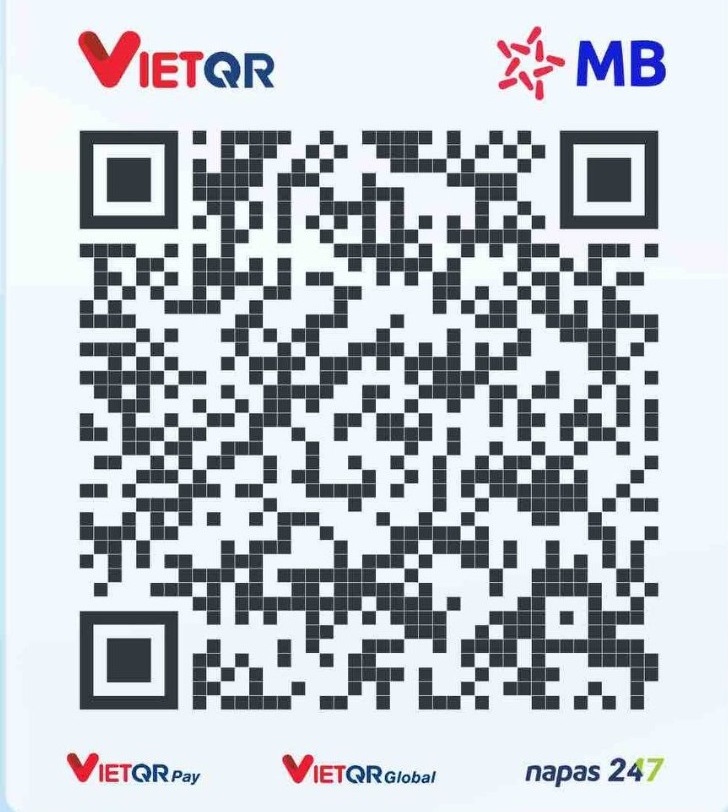
MB Bank — PHAM QUOC DUY — 379997999

PayPal: [email protected]
Every contribution motivates continued development and free updates. Thank you! 🙏
Contact
Tiếng Việt
SmartMacroAI là gì?
SmartMacroAI là công cụ tự động hóa macro chuyên nghiệp cho Windows, tích hợp AI. Tự động hóa tác vụ lặp lại — farm game, điền form web, nhập liệu, kiểm thử UI — hỗ trợ game anti-cheat qua driver Interception cấp nhân.
Tính năng chính
- 4 chế độ input — Stealth, Raw Input, Hardware, Driver Level (vượt anti-cheat)
- Nhận diện hình ảnh — Tìm ảnh trên màn hình, tự click vào vị trí
- Kiểm tra màu pixel — Nhẹ hơn 100x so với image match, dùng cho game check HP/MP
- OCR đọc chữ — Nhận dạng text từ vùng màn hình (Tesseract 5.2)
- Cuộn chuột & Kéo thả — Ghi và phát lại scroll + drag
- Logic If/Else — Phân nhánh điều kiện (hỗ trợ regex)
- Vòng lặp — Lặp theo số lần, vô hạn, hoặc điều kiện dừng
- Tự động điền CSV — Lặp dữ liệu CSV vào form web/desktop
- Web Automation — Điều khiển trình duyệt qua Playwright
- CDP Stealth — Click background 100% trên Chrome/Edge
- Multi Dashboard — Quản lý nhiều macro cùng lúc
- Ghi macro — Thu hành động chuột/phím/scroll thời gian thực
- Chống phát hiện — Chuột Bézier + delay ngẫu nhiên
- Giao diện song ngữ — 830+ khóa ngôn ngữ Anh/Việt
Ủng hộ tác giả
MB Bank — PHAM QUOC DUY — 379997999

PayPal: [email protected]
Mỗi đóng góp đều giúp tác giả có thêm động lực phát triển SmartMacroAI tốt hơn. Cảm ơn bạn! 🙏
Made with ❤️ in Vietnam
Created by Phạm Duy – Giải pháp tự động hóa thông minh.