

Smartsites Editor Platform




Warning: This project is currently under active development. Certain features may not be functional or may be added/removed without warning. Documentation is ongoing.
Table of Contents
Click to expand!
Introduction
The Smartsites Editor Platform (SEP) is an open-source full-stack platform for creating, publishing, and managing dynamic website content with zero code.
Features
Self-Hosted and Open-Source
The project is fully open-source and self-hostable.
Content Management System (CMS)
Provides a complete Content Management System solution that allows you to easily create, edit, and publish pages to your site.
- Easily upload static media and files to be served on your site.
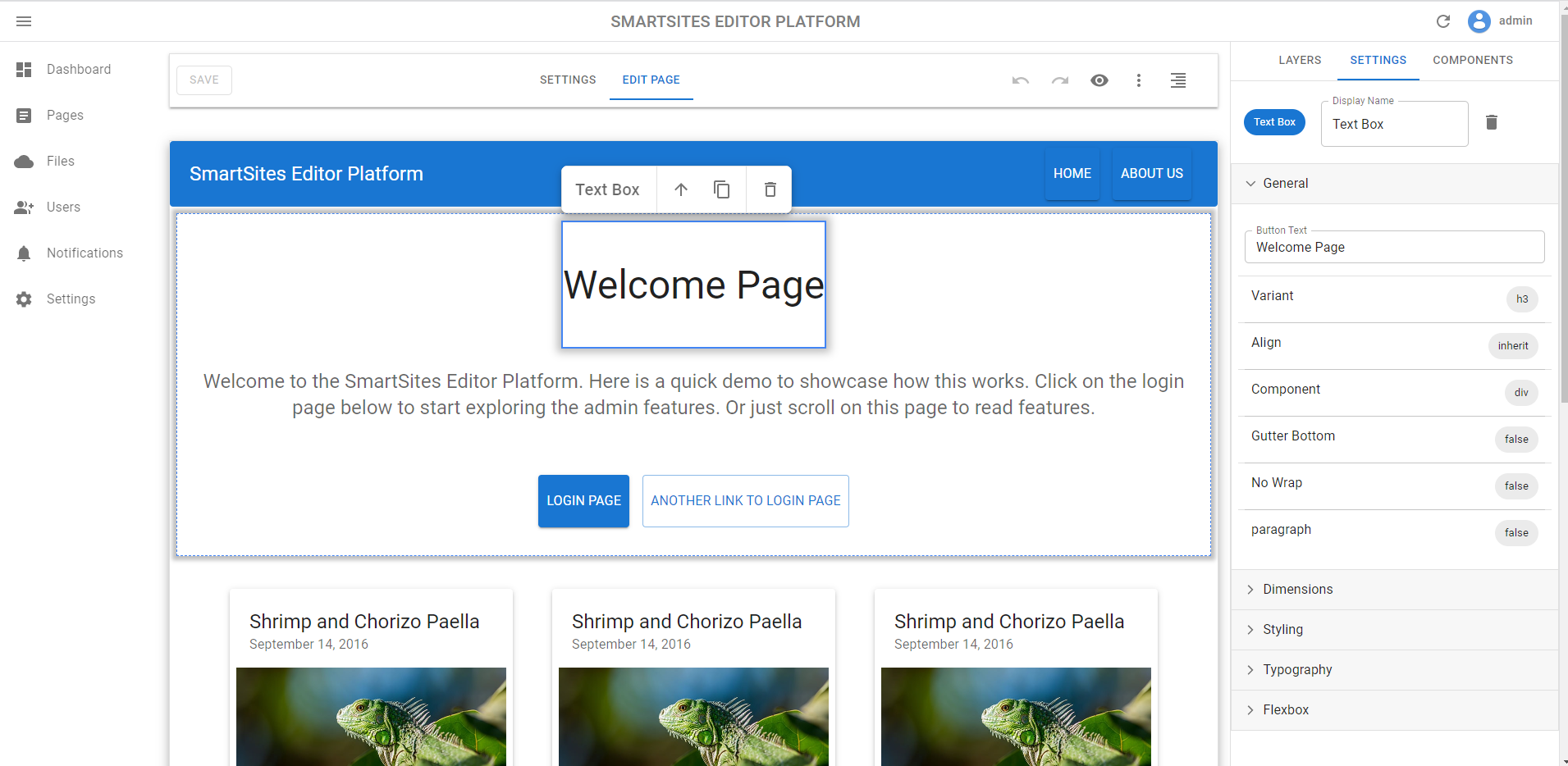
Drag-and-Drop Page Editor (WYSIWYG)
The page editor allows you to easily edit and add content to your site with live preview. Just drag-and-drop components onto the page. What you see is what you get (WYSIWYG).
Powerful Dashboard Analytics
The dashboard provides powerful analytics for your website.
- Track the number of visitors to your site.
Getting Started
Click to expand!
Install Docker
To get started, you will need to have Docker installed.
If you are running Windows, you can install with WinGet:
winget install Docker.DockerDesktop
Running the project
- Clone the project:
git clone https://github.com/MartinMarwad/smartsites-editor-platform
- Build the docker image:
make build
- Run the docker image:
- To run the image in development mode:
make up
- To run the image in production mode:
make up.prod
- Open the browser and navigate to http://localhost:8000/admin/. The default username is
adminand the default password ispassword.
To stop the container:
make down
Community
Join the community:
- For live chat/support: Discord Server
- For general discussions: GitHub Discussions
- For bug reports or issues: GitHub Issue Tracker
Technologies Used
- General:
- Docker: Provides core the development/deployment environment.
- React Frontend:
- MUI: Frontend Material Design themed UI framework.
- React Admin: Provides the frontend admin.
- React Router: Provides client side URL routing.
- Craft.js: Provides the core drag-and-drop functionality of Smartsites.
- Django Backend:
- Whitenoise: Provides static/media file serving within Python.
- Django CRA Helper: Provides useful integration between Django and React.
- Django Rest Framework: Provides a RESTful API for the React frontend to consume.
- SimpleJWT: Provides JSON Web Token authentication for the Django Rest Framework.
- Django DB Logger: Allows saving logging messages into the database.
- Django Dynamic Preferences: Allows us to save and store global site settings.