

🌟 Introduction
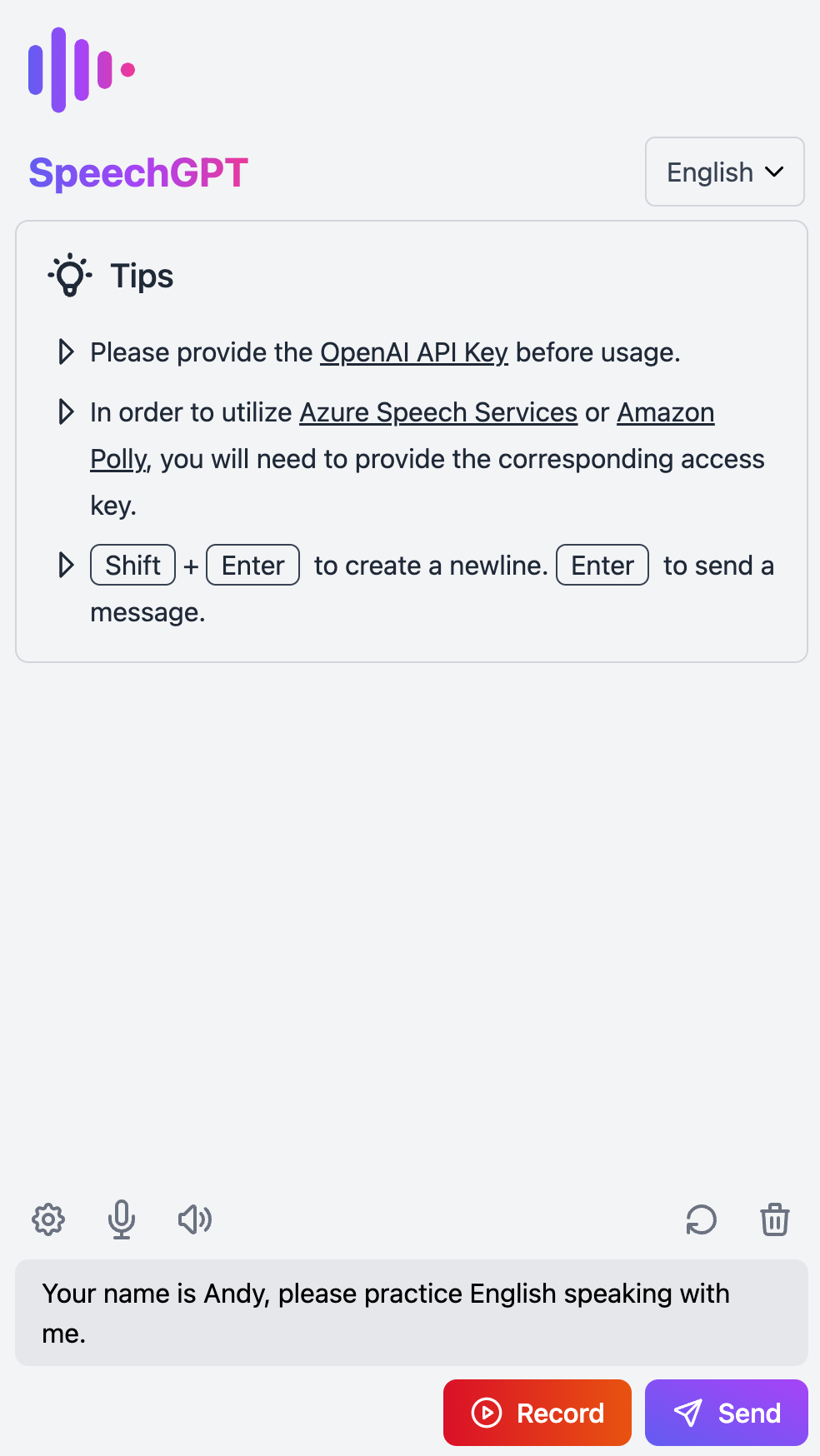
SpeechGPT is a web application that enables you to converse with ChatGPT.
You can utilize this app to improve your language speaking skills or simply have fun chatting with ChatGPT.
🚀 Features
- 📖 Open source and free: Anyone can use, modify it without cost.
- 🔒 Privacy First: All data is stored locally.
- 📱 Mobile friendly: Designed to be accessible and usable on mobile devices.
- 📚 Support for multiple languages: Supports over 100 languages.
- 🎙 Speech Recognition: Includes both built-in speech recognition and integration with Azure Speech Services.
- 🔊 Speech Synthesis: Includes built-in speech synthesis, as well as integration with Amazon Polly and Azure Speech Services.
📸 Screenshots
 |
 |
 |
📖 Tutorial
- Set the OpenAI API Key
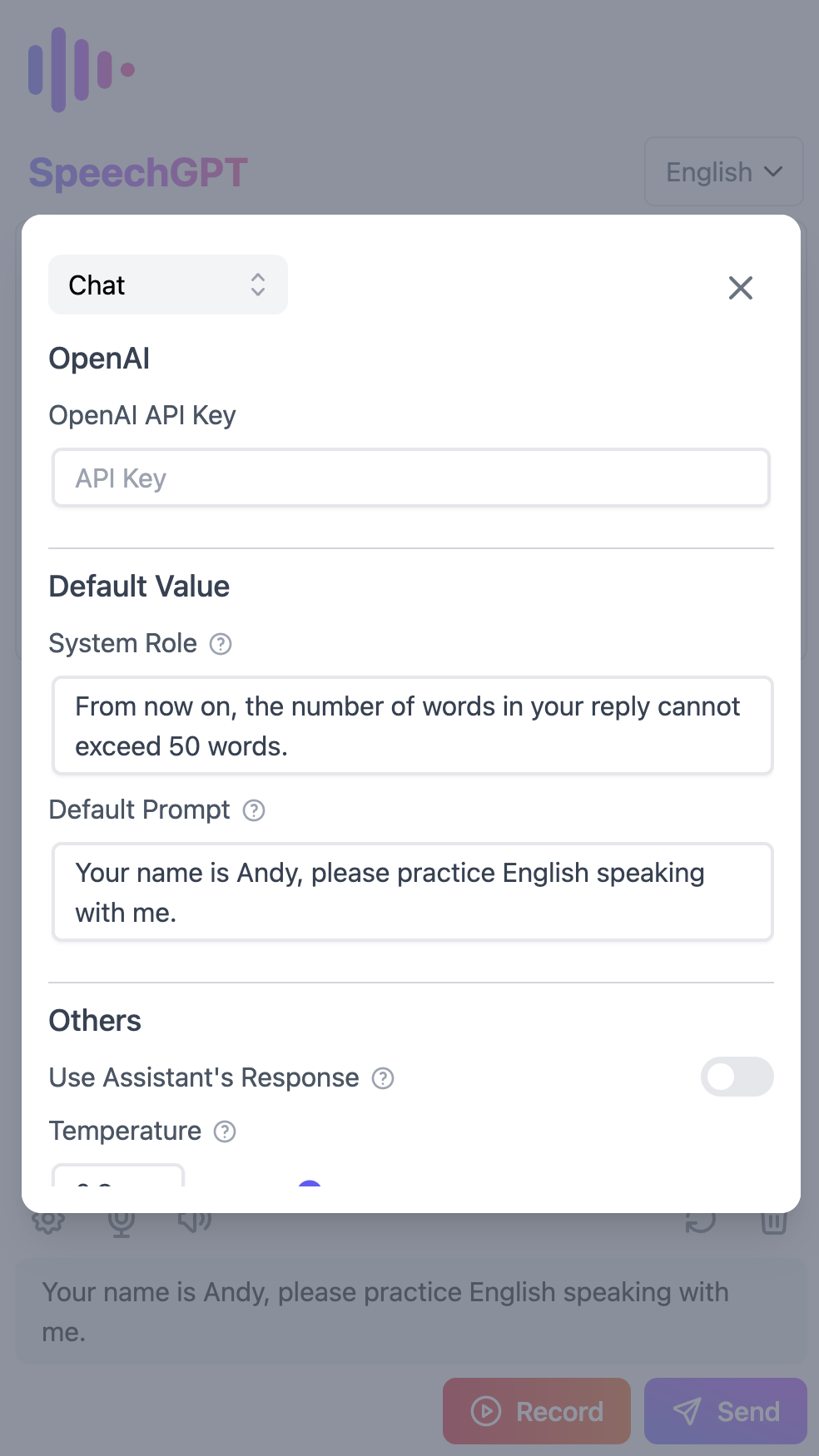
- Go to Settings and navigate to the Chat section.
- Set the OpenAI API Key.
- If you don't have an OpenAI API Key, follow this tutorial on how to get an OpenAI API Key.
- Set up Azure Speech Services (optional)
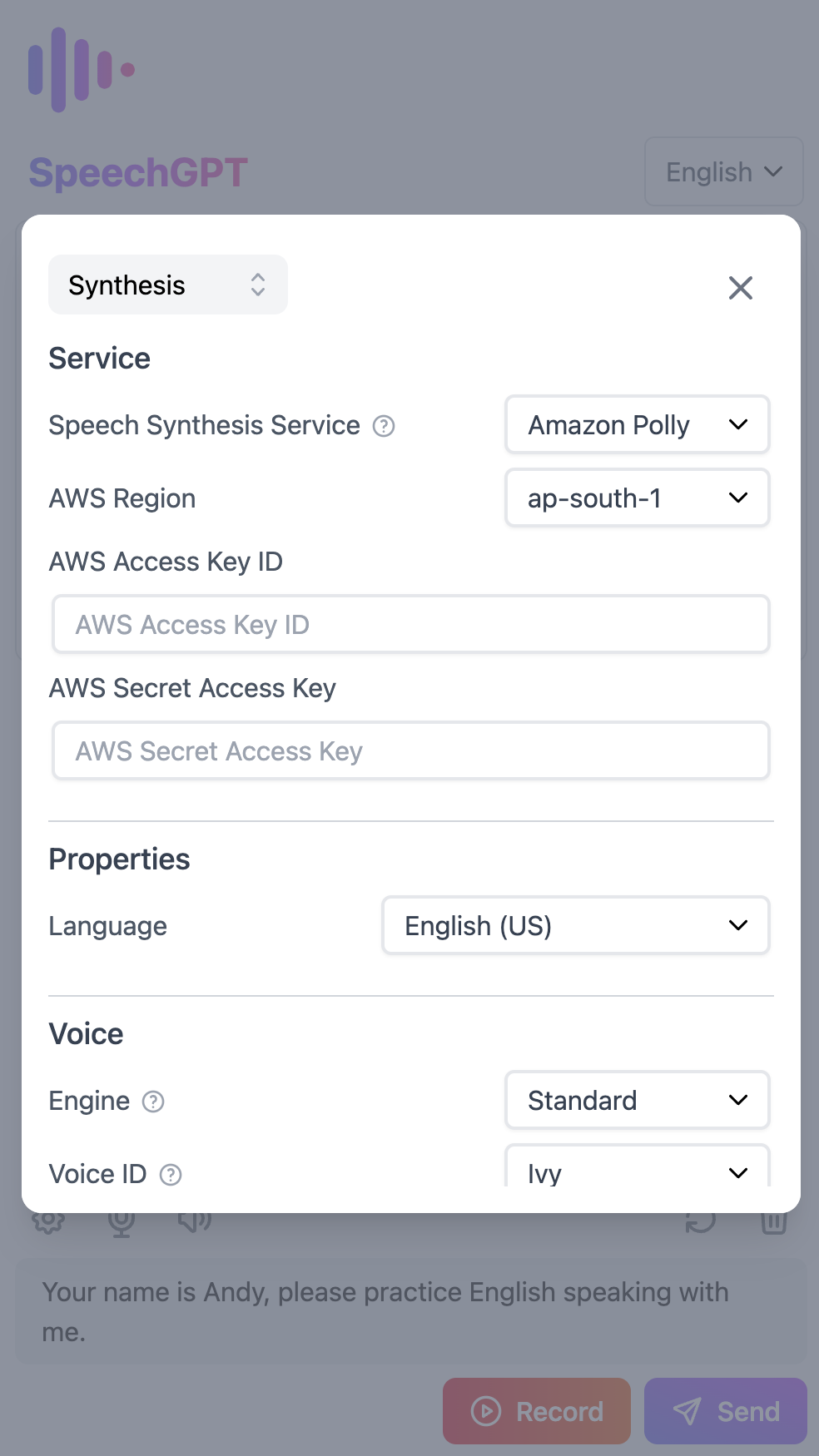
- Go to Settings and navigate to the Synthesis section.
- Change the Speech Synthesis Service to Azure TTS.
- Set the Azure Region and Azure Access Key.
- Set up Amazon Polly (optional)
- Go to Settings and navigate to the Synthesis section.
- Change the Speech Synthesis Service to Amazon Polly.
- Set the AWS Region, AWS Access Key ID, and Secret Access Key (the Access Key should have the AmazonPollyFullAccess policy).
- If you don't have an AWS Access Key, follow this tutorial on how to create an IAM user in AWS.
💻 Development Guide and Changelog
- For more information on setting up your development environment, please see our Development Guide.
- To view the project's history of notable changes, please check the Changelog.
🚢 Deployment
Deploying with Vercel
Deploying with Docker
- Pull the Docker image:arm64.
docker pull hahahumble/speechgpt
- Run the Docker container.
docker run -d -p 8080:8080 --name speechgpt hahahumble/speechgpt
- Visit
http://localhost:8080/to access the application.
Building and running the Docker image
- Build the Docker image.
docker build -t speechgpt:arm64 -f Dockerfile .
- Run the Docker container.
docker run -d -p 8080:8080 --name=speechgpt speechgpt
- Visit
http://localhost:8080/to access the application.
📄 License
This project is licensed under the terms of the MIT license.