
Spent
Minimalist personal finance tracker for Linux desktop with cross-platform support.
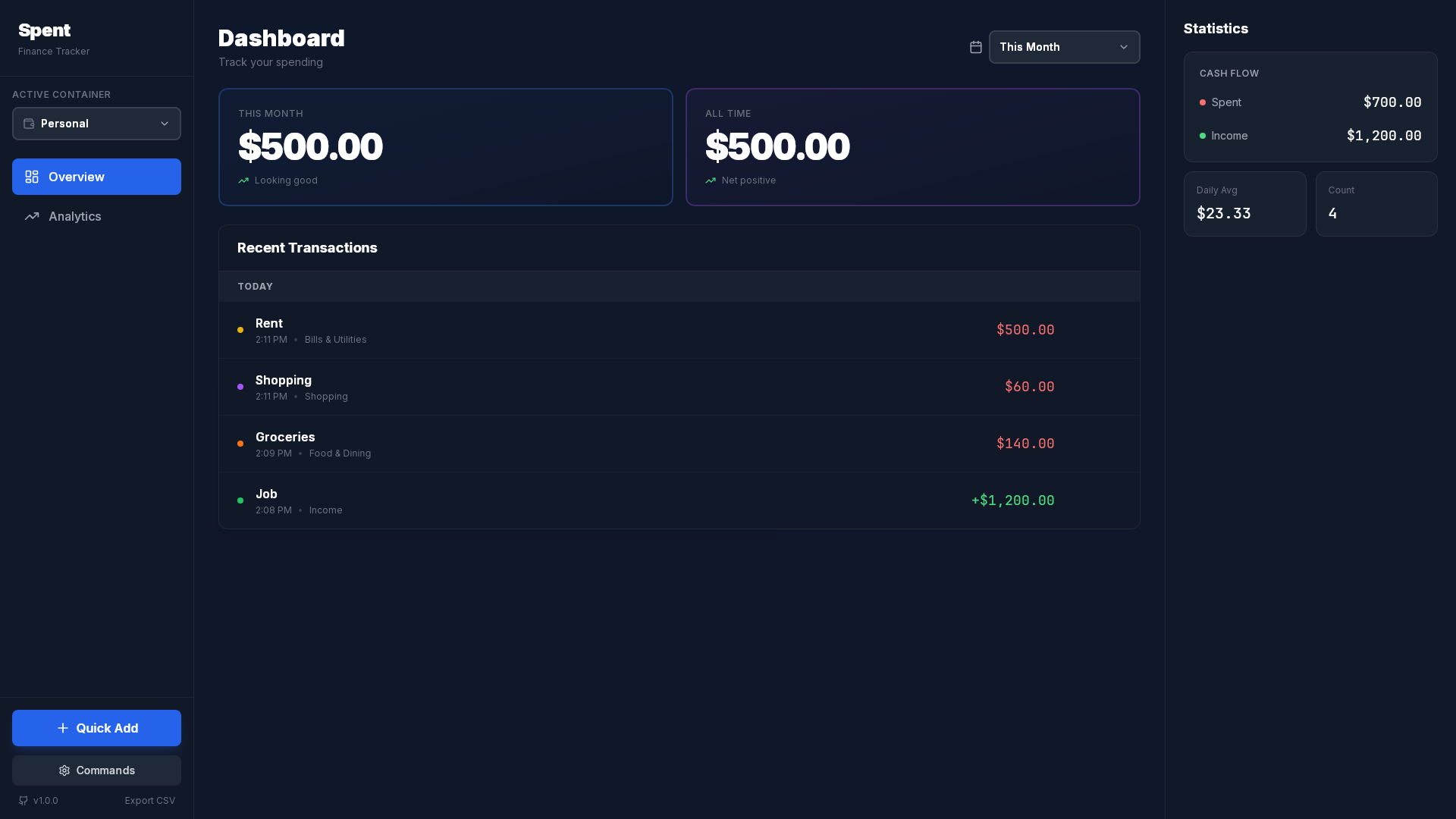
Spent is feature-complete and stable. It has primarily been tested on Arch Linux. If you encounter issues on other distros or OSs, please open an Issue!


Features
- Containers: Create separate balance containers to manage personal, business, or different accounts in complete isolation
- Offline-first with local SQLite storage
- Quick transaction entry (Ctrl+N)
- Monthly balance tracking with history
- Category-based organization
- Dark mode interface
- CSV export per container
- Cross-platform: Linux (.deb, .AppImage), Windows (.exe), macOS (.app)
Stack
- Backend: Tauri v2 (Rust)
- Frontend: Svelte + TypeScript
- Database: SQLite
- UI: TailwindCSS
Prerequisites
- Node.js
- Rust
- Linux dev dependencies:
# Ubuntu/Debian
sudo apt install libwebkit2gtk-4.1-dev build-essential curl wget file libssl-dev libgtk-3-dev libayatana-appindicator3-dev librsvg2-dev

# Arch
sudo pacman -S webkit2gtk-4.1 base-devel curl wget file openssl gtk3 libappindicator-gtk3 librsvg
Development
npm install
npm run tauri dev
Build:
npm run tauri build
Usage
- Launch:
spent-app(binary renamed fromspentin v1.1.5 to avoid conflict with opensp package) Ctrl+N- Add transactionCtrl+K- Command palette (access all features)- Hover transaction to edit/delete
- Switch between containers using the dropdown in sidebar
- Create/manage containers via Command Palette → "Manage Containers"
Data
The database is stored locally in platform-specific locations:
- Linux:
~/.local/share/com.spent.app/spent.db - Windows:
%APPDATA%\com.spent.app\spent.db(typicallyC:\Users\<username>\AppData\Roaming\com.spent.app\spent.db) - macOS:
~/Library/Application Support/com.spent.app/spent.db
Money is stored as integers (cents) to avoid floating-point issues.
Thank you to the amazing people that star this project!
Star History
License
AGPLv3