
Sprite Toolz
A powerful sprite sheet manipulation tool built with Python.
Sprite Toolz provides a comprehensive set of features for working with sprite sheets, including frame manipulation, batch processing, and animation export.
Create new animations by remixing existing animation frames.
Read the Features List for a highlight of features or keep reading:
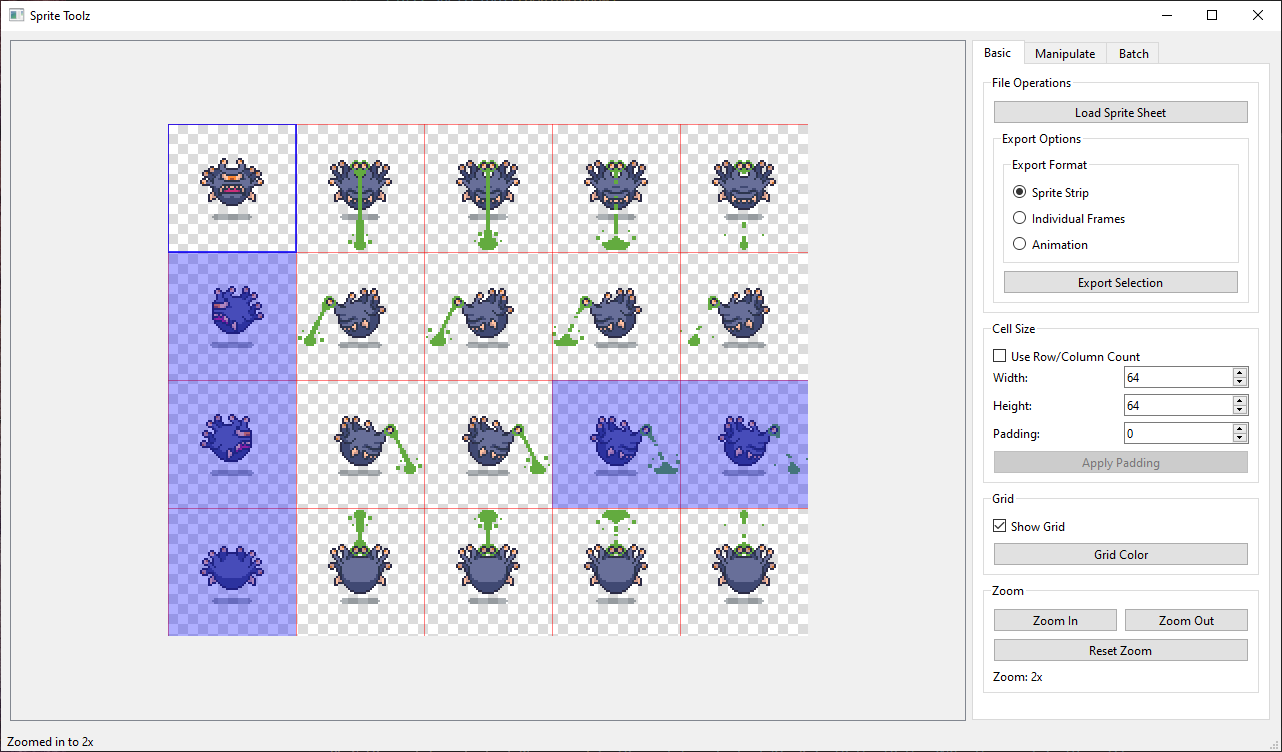
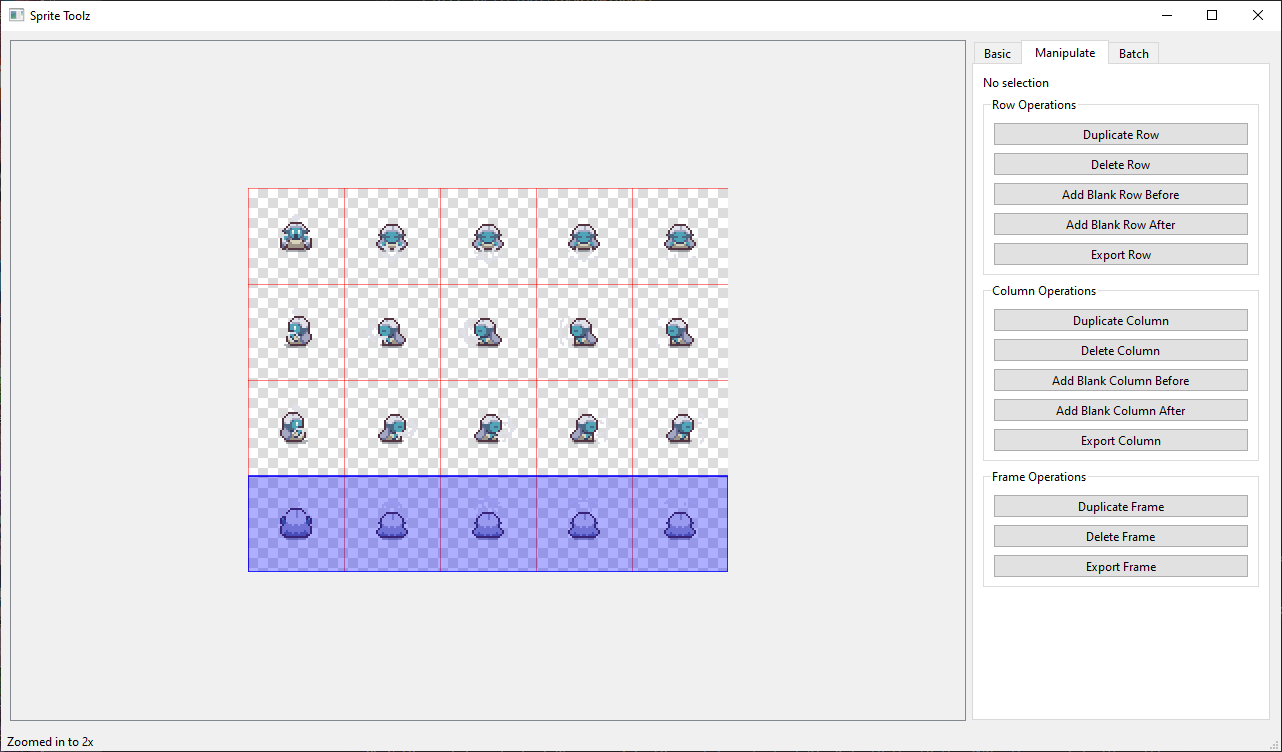
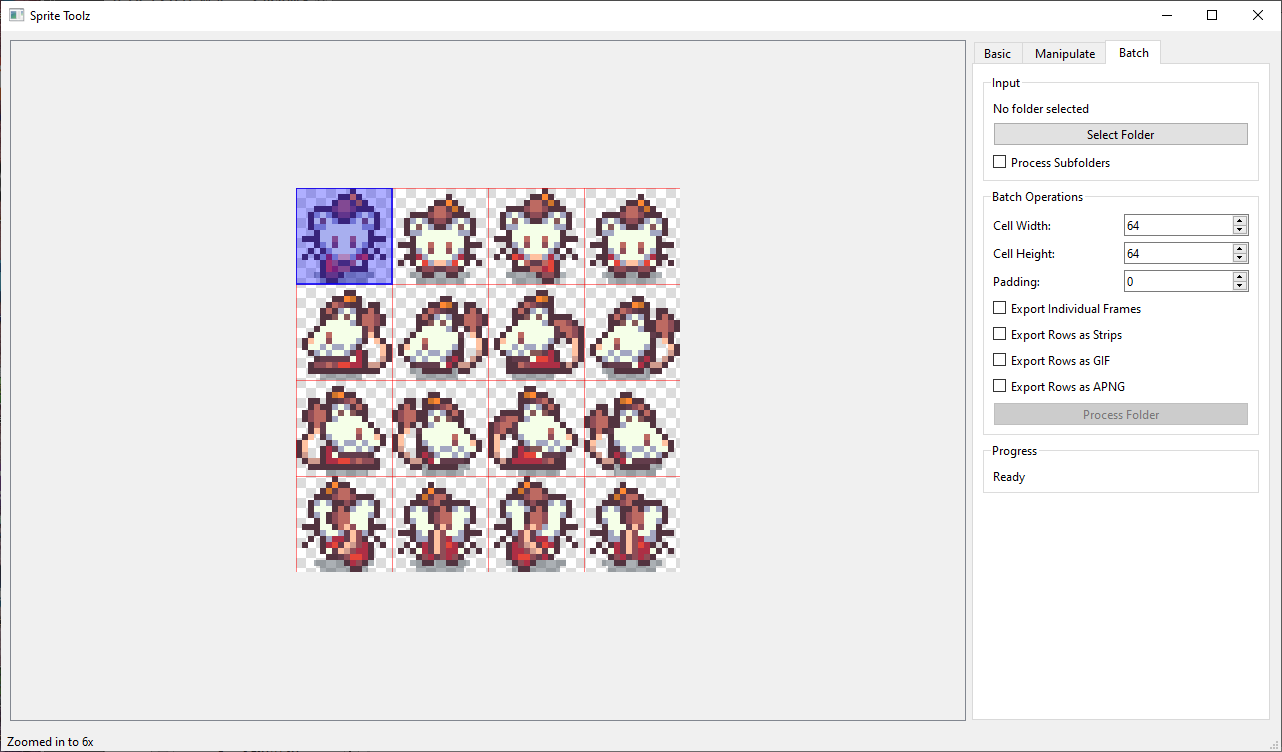
Features
Basic Operations
-
File Operations
- Load sprite sheets (supports PNG, JPG, BMP, GIF)
- Export selections as GIF or APNG animations
-
Cell Size Configuration
- Two methods for setting cell size:
- Direct input: Set width and height manually
- Grid-based: Specify number of rows and columns
- Toggle between input methods
- Auto-calculation of complementary values
- Add padding to cells with live preview
- Apply padding permanently to resize cells
- Two methods for setting cell size:
-
Grid Display
- Toggle grid visibility
- Customizable grid color
- Semi-transparent grid overlay
-
Zoom Controls
- Multiple zoom levels (1x, 2x, 4x, 6x)
- Zoom in/out with centered view
- Reset zoom to default
- Automatic scrollbars when zoomed
Sprite Sheet Manipulation
-
Row Operations
- Duplicate rows
- Delete rows
- Add blank rows before/after
- Export rows as separate files
-
Column Operations
- Duplicate columns
- Delete columns
- Add blank columns before/after
- Export columns as separate files
-
Frame Operations
- Duplicate individual frames
- Delete frames
- Export single frames
-
Selection Tools
- Select individual frames (Click)
- Select entire rows (Shift + Click)
- Select entire columns (Ctrl + Click)
- Select multiple frames by dragging
- Custom frame selection (Ctrl + Shift + Click)
- Select frames in any order from any row/column
- Click selected frame again to remove from selection
- Export selected frames as strip or animation
- Export selections as PNG/GIF/APNG animations
Batch Processing
-
Input Options
- Process entire folders of sprite sheets
- Optional subfolder processing
- Supports multiple image formats
-
Batch Operations
- Set cell dimensions for all files
- Apply padding to all sprites
- Export options:
- Individual frames as PNG
- Rows as sprite strips
- Rows as GIF animations
- Rows as APNG animations
-
Output Organization
- Creates organized output in "processed" folder
- Maintains folder structure when processing subfolders
- Clear progress tracking and status updates
Usage Tips
- Use Shift+Click to select entire rows
- Use Ctrl+Click to select entire columns
- Click and drag to select multiple frames
- Preview padding changes before applying them
- Use the batch processing feature for multiple files
- Export animations in either GIF or APNG format
- Customize grid color for better visibility
Interface
- Three main tabs for organized access to features:
- Basic: Core operations and display settings
- Manipulate: Row, column, and frame manipulation tools
- Batch: Bulk processing operations
- Transparent sprite support with checkered background
- Real-time status updates
- Progress tracking for batch operations
Requirements
- Python 3.x
- PyQt6
- Pillow (PIL)
- NumPy
- imageio
Installation
- Ensure Python 3.x is installed
- Install required packages:
pip install PyQt6 Pillow numpy imageio
- Run the application:
python sprite_toolz.py
Output Formats
- PNG: Individual frames and sprite strips
- GIF: Animated sequences with customizable frame duration
- APNG: (Animated PNG) High-quality animations with transparency support
Notes
- All operations preserve transparency
- GIF exports include proper frame disposal for clean animations
- APNG (Animated PNG) exports maintain full color depth and alpha channel
- Batch processing creates organized subfolders for different export types
Read the Features List for a highlight of features
Sprite Toolz project is also available on itch.io https://nonnpc.itch.io/sprite-toolz