



Stable-Gimpfusion

This is a simple Gimp plugin that allows you to augment your painting using Automatic1111's StableDiffusion Web-UI API from your local StableDiffusion server.
Example usage
Using Mona Lisa as the ControlNet
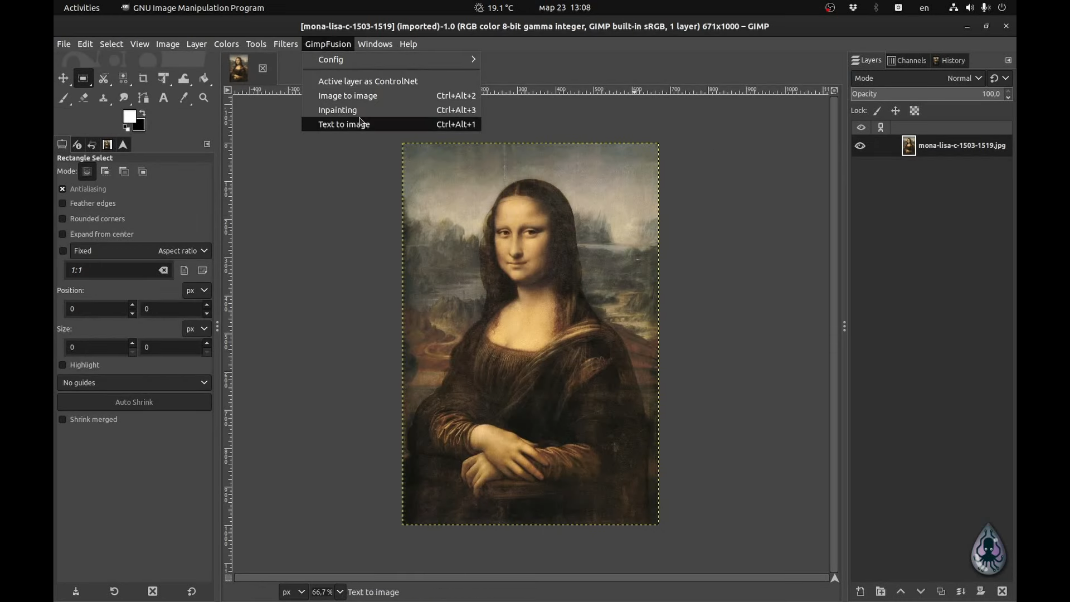
Converting it to Lady Gaga
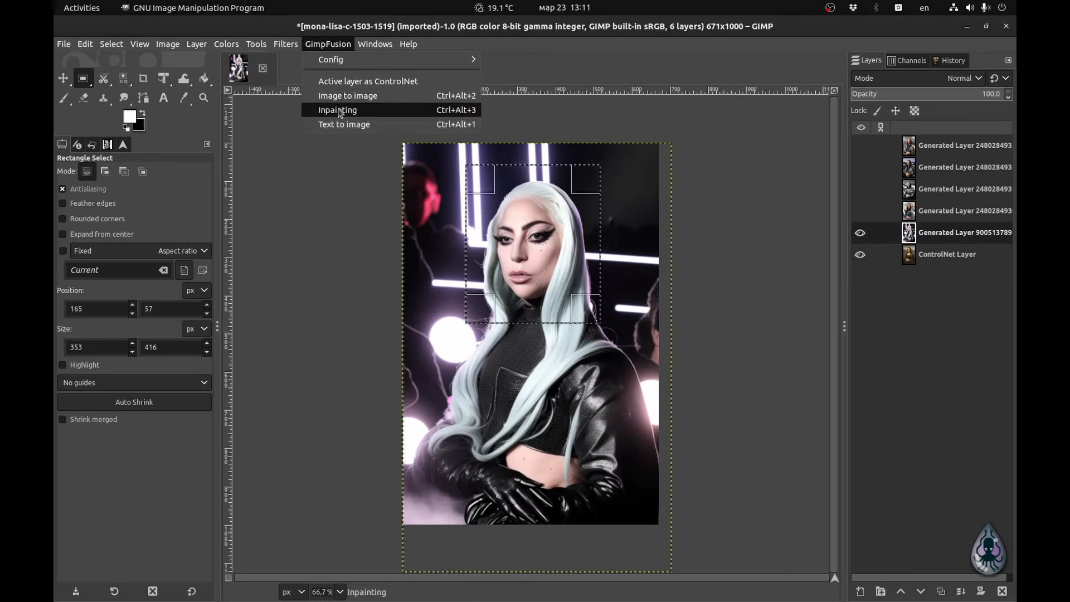
And inpainting some nerdy glasses
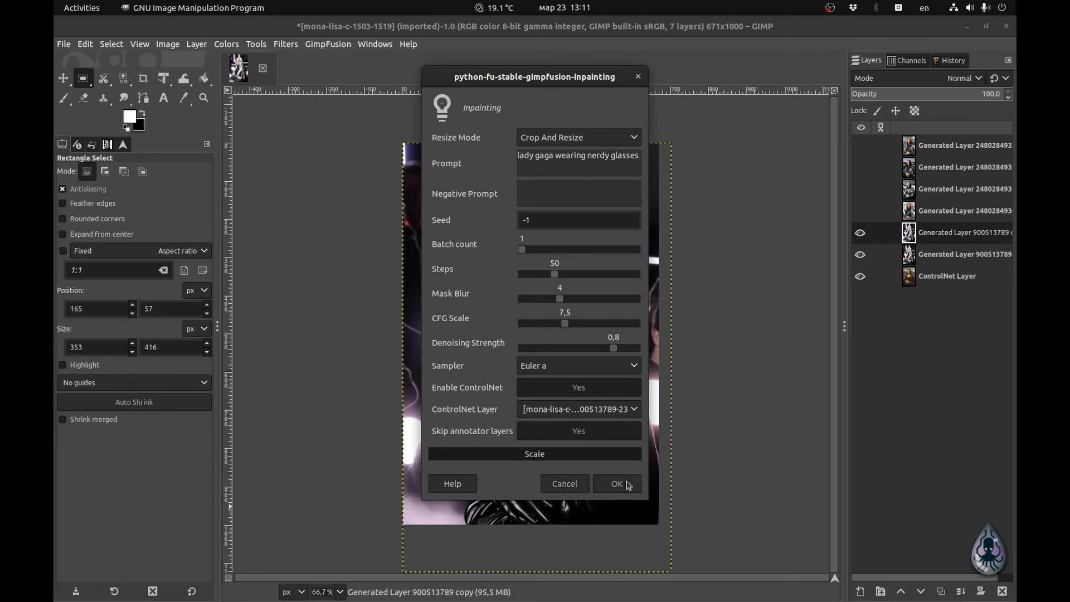
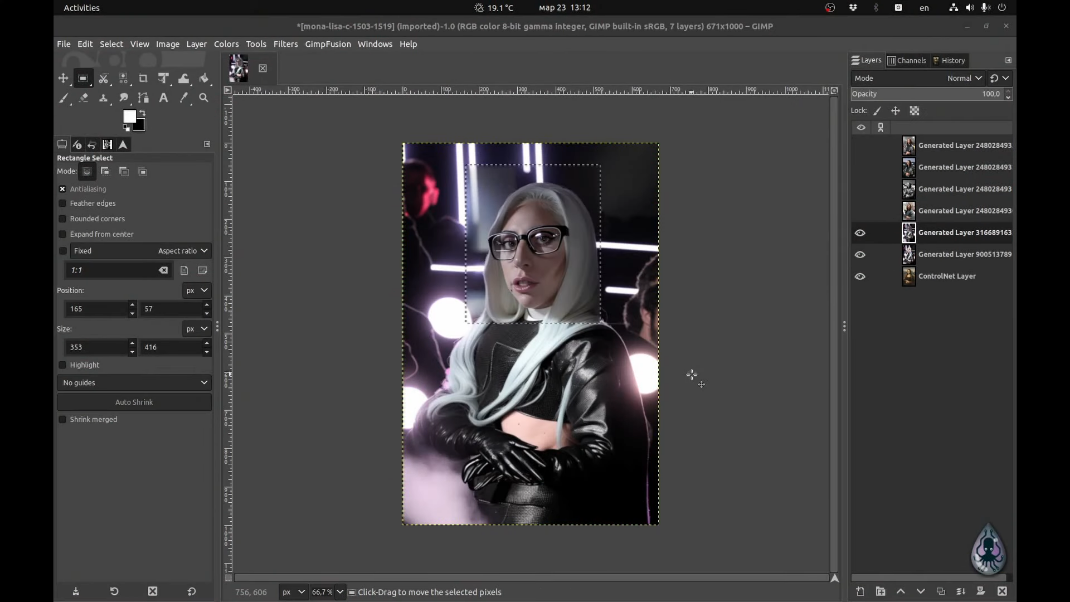
See the demo video on YouTube

Requirements
Installation
- Download the script file stable-gimpfusion.py,
save into your gimp plug-ins directory, ie:
- Linux:
$HOME/.gimp-2.10/plug-ins/or$XDG_CONFIG_HOME/GIMP/2.10/plug-ins/ - Windows:
%APPDATA%\GIMP\2.10\plug-ins\orC:\Users\{your_id}\AppData\Roaming\GIMP\2.10\plug-ins\ - OSX:
$HOME/Library/GIMP/2.10/plug-ins/or$HOME/Library/Application Support/GIMP/2.10/plug-ins
- Linux:
- Ensure the execute bit is set on MacOS and Linux by running
chmod +x /stable_gimpfusion.py - Restart Gimp, and you will see a new AI menu item
- Run script via
AI -> Stable Gimpfusion -> Configand set the backend API URL base (should behttp://127.0.0.1:7860/by default)
Troubleshooting
- Make sure you're running the Automatic1111's Web UI in API mode (
--api) Automatic1111's StableDiffusion Web-UI API try accessing http://127.0.0.1:7860/docs and verify the/sdapi/routes are present to make sure it's running - Ensure your Gimp installation has python support (You should see
Filters>Python-fu>Consolein the menu) - Verify the plugin folder that you are using (~/.config/GIMP/2.20/plug-ins) listed in the GIMP's plug-ins folders. (
Edit>Preferences>Folders>Plug-Ins)