

Exploiting Diffusion Prior for Real-World Image Super-Resolution
Paper | Project Page | Video | WebUI | ModelScope | ComfyUI




Jianyi Wang, Zongsheng Yue, Shangchen Zhou, Kelvin C.K. Chan, Chen Change Loy
S-Lab, Nanyang Technological University
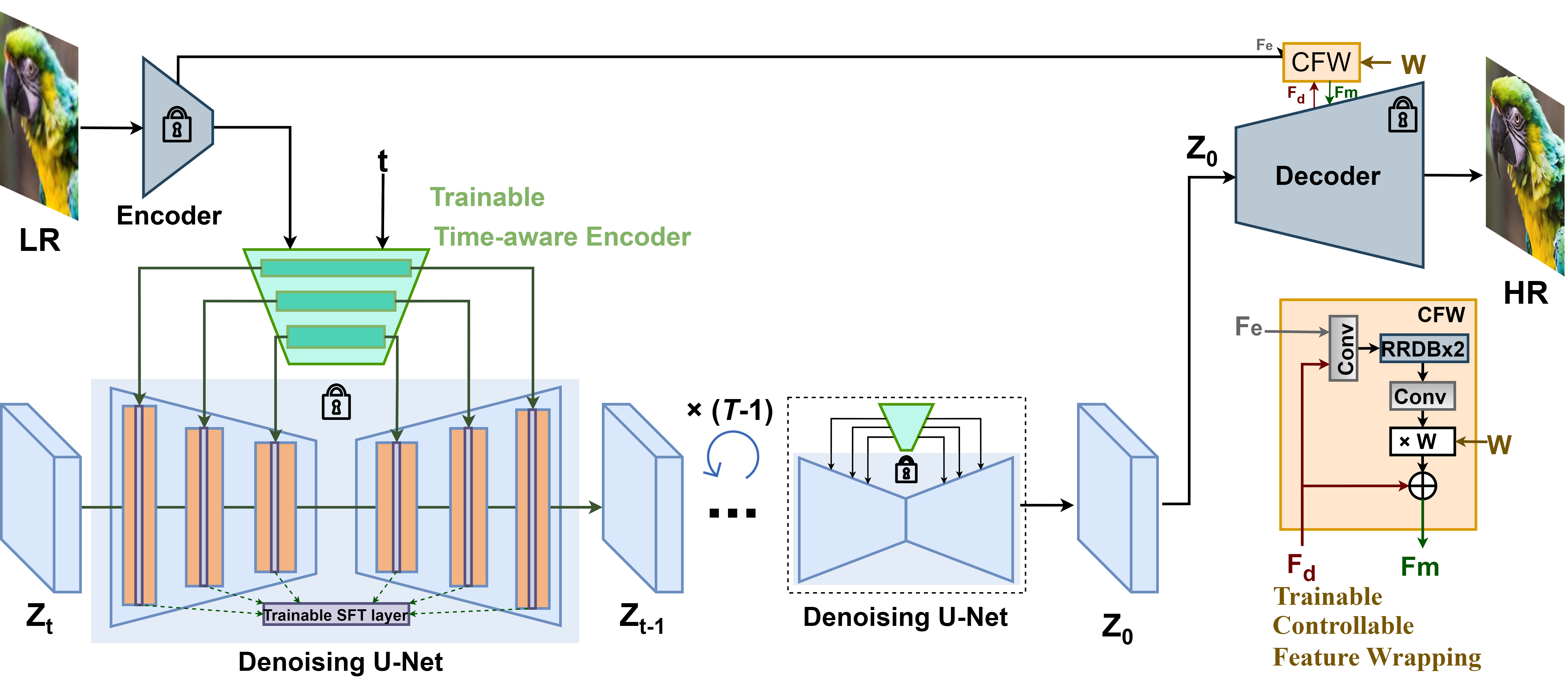
:star: If StableSR is helpful to your images or projects, please help star this repo. Thanks! :hugs:
Update
-
2024.06.28: Accepted by IJCV. See the latest Full paper.
-
2024.02.29: Support StableSR with SD-Turbo. Thank Andray for the finding!
Now the ComfyUI
of StableSR is also available. Thank gameltb and WSJUSA for the implementation!
-
2023.11.30: Code Update.
- Support DDIM and negative prompts
- Add CFW training scripts
- Add FaceSR training and test scripts
-
2023.10.08: Our test sets associated with the results in our paper are now available at [HuggingFace] and [OpenXLab]. You may have an easy comparison with StableSR now.
-
2023.08.19: Integrated to :hugs: Hugging Face. Try out online demo!
-
2023.08.19: Integrated to :panda_face: OpenXLab. Try out online demo!
-
2023.07.31: Integrated to :rocket: Replicate. Try out online demo!
-
2023.07.16: You may reproduce the LDM baseline used in our paper using LDM-SRtuning
.
-
2023.07.14: :whale: ModelScope for StableSR is released!
-
2023.06.30: :whale: New model trained on SD-2.1-768v is released! Better performance with fewer artifacts!
-
2023.06.28: Support training on SD-2.1-768v.
-
2023.05.22: :whale: Improve the code to save more GPU memory, now 128 --> 512 needs 8.9G. Enable start from intermediate steps.
-
2023.05.20: :whale: The WebUI
of StableSR is available. Thank Li Yi for the implementation!
-
2023.05.13: Add Colab demo of StableSR.
-
2023.05.11: Repo is released.
TODO
-
Code release -
Update link to paper and project page -
Pretrained models -
Colab demo -
StableSR-768v released -
Replicate demo -
HuggingFace demo -
StableSR-face released -
ComfyUI support
Demo on real-world SR
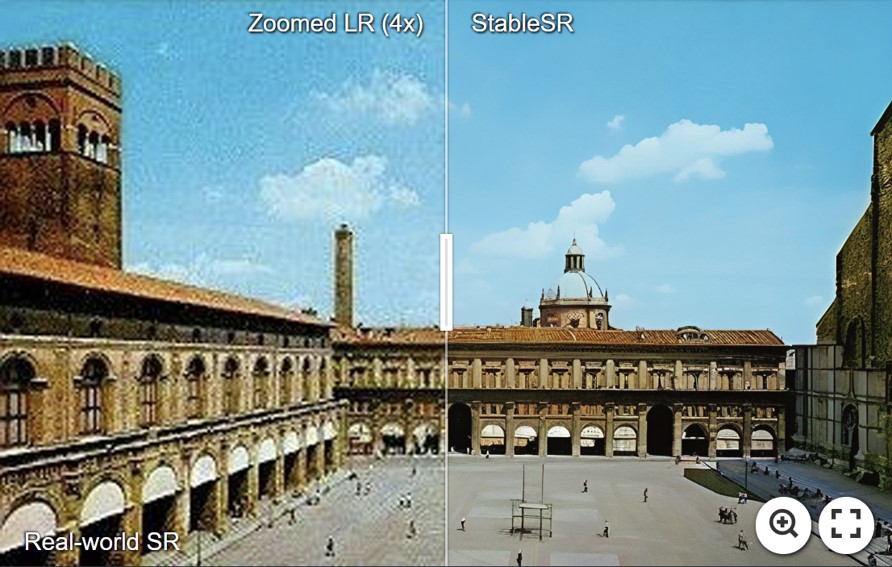
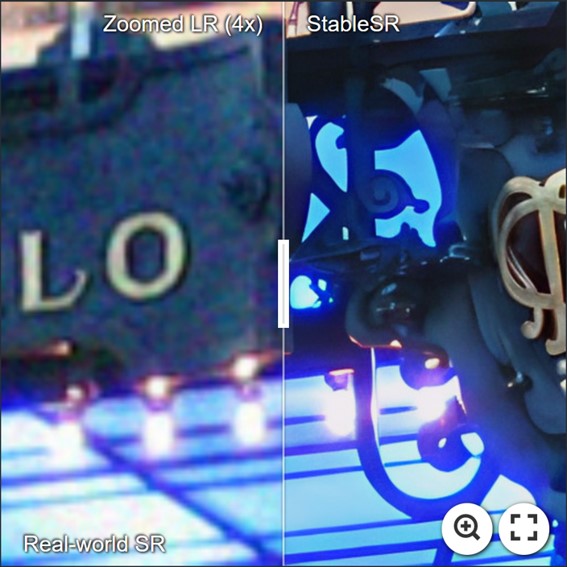
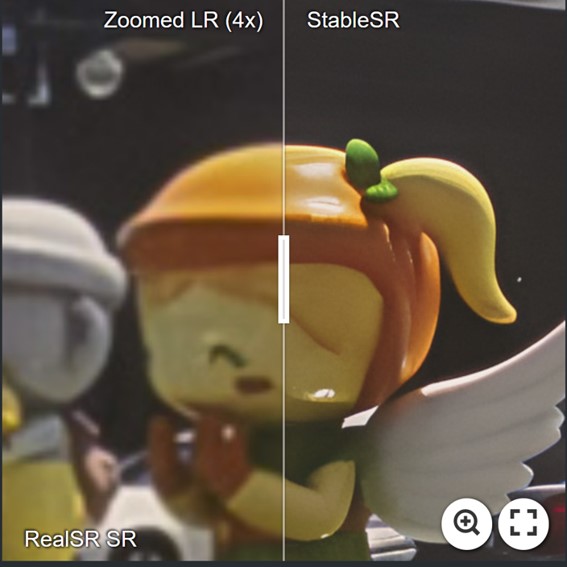
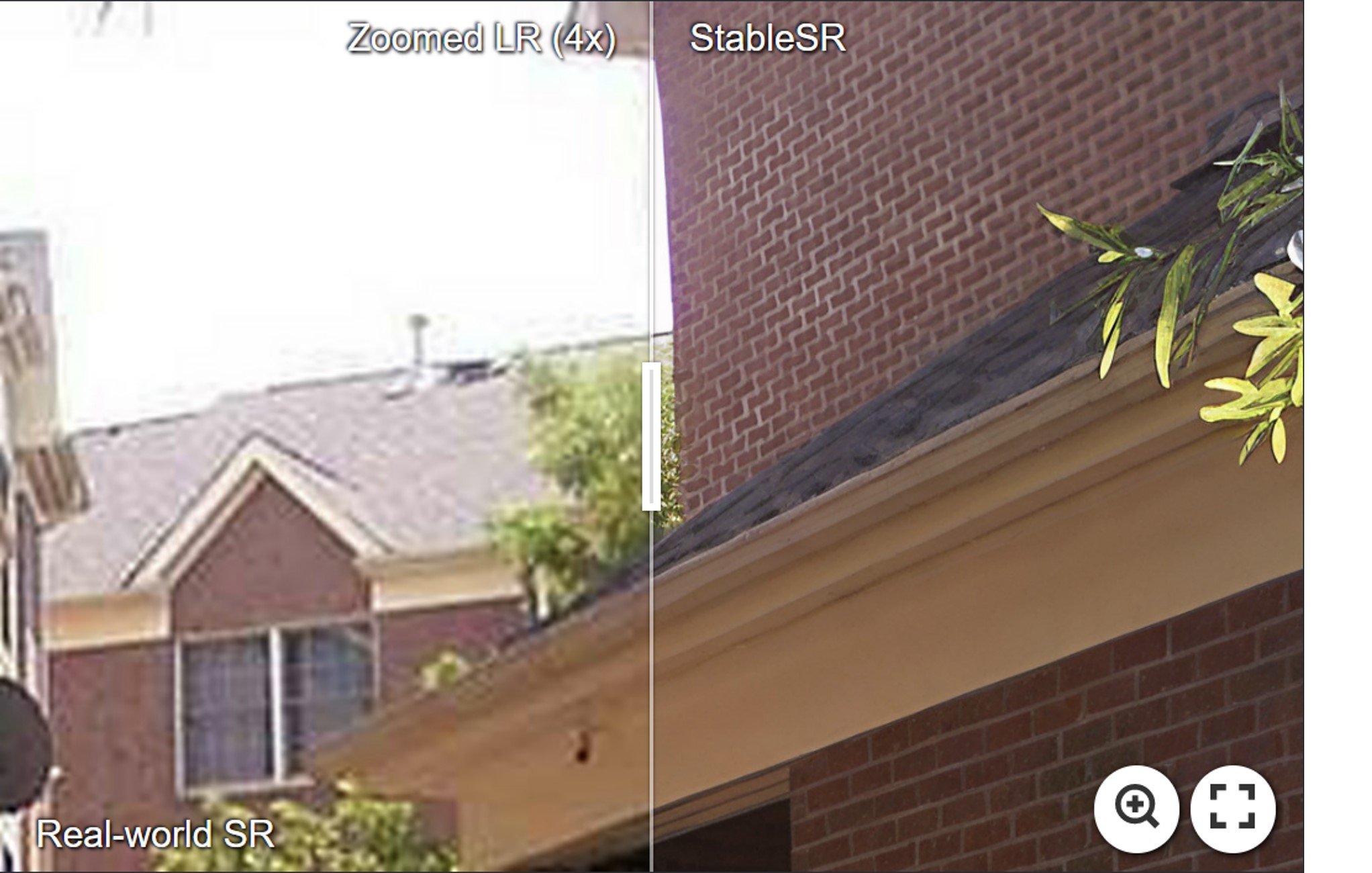
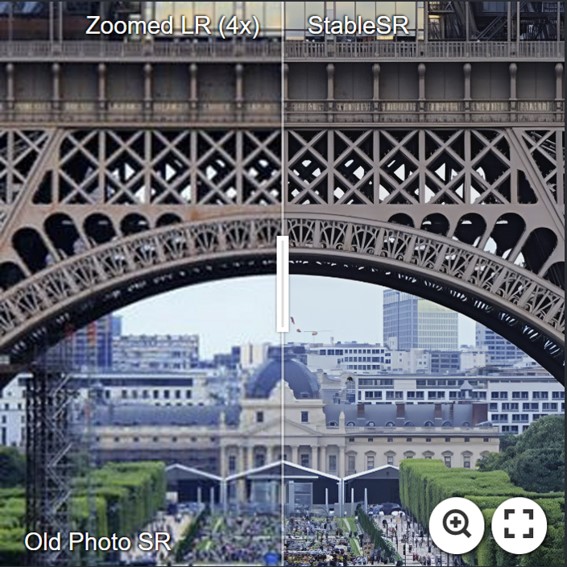
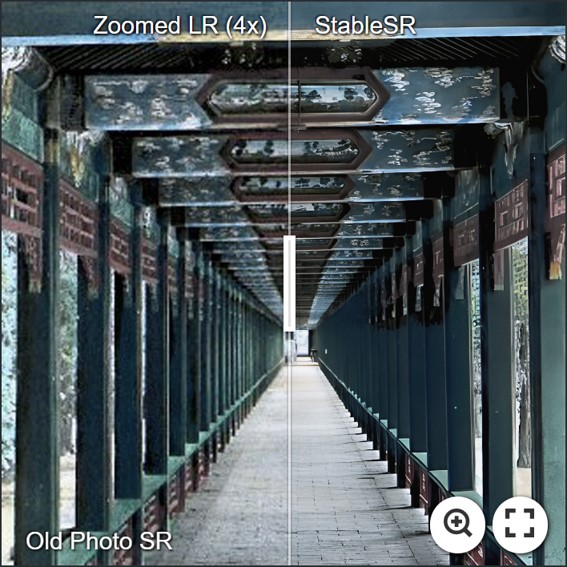
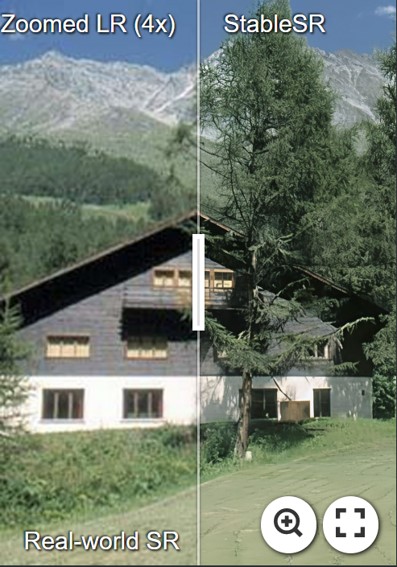
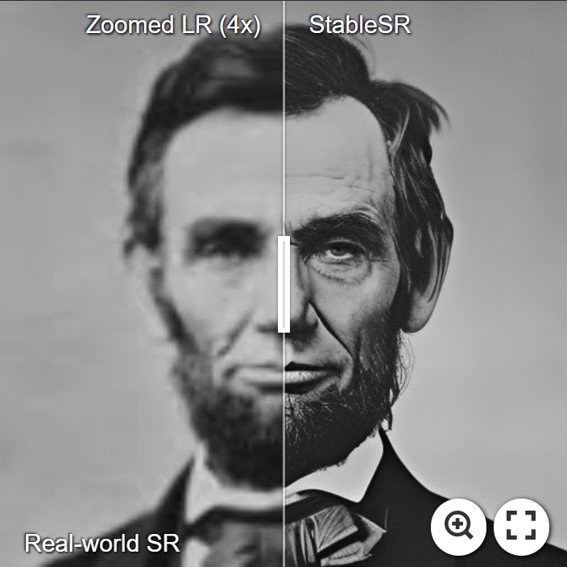
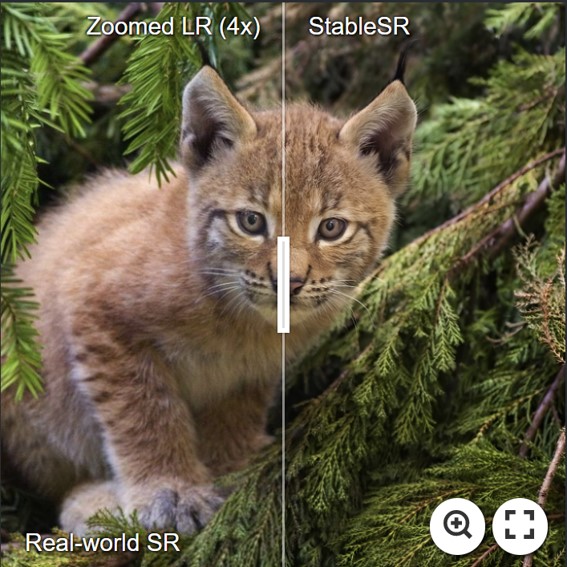
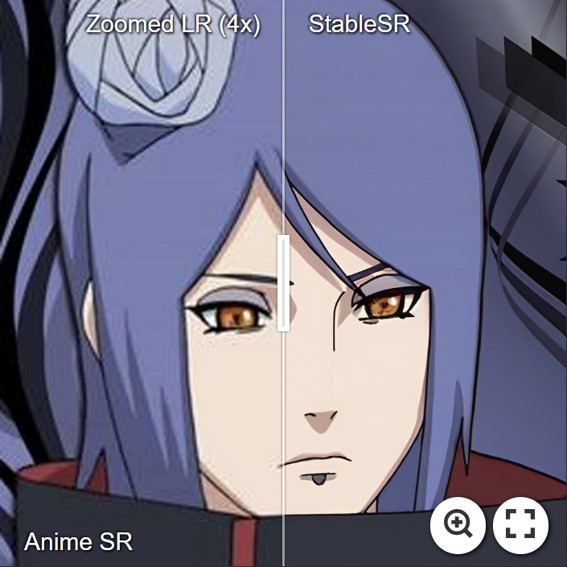
For more evaluation, please refer to our paper for details.
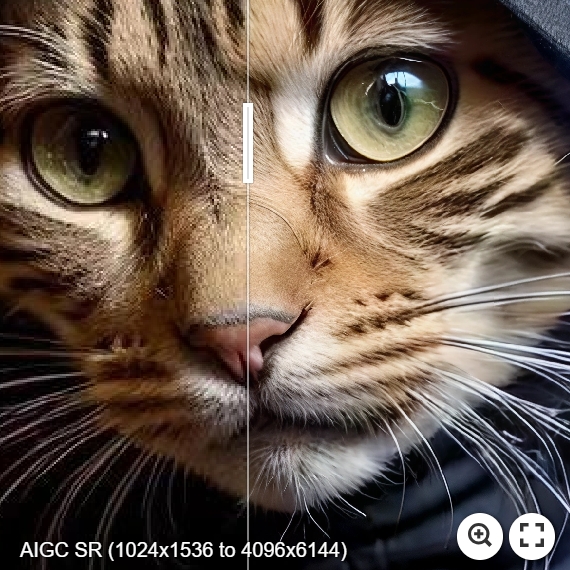
Demo on 4K Results
- StableSR is capable of achieving arbitrary upscaling in theory, below is an 4x example with a result beyond 4K (4096x6144).
# DDIM w/ negative prompts
python scripts/sr_val_ddim_text_T_negativeprompt_canvas_tile.py --config configs/stableSRNew/v2-finetune_text_T_768v.yaml --ckpt stablesr_768v_000139.ckpt --vqgan_ckpt vqgan_finetune_00011.ckpt --init-img ./inputs/test_example/ --outdir ../output/ --ddim_steps 20 --dec_w 0.0 --colorfix_type wavelet --scale 7.0 --use_negative_prompt --upscale 4 --seed 42 --n_samples 1 --input_size 768 --tile_overlap 48 --ddim_eta 1.0
- More examples.

Dependencies and Installation
- Pytorch == 1.12.1
- CUDA == 11.7
- pytorch-lightning==1.4.2
- xformers == 0.0.16 (Optional)
- Other required packages in
environment.yaml
# git clone this repository
git clone https://github.com/IceClear/StableSR.git
cd StableSR

# Create a conda environment and activate it
conda env create --file environment.yaml
conda activate stablesr

# Install xformers
conda install xformers -c xformers/label/dev

# Install taming & clip
pip install -e git+https://github.com/CompVis/taming-transformers.git@master#egg=taming-transformers
pip install -e git+https://github.com/openai/CLIP.git@main#egg=clip
pip install -e .
Running Examples
Train
Download the pretrained Stable Diffusion models from [HuggingFace]
python main.py --train --base configs/stableSRNew/v2-finetune_text_T_512.yaml --gpus GPU_ID, --name NAME --scale_lr False
- Train CFW: set the ckpt_path in config files (Line 6).
You need to first generate training data using the finetuned diffusion model in the first stage.
# General SR
python scripts/generate_vqgan_data.py --config configs/stableSRdata/test_data.yaml --ckpt CKPT_PATH --outdir OUTDIR --skip_grid --ddpm_steps 200 --base_i 0 --seed 10000
# For face data
python scripts/generate_vqgan_data_face.py --config configs/stableSRdata/test_data_face.yaml --ckpt CKPT_PATH --outdir OUTDIR --skip_grid --ddpm_steps 200 --base_i 0 --seed 10000
The data folder should be like this:
CFW_trainingdata/
    └── inputs
          └── 00000001.png # LQ images, (512, 512, 3) (resize to 512x512)
          └── ...
    └── gts
          └── 00000001.png # GT images, (512, 512, 3) (512x512)
          └── ...
    └── latents
          └── 00000001.npy # Latent codes (N, 4, 64, 64) of HR images generated by the diffusion U-net, saved in .npy format.
          └── ...
    └── samples
          └── 00000001.png # The HR images generated from latent codes, just to make sure the generated latents are correct.
          └── ...
Then you can train CFW:
python main.py --train --base configs/autoencoder/autoencoder_kl_64x64x4_resi.yaml --gpus GPU_ID, --name NAME --scale_lr False
Resume
python main.py --train --base configs/stableSRNew/v2-finetune_text_T_512.yaml --gpus GPU_ID, --resume RESUME_PATH --scale_lr False
Test directly
Download the Diffusion and autoencoder pretrained models from [HuggingFace | OpenXLab].
We use the same color correction scheme introduced in paper by default.
You may change --colorfix_type wavelet for better color correction.
You may also disable color correction by --colorfix_type nofix
- StableSR-Turbo: Get the ckpt first from [HuggingFace or OpenXLab]. Then you just need to modify
--ckpt_pathand set--ddpm_stepsto 4. See examples below:
python scripts/sr_val_ddpm_text_T_vqganfin_old.py --config configs/stableSRNew/v2-finetune_text_T_512.yaml --ckpt ./stablesr_turbo.ckpt --init-img LQ_PATH --outdir OUT_PATH --ddpm_steps 4 --dec_w 0.5 --seed 42 --n_samples 1 --vqgan_ckpt ./vqgan_cfw_00011.ckpt --colorfix_type wavelet
python scripts/sr_val_ddpm_text_T_vqganfin_oldcanvas_tile.py --config configs/stableSRNew/v2-finetune_text_T_512.yaml --ckpt ./stablesr_turbo.ckpt --init-img LQ_PATH --outdir OUT_PATH --ddpm_steps 4 --dec_w 0.5 --seed 42 --n_samples 1 --vqgan_ckpt ./vqgan_cfw_00011.ckpt --colorfix_type wavelet --upscale 4
-
DDIM is supported now. See here
-
Test on 128 --> 512: You need at least 10G GPU memory to run this script (batchsize 2 by default)
python scripts/sr_val_ddpm_text_T_vqganfin_old.py --config configs/stableSRNew/v2-finetune_text_T_512.yaml --ckpt CKPT_PATH --vqgan_ckpt VQGANCKPT_PATH --init-img INPUT_PATH --outdir OUT_DIR --ddpm_steps 200 --dec_w 0.5 --colorfix_type adain
- Test on arbitrary size w/o chop for autoencoder (for results beyond 512): The memory cost depends on your image size, but is usually above 10G.
python scripts/sr_val_ddpm_text_T_vqganfin_oldcanvas.py --config configs/stableSRNew/v2-finetune_text_T_512.yaml --ckpt CKPT_PATH --vqgan_ckpt VQGANCKPT_PATH --init-img INPUT_PATH --outdir OUT_DIR --ddpm_steps 200 --dec_w 0.5 --colorfix_type adain
- Test on arbitrary size w/ chop for autoencoder: Current default setting needs at least 18G to run, you may reduce the autoencoder tile size by setting
--vqgantile_sizeand--vqgantile_stride. Note the min tile size is 512 and the stride should be smaller than the tile size. A smaller size may introduce more border artifacts.
python scripts/sr_val_ddpm_text_T_vqganfin_oldcanvas_tile.py --config configs/stableSRNew/v2-finetune_text_T_512.yaml --ckpt CKPT_PATH --vqgan_ckpt VQGANCKPT_PATH --init-img INPUT_PATH --outdir OUT_DIR --ddpm_steps 200 --dec_w 0.5 --colorfix_type adain
- For test on 768 model, you need to set
--config configs/stableSRNew/v2-finetune_text_T_768v.yaml,--input_size 768and--ckpt. You can also adjust--tile_overlap,--vqgantile_sizeand--vqgantile_strideaccordingly. We did not finetune CFW.
Test FaceSR
You need to first generate reference images using [CodeFormer] or other blind face models.
Pretrained Models: [HuggingFace | OpenXLab].
python scripts/sr_val_ddpm_text_T_vqganfin_facerefersampling.py --init-img LR_PATH --ref-img REF_PATH --outdir OUTDIR --config ./configs/stableSRNew/v2-finetune_face_T_512.yaml --ckpt face_stablesr_000050.ckpt
 --vqgan_ckpt face_vqgan_cfw_00011.ckpt --ddpm_steps 200 --dec_w 0.0 --facesr
Test using Replicate API
import replicate
model = replicate.models.get(<model_name>)
model.predict(input_image=...)
You may see here for more information.
Citation
If our work is useful for your research, please consider citing:
@article{wang2024exploiting,
  author = {Wang, Jianyi and Yue, Zongsheng and Zhou, Shangchen and Chan, Kelvin C.K. and Loy, Chen Change},
  title = {Exploiting Diffusion Prior for Real-World Image Super-Resolution},
  article = {International Journal of Computer Vision},
  year = {2024}
}
License
This project is licensed under NTU S-Lab License 1.0. Redistribution and use should follow this license.
Acknowledgement
This project is based on stablediffusion, latent-diffusion, SPADE, mixture-of-diffusers and BasicSR. Thanks for their awesome work.
Contact
If you have any questions, please feel free to reach me out at [email protected].