

SuperFlux
Changelog
v0.7.0
🔐 SuperPassword — Password Manager (Pro)
An encrypted password vault built directly into SuperFlux.
- AES-256-GCM encryption with Argon2id key derivation (64 MB, 3 iterations) — the master password is never stored on disk
- Full entry management: title, URL, username, password, notes, custom fields, and favorites
- Password generator with strength indicator, configurable options (length, uppercase, lowercase, digits, symbols, exclude ambiguous characters)
- Built-in TOTP: add 2FA codes directly on each entry (supports otpauth:// URIs and raw base32 secrets), real-time countdown refresh
- Auto-lock with configurable timeout (default: 5 min) — the master key is zeroized from memory on expiration
- Auto-clear clipboard after copying a password (default: 30 seconds)
- Folder organization with instant search
- Import/Export in CSV and JSON formats
- Optional cloud sync via Supabase — the encrypted vault is automatically uploaded/downloaded on login
- Security audit of stored passwords
📓 SuperMarkdown — Markdown Editor (Pro)
An Obsidian-style Markdown editor, fully integrated.
- CodeMirror 6 editor with Markdown syntax highlighting, keyboard shortcuts, and adaptive theme
- Live preview with faithful Markdown rendering
- Wikilinks [[...]] with auto-completion and cross-file navigation
- File tree with file and folder creation, renaming, and deletion
- Tabs to work on multiple files simultaneously
- Git panel: view status, stage changes, commit, and diff directly from the editor
- Side-by-side diff view to compare modifications
- Global search across the entire vault with result navigation
- Backlinks: see all pages linking to the active file
- Tags: extraction and navigation via #tag syntax
- Command palette (Ctrl+Shift+P) for quick access to all actions
- Status bar: line, column, word count, editing mode
🔔 Notifications
- Native notifications for new articles — toggleable per feed
- Uses the OS native notification system via the Tauri Notification plugin
🛠 Miscellaneous improvements
- AuthModal: redesigned authentication interface
- SourcePanel: added password vault sync panel (toggle cloud sync, last sync date)
- TitleBar: two new mode tabs (Passwords Ctrl+9, Markdown Ctrl+0), graceful handling of getCurrentWindow() outside Tauri context
- SuperClipboard: UI improvements
- UpgradeModal: updated to reflect new Pro features
- GlassIconButton: additional prop support
- Added .playwright-mcp/ to .gitignore
A fast, native desktop RSS reader and productivity suite with a resizable 3-panel layout, built-in Reddit comments, AI summaries, text-to-speech, bookmarks, notes, a document editor, a drawing canvas, and a collapsible bar mode. Built with Tauri 2 and React 19.

Features
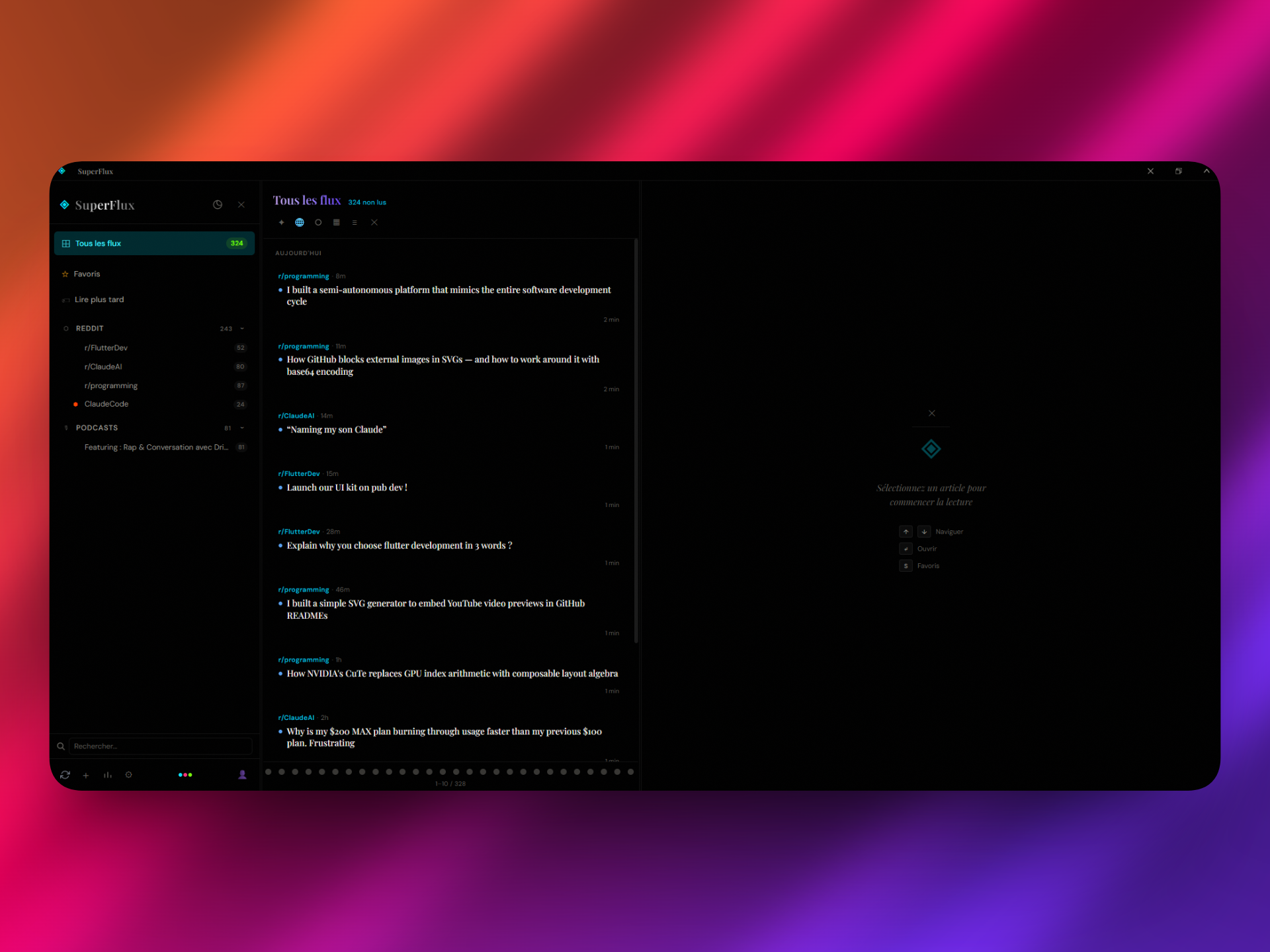
3 Resizable Panels
The interface is split into three independently resizable columns with drag handles between them:
| Panel | Default Width | Content |
|---|---|---|
| Sources (left) | 18% | Feed tree, folders, unread counts, favorites, read later, mode tabs |
| Feed (center) | 32% | Article list with pagination, time grouping, 3 view modes (normal, compact, cards) |
| Reader (right) | 50% | Full article reader, AI summary, TTS, highlights, web view, Reddit comments, or contextual module (notes editor, document editor, bookmark reader, drawing canvas) |
Each panel can be closed individually -- it collapses into a thin clickable strip. Toggle panels with keyboard shortcuts 1, 2, 3. Panels resize freely by dragging the handles between them.
Collapsible Bar Mode
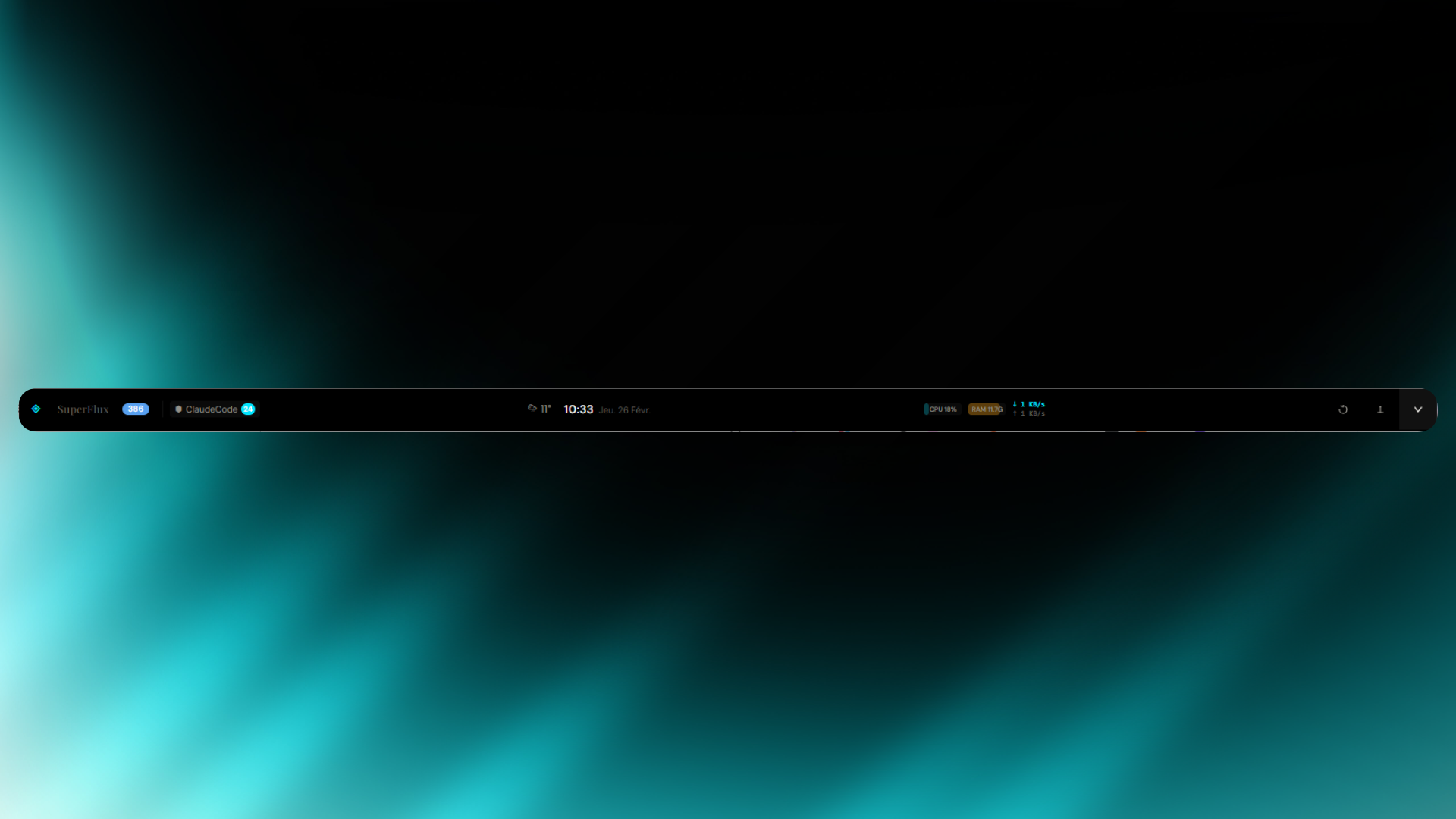 Click the collapse button in the title bar and the entire app shrinks into a slim floating bar that stays on your desktop. The bar displays:
- Unread count, favorites and read-later badges
- Live weather with auto-detected geolocation (temperature + weather icon)
- Live clock with date
- Pin button to keep the bar always on top of other windows
One click expands back to the full 3-panel layout.
Reddit Feeds with Live Comments
Add any subreddit by typing r/subredditname in the add feed dialog. SuperFlux:
- Shows comment count on each post in the feed list
- Fetches live comments from Reddit's API when reading a post (sorted by best, up to 30 comments)
- Displays author, score, and relative timestamp for each comment inline
- Falls back to cached comment data if the API is unavailable
6 Source Types
| Source | Icon | Auto-detection |
|---|---|---|
| Articles / Blogs | ◇ |
Any RSS/Atom feed |
⬡ |
r/name shorthand or reddit.com URLs |
|
| YouTube | ▷ |
Channel URLs, @username handles |
| Twitter / X | ✦ |
@username, x.com, nitter instances |
| Mastodon | 🐘 |
Mastodon / Fosstodon / Hachyderm instances |
| Podcasts | 🎙 |
Auto-detected from audio/* enclosures |
AI Summaries (Pro)
Summarize articles or entire feed digests with one click. Two LLM providers:
- Ollama (local) -- runs offline with
llama3.2:3b, models can be pulled directly from Settings - Groq (cloud) -- uses
llama-3.3-70b-versatilefor higher quality
Summary format is configurable: bullet points or paragraph.
Text-to-Speech
Listen to articles with 3 TTS engine options:
- Browser -- Web Speech API, supports pause/resume, adjustable speed (0.5x-2x)
- Native -- OS-level TTS via Tauri, adjustable speed
- ElevenLabs -- cloud API with configurable voice and model
Text Highlighting & Notes (Pro)
Select text in any article to highlight it with 5 colors (yellow, green, blue, pink, orange). Add notes to highlights. The highlights menu lists all highlights for the current article with click-to-scroll navigation.
Podcast Player
Built-in audio player for podcast feeds with:
- Play/pause, skip -15s/+15s
- Speed toggle (0.5x, 1x, 1.25x, 1.5x, 2x)
- Seekable progress bar, volume slider
- Album artwork display
10 Integrated Modes
Switch between modes using the icon tab bar in the sources panel or keyboard shortcuts Ctrl+1 through Ctrl+0. A command palette (Ctrl+K) provides quick access to all commands and navigation.
| Mode | Shortcut | Description |
|---|---|---|
| SuperFlux | Ctrl+1 |
RSS reader -- the default 3-panel feed experience |
| SuperBookmark | Ctrl+2 |
Web bookmark manager with full-page reader and metadata extraction |
| SuperNote | Ctrl+3 |
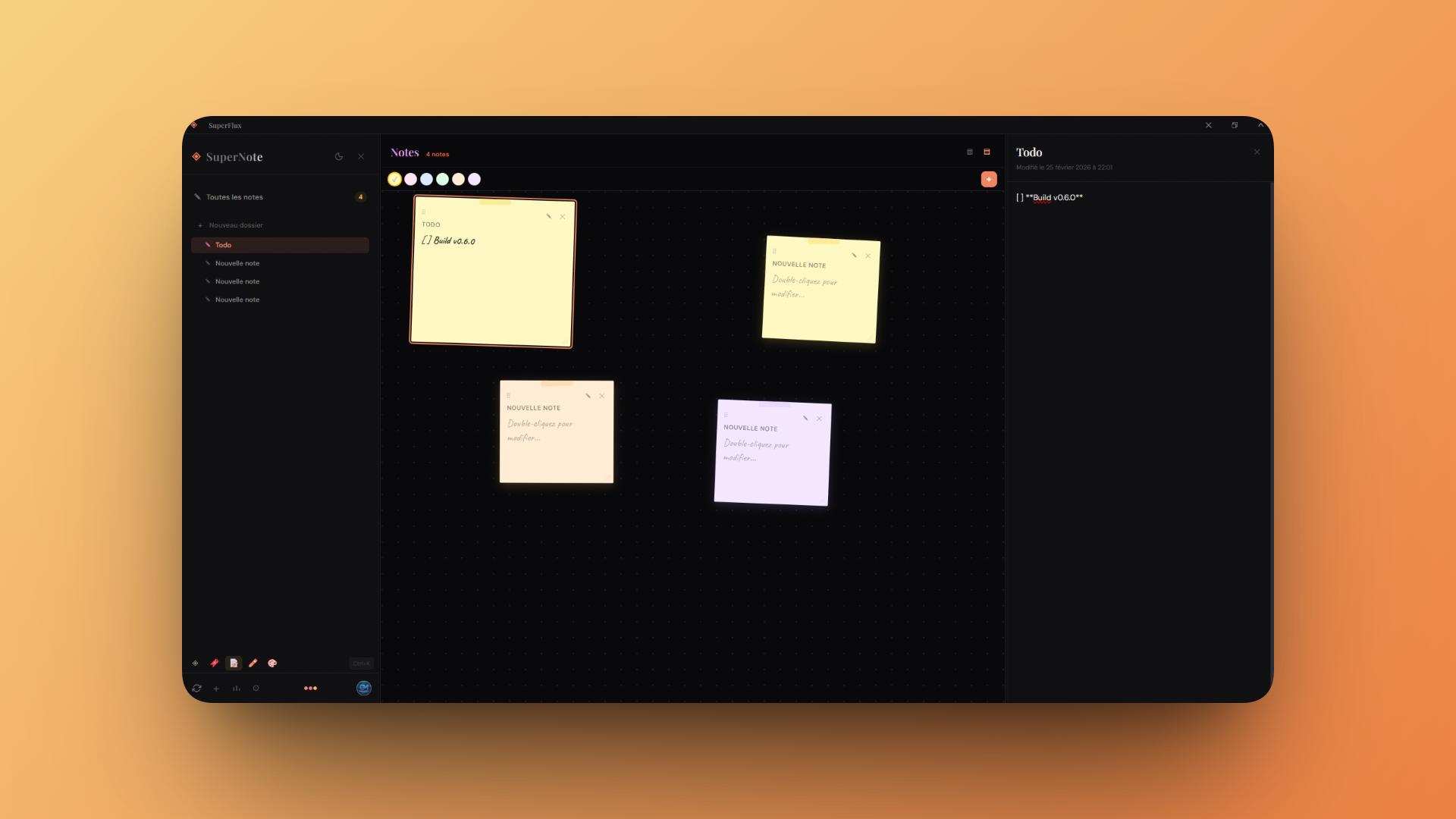
Sticky notes with folders, color-coded cards, and cloud sync |
| SuperEditor (Pro) | Ctrl+4 |
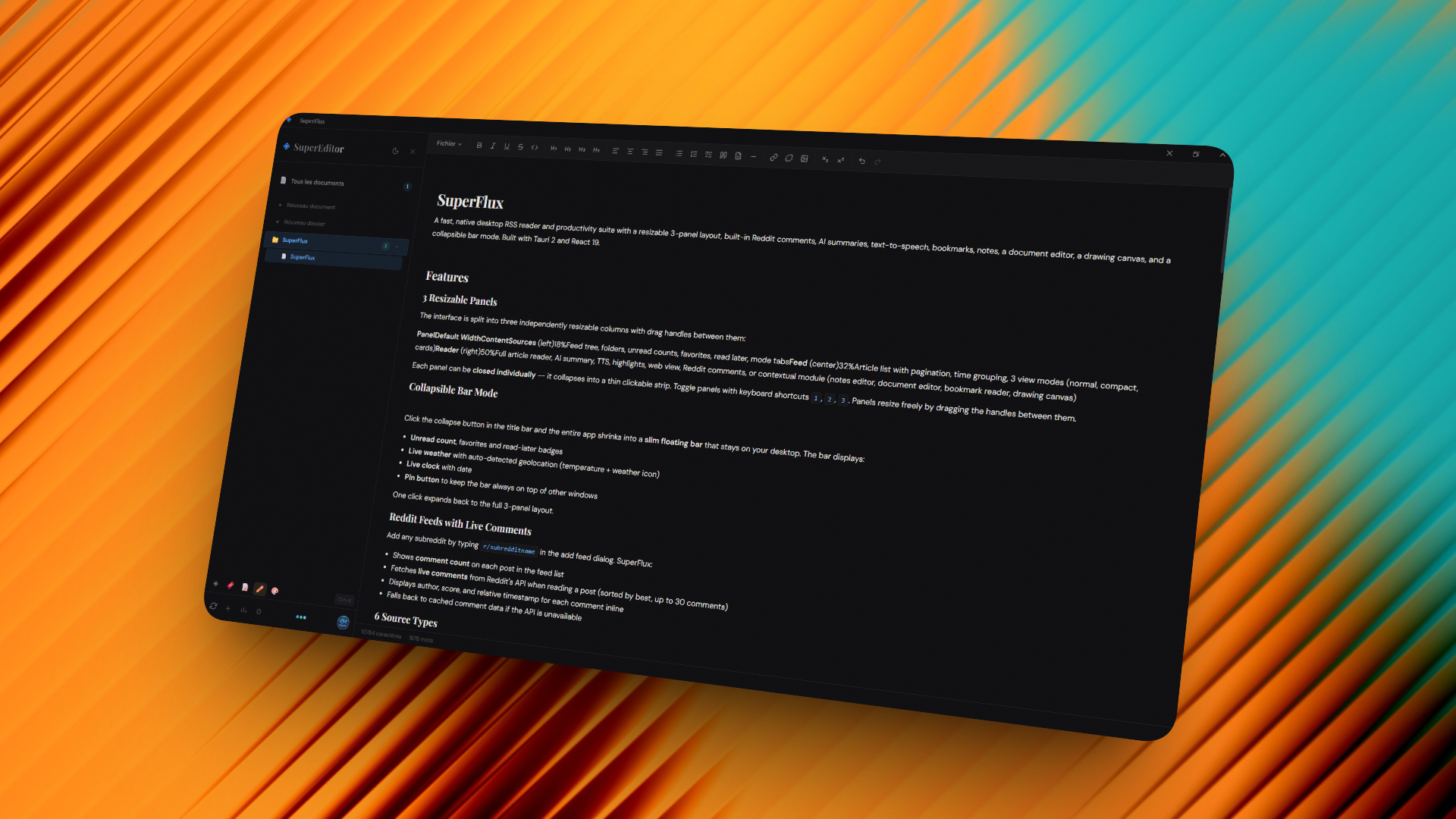
Document editor with Pandoc export (PDF, DOCX, HTML, Markdown) |
| SuperDraw (Pro) | Ctrl+5 |
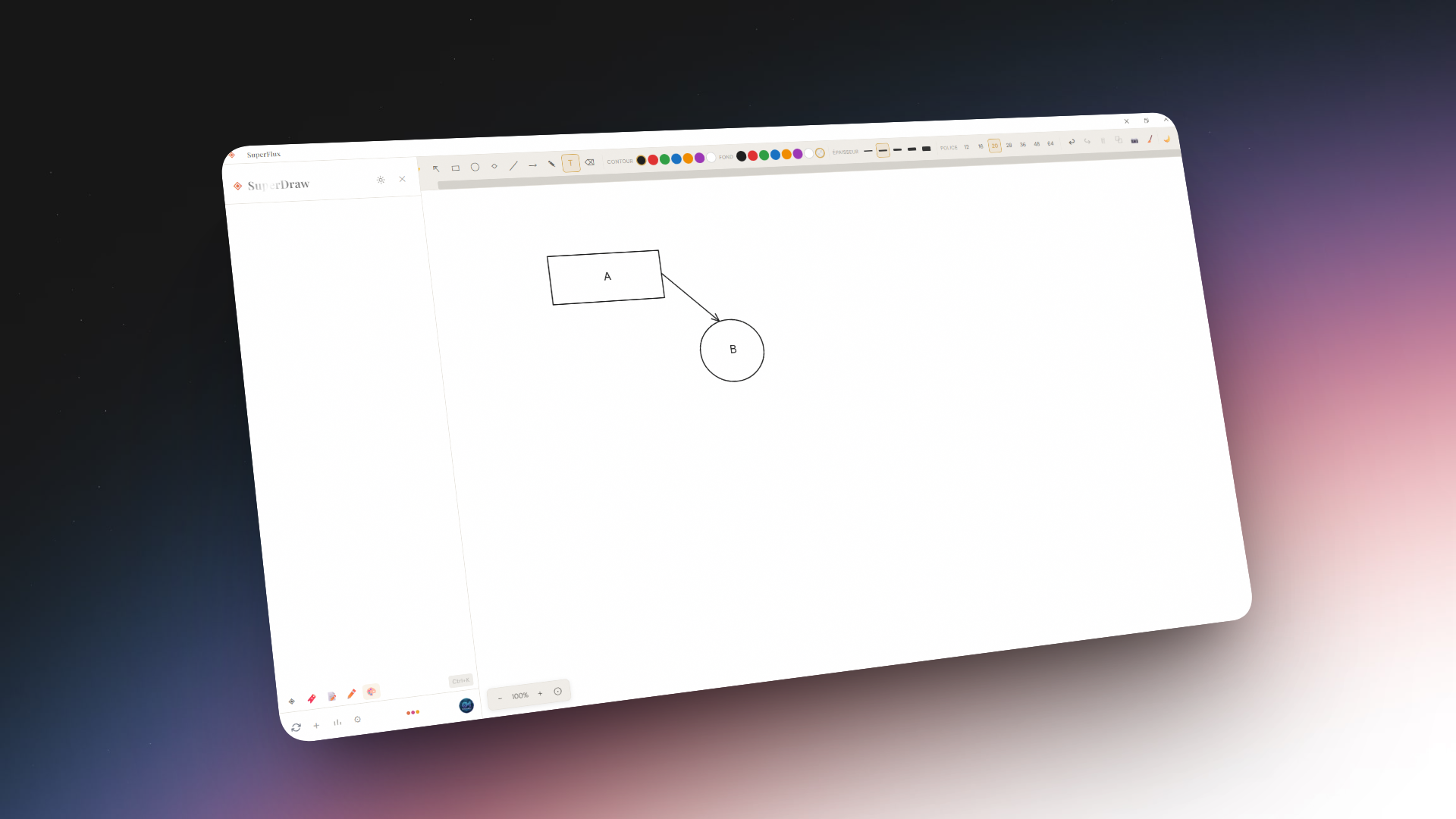
Canvas drawing tool with shapes, freehand, text, arrows, dark/light mode, and PNG export |
| SuperTranslate | Ctrl+6 |
Real-time text translation with auto-detection across 12 languages |
| SuperExpander | Ctrl+7 |
Text snippet expander with keywords, dynamic placeholders, and global shortcuts |
| SuperClipboard | Ctrl+8 |
Clipboard history manager with pinning, search, and keyboard shortcuts |
| SuperPassword (Pro) | Ctrl+9 |
Encrypted password vault with TOTP, audit, generator, and import/export |
| SuperMarkdown (Pro) | Ctrl+0 |
Markdown editor with vault, tabs, Git integration, backlinks, and live preview |
SuperFlux
SuperBookmark
SuperNote
SuperEditor
SuperDraw
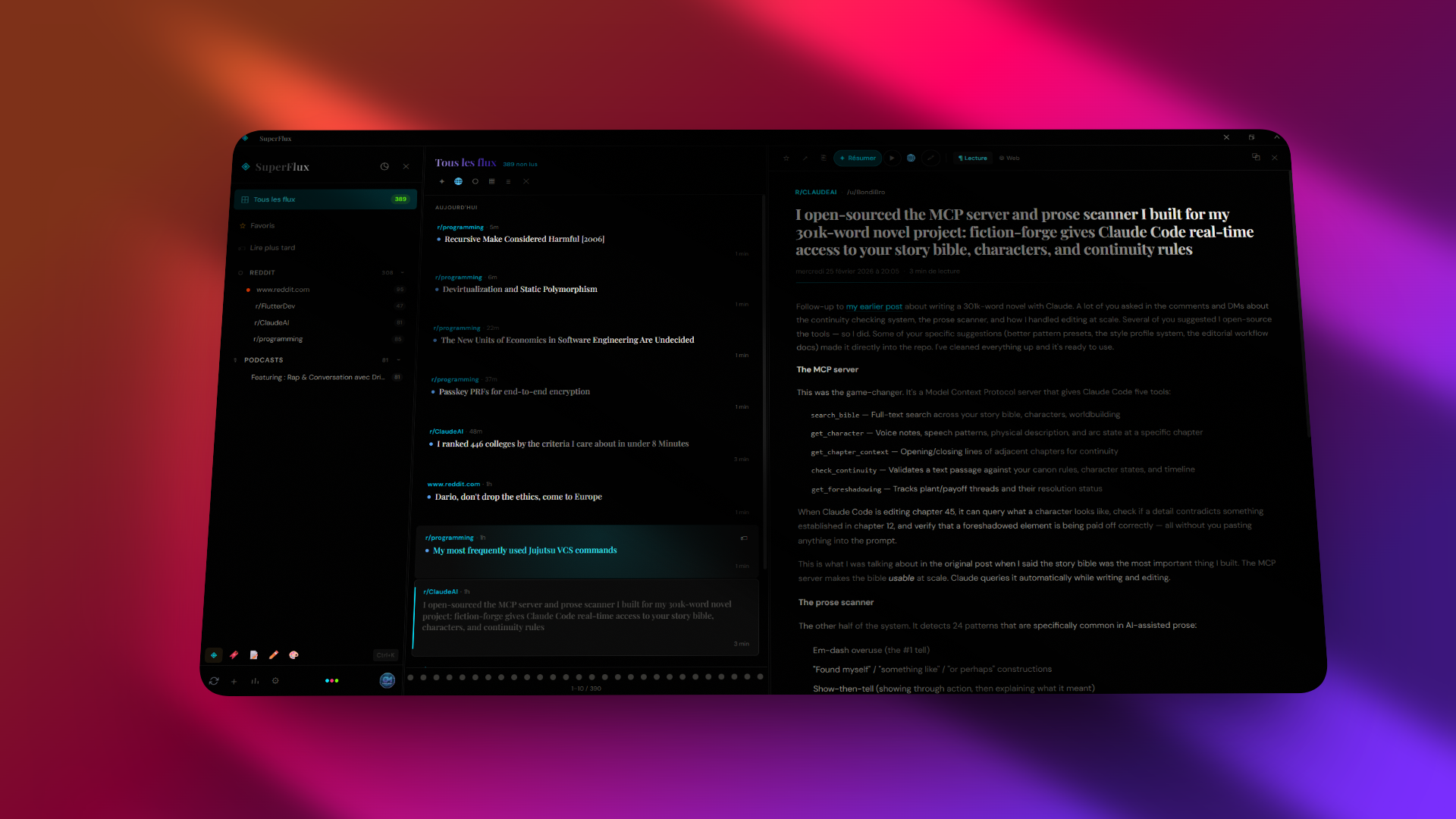
SuperBookmark
Save and organize web bookmarks with automatic metadata extraction (title, excerpt, favicon, author). Features a built-in reader view for saved pages.
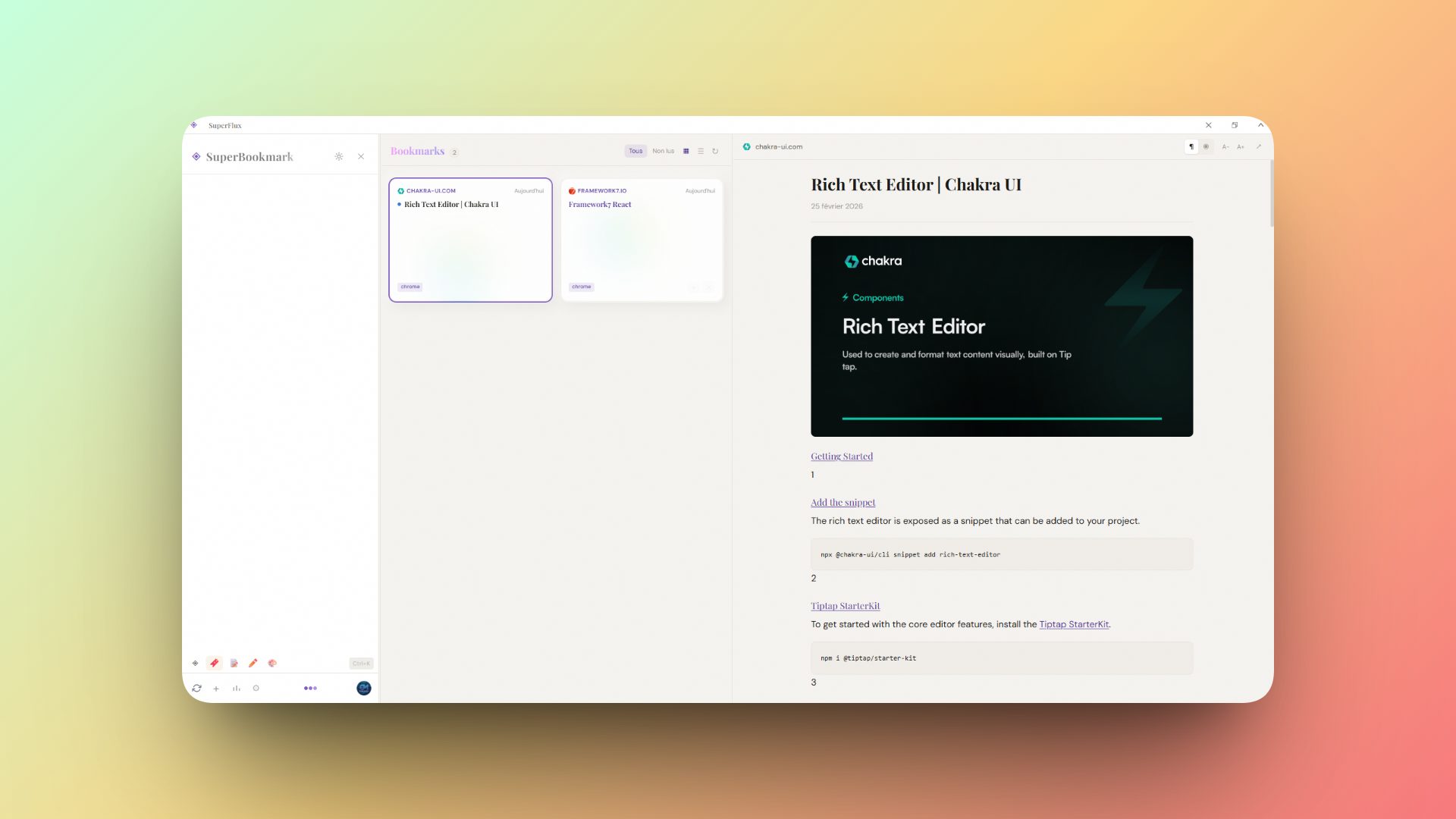
SuperNote
Quick note-taking with folder organization, sticky-note style cards, and Supabase cloud sync. Notes support positioning, colors, and resizing.
SuperEditor (Pro)
A full document editor with:
- Folder organization and document management
- Pandoc integration for exporting to PDF, DOCX, HTML, Markdown, and more
- Cloud sync via Supabase
SuperDraw (Pro)
A custom canvas drawing tool inspired by Excalidraw:
- 10 tools: select, hand (pan), rectangle, ellipse, diamond, line, arrow, freehand, text, eraser
- Color picker for stroke and fill with 7 preset colors + transparent
- Stroke width selector (1--8px)
- Font size selector for text tool (12--64px)
- Dark / light mode toggle (independent of app theme, auto-adapts element colors)
- Zoom & pan with mouse wheel (Ctrl+wheel to zoom, wheel to pan)
- Selection with resize handles, multi-select box, duplicate (
Ctrl+D), delete - Undo / redo history (
Ctrl+Z/Ctrl+Y) - PNG export and persistent local storage
SuperTranslate
Instant text translation powered by Google Translate:
- 12 languages supported: French, English, Spanish, German, Italian, Portuguese, Dutch, Russian, Japanese, Chinese, Korean, Arabic
- Auto-detection of source language
- Swap languages with one click
- Auto-translate with debounce as you type
SuperExpander
A text snippet expander for quickly inserting reusable text blocks:
- Create snippets with trigger keywords that expand on demand
- Dynamic placeholders:
{date},{time},{datetime},{day},{uuid},{clipboard} - Assign global keyboard shortcuts to snippets
- Folder and time-based grouping
SuperClipboard
A clipboard history manager that tracks everything you copy:
- Automatic history with time-grouped entries (last hour, today, this week, older)
- Pin important entries to keep them at the top
- Global keyboard shortcuts for quick paste of frequent entries
- Search through clipboard history
- Convert clipboard entries to SuperNote notes
SuperPassword (Pro)
An encrypted local password vault:
- AES-encrypted vault with master password, auto-lock, and clipboard auto-clear
- Password generator with configurable length, character sets, and strength audit
- TOTP / 2FA support for time-based one-time passwords
- Folder organization, favorites, tags, and search
- Import / export passwords (CSV, JSON)
- Security audit to detect weak, reused, or compromised passwords
- Cloud sync via Supabase
SuperMarkdown (Pro)
A full-featured Markdown editor with vault-based file management:
- Vault directory with file tree navigation and folder support
- Multi-tab editing with unsaved change indicators
- 3 view modes: edit, split (side-by-side), and live preview
- Git integration with status, diffs, commit, push, and pull
- Backlinks and tags panels for knowledge-graph navigation
- Search across all vault files
- Command palette and status bar with cursor position and word count
Full Article Extraction
When RSS content is truncated, SuperFlux automatically fetches the full article from the original site using Readability. A manual "Fetch from original site" button is also available.
OPML Import
Drag-and-drop or browse to upload .opml / .xml files exported from any RSS reader. Auto-detects source type from URL patterns.
RSS Provider Sync
Connect an external RSS service to import subscriptions and sync read status bidirectionally:
- Miniflux -- API key authentication
- FreshRSS -- Google Reader API
- Feedbin -- email/password
- BazQux -- Google Reader API compatible
Cloud Sync
Sign in with a Supabase account to sync feeds, read/star/bookmark status across devices. Bidirectional sync with last-write-wins strategy, runs every 5 minutes.
Appearance
- 3 themes: Light, Sepia, Dark (+ AMOLED) with animated circular transition effect
- Window effects (Windows): Mica, Acrylic, Blur, Tabbed with adjustable opacity
- Custom frameless title bar with minimize, maximize, collapse controls

Keyboard Shortcuts
| Key | Action |
|---|---|
Ctrl+K |
Open command palette |
Ctrl+1--0 |
Switch mode (Flux, Bookmark, Note, Editor, Draw, Translate, Expander, Clipboard, Password, Markdown) |
Alt+1 |
Toggle Sources panel |
Alt+2 |
Toggle Feed panel |
Alt+3 |
Toggle Reader panel |
J / K |
Next / previous article |
O |
Open article in browser |
R |
Toggle read / unread |
S |
Toggle star / favorite |
B |
Toggle read later |
Shift+R |
Mark all as read |
Ctrl+D |
Duplicate selection (Draw mode) |
Ctrl+Z / Ctrl+Y |
Undo / Redo |
? |
Show shortcuts help |
Pro Plan
SuperFlux is free with generous limits. The Pro plan (one-time purchase) unlocks:
- Unlimited AI summaries (article + feed digest)
- Text highlighting and notes
- Illimited feeds (vs 10 in free)
- Illimited folders for organization (vs 5 in free)
- TTS Elevenlab
- Early access to new features
Tech Stack
| Layer | Technology |
|---|---|
| Runtime | Tauri v2 (Rust) |
| Frontend | React 19, TypeScript, Vite 7 |
| Styling | Tailwind CSS v4, CSS color-mix() |
| UI | Radix UI, Lucide icons, Framer Motion |
| HTTP | reqwest (rustls) via Tauri commands |
| Auth & Sync | Supabase |
| Payments | LemonSqueezy |
| AI | Groq / Ollama |
| TTS | Web Speech API / Native OS / ElevenLabs |
Additional applications
Getting Started
Prerequisites
- Node.js >= 18
- Rust >= 1.77
- Tauri v2 prerequisites for your platform
Installation
npm install
Development
npm run dev
Starts Tauri dev mode which launches both Vite (port 5173) and the Rust backend.
Build
npm run build
Produces platform-specific installers in src-tauri/target/release/bundle/.
Project Structure
src/
  App.tsx                    # Root layout with 3-panel orchestration
  main.tsx                   # Entry point, window effect restoration
  types.ts                   # Feed, FeedItem, FeedCategory, TextHighlight types
  index.css                  # Full theme + window effect CSS
  components/
    SourcePanel.tsx           # Panel 1 -- feed tree, folders, sources, mode tabs
    FeedPanel.tsx             # Panel 2 -- article list, view modes, pagination
    ReaderPanel.tsx           # Panel 3 -- reader, web view, comments, TTS
    NotePanel.tsx             # Note list panel (SuperNote mode)
    NoteEditor.tsx            # Note editor (SuperNote mode)
    BookmarkPanel.tsx         # Bookmark list panel (SuperBookmark mode)
    BookmarkReader.tsx        # Bookmark reader view (SuperBookmark mode)
    SuperEditor.tsx           # Document editor with Pandoc export (SuperEditor mode)
    SuperDraw.tsx             # Canvas drawing tool (SuperDraw mode)
    SuperTranslate.tsx        # Real-time translator (SuperTranslate mode)
    SuperExpander.tsx          # Text snippet expander (SuperExpander mode)
    SuperClipboard.tsx        # Clipboard history manager (SuperClipboard mode)
    SuperPassword.tsx         # Encrypted password vault (SuperPassword mode)
    SuperMarkdown.tsx         # Markdown editor with vault (SuperMarkdown mode)
    CommandPalette.tsx        # Ctrl+K command palette
    ShortcutsOverlay.tsx      # Keyboard shortcuts help overlay
    TitleBar.tsx              # Custom title bar with bar/collapse mode
    AudioPlayer.tsx           # Embedded podcast player
    SettingsModal.tsx         # Settings (account, provider, AI, TTS, appearance)
    UpgradeModal.tsx          # Pro upgrade and license activation
    AddFeedModal.tsx          # Add feed dialog with search
    AuthModal.tsx             # Sign in / sign up modal
    UserMenu.tsx              # User account menu
    ResizeHandle.tsx          # Drag handle between panels
    SyncButton.tsx            # Sync indicator
  services/
    rssService.ts             # RSS/Atom/Reddit/YouTube/Twitter fetching & parsing
    articleExtractor.ts       # Full-text extraction via Readability
    llmService.ts             # AI summary abstraction (Ollama / Groq)
    ttsService.ts             # TTS engine abstraction
    licenseService.ts         # Pro license activation via LemonSqueezy
    syncService.ts            # Supabase cloud sync logic
    feedSearchService.ts      # Feed discovery (Feedly, iTunes, Reddit)
    providerSync.ts           # External provider sync orchestration
    bookmarkService.ts        # Bookmark CRUD and metadata extraction
    noteService.ts            # Notes cloud sync with Supabase
    editorDocService.ts       # Editor documents cloud sync
    pandocService.ts          # Pandoc export integration
    providers/
      miniflux.ts             # Miniflux API client
      googleReader.ts         # Google Reader API (FreshRSS, BazQux)
      feedbin.ts              # Feedbin API client
  hooks/
    useFeedStore.ts           # Feed & article state management
    useHighlightStore.ts      # Highlight persistence
    useResizablePanels.ts     # Panel resize logic
    useCommands.ts            # Command palette & keyboard shortcuts
  contexts/
    AuthContext.tsx            # Supabase auth context
    ProContext.tsx             # Pro status management & caching

src-tauri/
  src/lib.rs                  # Tauri commands (fetch, HTTP, window effects, TTS, collapse)
  tauri.conf.json             # Window config (transparent, frameless)
  capabilities/default.json   # Permissions
Configuration
All settings are accessible from the gear icon in the source panel footer:
- Account -- Supabase sign-in for cloud sync
- Superflux Pro -- License activation or purchase
- Appearance -- Window effect type and opacity
- RSS Provider -- Miniflux / FreshRSS / Feedbin / BazQux connection
- AI / Summaries -- LLM provider, model selection, summary format
- Text-to-Speech -- Engine selection, speed, ElevenLabs API config
- OPML Import -- Drag-and-drop file upload
Settings are persisted in localStorage.
License
Proprietary. All rights reserved.