
SwiftFastPass
English | 简体中文
SwiftFastPass is a fully open-source, offline password manager for iOS.
It uses KeePassKit to read and write .kdbx databases, supports master password + key file encryption, biometric unlock, secure clipboard handling, and a built-in password generator.
The app works entirely offline and does not upload or collect any user data — ideal for users who prefer the KeePass ecosystem on iOS.
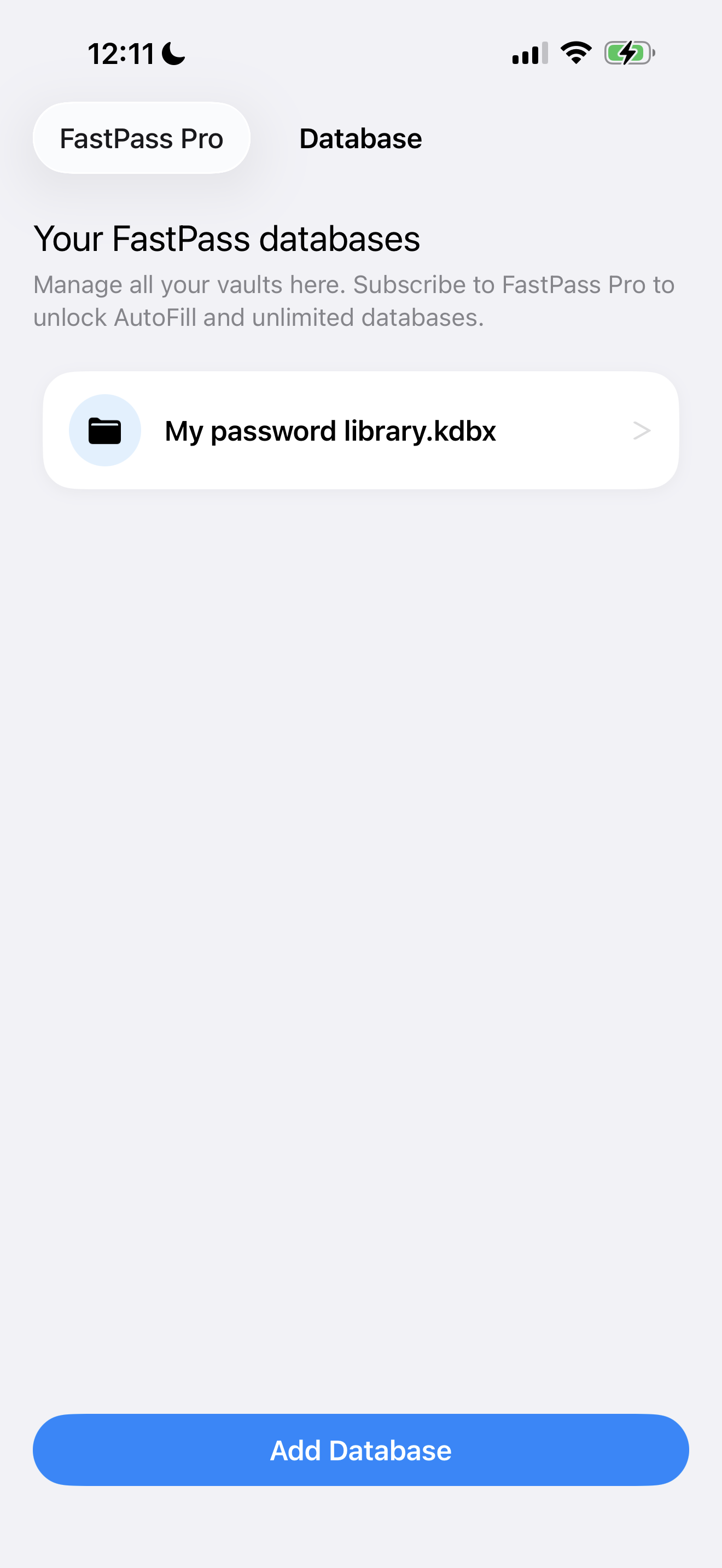
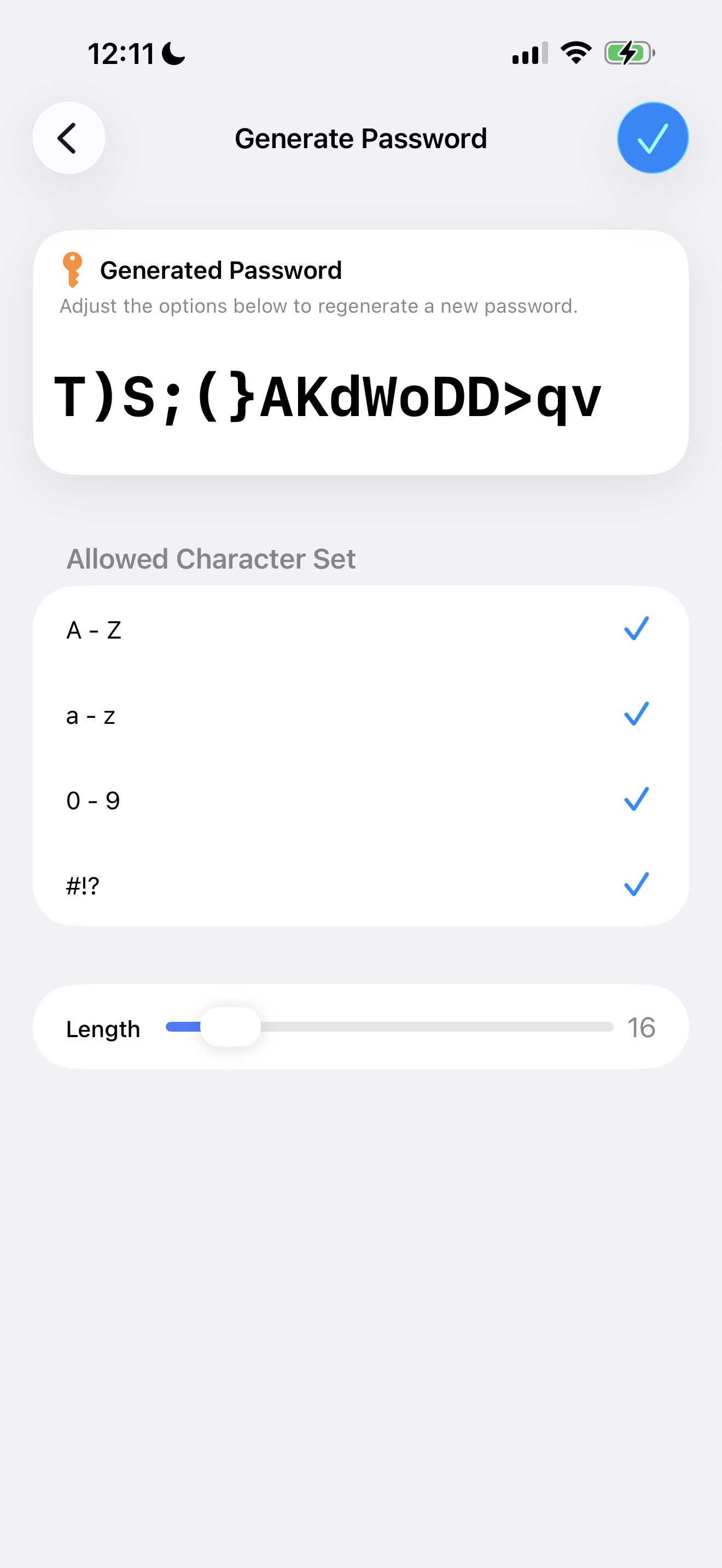
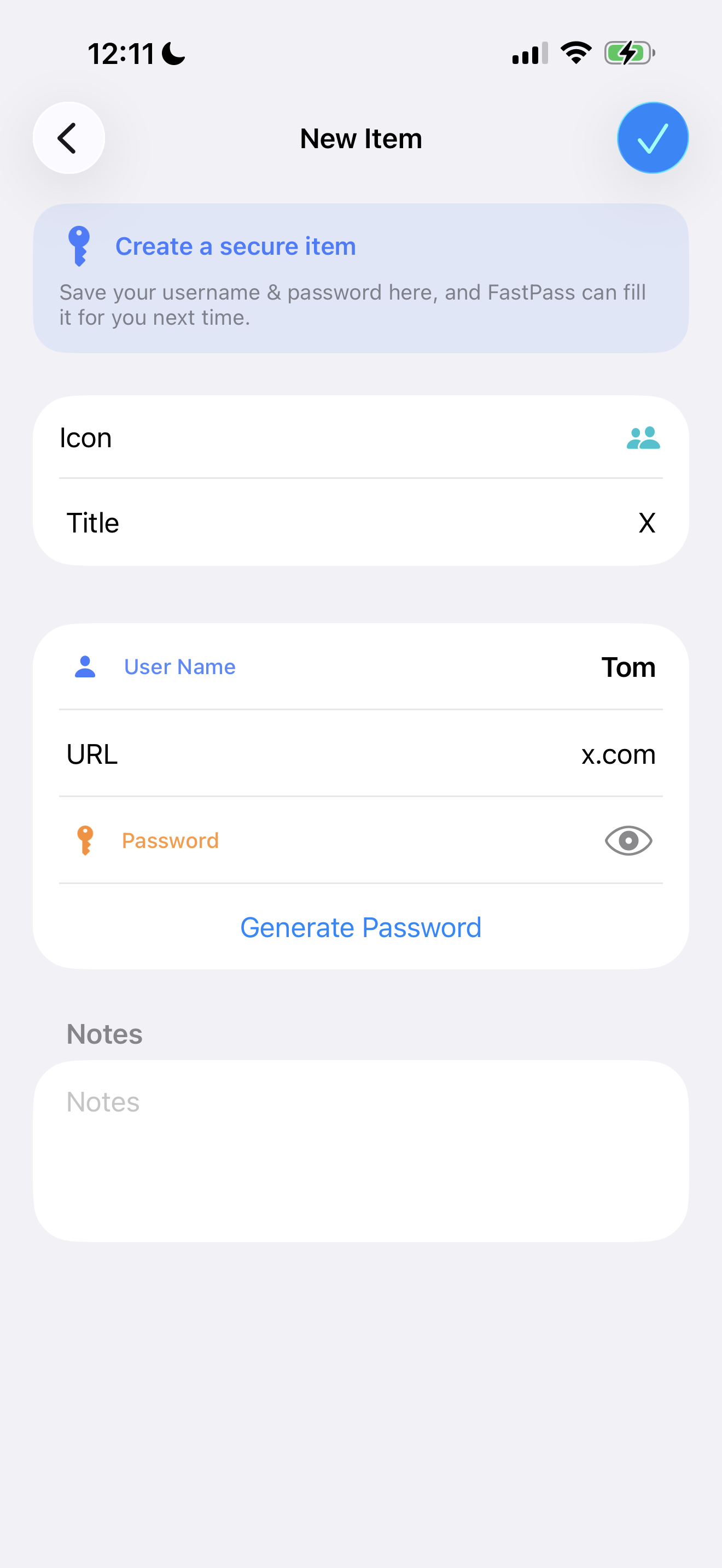
📌 SwiftFastPass has been fully redesigned in 2025 Featuring card-style UI, rounded lists, layered shadows, unified visual guidelines, a redesigned password generator, and upgraded LockView / Onboarding / Paywall screens.
This repository contains the complete app source code, test suites, and all dependency configurations (CocoaPods / Carthage).
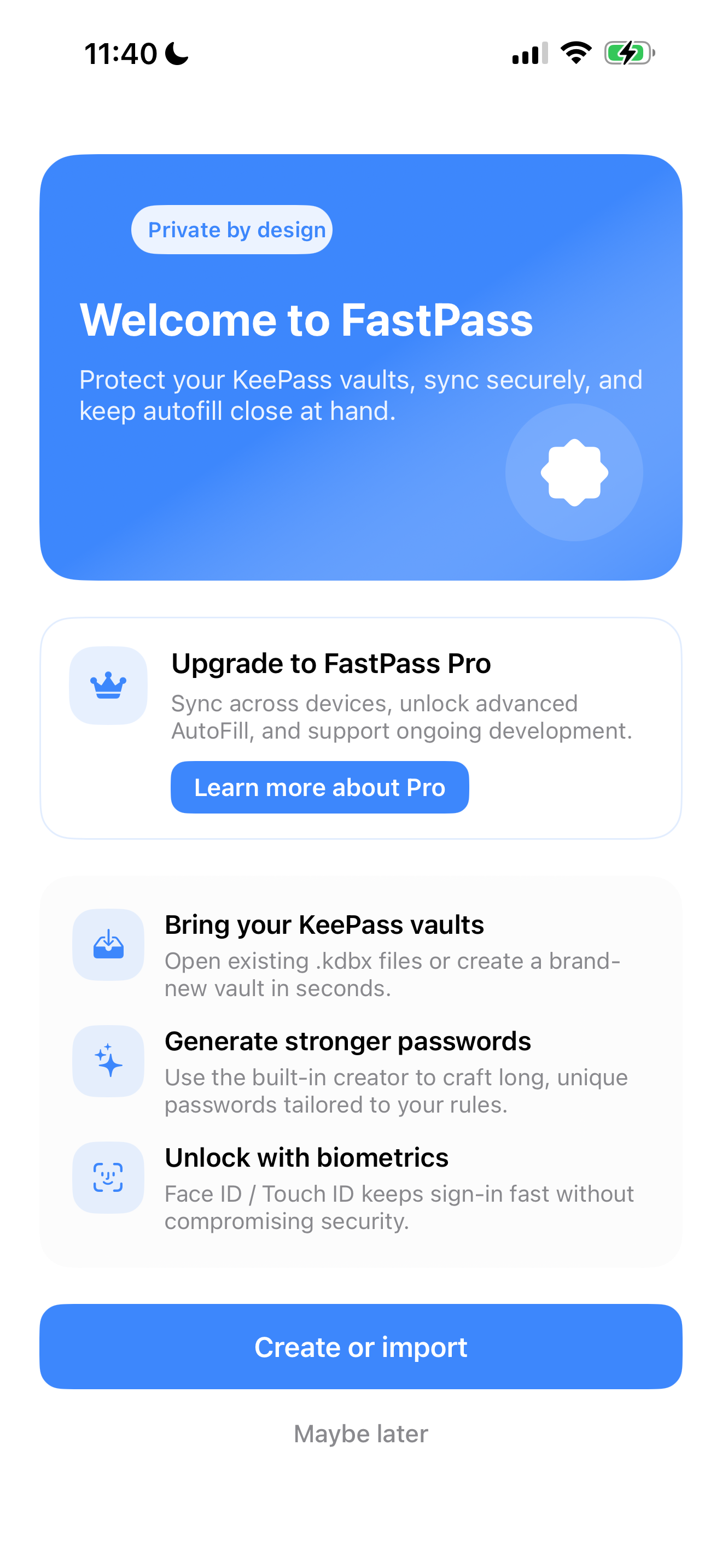
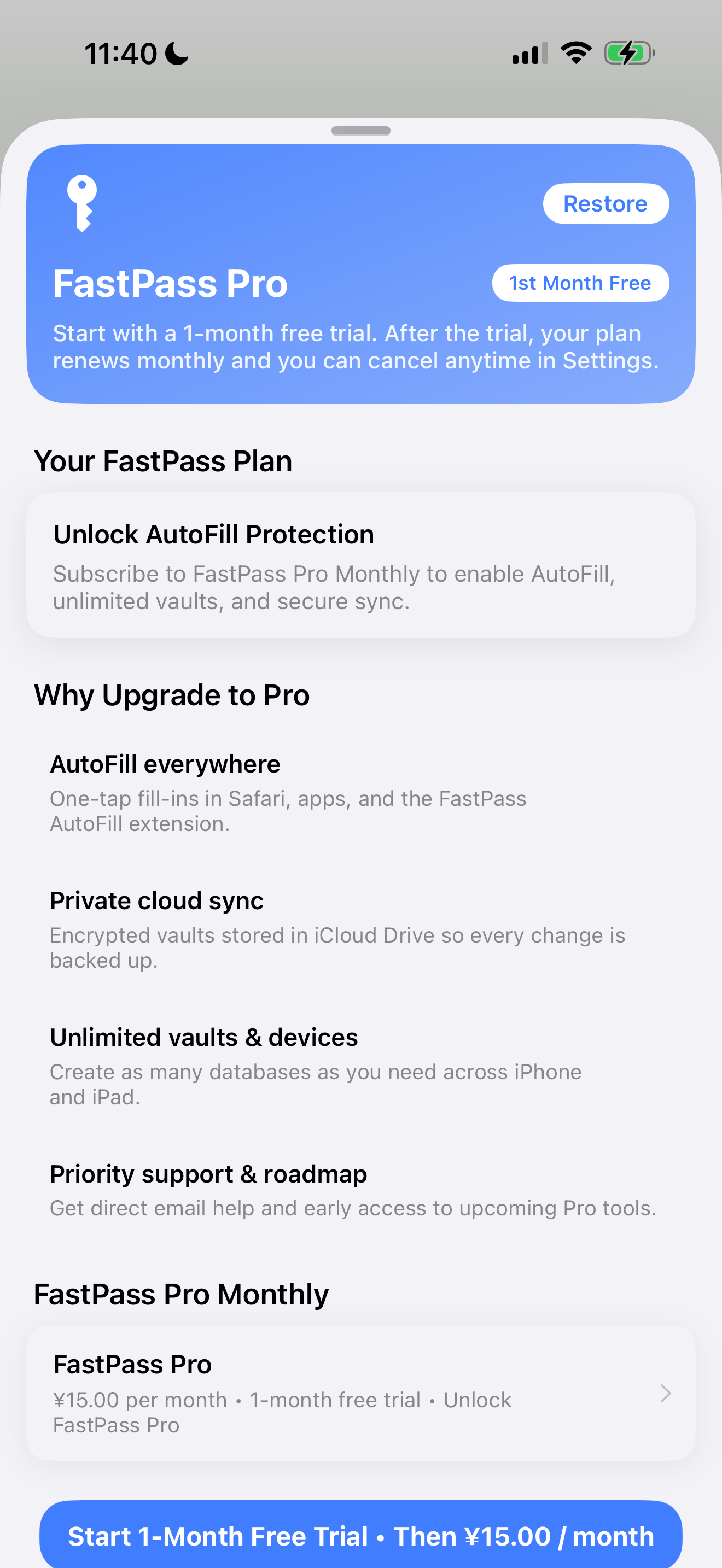
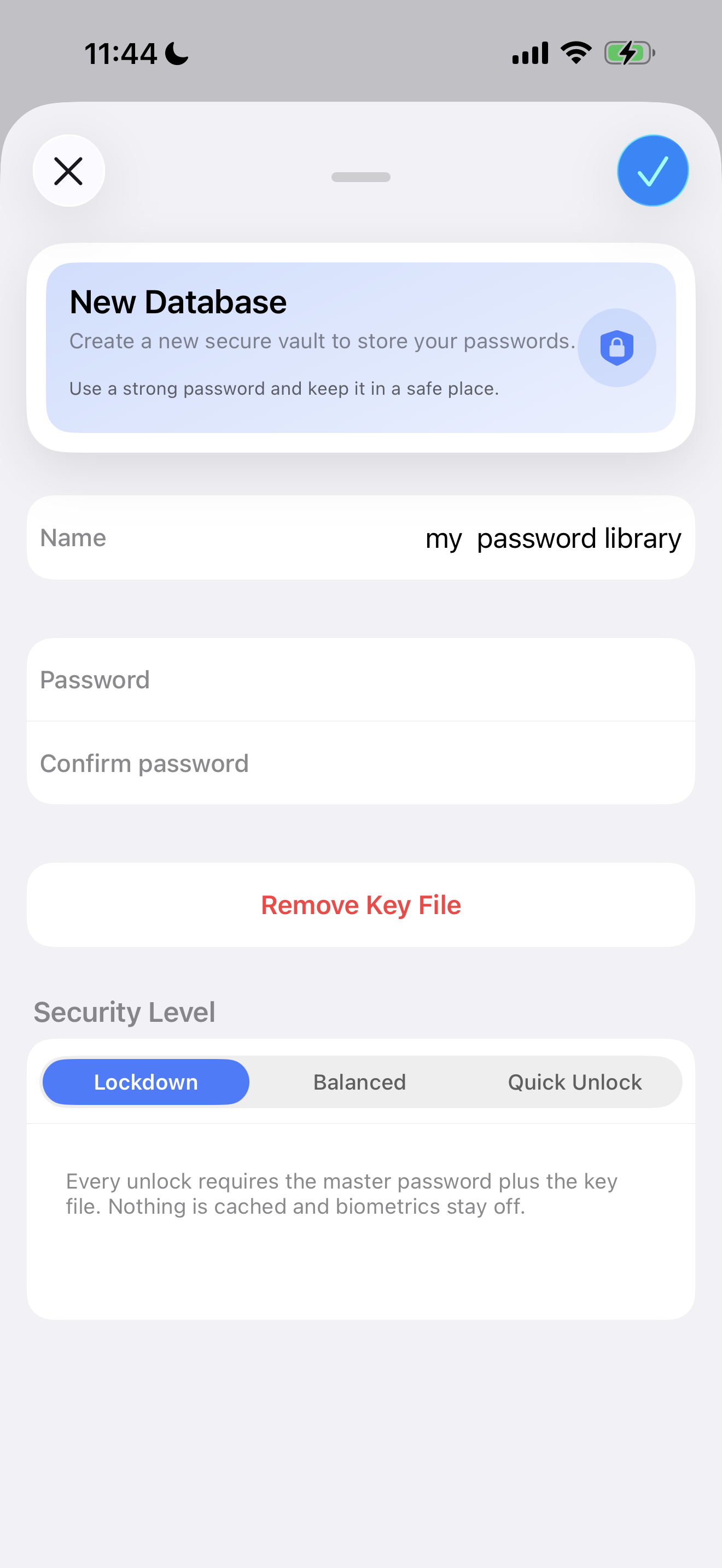
✨ Features
🔐 Security & Encryption
- Fully offline encrypted storage, no analytics or data uploads
- Master password + key file combined encryption
- Security-level driven Keychain policy via
SecAccessControl - Face ID / Touch ID unlock with optional enable/disable
🧩 AutoFill (Coming Soon)
Based on the recent implementation plan:
- System-level AutoFill Credential Provider
- Reads encrypted credential snapshots stored in the App Group
- Automatically registers KeePass entries as iOS-fillable identities
(Detailed roadmap is included below.)
🔑 Password Experience
- Built-in password generator (length slider, charset toggles)
- Large password preview
- Secure clipboard cleaning
- Automatic URL domain extraction for matching
- Supports KeePass native entry icons
🎨 Fully Redesigned UI (2025)
To improve readability and modern aesthetics, most screens have been upgraded:
- Card-style layout for major sections
- Shadows & rounded corners on rows
- Hero Header with gradient background and unified typography
- Rounded Character Set selector
- Refined Onboarding badges
- Updated Paywall UI & subscription state card
- More prominent and structured LockView design
🌏 Complete Localization
- English / Simplified Chinese (zh-Hans)
- All strings fully synchronized across
Base.lproj,en.lproj, andzh-Hans.lproj - Updated copy for newly redesigned UI and subscription screens
📁 Project Structure
SwiftFastPass/                # Main app code (UI, Models, Utils, PasswordCreator, AutoFillStore)
SwiftFastPassAutoFill/        # AutoFill extension (WIP)
SwiftFastPassTests/           # Unit tests
SwiftFastPassUITests/         # UI automation tests
Pods/、Carthage/              # Third-party dependencies
Assets.xcassets/              # Icons & resources
Base.lproj/ en.lproj/ zh-Hans.lproj/  # Localization files
📦 Dependencies & Tools
- Xcode 15+ / Swift 5+
- CocoaPods (SnapKit, MenuItemKit, Eureka, etc.)
- Carthage (KeePassKit framework requirements)
🔧 Setup
pod install
carthage bootstrap --platform iOS --use-xcframeworks
Open the project via .xcworkspace.
▶️ Build & Run
xcodebuild -workspace SwiftFastPass.xcworkspace \
           -scheme SwiftFastPass \
           -destination "platform=iOS Simulator,name=iPhone 15"
🧪 Testing
xcodebuild test -workspace SwiftFastPass.xcworkspace \
                -scheme SwiftFastPass \
                -destination "platform=iOS Simulator,name=iPhone 15"
- Every new feature should include at least one unit test
- UI modifications must include updated UITest screenshots
💳 Subscription (Pro) Implementation
Your current App Store subscription setup:
- FastPass Pro – Monthly
- Product ID:
com.huchengzhen.swiftfastpass.pro.monthly
Apple's requirement:
The first subscription must be submitted together with a new app version. Upload new build → App Store → In-App Purchases → Link subscription → Submit for review.
The paywall uses the redesigned card-style UI and Hero Header. Subscription status is integrated using StoreKit 2.
TestFlight Subscription Testing
- Log in with a Sandbox Account (iOS 17+ removed the Sandbox toggle; logout via App Store → Avatar → Sign Out)
- Sandbox subscriptions renew quickly and cost $0
🔧 AutoFill Extension Roadmap
1. App Group + AutoFill Entitlements
Add to both main app and extension .entitlements:
com.apple.security.application-groups→group.com.huchengzhen.swiftfastpasscom.apple.developer.authentication-services.autofill-credential-provider
2. Shared Storage Helper: AutoFillCredentialStore.swift
- Convert KeePass entries → credential snapshots (uuid/title/username/password/domain)
- Store securely in App Group as encrypted plist
- Sync all entry mutations (add/edit/delete)
3. Read Snapshots in the Extension
- Match entries by domain
- Provide suggestions in Safari / apps requiring passwords
4. Register Credential Identities
Use:
ASCredentialIdentityStore.shared.save(...)
Automatically registers all stored snapshots as iOS AutoFill identities.
🧩 Coding Guidelines
- 4-space indentation with same-line braces
- Avoid large files; separate UI / logic / models
- Prefer
final class - Localization must be updated across all languages
- Follow the 2025 FastPass Card-Style UI system
- Subscription strings must use
NSLocalizedString - Keychain policy is handled in
FileSecretStore
🔐 Security Notes
- Do not commit certificates or private keys
- Sensitive configuration should come from build settings or environment variables
- Keychain uses strict
SecAccessControl.biometryCurrentSet - Expose only required Objective-C symbols in bridging headers
🤝 Contributing
Issues and pull requests are welcome.
PR requirements:
- Description and related issue
- Screenshots for UI changes
- Confirm
xcodebuild testpasses
📜 License
SwiftFastPass is distributed under the GNU GPLv3, consistent with KeePassKit.
- Any distributed binary must remain GPL-licensed
- Modified versions must keep the same license
- Full copyright and license notices must be preserved