
TagUI Editor:
Easily modify, run and schedule your TagUI scripts on Windows. Get TagUI here: https://github.com/kelaberetiv/TagUI See this Tutorial How to Install TagUIInstaller:
- Run TagUI_Editor.exe
- In Windows Warning, Continue and Yes
Source Code (ahk file):
- Install AutoHotKey : https://autohotkey.com/
- save and launch TagUI_Editor.ahk
Known issues:
- Folders name: put tagui files in folders without any spaces, like: C:\your-tagui-path\
- Save your tagui files before execute them! (you can save it as yourname.tagui or without file extension)
- If you launch Tagui files outside your tagui path, you need to set all comand in variable path environment: CasperJs, Sleimmerjs, PHP...ie: if you path is "C:\tagui\tagui":
PATH: C:\tagui\tagui\src,C:\tagui\tagui\src\phantomjs\bin, C:\tagui\tagui\src\casperjs\bin, C:\tagui\tagui\src\php
(how to do that)
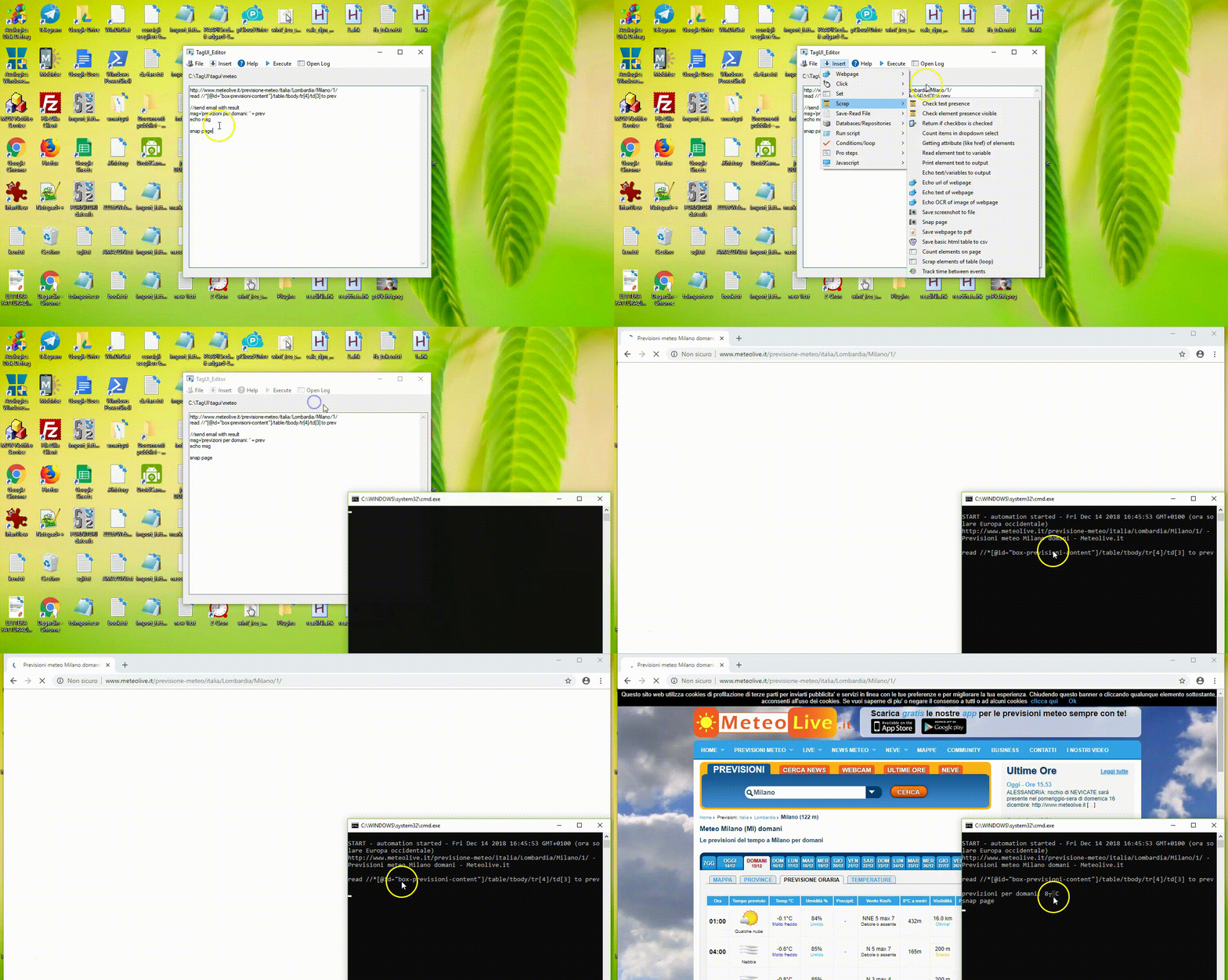
TagUI Code Writer: Tagui-Writer1.0x
Easily print in your code little snippets (examples) in TagUI language: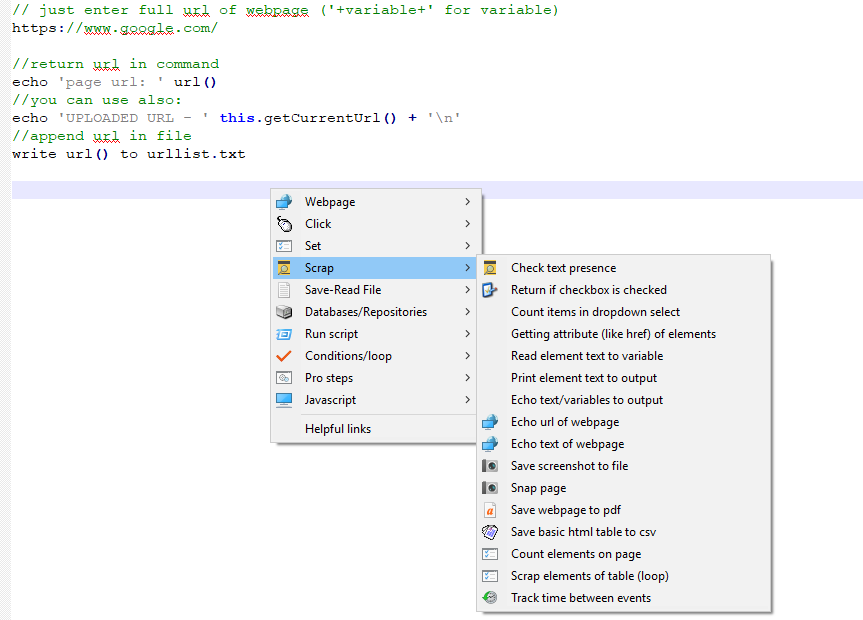
Why This ?
TagUI (reference: https://github.com/kelaberetiv/TagUI) is very powerful program which use native language for web-scraping and RPA (Robotic Process Automation), but at the begin it could be a bit tricky to find and remember all commands. Then I built this tool to simplify and accelerate coding. Enjoy!
Installation (Windows)
Source file (ahk file):
- Install AutoHotKey : https://autohotkey.com/
- Open Editor of your choice (Notepad++ is great)
- save and launch Tagui-Writer1.03.ahk
- Ctrl+left Click to show Menu and insert code
Uninstall
no need of uninstaller, just delete the file (close it before : left click and choose "Exit App")
ScreenShoter: screenshoter.ahk
Capture screen shots and save it directly in png file!
Why This ?
Capture screen shots for Visual automation (Tagui - Sikuli) is time-consuming. Then this tool could help you increase your bot coding productivity.
Use screenshots in TagUI - Sikuli integration, to identify web elements and desktop user interface elements..., i.e.: click image.png
Installation
Source (ahk file):
- Install AutoHotKey
- save and launch https://github.com/adegard/tagui_scripts/blob/master/screenshoter.ahk
- Press Printkey to start, to finish (red rectangle) and to save file (3 times)
Contributions
Blog: https://simplestipsandtricks.blogspot.com/
Books
Web Robots: Boost your business with Robotic Process Automation and Web-Scraping on Web-marketing :
 https://www.amazon.com/Arnaud-Degardin/e/B07HLM1TXY/ref=sr_ntt_srch_lnk_3?qid=1537947864&sr=8-3