
Task Coach - Your friendly task manager

Task Coach is a free/libre/open task manager for keeping track of projects and todo lists.
It's over 20 years old, and development was stagnant in recent years. Here, the project is continued again and has been updated to Python3!
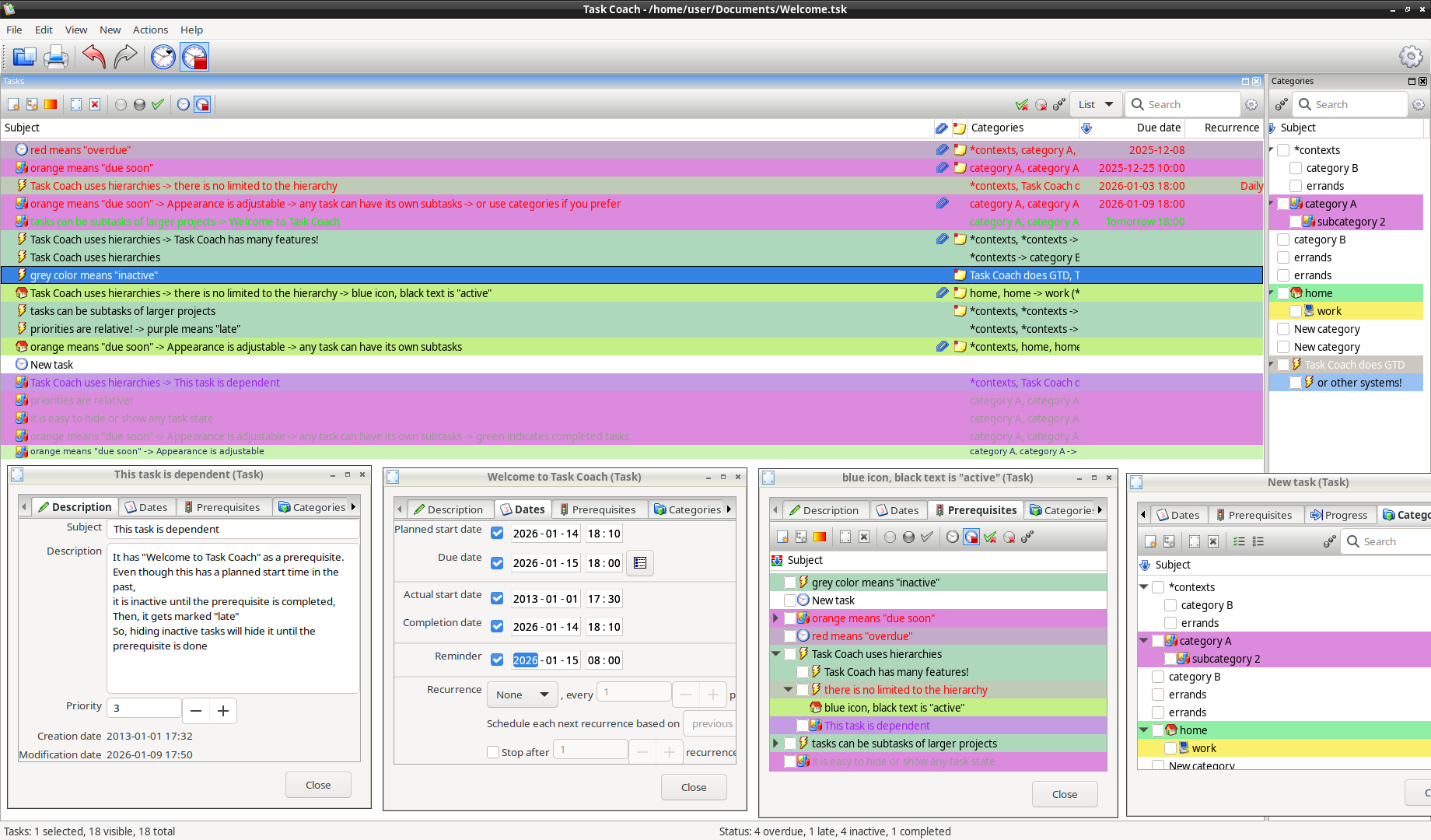
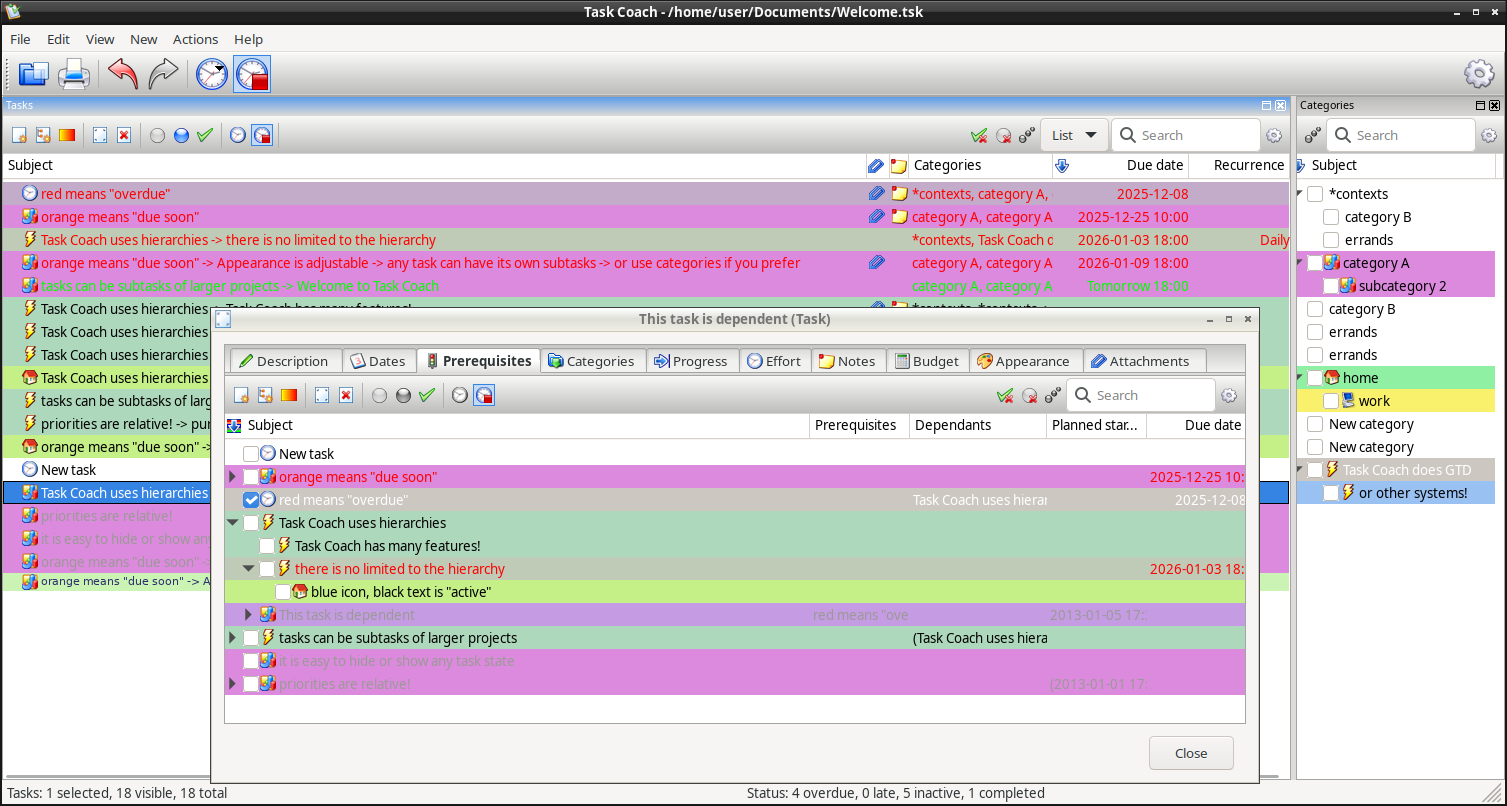
Screenshots
Quick Start
Download the package for your system from the latest release:
| Platform | Package |
|---|---|
| Any Linux (x86_64) | TaskCoach-2.0.2.18-x86_64.AppImage |
| Arch Linux / Manjaro | taskcoach-2.0.2.18-arch.pkg.tar.zst |
| Debian 12 (Bookworm) | taskcoach_2.0.2.18_debian-12-bookworm.deb |
| Debian 13 (Trixie) | taskcoach_2.0.2.18_debian-13-trixie.deb |
| Debian Sid | taskcoach_2.0.2.18_debian-sid.deb |
| Fedora 42/43 | taskcoach-2.0.2.18-fedora43.rpm |
| Flatpak (any Linux) | TaskCoach-2.0.2.18-x86_64.flatpak |
| Linux Mint | Use Ubuntu .deb (Mint is Ubuntu-based) |
| macOS (Apple Silicon) | TaskCoach-2.0.2.18-macos-arm64.dmg |
| macOS (Intel) | TaskCoach-2.0.2.18-macos-intel.dmg |
| Ubuntu 22.04 (Jammy) | taskcoach_2.0.2.18_ubuntu-22.04-jammy.deb |
| Ubuntu 24.04 (Noble) | taskcoach_2.0.2.18_ubuntu-24.04-noble.deb |
| Windows | TaskCoach-2.0.2.18-windows-x64-setup.exe |
| Windows (portable) | TaskCoach-2.0.2.18-windows-x64-portable.zip |
After installing, Task Coach should be in normal system launchers (Applications → Office → Task Coach). For CLI, the launch command is taskcoach.py.
Linux
Debian / Ubuntu
Install instructions for Debian Trixie (similar for other Debian/Ubuntu systems, just use the appropriate .deb file):
cd ~/Downloads
wget https://github.com/taskcoach/taskcoach/releases/latest/download/taskcoach_2.0.2.18_debian-13-trixie.deb
sudo apt install ./taskcoach_2.0.2.18_debian-13-trixie.deb
To uninstall:
sudo apt remove taskcoach
sudo apt autoremove  # optional: remove unused dependencies
Arch Linux / Manjaro
cd ~/Downloads
wget https://github.com/taskcoach/taskcoach/releases/latest/download/taskcoach-2.0.2.18-arch.pkg.tar.zst
sudo pacman -U taskcoach-2.0.2.18-arch.pkg.tar.zst
To uninstall:
sudo pacman -R taskcoach
sudo pacman -Qdtq | sudo pacman -Rs -  # optional: remove orphaned dependencies
Fedora
cd ~/Downloads
wget https://github.com/taskcoach/taskcoach/releases/latest/download/taskcoach-2.0.2.18-fedora43.rpm
sudo dnf install ./taskcoach-2.0.2.18-fedora43.rpm
To uninstall:
sudo dnf remove taskcoach
sudo dnf autoremove  # optional: remove unused dependencies
AppImage
Run on any Linux without installation:
cd ~/Downloads
wget https://github.com/taskcoach/taskcoach/releases/latest/download/TaskCoach-2.0.2.18-x86_64.AppImage
chmod +x TaskCoach-2.0.2.18-x86_64.AppImage
To launch the AppImage, open the file or run:
./TaskCoach-2.0.2.18-x86_64.AppImage
To remove: simply delete the AppImage file.
Flatpak
A single-file Flatpak bundle is also published. It needs flatpak installed;
the first install pulls the GNOME runtime from Flathub.
cd ~/Downloads
wget https://github.com/taskcoach/taskcoach/releases/latest/download/TaskCoach-2.0.2.18-x86_64.flatpak
flatpak install ./TaskCoach-2.0.2.18-x86_64.flatpak
flatpak run io.github.taskcoach.TaskCoach
To remove:
flatpak uninstall io.github.taskcoach.TaskCoach
The Flatpak bundles its own libayatana-appindicator, so the system-tray icon works without host packages (on GNOME you still need the AppIndicator extension, as noted below).
Linux System Tray
Task Coach uses libayatana-appindicator for the system tray icon on Linux. This provides consistent behavior across all desktop environments (KDE, XFCE, MATE, LXQt, LXDE, Cinnamon) and works on both X11 and Wayland.
The package is installed automatically with the .deb/.rpm packages. For manual installation:
# Debian/Ubuntu
sudo apt install gir1.2-ayatanaappindicator3-0.1

# Fedora
sudo dnf install libayatana-appindicator-gtk3

# Arch Linux
sudo pacman -S libayatana-appindicator
Note: GNOME Shell removed built-in system tray support. GNOME users need the AppIndicator Support extension to see tray icons. Ubuntu pre-installs this extension.
macOS
Download the .dmg for your Mac (Apple Silicon for M1/M2/M3/M4, Intel for older Macs). Open the DMG and drag Task Coach to Applications.
On first launch, macOS will block the app because it's not notarized. Open System Settings → Privacy & Security, scroll down, and click "Open Anyway" next to the Task Coach message.
See README_INSTALL_MACOS.md for detailed instructions with screenshots.
Windows
Download the .exe installer and run it. Windows will show a security warning because the app is not signed with a Microsoft certificate. Click "More info" then "Run anyway" to proceed.
For the portable version, extract the .zip and run TaskCoach.bat from the folder (or TaskCoach.vbs for silent launch without a console window).
See README_INSTALL_WINDOWS.md for detailed instructions with screenshots.
Running from Source
For development or if you prefer running from git:
git clone --depth 1 https://github.com/taskcoach/taskcoach.git
cd taskcoach
./setup.sh
./taskcoach-run.sh
See docs/DEBIAN_BOOKWORM_SETUP.md for detailed setup options, troubleshooting, and platform-specific instructions.
Testing after git installaion
Quick sanity check to verify the installation:
./test_taskcoach.sh
This tests Python version, dependencies, module imports, and wxPython patch status.
License
Task Coach is free software licensed under the GNU General Public License v3.
Copyright (C) 2004-2026 Task Coach developers
Architecture Overview
Task Coach is a desktop application developed in Python using wxPython for its GUI. It follows the Model-View-Controller pattern with three main layers:
- Domain layer: Classes for tasks, categories, effort, notes and other domain objects
- GUI layer: Viewers, controllers, dialogs, menus and other GUI components
- Persistence layer: Loading/saving domain objects to XML files (.tsk) and exporting to various formats
Source Code Overview
Key packages:
| Package | Description |
|---|---|
domain |
Domain objects (tasks, categories, effort, notes) |
gui |
Viewers, dialogs, and UI components |
command |
Undo/redo-capable user actions (Command pattern) |
config |
User settings and TaskCoach.ini handling |
persistence |
.tsk file format (XML) and export functionality |
i18n |
Internationalization and translations |
widgets |
Adapted wxPython widgets |
Documentation
- README_INSTALL_MACOS.md - macOS installation with security bypass
- README_INSTALL_WINDOWS.md - Windows installation with SmartScreen bypass
- DEBIAN_BOOKWORM_SETUP.md - Detailed installation and setup
- PACKAGING.md - Packaging across all platforms (deb, rpm, Arch, AppImage, Flatpak, Windows, macOS)
- APPIMAGE.md - AppImage build details
- FLATPAK.md - Flatpak build details
- CRITICAL_WXPYTHON_PATCH.md - wxPython compatibility patch details
Support
- Report bugs or request features at GitHub Issues: https://github.com/taskcoach/taskcoach/issues
- Ask for help or have other open discussion at https://github.com/orgs/taskcoach/discussions