






TenIO 
TenIO is an open-source project to create multiplayer online games that includes a java NIO (Non-blocking I/O) based server specifically designed for multiplayer games, which supports UDP, TCP, Websocket, HTTP transports, and available simple client projects for quick development.
Features
- Scalable, distributed design
- Easy-to-use, OOP design
- Based on standard Java development, ensuring cross-platform support
- Simple event handlers implementation
- Simple physic simulator and debugger
- Have simple existing game clients for rapid development
Showcases
 Game Box Online |
 Gold Miner Online |
 Brick Game Online |
|---|
First Glimpse
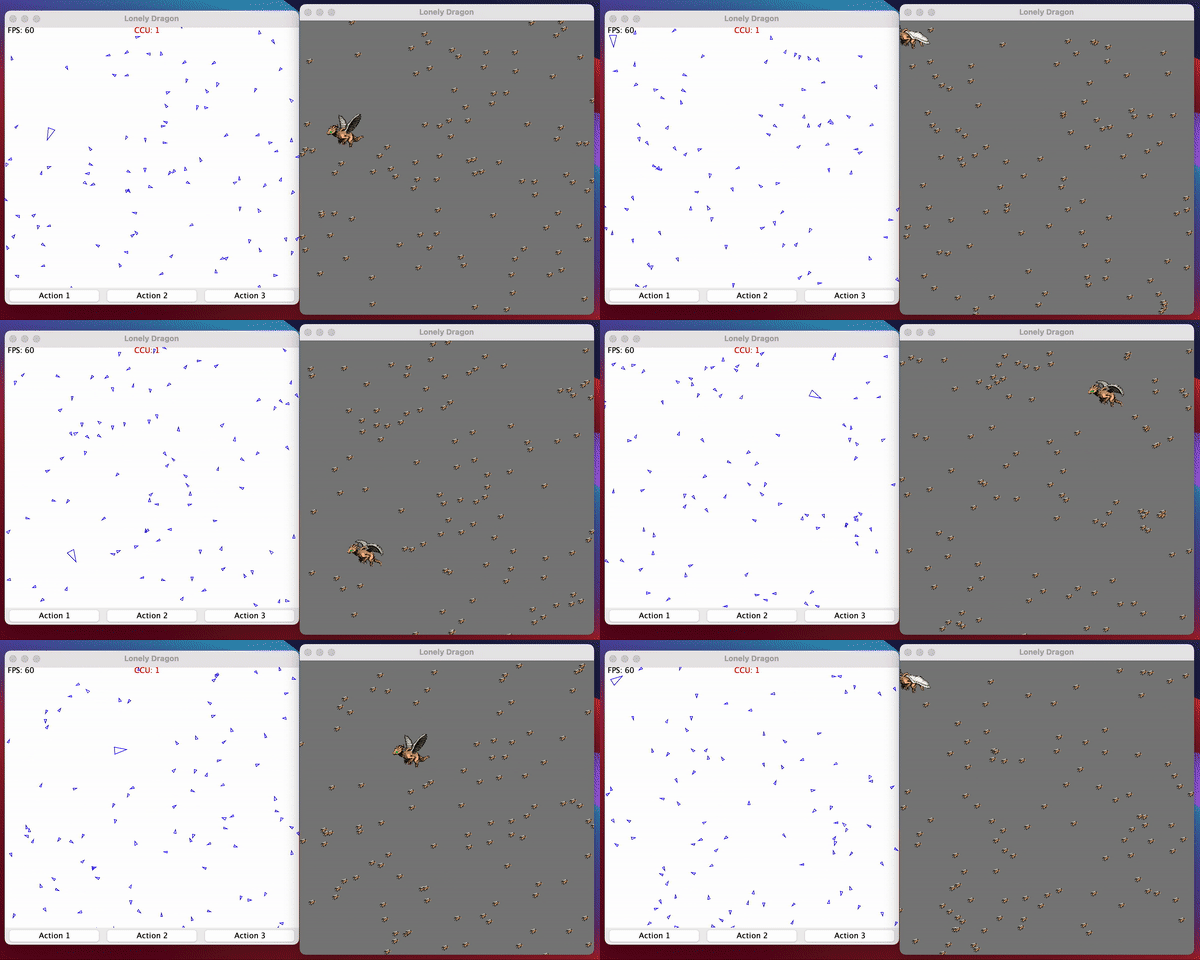
Simple Movement Simulation
Quick Start
Start a functional game server in 5 minutes (even less)
- Declare
tenio-coreas a dependency
<dependency>
    <groupId>io.github.congcoi123</groupId>
    <artifactId>tenio-core</artifactId>
    <version>0.7.3</version>
</dependency>
- Initialize a game server
@Bootstrap
public final class SimpleServer {

  static void main() {
    ApplicationLauncher.run(SimpleServer.class);
  }
}
That's it!
However you aren't listening to any events, so the server is useless. Let's handle some and see how they work.
@Bootstrap
@EventHandler
public final class SimpleServer extends AbstractHandler implements EventConnectionEstablishedResult<ZeroMap>,
        EventPlayerLogin<Player>, EventReceivedMessageFromPlayer<Player, DataCollection> {

  static void main() {
    ApplicationLauncher.run(SimpleServer.class);
  }

  @Override
  public void onConnectionEstablishedResult(Session session, ZeroMap message, ConnectionEstablishedResult result) {
    if (result == ConnectionEstablishedResult.SUCCESS) {
      api().login(message.getString(SharedEventKey.KEY_PLAYER_LOGIN), session);
    }
  }

  @Override
  public void onPlayerLogin(Player player) {
    var parcel = map().putString(SharedEventKey.KEY_PLAYER_LOGIN,
            String.format("Welcome to server: %s", player.getIdentity()));

    response().setContent(parcel).setRecipientPlayer(player).write();
  }

  @Override
  public void onReceivedMessageFromPlayer(Player player, DataCollection message) {
    DataCollection parcel = null;
    if (message instanceof ZeroMap request) {
      parcel = map().putString(SharedEventKey.KEY_CLIENT_SERVER_ECHO,
              String.format("Echo(%s): %s", player.getIdentity(),
                      request.getString(SharedEventKey.KEY_CLIENT_SERVER_ECHO)));
    } else if (message instanceof MsgPackMap request) {
      parcel = msgmap().putString(SharedEventKey.KEY_CLIENT_SERVER_ECHO,
              String.format("Echo(%s): %s", player.getIdentity(),
                      request.getString(SharedEventKey.KEY_CLIENT_SERVER_ECHO)));
    }

    response().setContent(parcel).setRecipientPlayer(player).write();
  }
}
The core framework supports various event types, but your server application may listen only to those it is interested in. The full list of supported events can be found here: events
Development Mode
Supports self-defined commands to interact with the server conveniently
- Usage
2022-11-20 05:20:38,256 [main] INFO  com.tenio.core.server.ServerImpl - [SERVER][Example] Started
$ help
help - Shows all supporting commands
  [<command>,<command>,<command>]
info - Provides brief information about players and rooms on the server
  player
  room
player - Logout the first player from the server
  logout first
server - Allows stopping or restarting the server
  stop
  restart
unban - Allows removing banned Ip addresses from the ban list
  [<address>,<command>,<command>]
$ info player
> There are 1 players > The first 10 entities > [Player{name='IkjvI', properties={}, session=Session{id=0, name='IkjvI', transportType=TCP, createdTime=1668918078524, lastReadTime=1668918078524, lastWriteTime=1668918078524, lastActivityTime=1668918078524, readBytes=75, writtenBytes=120, droppedPackets=0, inactivatedTime=0, datagramRemoteSocketAddress=null, clientAddress='127.0.0.1', clientPort=60659, serverPort=8032, serverAddress='127.0.0.1', maxIdleTimeInSecond=0, activated=true, connected=true, hasUdp=false}, currentRoom=null, state=null, roleInRoom=SPECTATOR, lastLoginTime=1668918078589, lastJoinedRoomTime=1668918078588, playerSlotInCurrentRoom=-1, loggedIn=true, activated=true, hasSession=true}]
$
- Make sure to enable the flag
enable-terminal-commandin the configuration file.
<!-- Set this flag to `true` to enable terminal command -->
<Property name="enable-terminal-command">true</Property>
- Simple Implementation
@Command(label = "player", usage = {
    "logout first"
}, description = "Logout the first player from the server")
public class PlayerCommand extends AbstractCommandHandler {

  @Override
  public void execute(List<String> args) {
    var action = args.get(0);
    var param = args.get(1);

    if (action.equals("logout") && param.equals("first")) {
      var players = api().getReadonlyPlayersList();
      if (players.isEmpty()) {
        CommandUtility.INSTANCE.showConsoleMessage("Empty list of players.");
        return;
      }
      var firstPlayer = players.get(0);
      CommandUtility.INSTANCE.showConsoleMessage("Player {" + firstPlayer.getName() + "} is " +
          "going to logout.");
      api().logout(firstPlayer);
    } else {
      CommandUtility.INSTANCE.showConsoleMessage("Invalid action.");
    }
  }
}
Wiki
The wiki provides implementation level details and answers to general questions that a developer starting to use TenIO might have about it.
Clients
 TenIO Cocos2dx |
 TenIO Libgdx |
 TenIO Unity |
 TenIO Phaserjs |
|---|
Framework
The project is strongly based on the same name framework as you can be referenced by the following repositories.
Requirements
Java 21+
License
The TenIO project is currently available under the MIT License.
Contributing
Please check out the contributing guideline for more details.
Documentations
Please check out the documentations directory for more details.
Installation
$ git clone https://github.com/congcoi123/tenio.git
Examples
Collection
Please check out this repository for references.
Wanna try Kotlin?
Then you should check out this showcase for more details.
Happy coding !