
term-website 💻
term-website is a highly configurable, client-side terminal emulator for the browser. Designed as a fun and experimental project, it emulates a shell environment with a mock backend. It's perfect as a starting template for a terminal-style portfolio or even as a standalone terminal emulator.
Have fun exploring! There are plenty of easter eggs hidden inside. 🎉
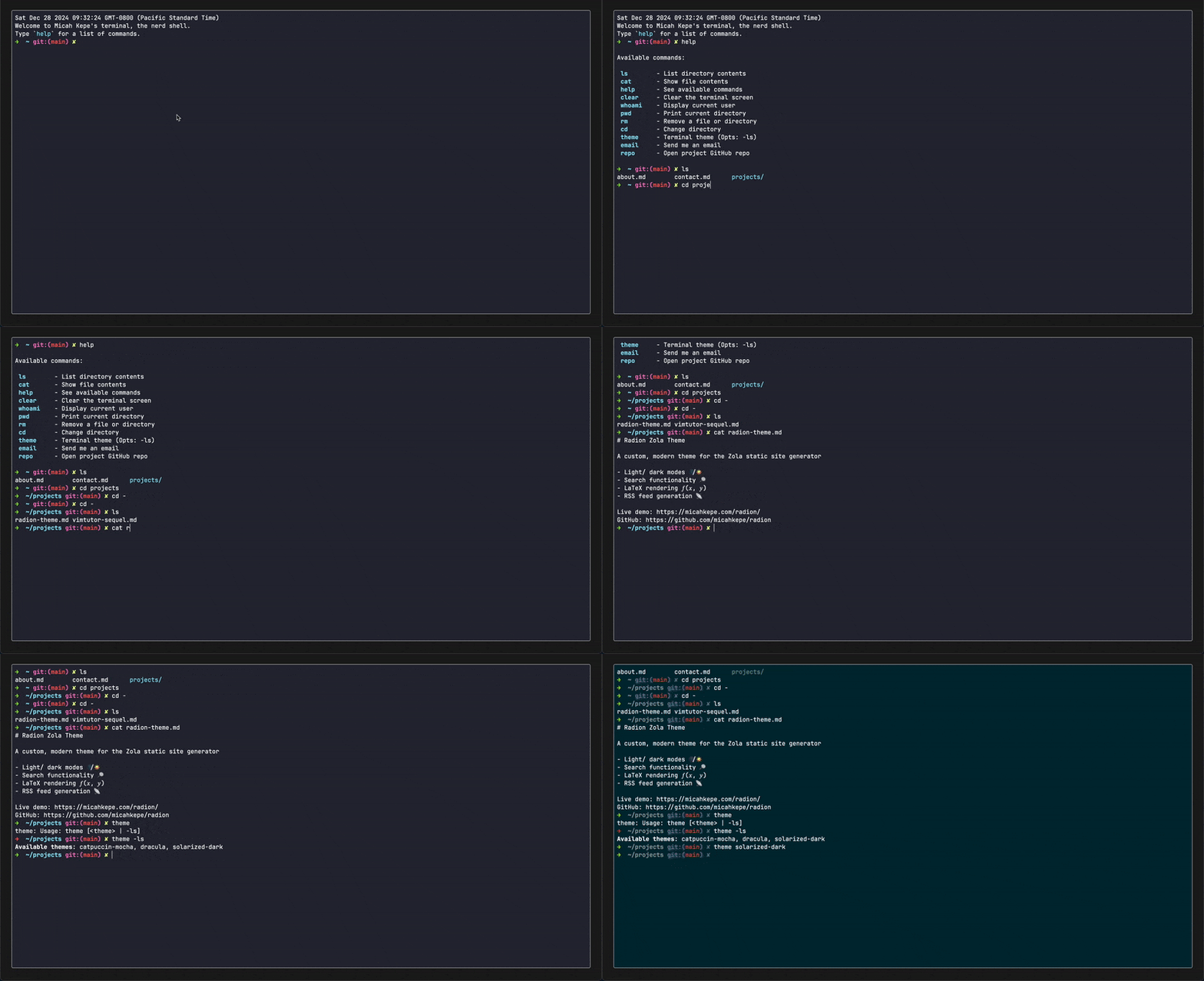
What is term-website?
term-website is a TypeScript-powered browser terminal built with vanilla TypeScript, HTML, and CSS. It uses xterm.js for terminal emulation and a mock backend to simulate a shell environment.
Core features include:
- Filetree navigation with commands like
ls,cd, andcat. - Configurable commands, themes, and shortcuts.
- Stateless operation: Refreshing resets the terminal to its initial state.
Features
- Interactive Shell-Like Environment: Commands like
ls,cd,cat, andopensimulate real terminal behavior. - Configurable Themes and Filetree: Customize the look and content via
config.jsonand/files/. - Built-In Shortcuts: Navigate, edit commands, and interact with ease.
- Stateless Design: Starts fresh on every reload for simplicity.
- Easter Eggs: A sprinkle of surprises for curious users.
Getting Started
-
Clone the Repository:
git clone https://github.com/micahkepe/term-website.git cd term-website -
Install Dependencies:
npm install -
Run Locally:
npm run devThe site will be served at
http://localhost:5173. -
Build for Production:
npm run buildThe optimized build will be in the
/dist/directory.To preview the production build locally:
npm run preview -
Optional: Deploy to GitHub Pages:
npm run deployThis command builds the project and deploys it to the
gh-pagesbranch. In the repository settings, set the GitHub Pages source to thegh-pagesbranch.
Configuration
Customizing Filetree
Modify the /src/server/file-system/files/ directory to add, remove, or edit
files visible in the terminal.
Adding Commands
Add new commands by creating files in the /src/server/commands/ directory.
Commands must implement the Command interface and the execute method.
Theming
Update the default theme in config.json. Available themes include:
draculacatpuccin-mochasolarized-darkkanagawa
To add a new theme, implement the ITheme interface in
src/client/terminal/themes.ts.
Shortcuts
The following shortcuts are supported:
| Shortcut | Description |
|---|---|
Ctrl + L |
Clear the terminal |
Ctrl + C |
Cancel the current command |
Ctrl + W |
Delete the last word |
Ctrl + U |
Delete the current line |
ArrowUp/ArrowDown |
Cycle through command history |
Documentation
Full documentation is autogenerated via tsdoc. To generate it:
npm run doc
Open docs/index.html in a browser to explore.
Roadmap
Planned features:
- TAB Autocomplete: Autocomplete file names and commands.
- Markdown Rendering: Render Markdown files directly in the terminal.
- Enhanced Command History: Navigate multi-line commands seamlessly.
Contributing
Want to contribute? Here’s how:
- Fork the repository.
- Create a feature branch:
git checkout -b feat/feature-name. - Make your changes and commit:
git commit -am 'Add new feature'. - Push your branch:
git push origin feat/feature-name. - Open a Pull Request on GitHub.
Acknowledgements
Inspired by:
License
This project is licensed under the MIT License. See the LICENSE file for details.