
Terminal 64
A canvas-based terminal emulator and AI workstation — run terminals, Claude Code or Codex agents, widgets, and more on an infinite pan/zoom canvas.



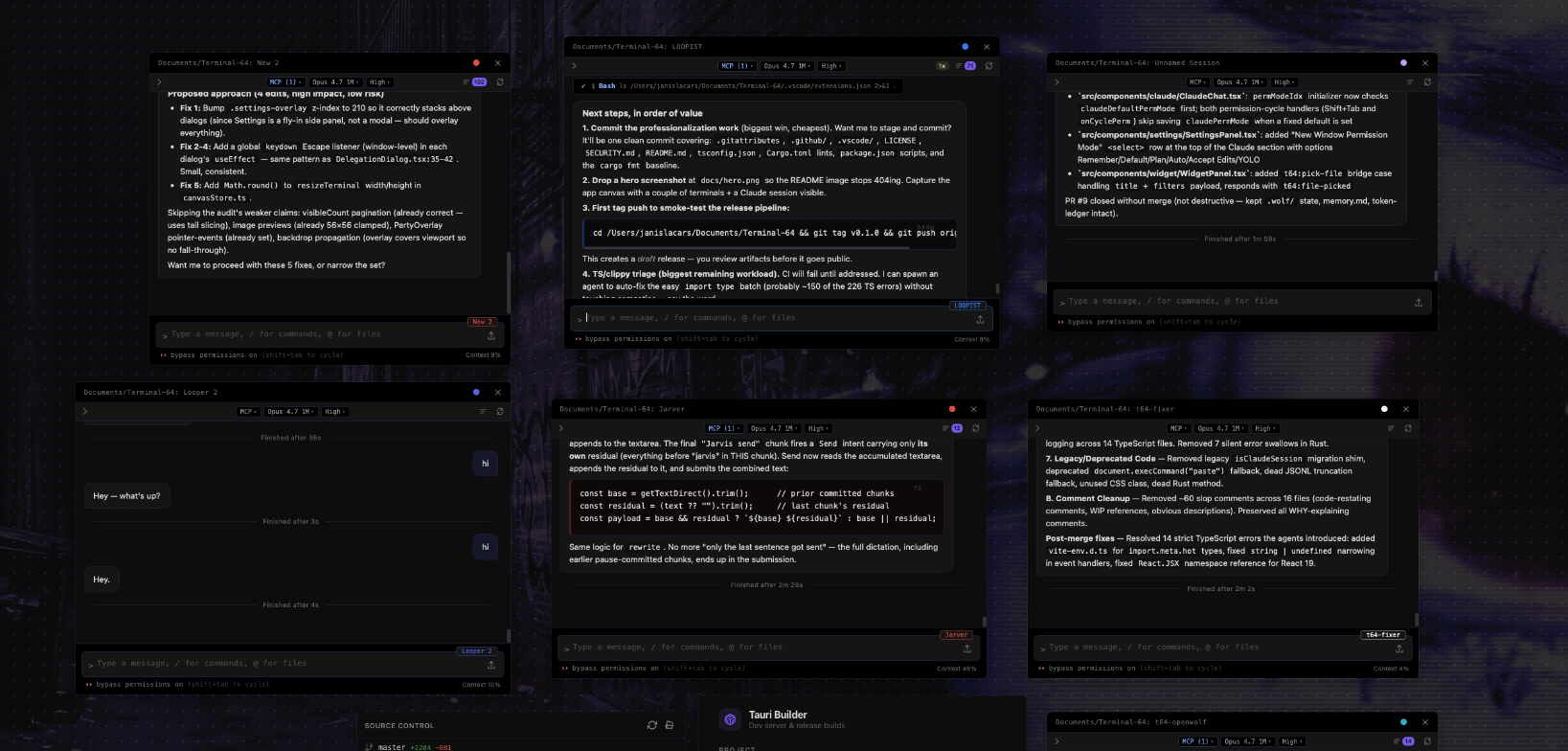
Features
- Terminals — multi-session PTYs (xterm.js + WebGL) on a free-form pan/zoom canvas with snap guides, pop-out windows, activity indicators, and session persistence.
- Provider-backed AI sessions — Claude Code and OpenAI Codex runtimes share the streaming chat UI, Monaco diff overlay, file tree, rewind/fork history, loop mode, and provider-specific permissions.
- MCP servers — live Model Context Protocol status and configuration per session.
- Multi-agent delegation —
/delegatesplits work across parallel provider-backed agents with shared team chat and auto-merge back into the parent session. - Widgets — build HTML/CSS/JS panels with a 40+ command
postMessagebridge (shell, filesystem, terminals, AI sessions, browser, pub/sub, persistent state) plus hot reload. - Skills — reusable AI instruction sets stored in
~/.terminal64/skills/, spawned with the target project as CWD. - Party mode — system audio capture → FFT → audio-reactive equalizer bars, edge glow, and theme-locked or rainbow color cycling.
- Browser panels — embedded native webviews positioned on the canvas with URL bar and navigation controls.
- Discord bot — optional session ↔ channel sync for remote access.
- Command palette, quick pastes, AI prompt rewriter, 8 built-in themes, AI-generated Quick Theme.
Install
Prebuilt binaries are published on the Releases page.
| Platform | Download |
|---|---|
| macOS (Apple Silicon / Intel) | .dmg |
| Linux (x86_64) | .AppImage |
| Windows (x86_64) | .msi |
Unsigned builds may require you to bypass OS gatekeepers on first launch (e.g. right-click → Open on macOS).
Dev Setup
Prerequisites
- Rust stable
1.77.2+ - Node.js
v18+ - macOS: Xcode Command Line Tools (
xcode-select --install) - Windows: Visual Studio Build Tools with C++ workload
- Linux: standard Tauri v2 deps (
webkit2gtk-4.1,libayatana-appindicator, etc. — see Tauri prerequisites)
Run
git clone https://github.com/Pugbread/Terminal-64.git
cd Terminal-64
npm install
npm run tauri dev
Production build
npm run tauri build
Outputs a native executable and platform installer under src-tauri/target/release/bundle/.
Architecture
Terminal 64 is a Tauri v2 desktop app: a Rust backend (src-tauri/src/) manages PTYs, the provider registry for Claude CLI and OpenAI Codex runtimes, the Discord bot, MCP permission server, audio capture, widget HTTP server, and native browser children; a React 19 + TypeScript frontend (src/) renders the canvas, xterm.js terminals, provider-backed chat, Monaco overlays, widgets, and party-mode visuals. Communication flows via Tauri IPC (invoke + event emitters), with Zustand stores providing persisted client state. For a full module-by-module breakdown — PTY lifecycle, provider runtime/event normalization, delegation orchestration, widget bridge, party-mode audio pipeline, design conventions, and user-data paths — see CLAUDE.md.
Keyboard Shortcuts
| Shortcut | Action |
|---|---|
Ctrl+Shift+P |
Command palette |
Ctrl+V |
Paste |
Ctrl+C |
Copy selection / interrupt |
Ctrl+A |
Select all |
Ctrl+Backspace |
Delete word |
Ctrl+Scroll |
Zoom canvas |
Contributing
Issues and PRs welcome. See .github/ISSUE_TEMPLATE/ for bug report and feature request forms, and SECURITY.md for reporting vulnerabilities.
License
MIT © Pugbread