
Tinybot









中文文档 | Quick Start | Features | Commands
A lightweight personal AI assistant framework that integrates Large Language Models with multiple chat platforms, tool systems, and automation mechanisms.
Change log
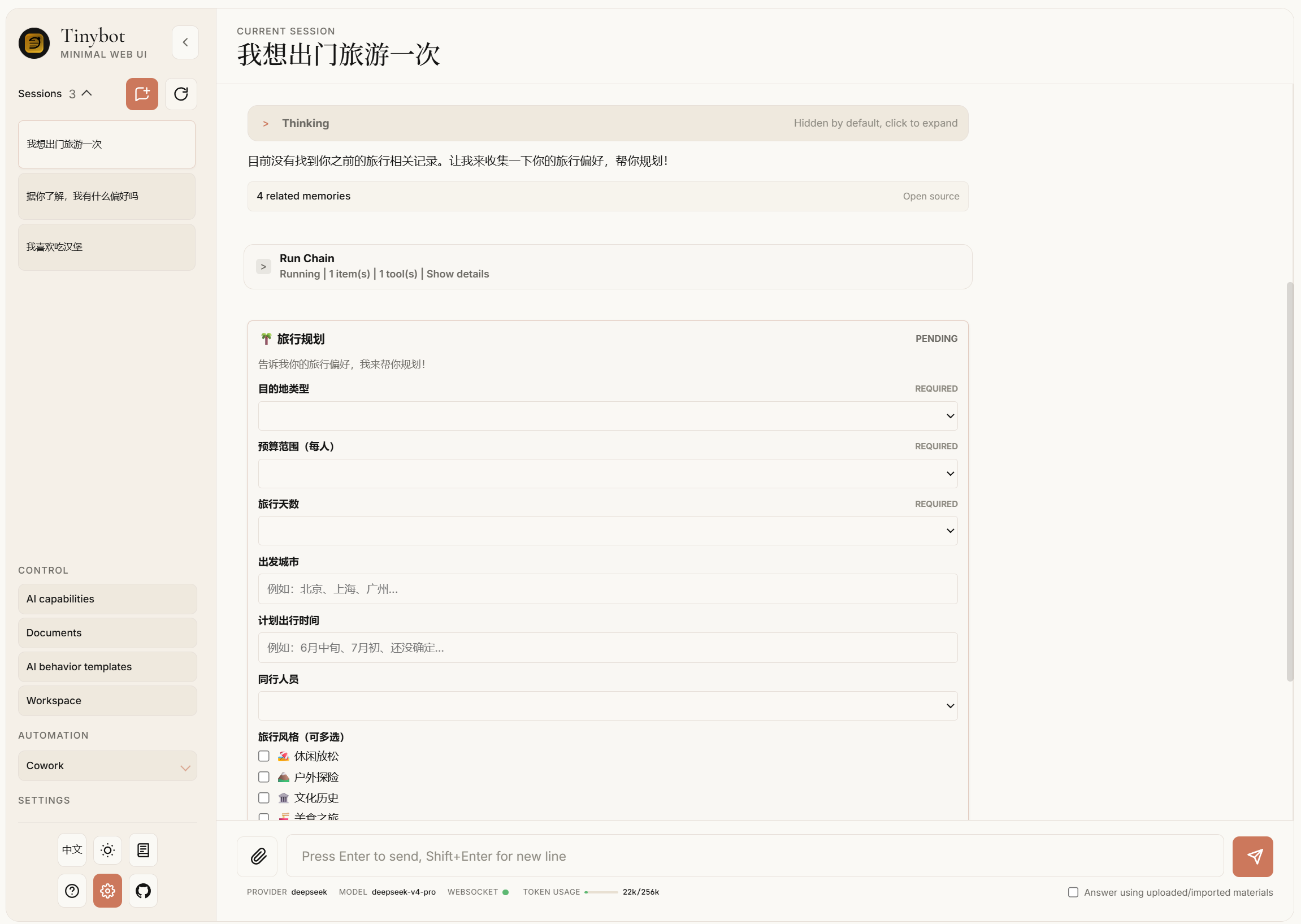
2026.05.24 Event-oriented frontend components inspired by AG-UI, plus A2UI-style form collection when Tinybot needs follow-up information from the user.
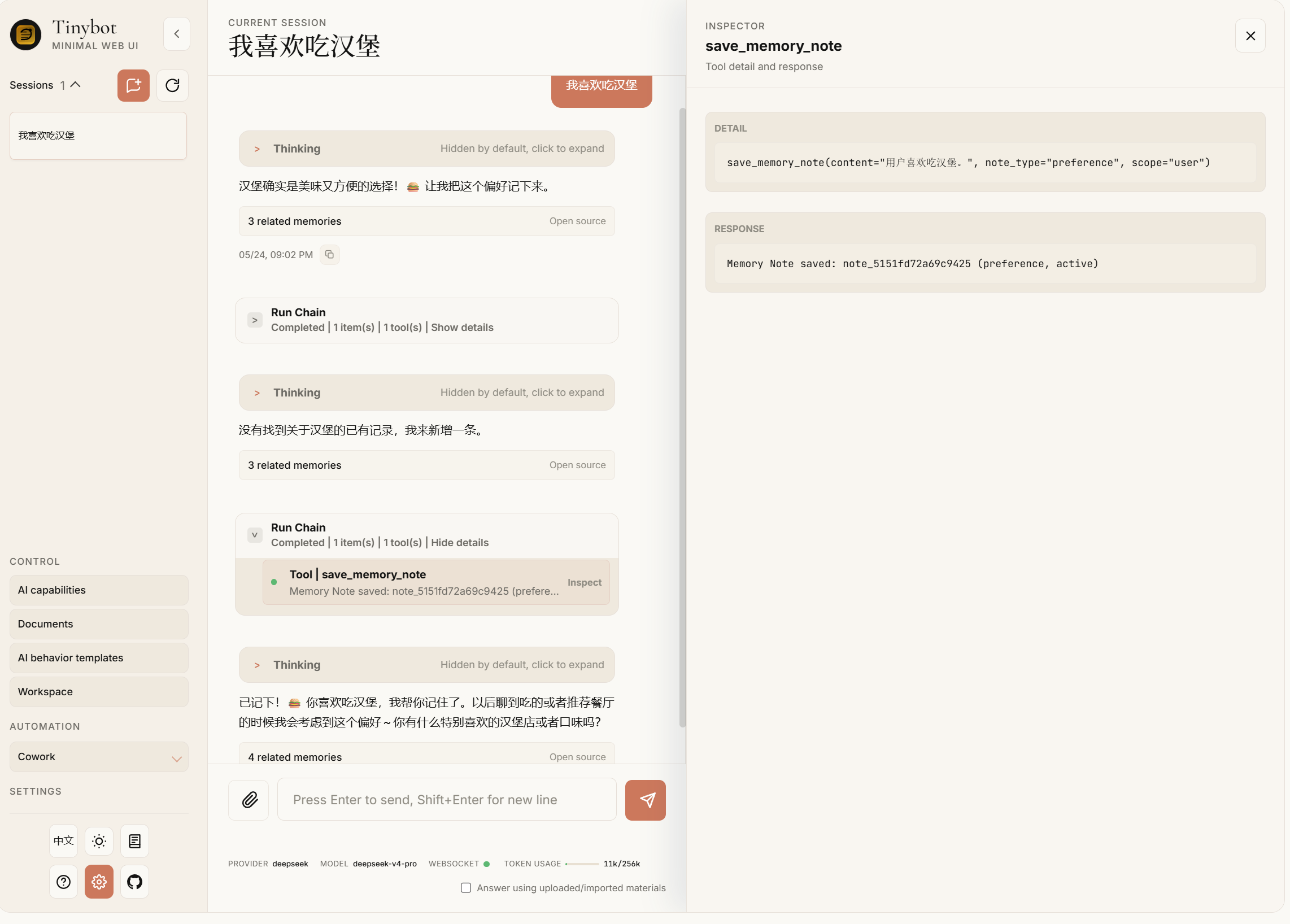
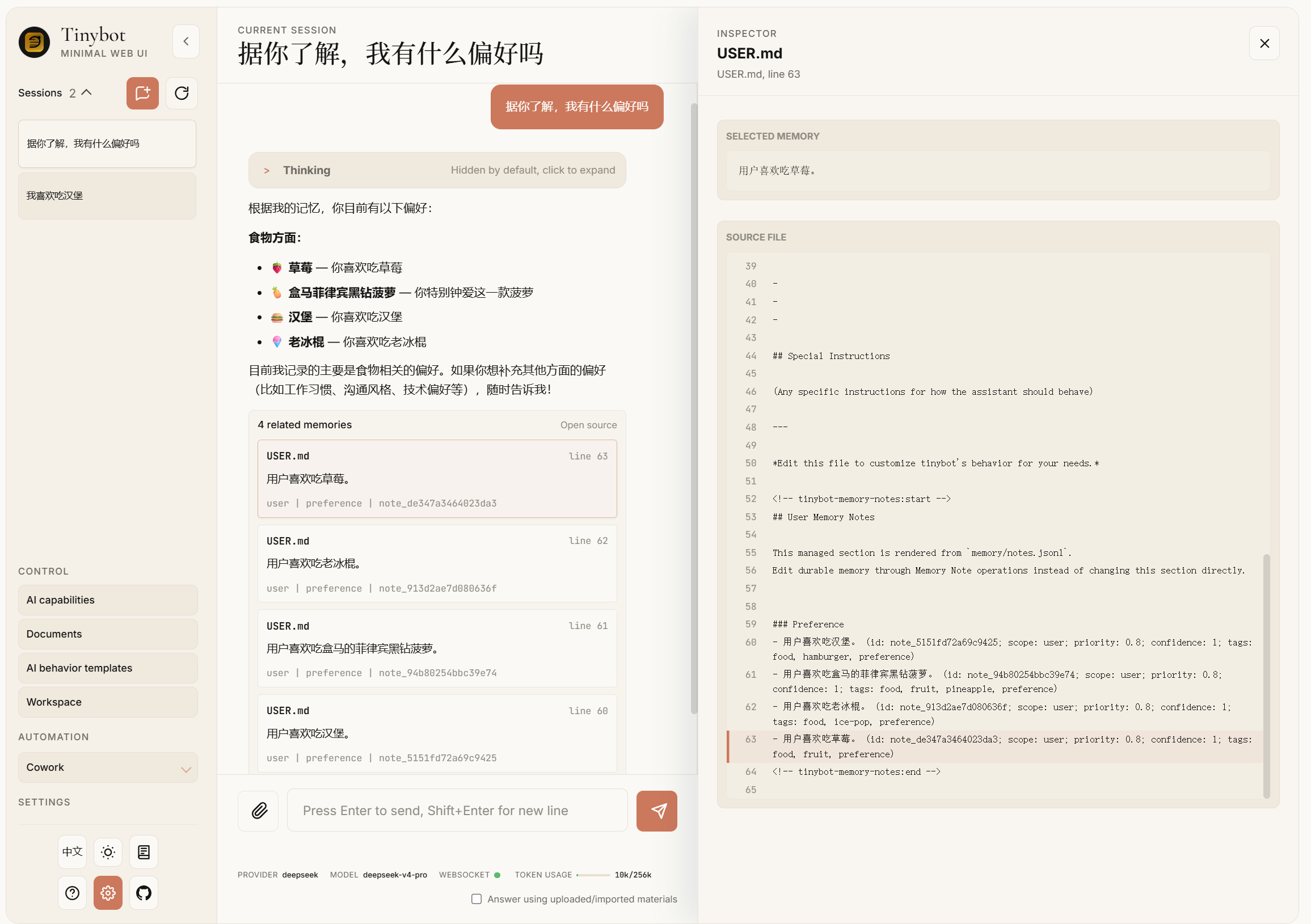
2026.05.22 Implemented an efficient, real-time, editable memory system maintained alongside the agent, using memory state labels to handle contradictory memories over time.
flowchart TD
    UserTurn["Completed agent turn"] --> SaveSession["SessionHandler.save_turn"]
    SaveSession --> CaptureEvidence["capture_conversation_evidence"]
    CaptureEvidence --> EvidenceFiles["memory/conversations/*.jsonl"]
    CaptureEvidence --> Schedule["Memory extraction schedule"]

    Schedule --> DreamRun["Dream.run"]
    DreamRun --> HasEvidence{"Pending Conversation Evidence?"}
    HasEvidence -->|yes| EvidenceBatch["Read evidence after .evidence_cursor"]
    HasEvidence -->|no| LegacyBatch["Read legacy memory/history.jsonl after .dream_cursor"]

    EvidenceBatch --> Prompt["dream_phase1.md + current notes/views"]
    LegacyBatch --> Prompt
    Prompt --> LLMOps["LLM JSON Memory Operations"]
    LLMOps --> ParseOps["parse operations"]

    ParseOps --> OpType{"operation"}
    OpType -->|save| SaveNote["upsert MemoryNote"]
    OpType -->|supersede| Supersede["create replacement + mark old superseded"]
    OpType -->|reject| Reject["mark note rejected"]
    OpType -->|skip| Noop["no durable change"]

    SaveNote --> Notes["memory/notes.jsonl"]
    Supersede --> Notes
    Reject --> Notes

    Notes --> RefreshViews["refresh_memory_views"]
    RefreshViews --> ProjectView["memory/MEMORY.md"]
    RefreshViews --> UserView["USER.md"]
    RefreshViews --> SoulView["SOUL.md"]

    Notes --> RecallSelect["select_memory_recall"]
    RecallSelect --> RecallBlock["[MEMORY RECALL] system block"]
    RecallBlock --> AgentContext["ContextBuilder.build_messages"]

    Experience["ExperienceStore"] --> ExperienceBlock["[RELEVANT WORKFLOWS / RECOVERIES]"]
    Knowledge["KnowledgeStore / SessionKnowledgeStore"] --> KnowledgeBlock["Knowledge context"]
    ExperienceBlock --> AgentContext
    KnowledgeBlock --> AgentContext
flowchart LR
    Notes["Memory Notes\ncanonical JSONL"] --> Views["Memory Views\nMarkdown projection"]
    Notes --> Recall["Memory Recall\nprompt retrieval"]
    Evidence["Conversation Evidence\nraw source layer"] --> Dream["Dream\nbackground extraction"]
    Dream --> Notes

    ExplicitTools["Explicit memory tools\nforeground correction"] --> Notes
    Legacy["Legacy Markdown/history\nmigration + fallback"] --> Notes

    Experience["Experience\nhow to act"] --> AgentPrompt["Agent prompt"]
    Knowledge["Knowledge\nexternal document evidence"] --> AgentPrompt
    Recall --> AgentPrompt

    Views -. "inspection + compatibility" .-> AgentPrompt
2026.05.15 Continued Cowork architecture runtime evolution.
Cowork now uses canonical architectures (adaptive_starter, team, generator_verifier, message_bus, shared_state, swarm), branch-aware session snapshots, Agent Step observation detail expansion, architecture-specific projections, and explicit branch result selection or merge controls.
2026.05.13 Evolved Cowork into a graph-driven, blueprint-aware agent swarm control plane.
Cowork now exposes versioned graph/trace snapshots, reusable JSON blueprints, budget-aware run controls, blocker panels, blueprint validation/preview APIs.
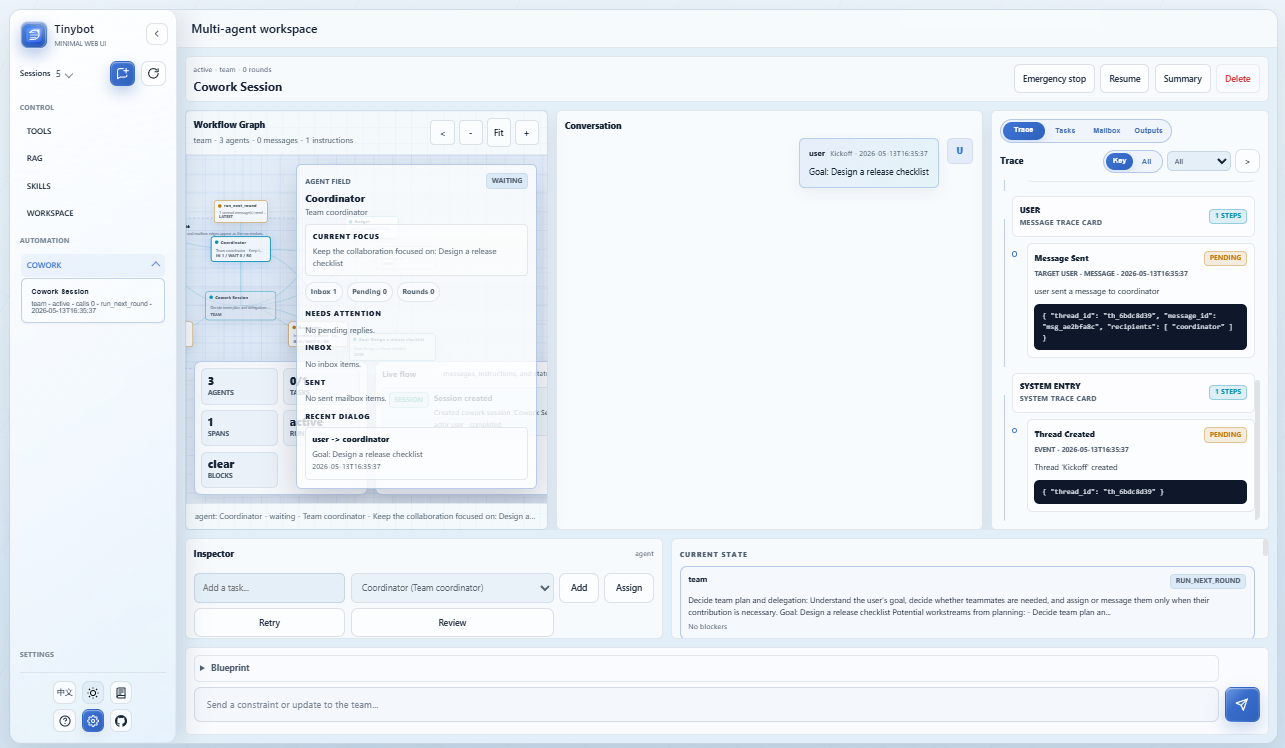
2026.05.11 It significantly enhances the performance and presentation effect of cowork.
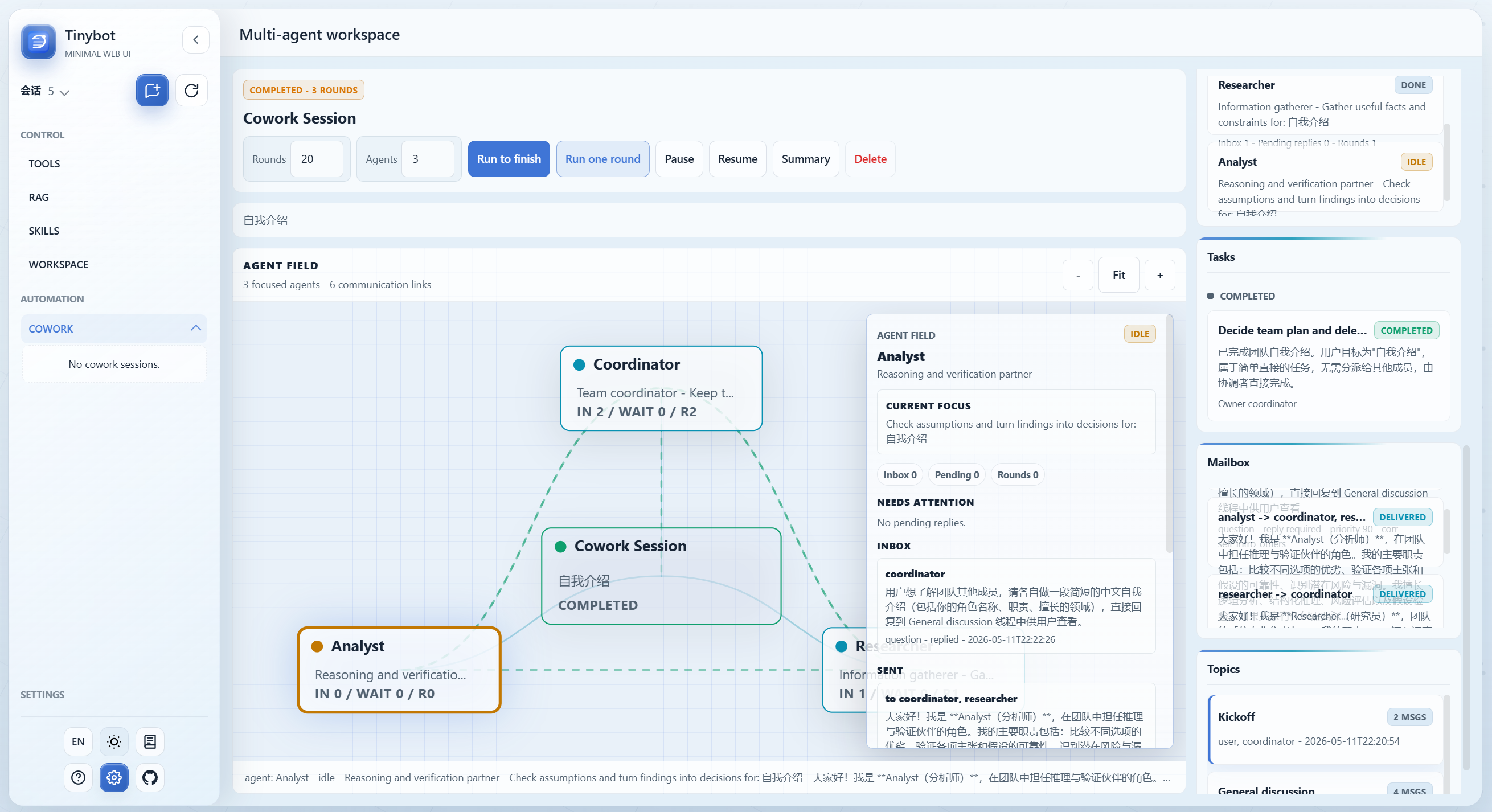
2026.05.08 Added a "cowork" capability, enabling the creation of an autonomous, multi-agent team system.
2026.05.07 Modified the display logic for tool usage.
2026.04.30 Fixed multiple UI issues, revised the browser control interface demonstration, and added task display functionality.
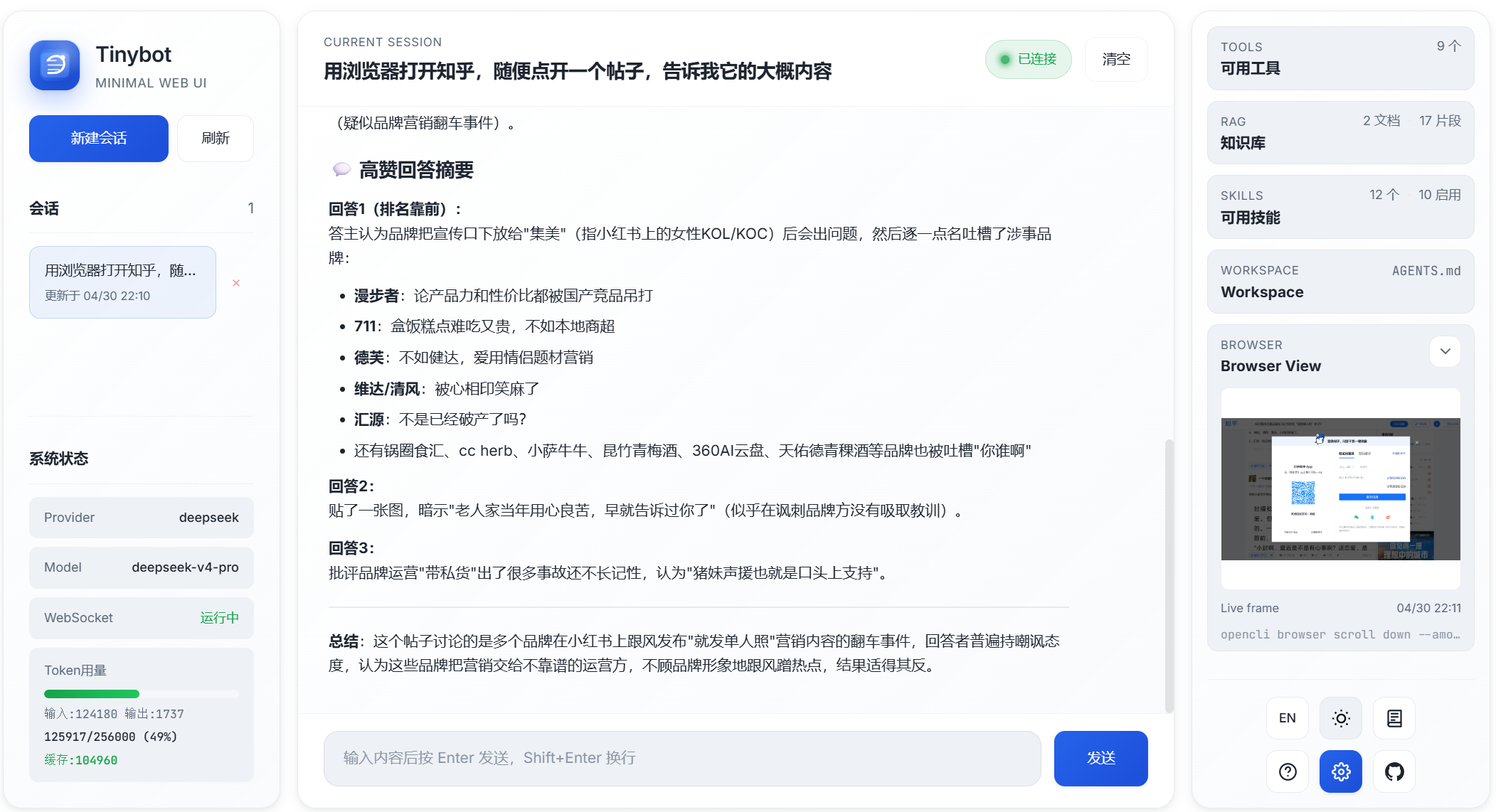
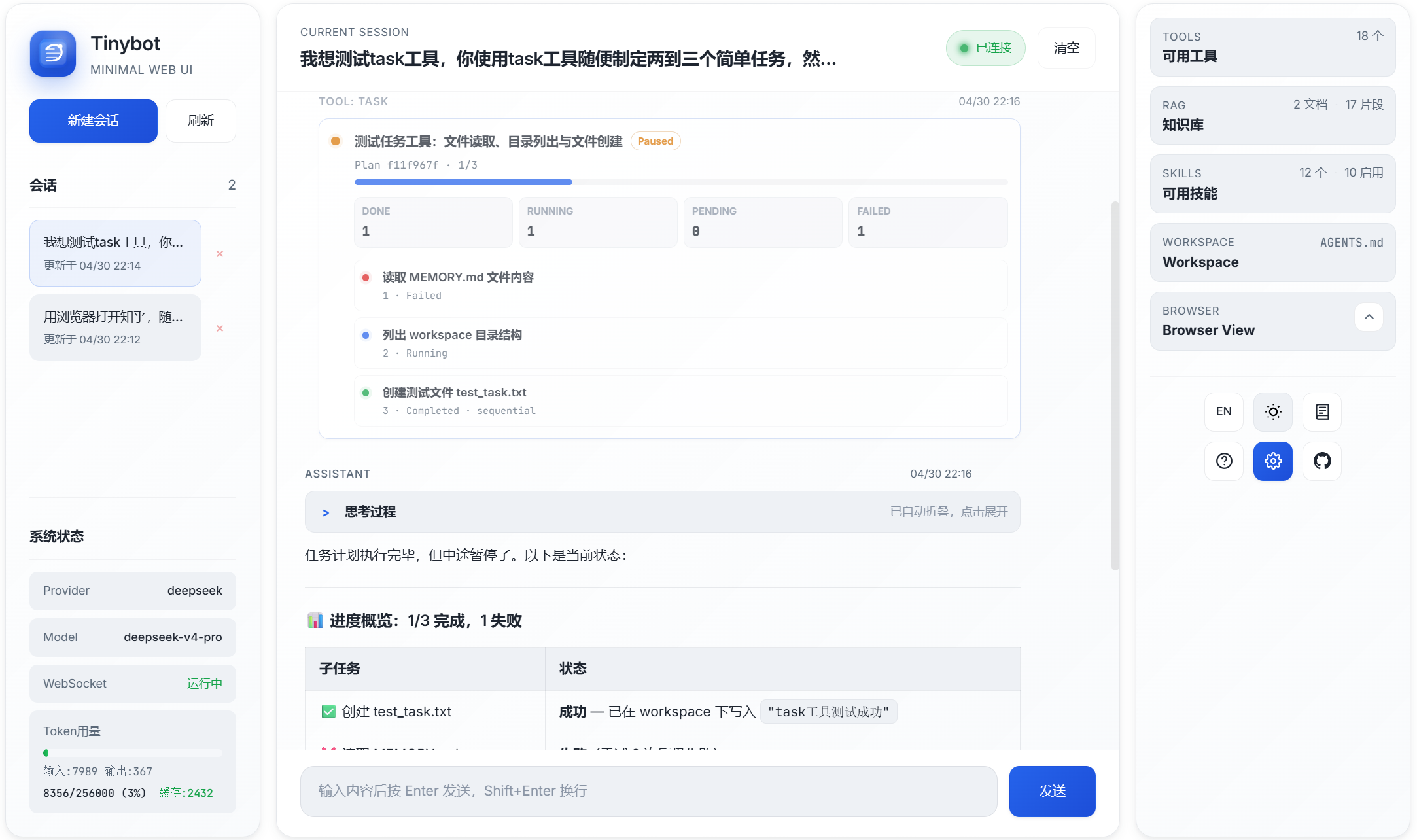
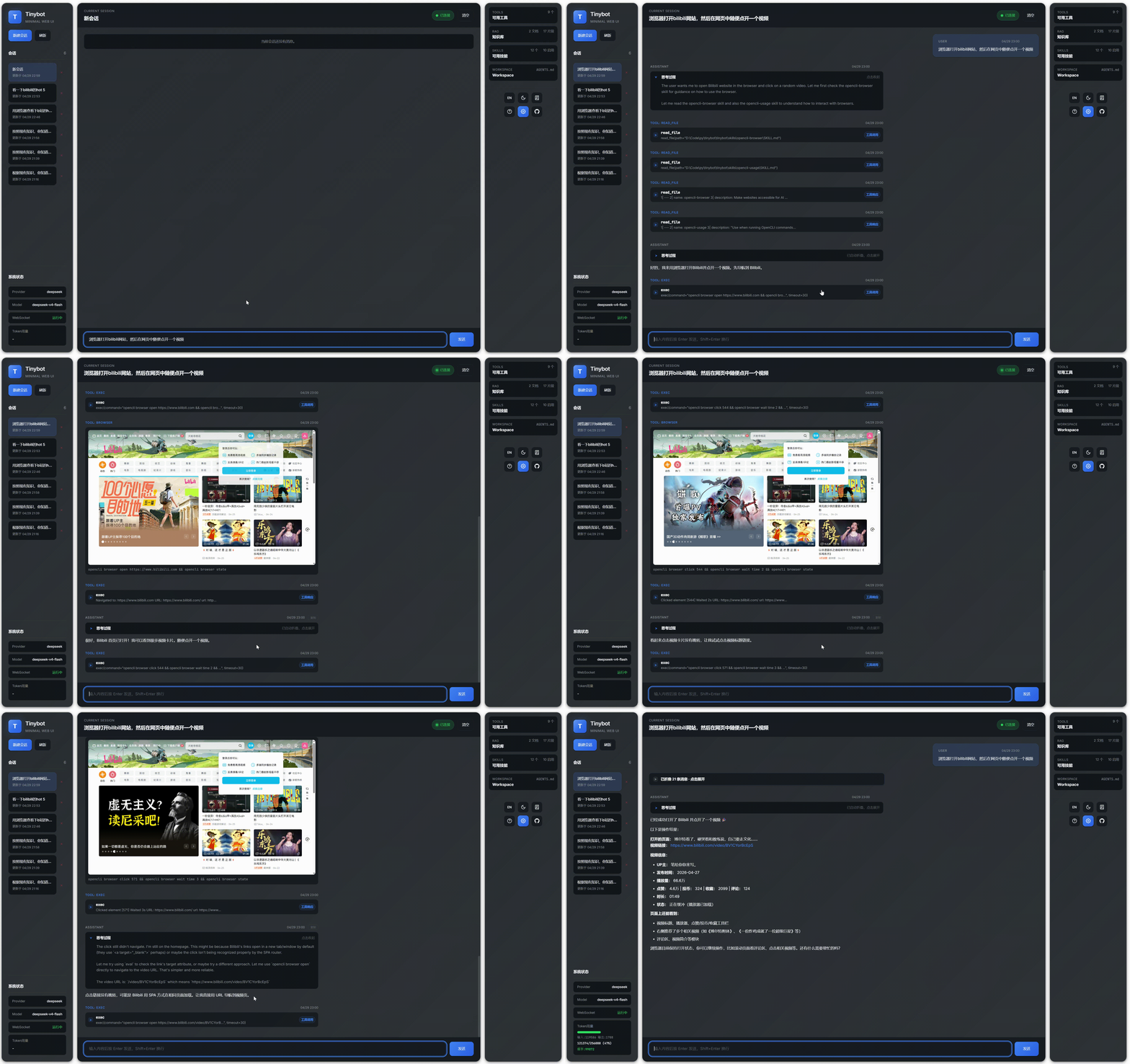
2026.04.29 Fixed multiple UI issues and added a browser control interface demonstration。
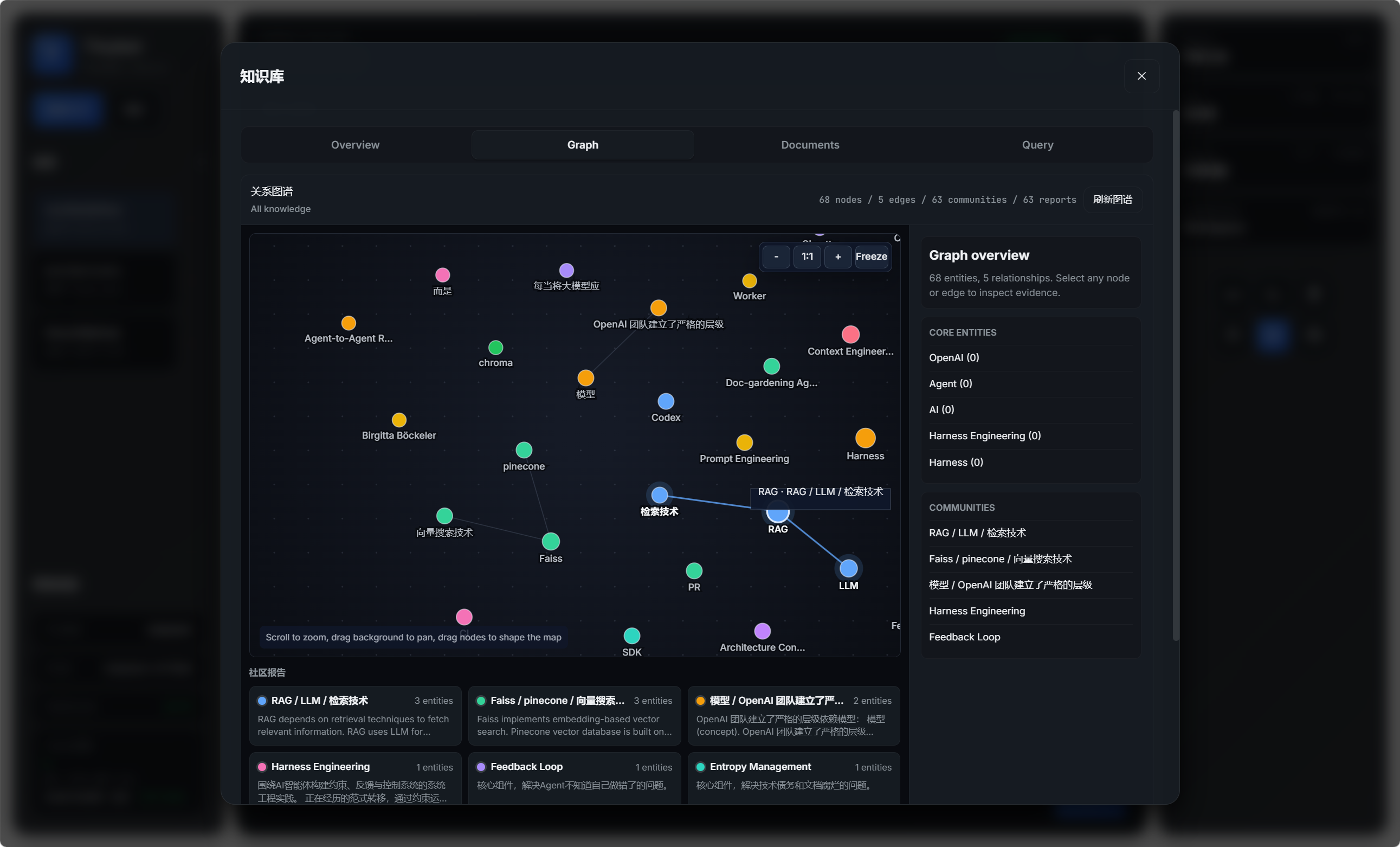
2026.04.28 Add beta RAG relation graph.
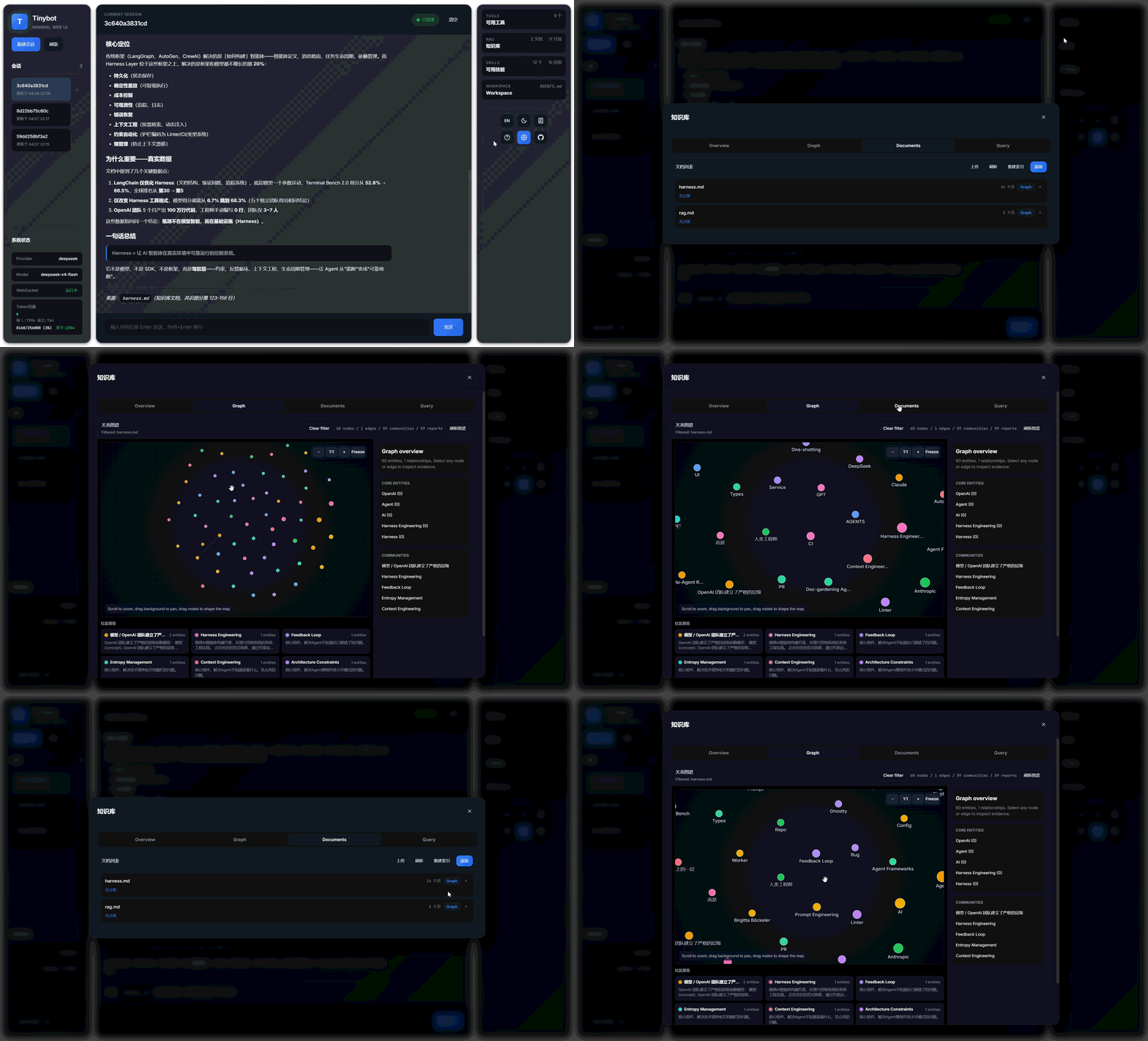
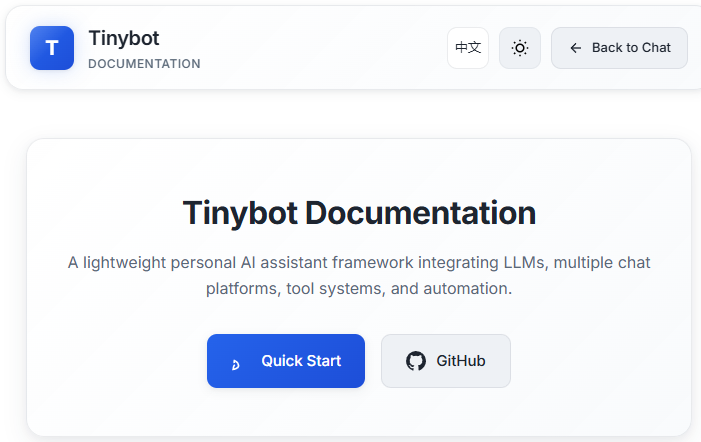
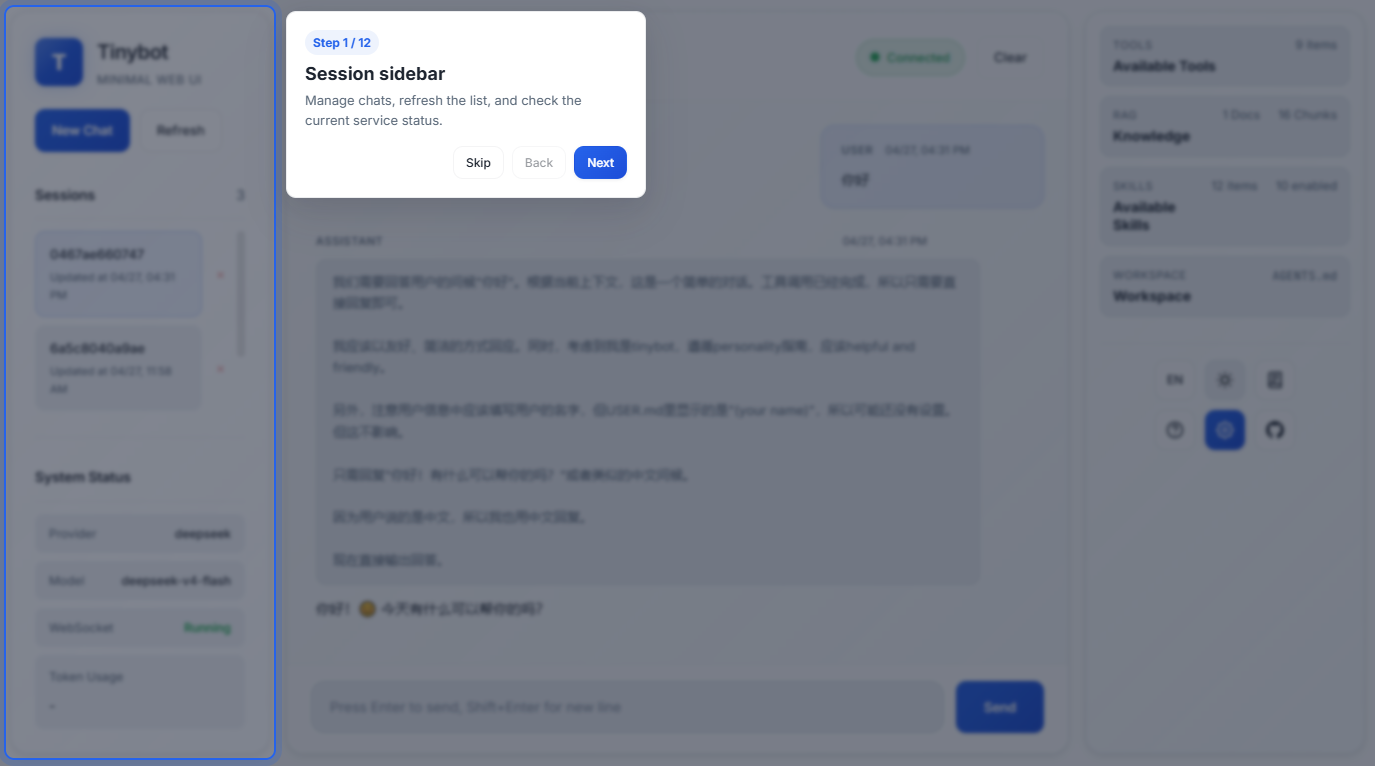
2026.04.27 Add docs and fix some issue.
2026.04.26 add RAG module, support text content for now
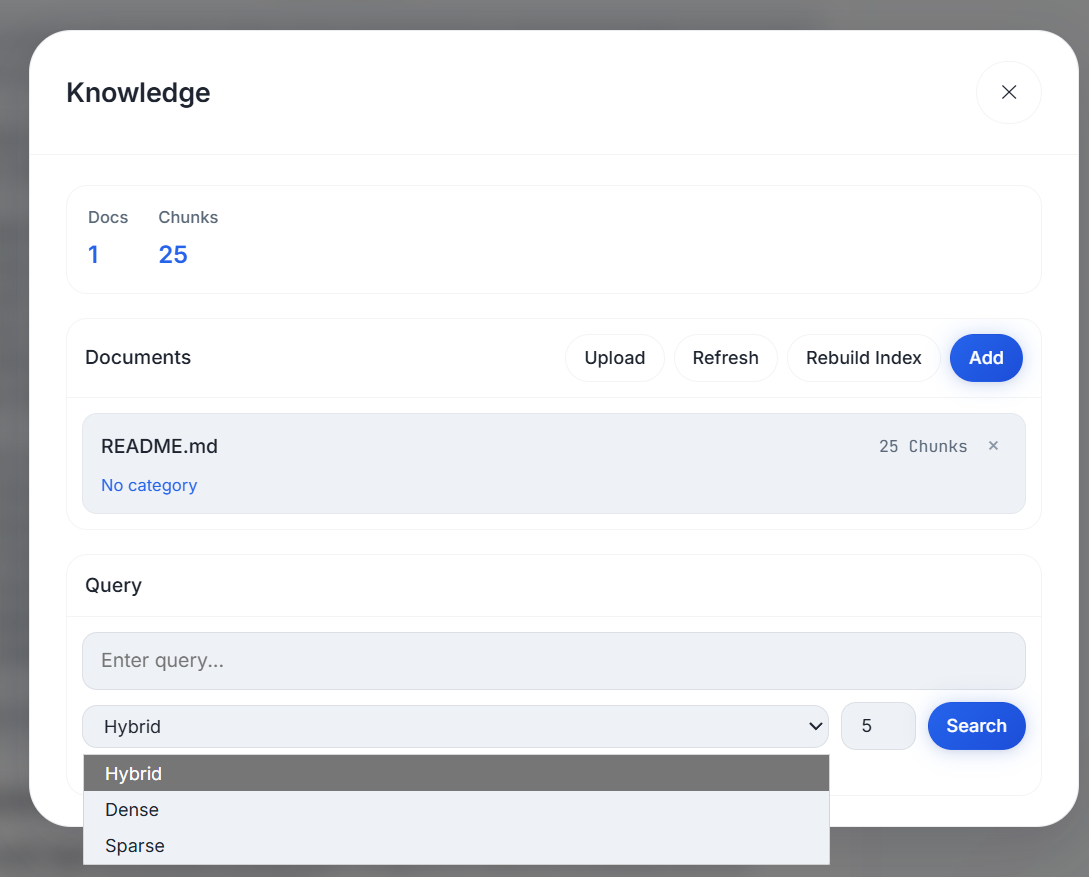
2026.04.24 new webui, human-create-skills, enable/disable skills,
white mode
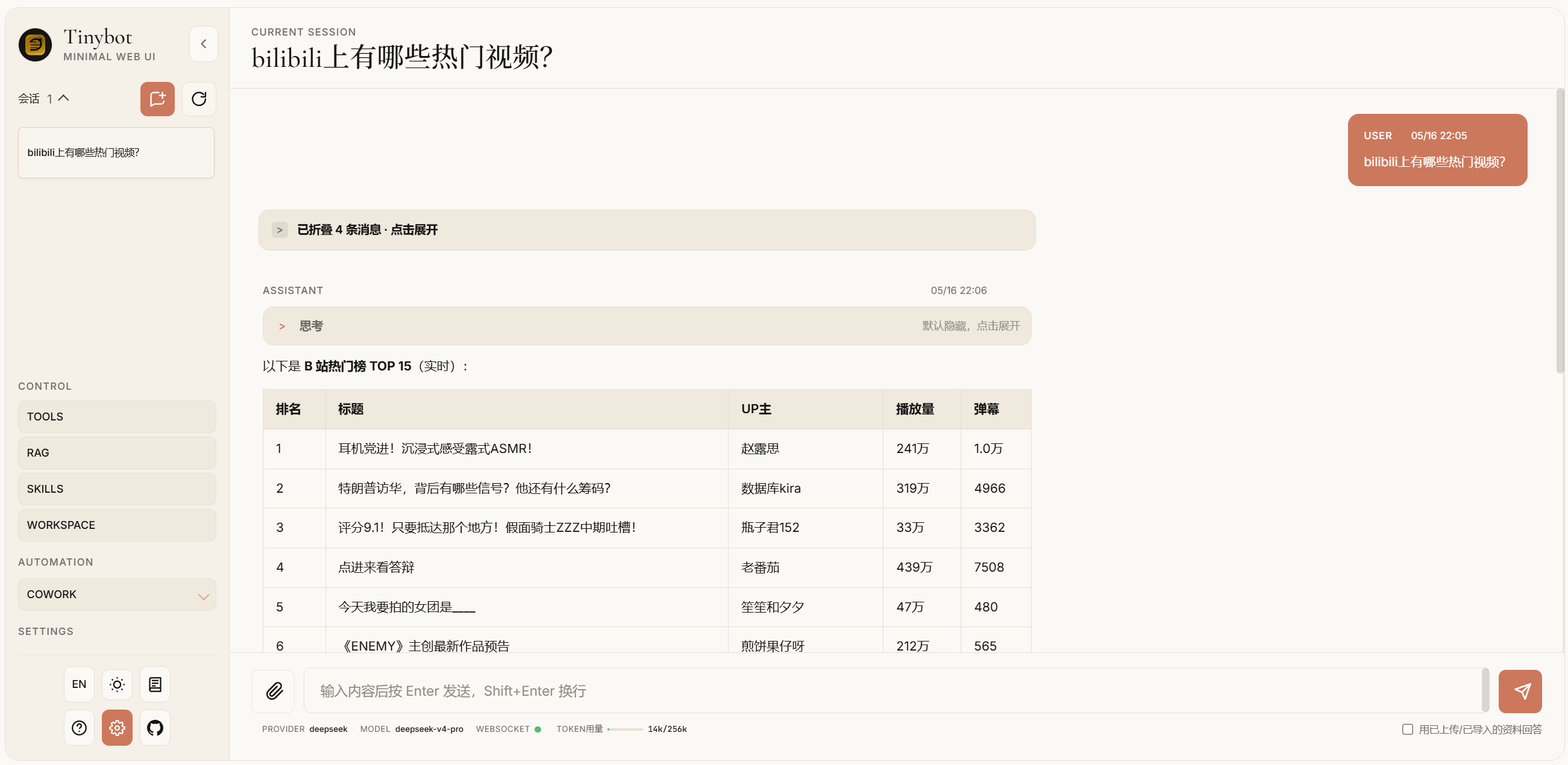
dark mode
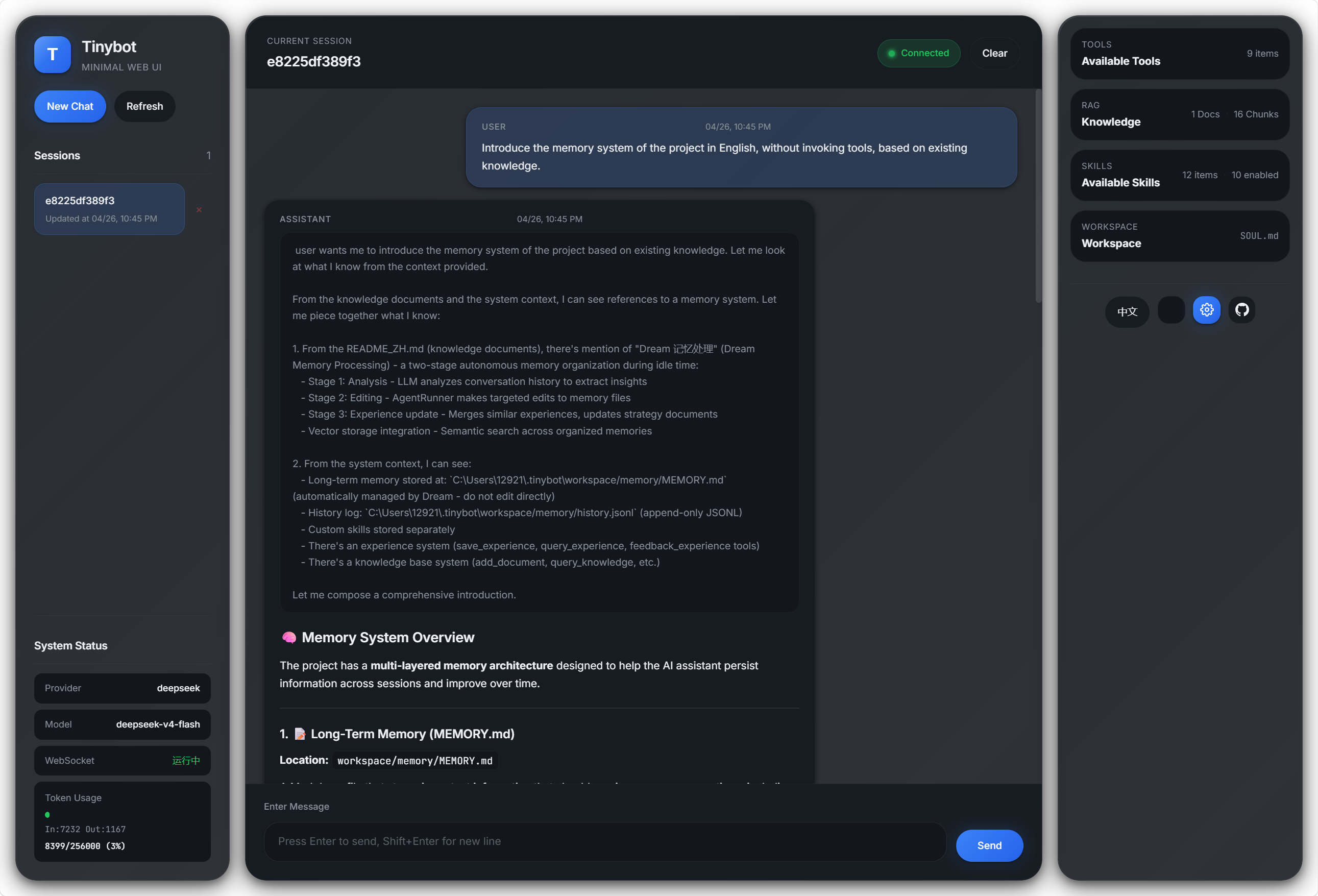
✨ Core Highlights
Interactive Forms
Chatbot-agent
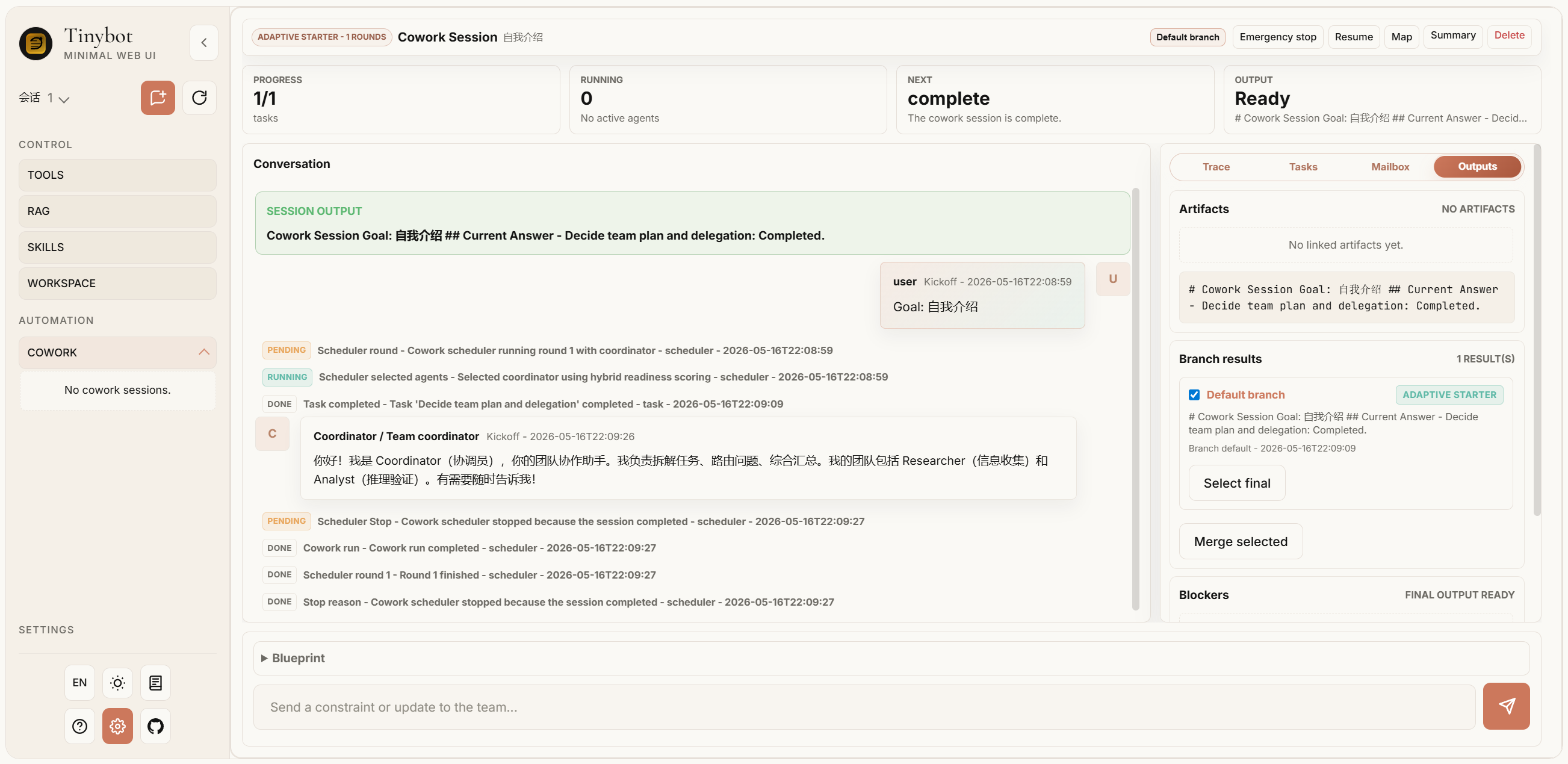
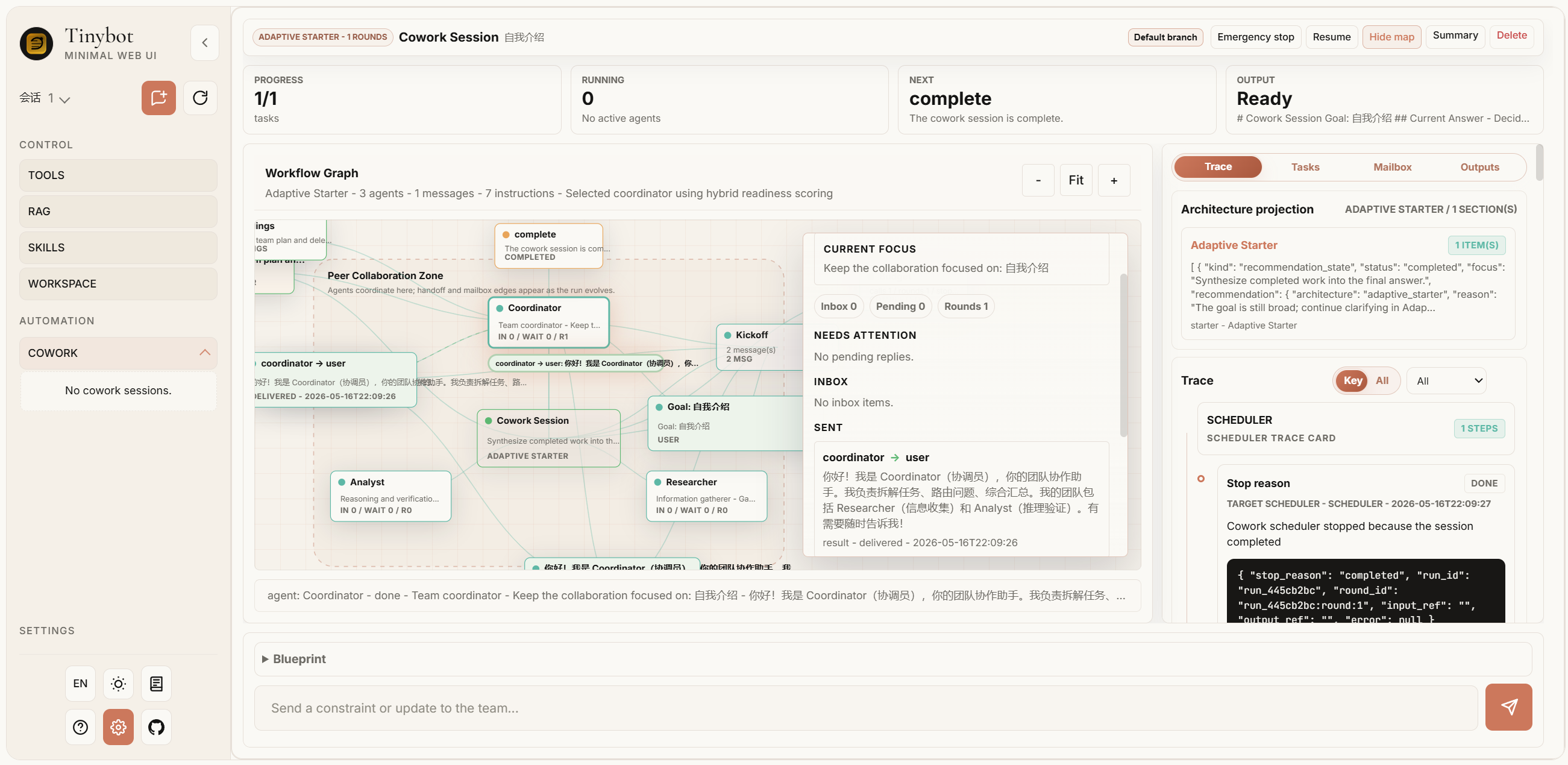
Agent cowork!
Cowork provides a shared multi-agent session model with architecture runtime policies, branch navigation, architecture-specific projections, observable Agent Steps, and explicit final-result selection.
🧠 Agentic DAG Task Scheduling
Automatically decomposes complex tasks into executable subtask DAGs, supporting:
- Intelligent Decomposition — LLM analyzes tasks and generates dependency-based subtask graphs
- Automatic Chain Execution — SubAgent completions automatically trigger dependent tasks
- Parallel Execution — Parallel-safe tasks run simultaneously for maximum efficiency
- Dynamic Adjustment — Add/remove subtasks during runtime
WebUI
🔄 Experience Self-Evolution System
A self-learning system that continuously improves from problem-solving experiences:
{
  "id": "exp_86788c0e",
  "timestamp": "2026-04-20T21:19:17",
  "tool_name": "exec",
  "error_type": "argument error",
  "error_message": "",
  "params": {},
  "outcome": "resolved",
  "resolution": "When using the opencli scroll command, pass exactly one argument to avoid argument-count errors. Check the command call format; valid examples are `scroll(distance)` or `scroll(selector)`, not multiple arguments. Validate argument counts before tool calls, using the opencli documentation or a test command to confirm API requirements.",
  "context_summary": "Browser automation: fixed argument errors and JavaScript syntax/type errors while using opencli by adjusting commands and adding defensive handling.",
  "confidence": 0.7,
  "session_key": "cli:direct",
  "merged_count": 0,
  "last_used_at": "2026-04-20T21:19:17",
  "category": "api",
  "tags": ["opencli", "scroll", "argument-error", "browser-automation"],
  "use_count": 0,
  "success_count": 0,
  "feedback_positive": 0,
  "feedback_negative": 0
}
- Semantic Experience Search — Vector-based search understands problem intent, not just keywords
- Auto Context Injection — Relevant past solutions automatically appear when you need them
- Proactive Error Diagnosis — Tool failures trigger automatic suggestions from resolved experiences
- Smart Confidence Model — Multi-dimensional scoring: usage frequency, success rate, freshness, feedback
- Automatic Categorization — Experiences tagged by category (path, permission, encoding, network, etc.)
🤖 SubAgent Asynchronous Execution
- Non-blocking Execution — Background tasks don't block main conversation
- Concurrency Control — Configurable max concurrency to prevent overload
- Heartbeat Monitoring — Auto-detects timeout tasks, prevents zombie processes
- Auto-notification — Automatically triggers main Agent to summarize results when complete
💭 Dream Memory Processing
Two-phase autonomous memory consolidation during idle periods:
- Phase 1: Analysis — LLM analyzes conversation history, extracts insights
- Phase 2: Editing — AgentRunner makes targeted edits to memory files
- Phase 3: Experience Update — Merges similar experiences, updates strategy documents
- Vector Storage Integration — Semantic search across consolidated memories
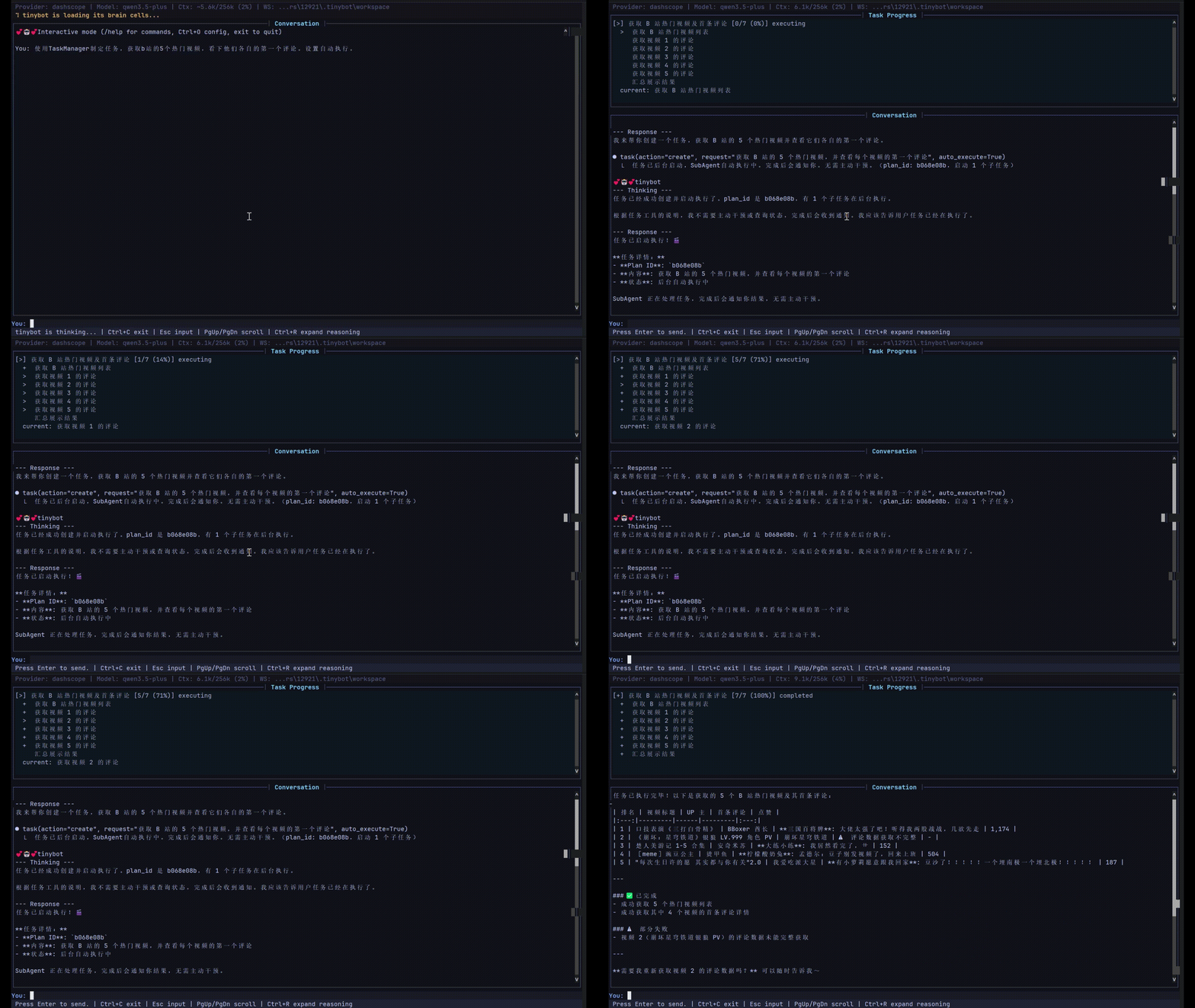
📊 CLI Real-time Progress Display
Task execution shows real-time progress in CLI without disrupting main conversation
⚙️ Integrated Configuration Editor
Full-screen terminal configuration editor accessible directly within the interactive chat:
- Press
Ctrl+Oor type/configto open the editor - No need to exit the chat session
- Edit provider settings, model parameters, tool configs, etc.
- Press
qto save and return to chat
🔌 MCP (Model Context Protocol) Support
Connect to external MCP servers and use their tools seamlessly:
- Native Tool Wrapping — MCP tools appear as native tinybot tools
- Multiple Server Support — Connect to multiple MCP servers simultaneously
- Auto Tool Discovery — Automatically discovers and registers available tools
🚀 Basic Features
- Multi-platform Integration — Built-in WeChat, DingTalk, Feishu channels; plugin extensibility
- Rich Tools — File read/write, shell execution, browser automation, web search, scheduled tasks
- Intelligent Memory — Vector storage-based memory system with session integration and semantic search
- Multi-LLM Support — Compatible with OpenAI, DeepSeek, Zhipu, Qwen, Gemini, and 14+ providers
- Skills System — Define skills via Markdown files, teach Agent specific workflows without coding
- Automation — Cron scheduled tasks + heartbeat service for periodic auto-execution
- OpenAI Compatible API — Run as OpenAI-compatible backend service, integrate with any OpenAI client
- Session Management — Persistent conversation history with checkpoint recovery
- Security — Workspace restriction, command audit, encrypted credential storage
Quick Start
# Install
uv sync

# Initialize configuration (interactive wizard)
uv run tinybot onboard

# Interactive chat mode
uv run tinybot agent

# Send single message
uv run tinybot agent -m "Hello"

# Start gateway (multi-channel + scheduled tasks + heartbeat)
uv run tinybot gateway

# Run as OpenAI-compatible API server
uv run tinybot api
WebUI Usage
Tinybot provides a browser-based web interface for chatting with the AI agent.
Steps to Enable WebUI
1. Enable WebSocket Channel in Config
Edit your ~/.tinybot/config.json file, add the following under channels:
{
  "channels": {
    "websocket": {
      "enabled": true,
      "host": "127.0.0.1",
      "port": 18790
    }
  }
}
2. Start the Gateway
uv run tinybot gateway
3. Open Browser
Visit http://127.0.0.1:18790 in your browser.
Available API Endpoints
| Endpoint | Method | Description |
|---|---|---|
/api/sessions |
GET | List all chat sessions |
/api/sessions/{key}/messages |
GET | Get session messages |
/api/sessions/{key} |
DELETE/PATCH | Delete/update session |
/api/sessions/{key}/clear |
POST | Clear session history |
/api/sessions/{key}/profile |
GET | Get user profile |
/api/config |
GET/PATCH | Get/update configuration |
/api/status |
GET | Get system status |
/api/tools |
GET | Get available tools |
/api/skills |
GET | Get all skills |
/api/skills/{name} |
GET | Get skill detail |
/api/workspace/files |
GET | List workspace files |
/ws |
WebSocket | Real-time chat connection |
WebSocket Events
| Event | Direction | Description |
|---|---|---|
new_chat |
Client → Server | Create new chat |
attach |
Client → Server | Attach to existing chat |
message |
Client → Server | Send message |
interrupt |
Client → Server | Stop AI generation |
ping |
Client → Server | Heartbeat |
delta |
Server → Client | Streaming text chunk |
stream_end |
Server → Client | Stream finished |
message |
Server → Client | Full message |
file_updated |
Server → Client | Workspace file changed |
Interactive Chat Commands
When in interactive mode, the following commands are available:
| Command | Description |
|---|---|
/config or Ctrl+O |
Open configuration editor |
/help |
Show available commands |
/clear |
Clear conversation history |
/new |
Start new conversation session |
/exit or :q |
Exit the chat |
Skills System
Define custom skills through simple Markdown files.
Skills are automatically loaded and the Agent follows defined workflows when conditions match.
Before use browser
1. Install OpenCLI
npm install -g @jackwener/opencli
2. Install the Browser Bridge Extension
OpenCLI connects to Chrome/Chromium through a lightweight Browser Bridge extension plus a small local daemon. The daemon auto-starts when needed.
- Download the latest
opencli-extension-v{version}.zipfrom the GitHub Releases page. - Unzip it, open
chrome://extensions, and enable Developer mode. - Click Load unpacked and select the unzipped folder.
3. Verify the setup
opencli doctor
Experience Tools
The Agent can actively manage its learning experiences:
| Tool | Description |
|---|---|
query_experience |
Search past problem-solving experiences |
save_experience |
Save a new solution for future reference |
feedback_experience |
Mark an experience as helpful or not |
delete_experience |
Remove outdated or incorrect experiences |
Requirements
- Python >= 3.13