
Tomo


Tomo is a terminal-based code editor focused on simplicity and working out of the box without any configuration. Inspired by the lightweight feel of Helix and the intuitiveness of VS Code, it uses ncurses for terminal UI and tree-sitter for syntax highlighting.
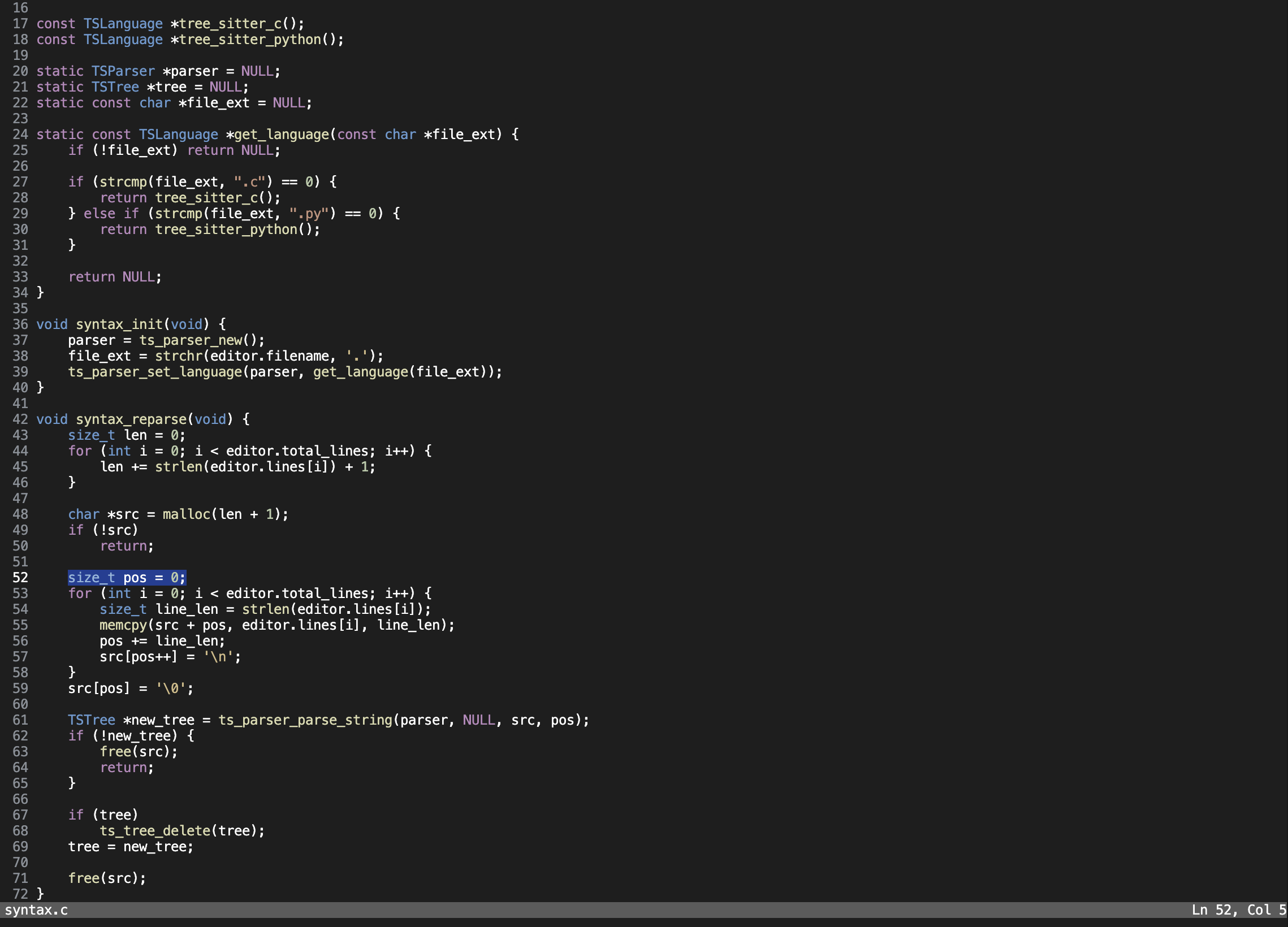
Image of Tomo code editor in action:
Features
- Syntax highlighting
- Smart indentation
- Custom themes
- Command palette
- Undo changes
- Open directories
Themes
Tomo supports custom themes. Place your theme files in ~/.config/tomo/themes directory.
Theme file format
Each theme is an .ini file with the following format:
default = "#d0d0d0"
keyword = "#ff5555"
type = "#87cefa"
custom_type = "#ffa500"
string = "#98fb98"
number = "#f0e68c"
char = "#98fb98"
function = "#dda0dd"
identifier = "#b0c4de"
preprocessor = "#7fffd4"
comment = "#808080"
unactive = "#555555"
status_bar_bg = "#202020"
status_bar_text = "#d0d0d0"
background = "#121212"
select = "#333333"
- Colors should be in hexadecimal format (
#RRGGBB). default- text default colorkeyword- programming language keywordstype- built-in types (likeint,float)custom_type- user-defined types (like structs, classes)string- string literalsnumber- numeric literalschar- character literalsfunction- function namesidentifier- variable and parameter namespreprocessor- preprocessor directives (C/C++)comment- Commentsunactive- Unactive line numbersstatus_bar_bg- status bar backgroundstatus_bar_text- status bar text colorbackground- editor backgroundselect- selected text background
Shortcuts
- Ctrl + C - Copy selected text
- Ctrl + V - Paste selected text
- Ctrl + X - Cut selected text
- Ctrl + Z - Undo changes
- Ctrl + G - Go to line
- Ctrl + Q - Quit the editor
- Ctrl + S - Save the file
- Ctrl + E - Open directory
- Ctrl + T - Change theme
- Ctrl + P - Open command palette
- Arrow keys - Move cursor
- Arrow keys + Shift - Start text selection
Installation
git clone https://github.com/Dasdron15/Tomo.git
cd <path/to/tomo>
make
sudo make install
make builds the editor and sudo make install installs it system-wide
Usage
tomo <path/to/project>
Planned features
- config file support
- Mouse support
- Syntax highlighting for more languages
- Auto-completion
- Vim mode
Contribution
Contributions, bug reports and feature requests are welcome!