
TrackWatch





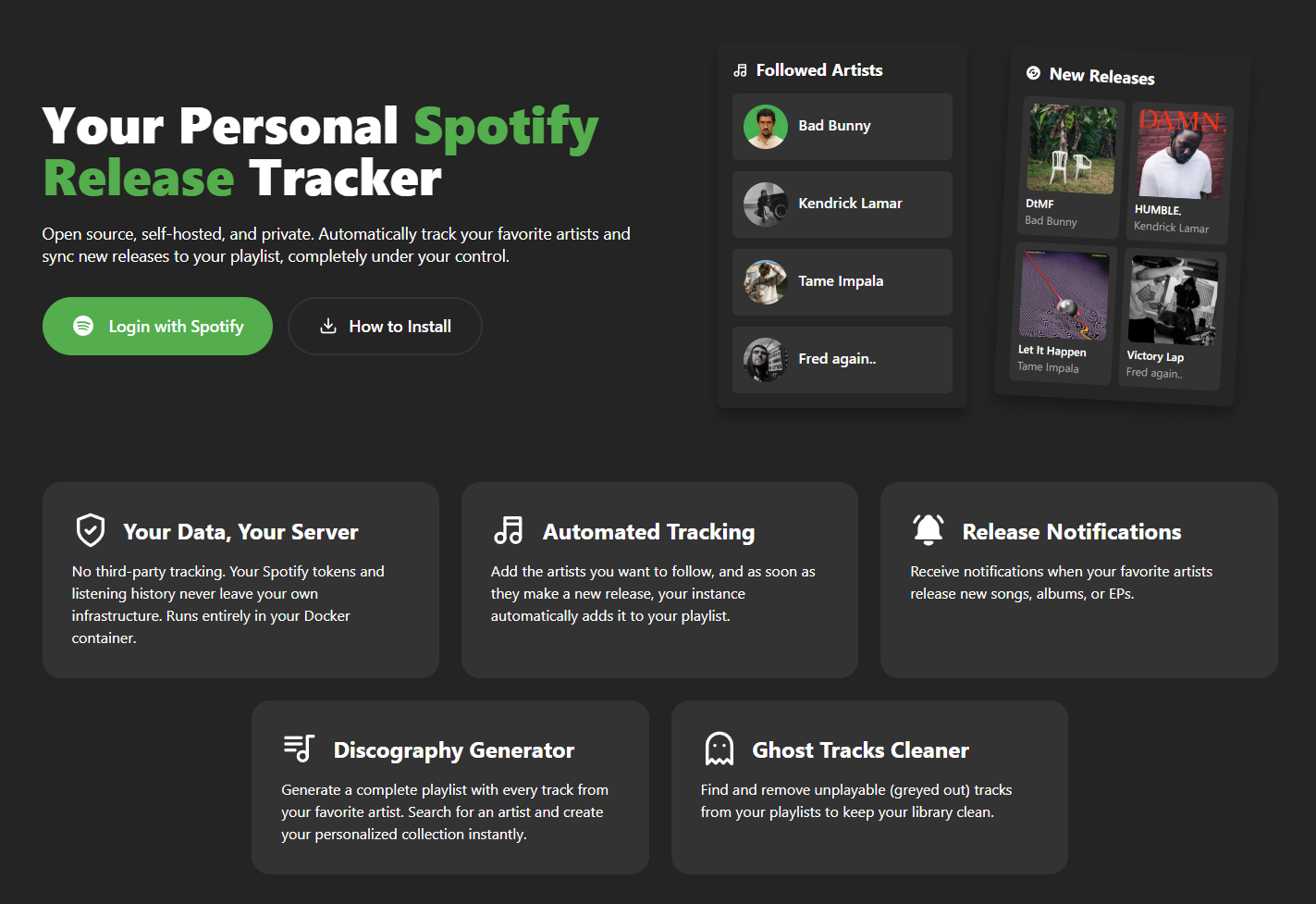
Self-hosted music release tracker for Spotify users. Never miss a new release from your favorite artists again.
Why TrackWatch?
- Your data stays yours - Self-hosted means no third-party tracking your listening habits
- Automatic playlist updates - New releases are automatically added to your TrackWatch playlist
- Never miss a release - Checks for new music multiple times daily
- Simple deployment - Up and running in minutes with Docker
Quick Start
Prerequisites
- Docker installed
- A Spotify Developer app with Redirect URI:
http://127.0.0.1:80/callback
Option A: Multi-Container (Docker Compose, Recommended)
Recommended for both self-hosting and deployment. Each service runs as its own container:
frontend: Nginx serving the React app and proxying/apibackend: Django + Gunicornscheduler: optional APScheduler workerdb: PostgreSQL
git clone https://github.com/emlopezr/trackwatch.git
cd trackwatch
cp .env.docker.example .env
Edit .env with your configuration:
SECRET_KEY=your-random-secret-key
DATABASE_PASSWORD=your-secure-password
SPOTIFY_CLIENT_ID=your-client-id
SPOTIFY_CLIENT_SECRET=your-client-secret
docker-compose up -d --build
Open http://127.0.0.1 and you're done.
To also run the internal scheduler:
docker-compose --profile scheduler up -d --build
If you want to deploy using prebuilt images instead of local builds, set these optional variables and pull them explicitly:
FRONTEND_IMAGE=ghcr.io/emlopezr/trackwatch-frontend:latest
BACKEND_IMAGE=ghcr.io/emlopezr/trackwatch-backend:latest
SCHEDULER_IMAGE=ghcr.io/emlopezr/trackwatch-scheduler:latest
docker-compose pull
docker-compose up -d
Option B: All-in-One Image (Legacy)
The previous AiO image is still documented for compatibility, but the active deployment model is now the multi-container setup above.
For the full legacy guide, see docs/DOCKER_AIO_SETUP.md.
For production deployment details, including running without the scheduler and triggering updates from n8n, see docs/DOCKER_MULTI_CONTAINER_SETUP.md.
For Dokploy deployments with each component as a separate app, see docs/DOKPLOY_SETUP.md.
Stop TrackWatch
docker-compose down
Configuration
Spotify Developer Setup
- Go to Spotify Developer Dashboard
- Click Create App
- Fill in the app details:
- App name: TrackWatch (or any name)
- App description: Your description
- Redirect URI:
http://127.0.0.1:80/callback - Which API/SDKs are you planning to use? Web API
- Click Settings and note your Client ID and Client Secret
- Add these to your
.envfile
Important: Spotify only allows
http://for127.0.0.1. Any other address (LAN IPs like192.168.x.x, custom domains) requires HTTPS.localhostis not accepted at all.
Custom Domain
If deploying to a custom domain:
-
Update the redirect URI in your Spotify app settings to match your domain:
https://your-domain.com/callback -
Update your
.env:VITE_SPOTIFY_REDIRECT_URI=https://your-domain.com/callback -
Rebuild the frontend:
docker-compose up -d --build frontend
Environment Variables Reference
| Variable | Required | Default | Description |
|---|---|---|---|
SECRET_KEY |
Yes | - | Django secret key for security |
DATABASE_PASSWORD |
Yes | - | PostgreSQL password |
SPOTIFY_CLIENT_ID |
Yes | - | From Spotify Developer Dashboard |
SPOTIFY_CLIENT_SECRET |
Yes | - | From Spotify Developer Dashboard |
VITE_SPOTIFY_REDIRECT_URI |
No | http://127.0.0.1:80/callback |
OAuth callback URL |
VITE_HIDE_PUBLIC_LOGIN |
No | false |
Hide public login UI |
BACKEND_PROXY_PASS |
No | http://backend:8000 |
Frontend Nginx upstream for /api |
BACKEND_PROXY_HOST |
No | backend |
Upstream host header and TLS SNI for /api proxy |
PORT |
No | 80 |
Frontend port |
FRONTEND_IMAGE |
No | ghcr.io/emlopezr/trackwatch-frontend:latest |
Frontend image override |
BACKEND_IMAGE |
No | ghcr.io/emlopezr/trackwatch-backend:latest |
Backend image override |
SCHEDULER_IMAGE |
No | ghcr.io/emlopezr/trackwatch-scheduler:latest |
Scheduler image override |
DEBUG |
No | False |
Django debug mode |
SCHEDULER_HOURS |
No | 7,14,21 |
Hours to check for releases (24h) |
SCHEDULER_MINUTE |
No | 0 |
Minute of the hour to run |
RESEND_API_KEY |
No | - | For email notifications |
Features
- Spotify Integration - Connect your Spotify account securely via OAuth
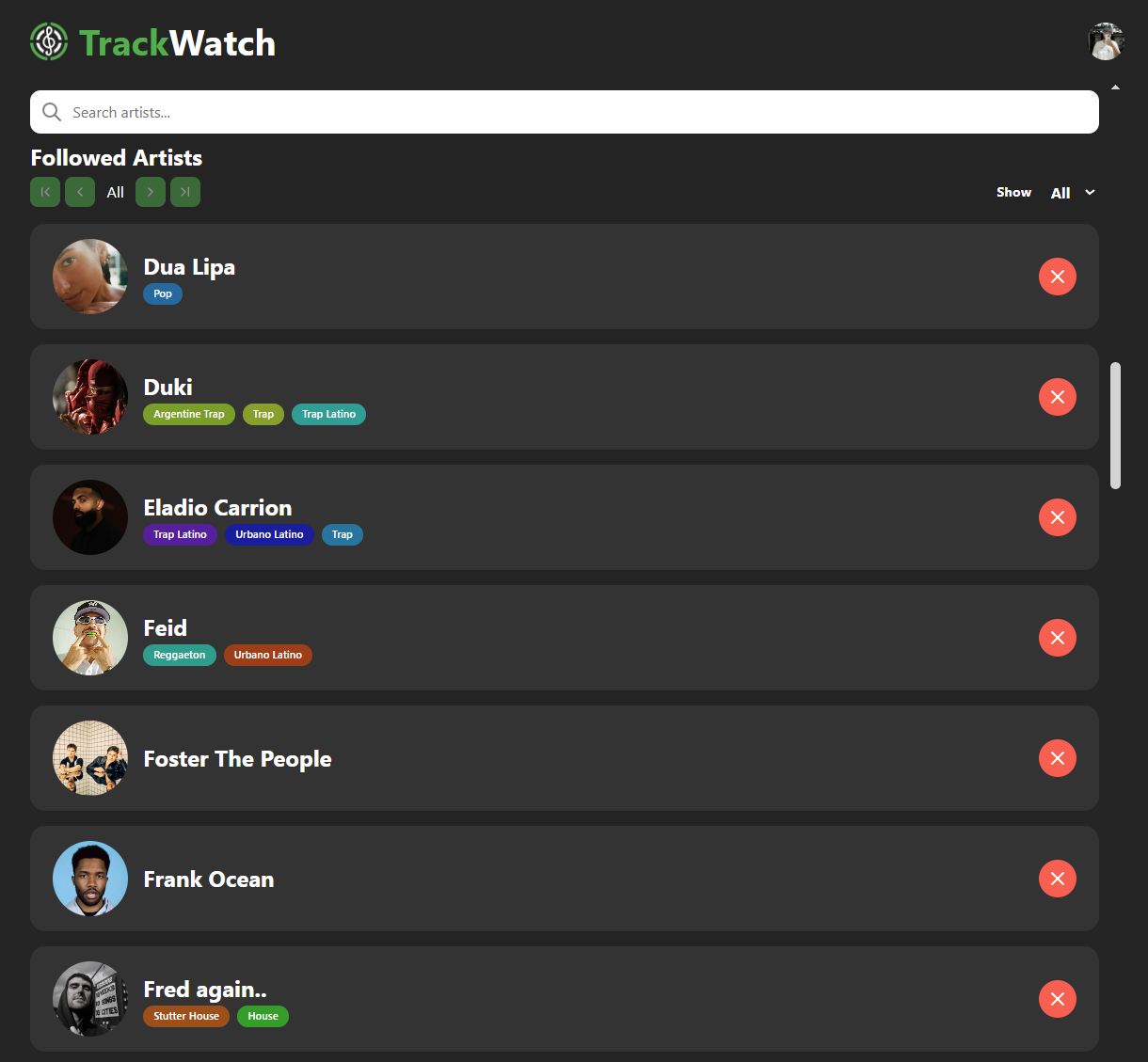
- Artist Tracking - Follow artists and track their releases automatically
- Automatic Playlist - New releases are added to a dedicated TrackWatch playlist
- Ghost Track Detection - Find and remove unavailable tracks from your playlists
- Scheduled Checks - Automatically checks for new releases 3x daily (7am, 2pm, 9pm)
Architecture
┌──────────────────────────────────────────────────────────────────────────┐
│                              Docker                                      │
├─────────────┬─────────────────────┬─────────────────┬────────────────────┤
│   Frontend  │      Backend        │    Scheduler    │     Database       │
│   (Nginx)   │     (Gunicorn)      │   (APScheduler) │    (PostgreSQL)    │
│             │                     │                 │                    │
│  React SPA  │     REST API        │   Background    │   User data +      │
│  + Reverse  │  + Spotify Auth     │   task runner   │   Track history    │
│    Proxy    │                     │                 │                    │
└─────────────┴─────────────────────┴─────────────────┴────────────────────┘
Background Tasks
The scheduler service is optional and runs independently from the web server when enabled with --profile scheduler, checking for new releases at configured times (default: 7am, 2pm, 9pm).
Alternative: External Triggers
If you prefer external scheduling (e.g., n8n, system cron), you can:
- Start Compose without the scheduler profile:
docker-compose up -d - Trigger updates via webhook:
curl -X POST http://localhost/api/actions/releases \
  -H "X-Admin-Key: YOUR_SECRET_KEY"
Development
For local development without Docker, see docs/MANUAL_SETUP.md.
Tech Stack
- Frontend: React 18, TypeScript, Vite, React Router 7
- Backend: Django 5, Django REST Framework, APScheduler, Gunicorn
- Database: PostgreSQL 15
- Deployment: Docker, Nginx
Troubleshooting
"Invalid redirect URI" error
Ensure the redirect URI in your Spotify app settings matches exactly:
- For local Docker:
http://127.0.0.1:80/callback - For custom domain:
https://your-domain.com/callback
Note: Spotify only allows
http://for127.0.0.1. LAN IPs (e.g.192.168.x.x) and custom domains require HTTPS.localhostis not accepted.
Container won't start
Check logs:
docker-compose logs backend
docker-compose logs frontend
docker-compose logs scheduler
Database connection issues
Ensure the database is healthy:
docker-compose ps
If db shows unhealthy, check PostgreSQL logs:
docker-compose logs db
Reset everything
docker-compose down -v
docker-compose up -d --build
Contributing
Contributions are welcome! Please feel free to submit a Pull Request.
License
This project is licensed under the MIT License. See also the Data Handling Statement for information about how the application processes data.