
Tunet Dashboard
A modern, responsive, and highly customizable React dashboard for Home Assistant.

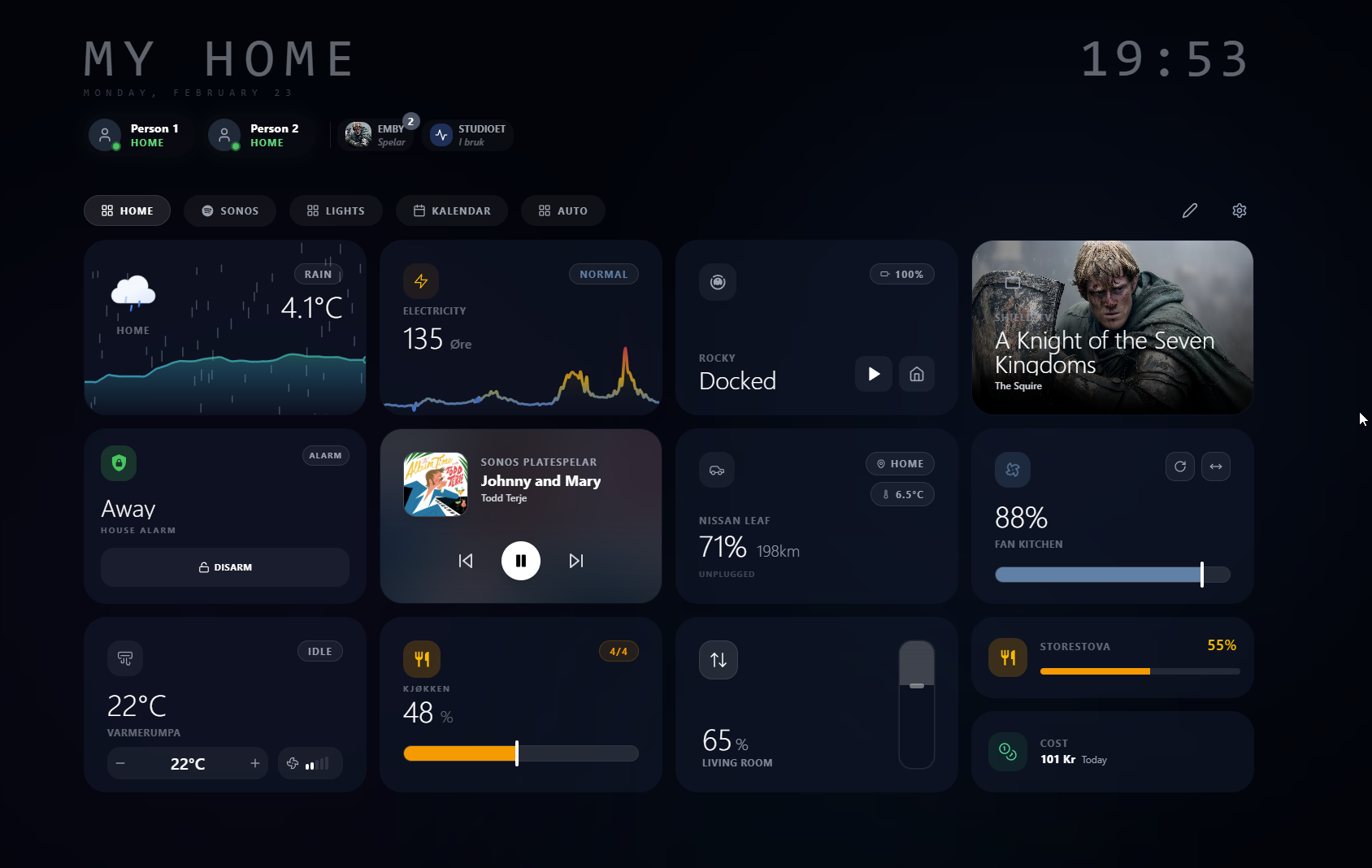
✨ Key Features
- Rich Card Ecosystem: Control lights, climate, media (with Android TV/Sonos support), covers, vacuums, alarms, and more.
- Energy & Environment: Native Nordpool electricity prices, energy cost tracking, weather animations, and EV monitoring.
- Organization: Integrated calendar, task lists, and comprehensive room/person summaries.
- Drag & Drop: Fully customizable masonry grid layout with PIN-protected settings.
- Multi-Device Sync: Server-side profiles allow saving and deploying layouts across multiple devices instantly.
- Secure by Design: Validated backend auth with optional data-at-rest encryption for your profiles.
- Beautiful UI: High-end glassmorphism design with dark/light modes and dynamic backgrounds.
- Multilingual: Native support for English, German, Norwegian (NB/NN), Swedish, and Simplified Chinese.
🚀 Installation
Option 1: Home Assistant Add-on (Easiest)
Click the button below to add the Tunet repository directly to your Home Assistant instance, then install the add-on:

Manual Add-on Installation
- Go to Settings → Add-ons → Add-on Store.
- Click the three dots (top right) → Repositories.
- Add
https://github.com/oyvhov/tunet. - Find Tunet Dashboard, install, and start.
Option 2: Docker Compose
git clone https://github.com/oyvhov/tunet.git
cd tunet
docker compose up -d
Open http://localhost:3002 and connect your Home Assistant instance.
📖 Documentation
🛠️ Development
Click to view local development instructions
git clone https://github.com/oyvhov/tunet.git
cd tunet
npm install
npm run dev:all
- Frontend:
http://localhost:5173 - Backend API:
http://localhost:3002/api
📄 License
This project is licensed under the GNU General Public License v3.0 — see the LICENSE file for details.
Created by oyvhov