
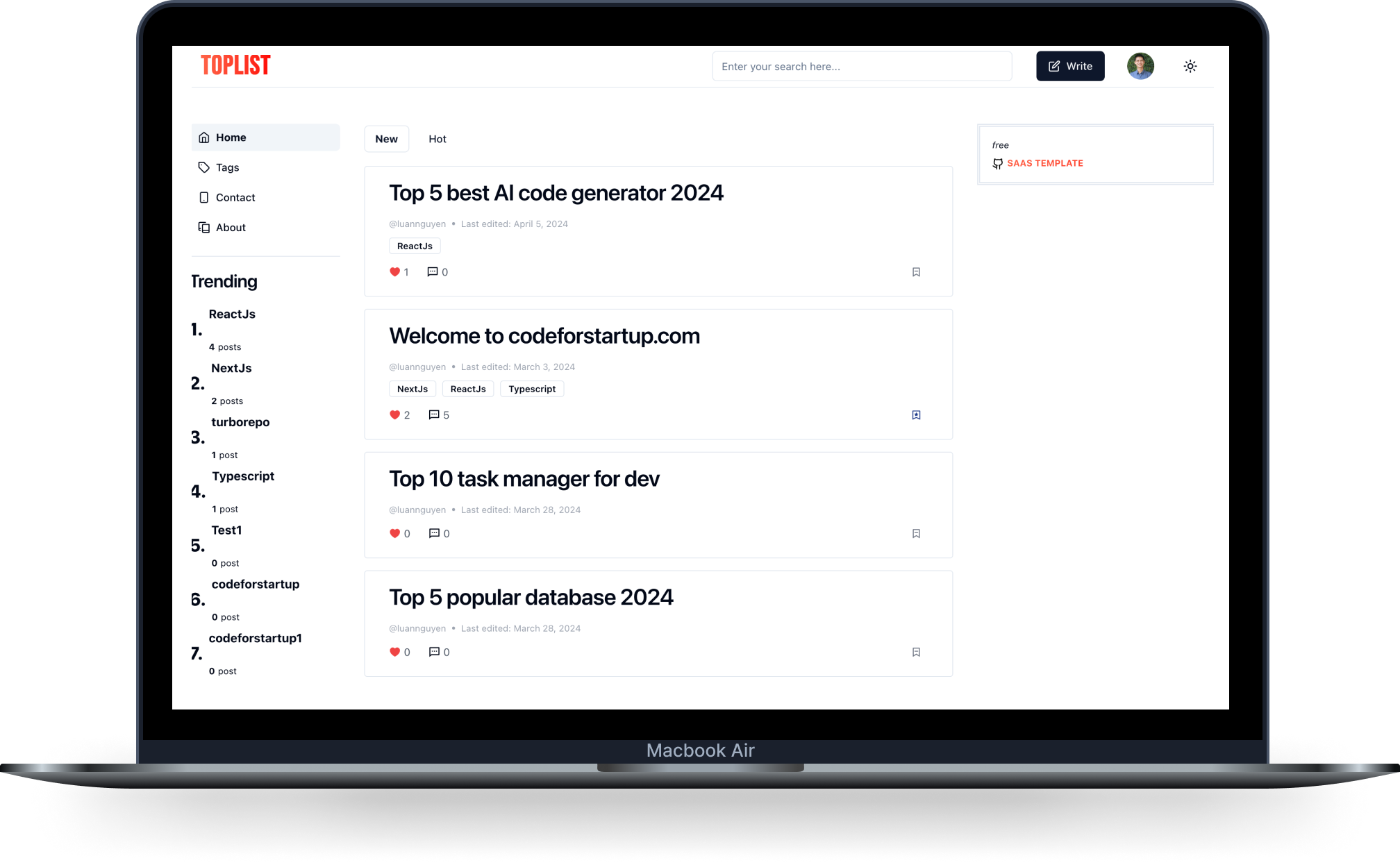
NEXT FORUM
About next-forum
next-form is a minimal next-forum build with nextjs with AI
About technology
- This project uses Turborepo alongside Next.js.
- The database is powered by PostgreSQL, managed with Prisma.
- The user interface is styled using TailwindCSS for utility-first CSS and shadcn/ui for component design.
Libraries
- ReactJS - 19.
- TypeScript
- NextJS 15. - App router and server actions
- next-auth 5.
- Prisma ORM
- Postgres
- Turborepo
- TailwindCSS
- shadcn
- next-themes
- Zod validation
- React Form Hook
- Tsup
- EditorJs
- react-toastify
- react-textarea-autosize
- lucide-react icon
- dayjs
- Eslint
- Husky
- Prettier
Installation
Install
turbo install
In the apps/web folder, copy the env.example to env.local and enter the environment values
In the packages/database, copy the env.example to .env and enter the DATABASE_URL
Migration
db:migrate
Start
turbo dev
Folder structure
Front side functions
- Register by email or github
- Login by email, github or magic link
- User logout
- CRUD post
- List post: Search & filter by top or hot week, month, year, infinity
- Like post
- Comment on post
- Share post
- Manage tag
- Follow user
- Multiple theme & dark mode or light mode
- Multiple language
- Follow tag
- Manage user profile
- Multiple type: post/question
Admin functions
- Dashboard
- CRUD tags
- CRUD users
- Manage posts
- Manage images
- Settings: Header/Menu
- Manage roles and permission