




uniTicket
Django Unified Ticket System è un sistema software di ticketing ed helpdesk per il tracciamento e la digitalizzazione dei flussi di richieste e documentali.
Principali caratteristiche:
- Multi Tenant. Un unico sistema a supporto di diversi uffici e aree organizzative;
- Possibilità di trasferire e condividere ticket tra differenti uffici/aree;
- Possibilità di aggiungere clausole di consenso da accettare prima di aprire un ticket;
- Interdipendenza tra ticket;
- Lista di attività atomiche per ogni ticket, per guidare l’utente nel processo di lavorazione ed evasione;
- Form builder, possibilità di creare i moduli di inserimento per ogni categoria di ticket;
- Campi di input personalzzati, campi complessi e Django Formsets configurabili tramite widget;
- Gestione allegati firmati digitalmente (PDF e P7M), con controllo e validazione dell’integrità dei dati;
- Chat e videoconferenza per operatori e utenti;
- Report di riepilogo via email che include la lista dei ticket pendenti agli operatori;
- JQuery Datatables integrato, per una gestione Ajax con processamento lato server dei dati, per ottime performance;
- Template grafico Bootstrap Italia (Linee Guida di Design pe la P.A.) reponsive per una esperienza di navigazione ottimale anche sui dispositivi mobili;
- Integazione SAML2 SSO (pySAML2);
Documentazione ufficiale per installazione e utilizzo del software.
Dump example data
./manage.py dumpdata -e auth -e contenttypes -e sessions --indent 2 -e admin.logentry > ../dumps/example_conf.json
Load example data
./manage.py loaddata dumps/example_conf.json
- Manager user (username: user1 / password: secret1!)
- Operator user (username: user2 / password: secret2!)
- Normal user (username: utente / password secret1!)
Docker
Docker image
docker pull ghcr.io/UniversitaDellaCalabria/uniTicket:latest
Docker compose
Install Docker using the packages distributed from the official website and the following tools.
sudo pip install docker-compose
Prepare the project folder with the desidered assets:
- Execute
bash docker-prepare.sh - Customize the example data and settings contained in
examples-docker/if needed (not necessary for a quick demo) - Customize in uniticket/uni_ticket_project/settingslocal.py files and/or in the example dumps json file.
Run the stack
sudo docker-compose up
Point your web browser to http://localhost:8000/ and do your first oidc authentication.
Tests
./manage.py test --settings tests.settings
Gallery
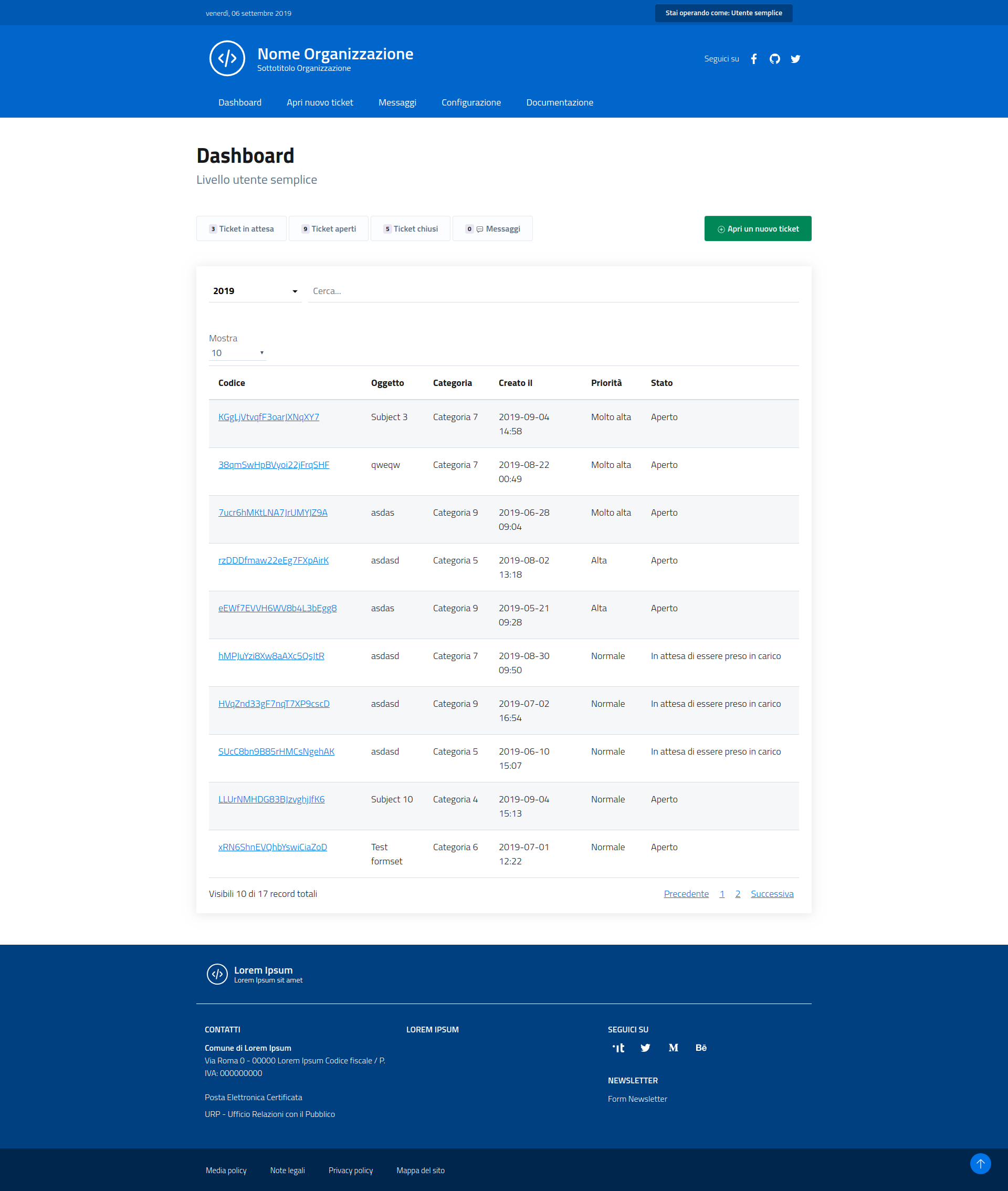 Image 1: Example of user dashboard
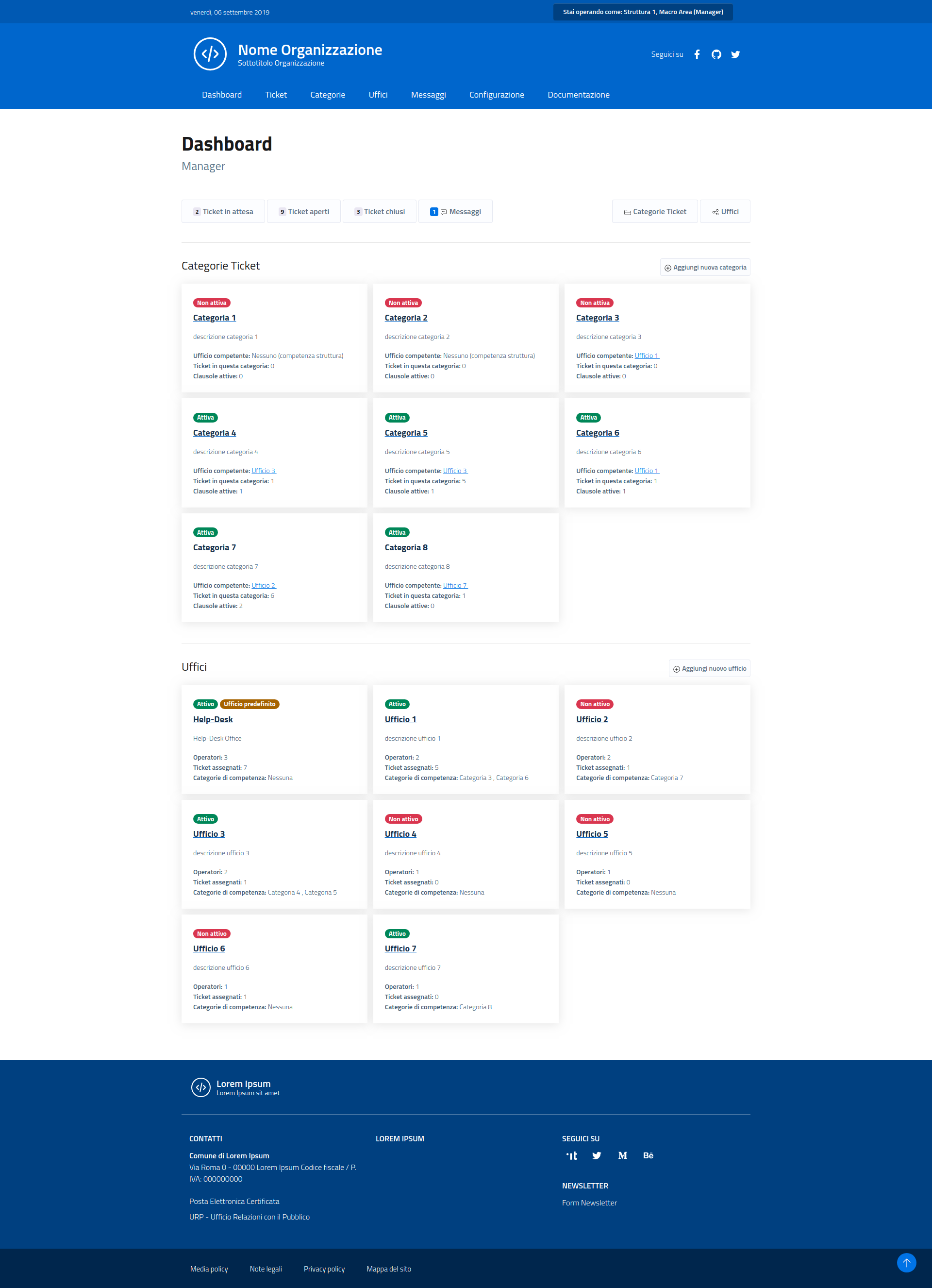 Image 2: Example of manager dashboard