
Upgopher


Upgopher is a zero-dependency Go web server for file sharing. It provides a browser-based interface for uploading, downloading, and managing files, with optional HTTPS, basic authentication, and read-only mode. Distributed as a single self-contained binary with no external runtime dependencies.
Features
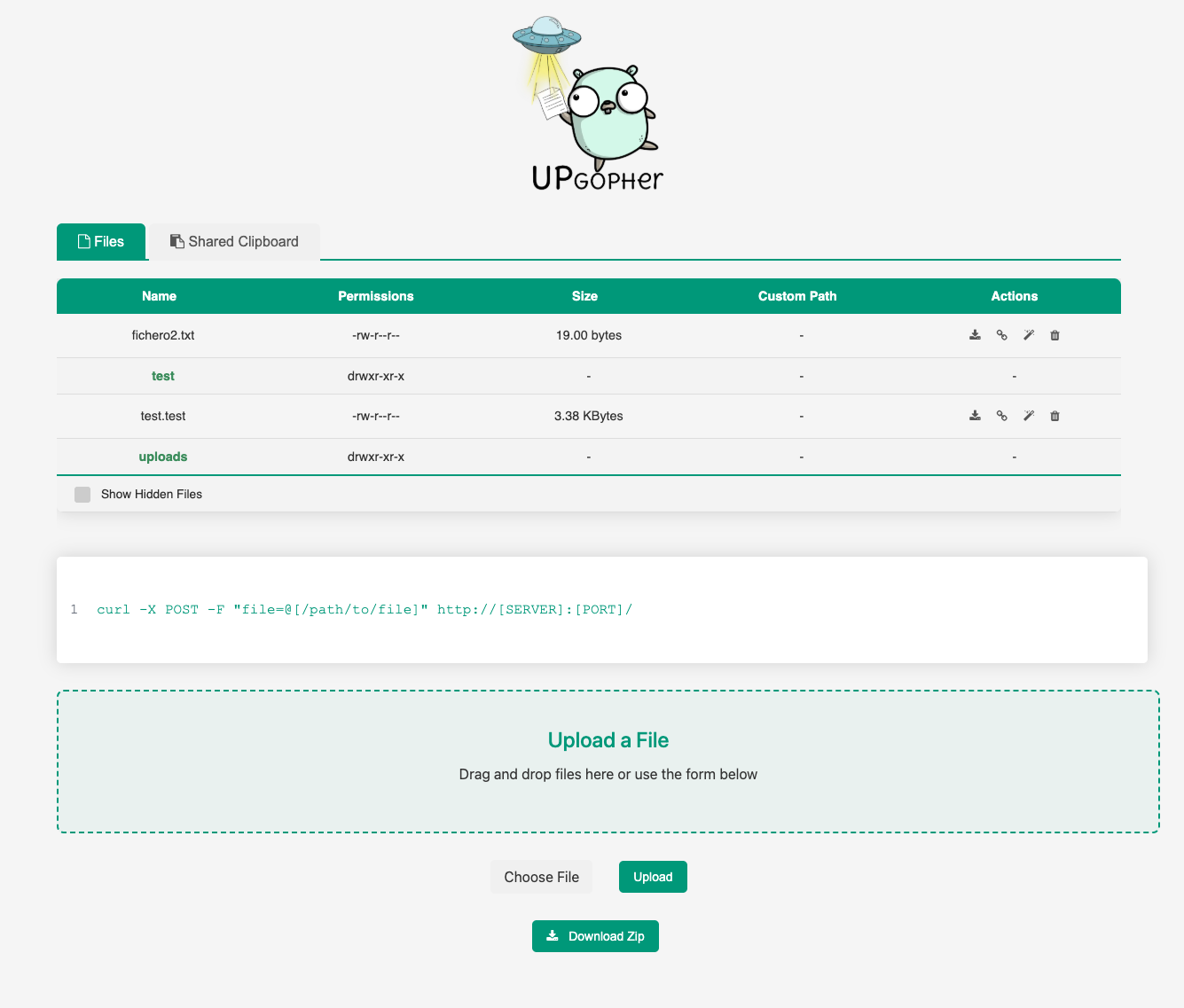
- Users can upload files by selecting a file and clicking the "Upload" button
- Uploaded files are stored in the "uploads" directory by default, but the directory can be changed using the -dir flag
- Users can view a list of the uploaded files by visiting the root URL
- Basic authentication is available to restrict access to the server. To use it, set the -user and -pass flags with the desired username and password.
- Traffic via HTTPS with self-signed certificate generation or custom certificates
- Browse through folders and upload files with drag-and-drop support
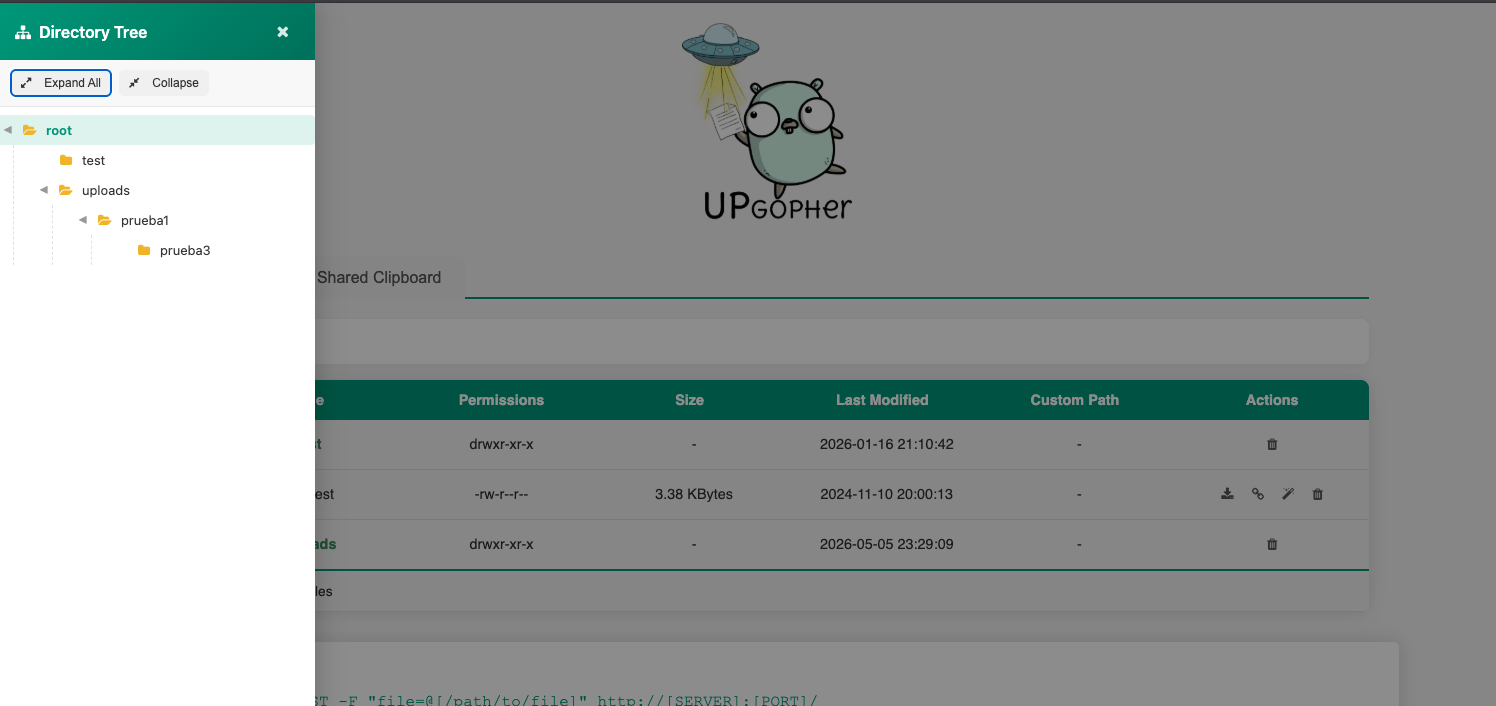
- Directory tree sidebar with expand/collapse controls
- Breadcrumb navigation with clickable path segments
- Copy file URLs to clipboard with one click for easy sharing
- Search within text files directly from the web interface
- Create custom path aliases for easy file access
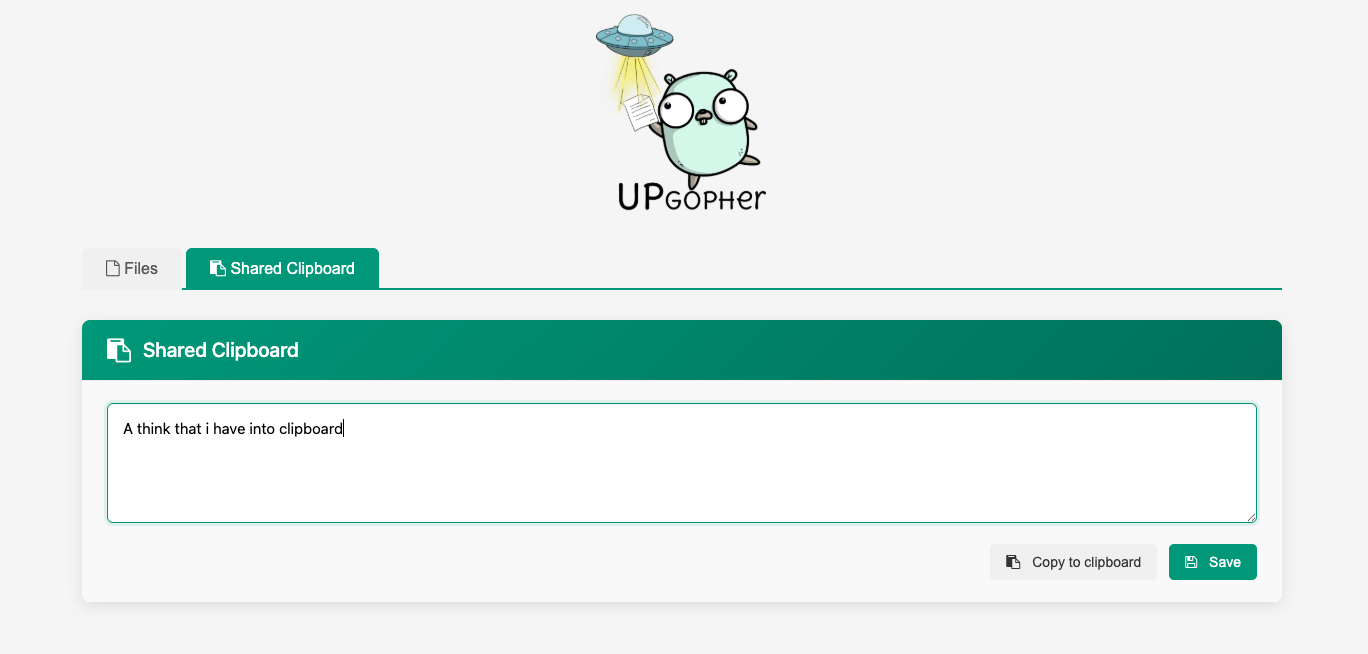
- Shared clipboard for cross-device text and screenshot sharing
- Zip folder download functionality
- Option to hide hidden files with the -disable-hidden-files flag
- Readonly mode to disable uploads and deletions while allowing downloads
Installation
Automatically
Just run this command in your terminal with go installed.
go install github.com/wanetty/upgopher@latest
Releases
Go to the releases section and get the one you need.
Manual
Just build it yourself
git clone https://github.com/wanetty/upgopher.git
cd upgopher
go build
Docker
docker build . -t upgopher
docker run --name upgopher -p 9090:9090  upgopher
Usage
Help Output:
./upgopher -h
Usage of ./upgopher:
  -cert string
        HTTPS certificate
  -dir string
        directory path (default "./uploads")
  -disable-hidden-files
        disable showing hidden files
  -key string
        private key for HTTPS
  -max-upload-size int
        maximum upload size in GB (0 means unlimited)
  -max-tabs int
        maximum number of shared clipboard tabs
  -pass string
        password for authentication
  -port int
        port number (default 9090)
  -q    quiet mode
  -read-timeout duration
        server read timeout (0 means unlimited)
  -read-header-timeout duration
        server read header timeout
  -write-timeout duration
        server write timeout (0 means unlimited)
  -readonly
        readonly mode (disable upload and delete operations)
  -ssl
        use HTTPS on port 443 by default. (If you don't put cert and key, it will generate a self-signed certificate)
  -user string
Examples
Basic usage:
./upgopher
This will start the server on the default port (9090) and store uploaded files in the ./uploads directory.
Custom port and directory:
./upgopher -port 8080 -dir "/path/to/files"
With basic authentication:
./upgopher -user admin -pass secretpassword
With HTTPS (self-signed certificate):
./upgopher -ssl
With HTTPS (custom certificate):
./upgopher -ssl -cert /path/to/cert.pem -key /path/to/key.pem
Hide hidden files:
./upgopher -disable-hidden-files
Readonly mode (disable uploads and deletions):
./upgopher -readonly
Limit upload size to 1 GB:
./upgopher -max-upload-size 1
Limit shared clipboard tabs to 5:
./upgopher -max-tabs 5
Set a custom read timeout (for large uploads on slower links):
./upgopher -read-timeout 30m
Recommended for large uploads:
./upgopher -read-timeout 0 -write-timeout 0
Note: Cloudflare Quick Tunnels are intended for testing and can impose limits. For reliable large uploads, prefer a full Cloudflare Tunnel.
Security
Reporting Vulnerabilities
If you discover a security vulnerability, please contact @gm_eduard directly. Please do not open a public issue.
License
This project is licensed under the MIT License. See the LICENSE file for details.
Development
Building from Source
git clone https://github.com/wanetty/upgopher.git
cd upgopher
go build -o upgopher
Running Tests
# All tests
go test -v ./...

# Only fast tests (skip time-based tests)
go test -v -short ./...

# With coverage
go test -cover ./...
Contributing
- Fork the repository
- Create a feature branch (
git checkout -b feature/amazing-feature) - Make your changes
- Run tests (
go test -v ./...) - Commit your changes (
git commit -m 'Add amazing feature') - Push to the branch (
git push origin feature/amazing-feature) - Open a Pull Request