







ℹ️ STABLE 0.10.x ℹ️
A fully realtime lightweight dashboard interface to interact with Velero (vmware-tanzu).
This dashboard implement the same functionalities as the velero CLI.
👀 Quick look
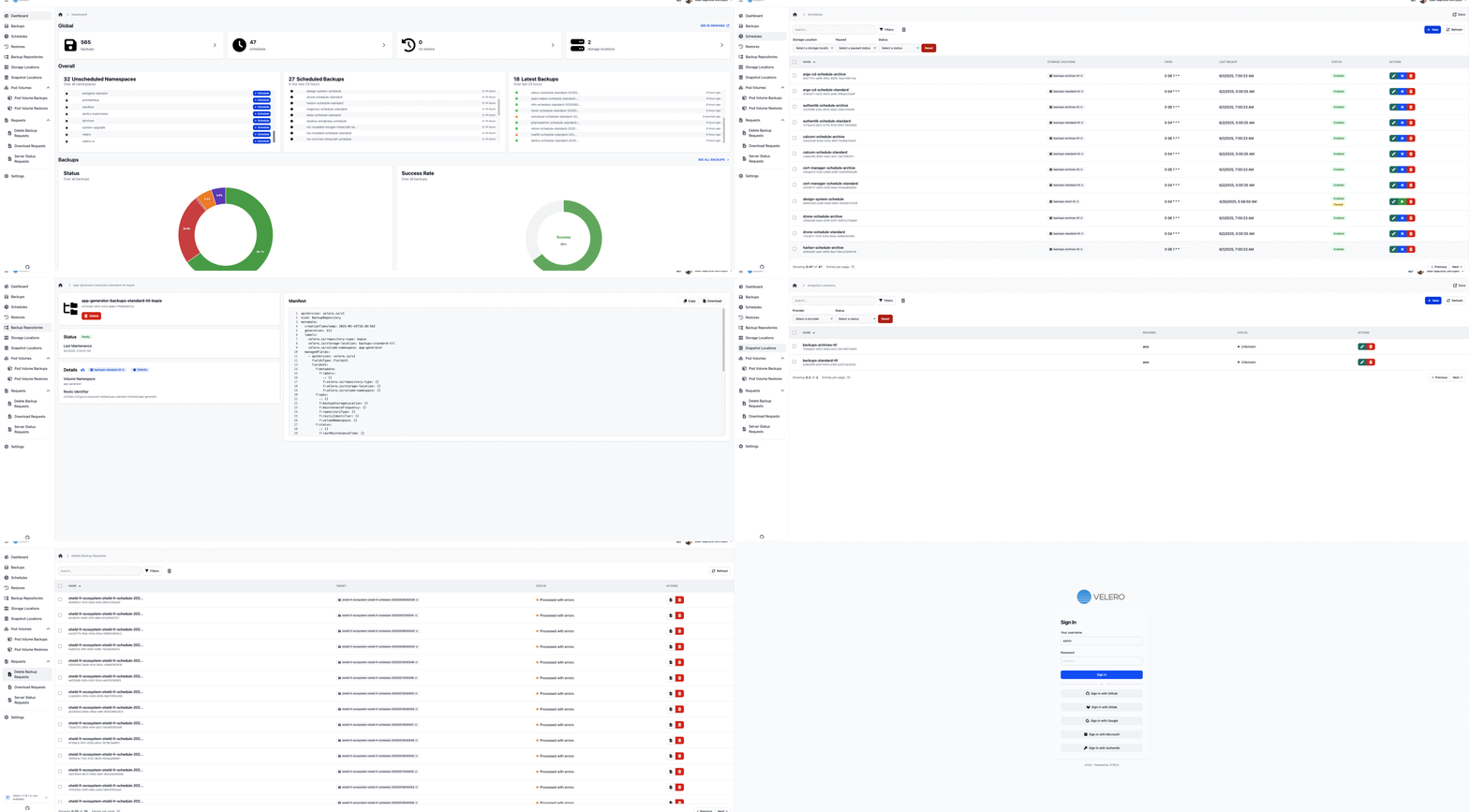
⭐ Velero UI Features
Interface
- 🔒 Authentication: Secure dashboard with multiple authentication methods.
- 🔍 Resource Management: Search, sort, and perform quick actions on Velero resources.
- ⚠️ Action Confirmation: Double-check confirmation modals for critical actions.
- 🧩 Intuitive Forms: Step-by-step form wizard for easy resource creation and edition.
- 📄 Detailed Resource Pages: Each resource has a dedicated page displaying specifications, status, manifests, and logs.
- 🏳️ Languages: Multi languages are available.
Authentication
- 🔑 Built-in Authentication: Velero UI is secured by default with username and password credentials.
- 🌐 Federated Authentication: Supports up to five external authentication providers, including GitHub, GitLab, Google, Microsoft, and generic OAuth/OpenID.
- 📂 LDAP Integration: Configure Velero UI to integrate with your existing LDAP system.
- 🔒 Role Based Access Control: Flexible RBAC system with user and group policies for granular access control.
Statistics
- 📊 Global Overview: View summaries of your Velero resources (backups, schedules, restores, etc.).
- 📈 Charts and Visualizations: Track resource status and success rates with visual metrics.
Advanced Settings
- 🖥️ Cluster Info: Access basic information about the cluster running the Velero Server.
- 📝 Logs: Real-time log monitoring for Velero Server and Node Agents.
Technical
- ⚡ Optimized Performance: Velero UI leverages caching for fast performance and quick rendering.
- 📱 Responsive Design: Fully functional on mobile devices and tablets.
📋 Requirements
- Velero server >= 1.13.0
⚠️ This dashboard has only been tested on version 1.13.x, 1.14.x, 1.15.x and 1.16.x, using an older version may cause bugs with an outdated or unmanaged API
📚 Documentation
Want to learn more about Velero UI's features? Check out Velero UI documentation for a comprehensive overview!
🚀 Deployments
🛠️ Support
- For questions, suggestions, and discussion about Velero please refer to the Velero issue page
- For questions, suggestions, and discussion about Velero UI please visit Velero-ui issue page or join our OTWLD Discord