
viaimCode AI




AI-powered Website & PPT Generator
An intelligent content generation platform built with Next.js, supporting AI-generated modern websites and professional PPT presentations.
🌟 Live Demo | 📖 Documentation | 🚀 Quick Start
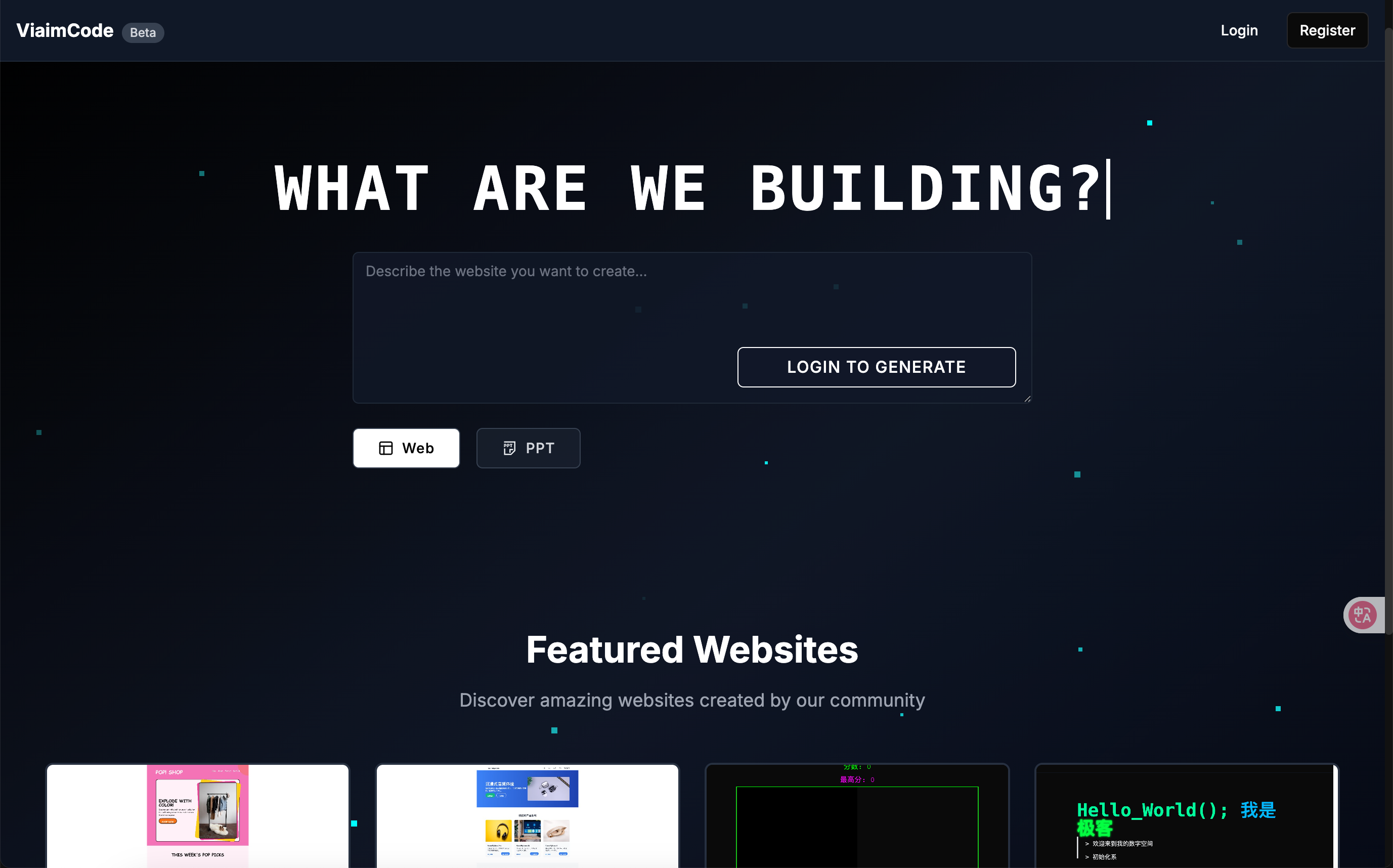
✨ Features
🌐 AI Website Generation
- Smart Code Generation: Generate complete HTML/CSS/JS code from natural language descriptions
- Real-time Preview: Support for desktop, tablet, and mobile device previews
- Multiple Edit Modes: Direct selection editing, element dialog editing, and visual no-code editing
- Visual Editor: Built-in code editor with real-time modification support
- Version Control: Automatic history saving with rollback and comparison features
- One-click Deployment: Export and online sharing support
📊 AI PPT Generation
- Smart Outline: AI-generated presentation structure and content outlines
- Professional Design: Modern PPT templates with data visualization support
- Interactive Editing: Smart modification and optimization of slide content
- Multi-format Export: Support for PDF, PPTX, and other format exports
- Public Sharing: PPT plaza for showcasing and sharing presentations
🔧 Technical Features
- Responsive Design: Fully adapted for mobile and desktop
- User System: Complete user registration, login, and project management
- Cloud Storage: Alibaba Cloud OSS image storage support
- Docker Deployment: One-click containerized deployment
🚀 Quick Start
Method 1: Docker Deployment (Recommended)
- Clone the project
git clone https://github.com/Mrkk1/viaimcode.git
cd LocalSite-ai
- Configure environment variables
cp env.example .env.local
cp env.example .env
# Edit .env.local and .env files with your configuration
Note: Currently, the project requires DeepSeek API key for webpage generation and Moonshot API key for PPT generation.
- Start services
docker-compose up -d
- Initialize database
# Database will be created automatically, or import manually
mysql -u root -p localsite_ai < localsite_ai.sql
- Access the application Open your browser and visit http://localhost:3000
Method 2: Local Development
Requirements
- Node.js 18+
- MySQL 8.0+
- npm or yarn
Installation Steps
- Install dependencies
npm install
- Configure environment variables
cp env.example .env.local
cp env.example .env
Required configuration:
# Database configuration
DB_HOST=localhost
DB_PORT=3306
DB_USER=root
DB_PASSWORD=your_password
DB_NAME=localsite_ai

# AI provider configuration (both required)
MOONSHOT_API_KEY=your_moonshot_key
DEEPSEEK_API_KEY=your_deepseek_key
- Initialize database
# Create database
mysql -u root -p -e "CREATE DATABASE localsite_ai;"

# Import table structure
mysql -u root -p localsite_ai < localsite_ai.sql

# Or use built-in script
npm run init-db
- Start development server
npm run dev
🛠️ Configuration
AI Provider Configuration
The project supports multiple AI providers. Required configurations:
DeepSeek (Required)
DEEPSEEK_API_KEY=sk-your-key-here
DEEPSEEK_API_BASE=https://api.deepseek.com/v1
Moonshot (Required)
MOONSHOT_API_KEY=sk-your-key-here
Optional Providers
OpenAI
OPENAI_API_KEY=sk-your-key-here
OPENAI_API_BASE=https://api.openai.com/v1
Anthropic Claude
ANTHROPIC_API_KEY=your-key-here
Local AI (Ollama)
OLLAMA_API_BASE=http://localhost:11434
LM Studio
LM_STUDIO_API_BASE=http://localhost:1234/v1
Storage Configuration
Alibaba Cloud OSS (Recommended for production)
ALICLOUD_ACCESS_KEY_ID=your_key_id
ALICLOUD_ACCESS_KEY_SECRET=your_key_secret
ALICLOUD_OSS_BUCKET=your_bucket_name
ALICLOUD_OSS_REGION=oss-cn-hangzhou
📁 Project Structure
LocalSite-ai/
├── app/                    # Next.js App Router
│   ├── (main)/            # Main application pages
│   ├── (share)/           # Sharing pages
│   ├── api/               # API routes
│   └── globals.css        # Global styles
├── components/            # React components
│   ├── ui/               # Base UI components
│   └── ...               # Business components
├── lib/                  # Utility libraries
│   ├── db.ts             # Database connection
│   ├── auth.ts           # Authentication logic
│   └── ...               # Other utilities
├── public/               # Static assets
├── scripts/              # Database scripts
├── docker-compose.yml    # Docker configuration
└── package.json          # Project dependencies
🔧 Development Guide
Adding New AI Providers
- Create new provider configuration in
lib/providers/ - Update
lib/providers/config.tsto add configuration - Add selection options in frontend components
Custom PPT Templates
- Modify templates in
app/api/generate-ppt-html/route.ts - Adjust CSS styles and layouts
- Test display effects for different content types
Database Migration
Use SQL files in the scripts/ directory for database structure updates:
mysql -u root -p localsite_ai < scripts/your-migration.sql
🚢 Deployment Guide
Docker Deployment
- Build image
docker build -t localsite-ai .
- Use docker-compose
docker-compose up -d
Vercel Deployment
- Connect GitHub repository to Vercel
- Configure environment variables
- Set up database connection (recommend PlanetScale or AWS RDS)
Traditional Server Deployment
- Build production version
npm run build
- Start application
npm start
- Use PM2 for process management
pm2 start npm --name "localsite-ai" -- start
🤝 Contributing
We welcome contributions! Please follow these steps:
- Fork this repository to your GitHub account
- Create a feature branch (
git checkout -b feature/your-feature-name) - Commit your changes (
git commit -m 'feat: implement XXX feature') - Push the branch to your remote repository (
git push origin feature/your-feature-name) - Open a Pull Request
Development Standards
- Use TypeScript for type checking
- Follow ESLint rules
- Use functional components and Hooks
- Follow Next.js App Router conventions for API routes
🐛 Troubleshooting
Common Issues
Database Connection Error
- Check if MySQL service is running
- Verify database credentials in
.env.local - Ensure database
localsite_aiexists
AI API Errors
- Verify API keys are correctly configured
- Check API rate limits and quotas
- Ensure network connectivity to AI providers
Docker Issues
- Make sure Docker and Docker Compose are installed
- Check port 3000 is not occupied by other services
- Verify environment variables in docker-compose.yml
For more troubleshooting tips, see TROUBLESHOOTING.md
📄 License
This project is licensed under the MIT License. See the LICENSE file for details.
🔗 Links
⭐ Support the Project
If this project helps you, please give us a ⭐ Star!
Made with by 未来智能 | viaim