

VibeAround
Keep your AI coding agents around.
Launch Claude Code, Codex CLI, Gemini CLI, Pi Agent, and more from one place — side by side, connected, reachable, and ready to work across web, mobile, and messaging.
Download | Demo | Wiki | Discord | WeChat | 简体中文




VibeAround keeps execution local. Claude Code, Codex CLI, Gemini CLI, Pi Agent, and other agents still run on your machine, inside your projects, with your shell, filesystem, credentials, and permissions. VibeAround gives those local sessions shared entry points: desktop Launch, browser dashboard, mobile-friendly Web Chat, Web Terminal, messaging channels, and authenticated previews.
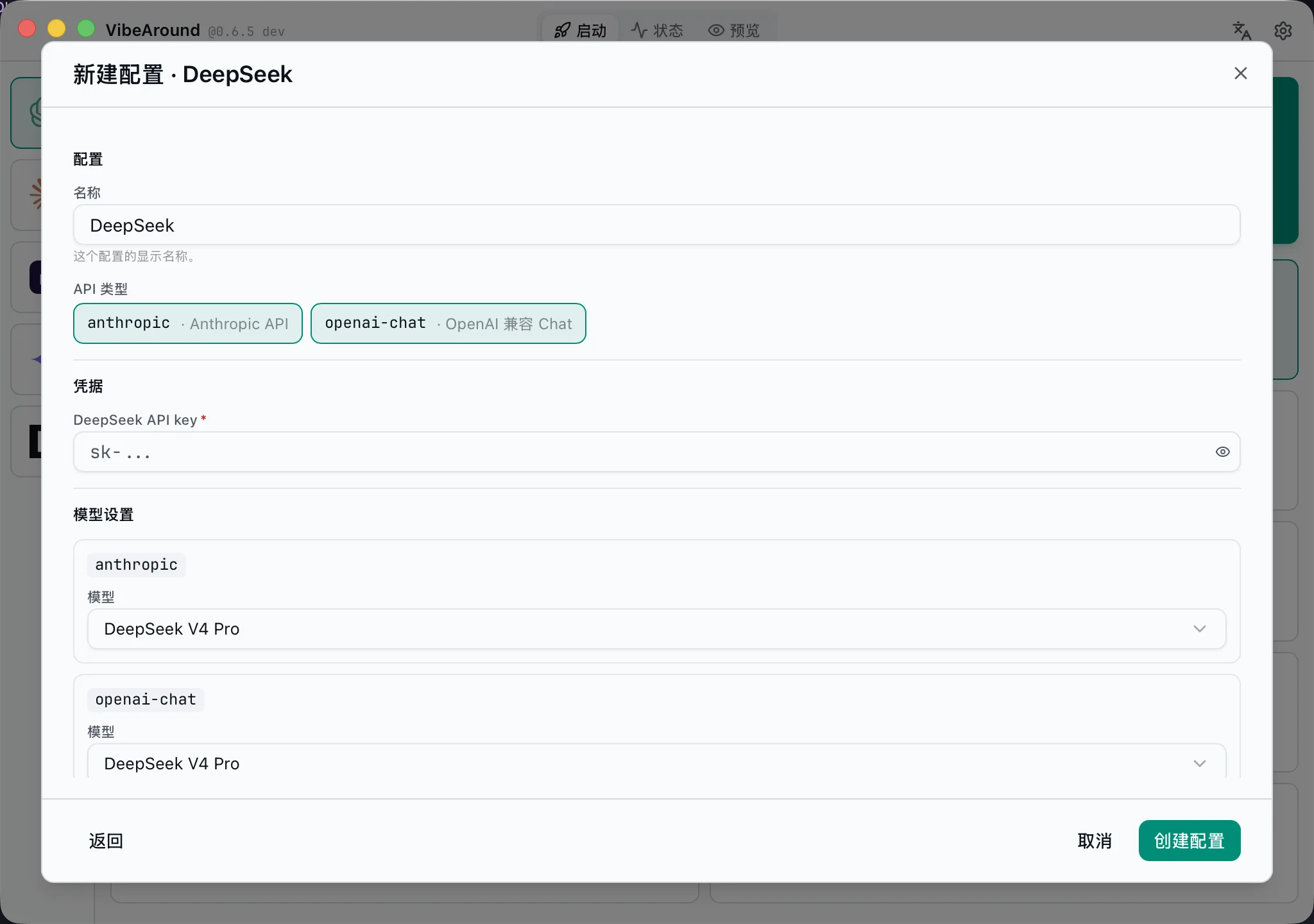
Profiles can also connect third-party provider APIs. VibeAround can expose model lists, custom model names, context metadata, and bridge routes across OpenAI Responses, OpenAI Chat Completions, Anthropic Messages, and Gemini Generate Content, so agents can work with providers such as DeepSeek, Kimi, DashScope, xAI/Grok, MiniMax, NVIDIA NIM, or your own OpenAI-compatible endpoint.
Remote access does not have to depend on an agent vendor's subscription-only remote feature. Your agent keeps running locally, and VibeAround lets you reach the same session from web, mobile, or messaging through its own tunnel and channel layer. When the underlying CLI supports API-key/provider configuration, you can use normal provider API billing instead of being locked into a single agent subscription.
What It Solves
Coding agents are powerful, but their working state is usually trapped inside one terminal window. VibeAround makes the local machine the source of truth while letting you reach the same work from different surfaces.
| Problem | VibeAround gives you |
|---|---|
| Too many agent CLIs and model configs | One desktop Launch page with saved agents, profiles, workspaces, sessions, and terminal choices |
| You want more provider choices than an agent exposes | Third-party provider API keys, model lists, custom model names, context metadata, and bridge routes |
| Provider APIs do not match the agent you want to run | Local bridge routes across OpenAI Responses, Chat Completions, Anthropic Messages, and Gemini Generate Content |
| You want to resume work instead of starting from scratch | Workspace/session selectors, host session discovery, and handover commands |
| You want remote access without moving execution to a vendor cloud | Web Chat, Web Terminal, messaging channels, tunnels, and short-lived preview links attached to local sessions |
| You want setup to be repeatable | Onboarding, channel plugin install, MCP/skill injection, and local settings management |
Product Map
| Area | What it does |
|---|---|
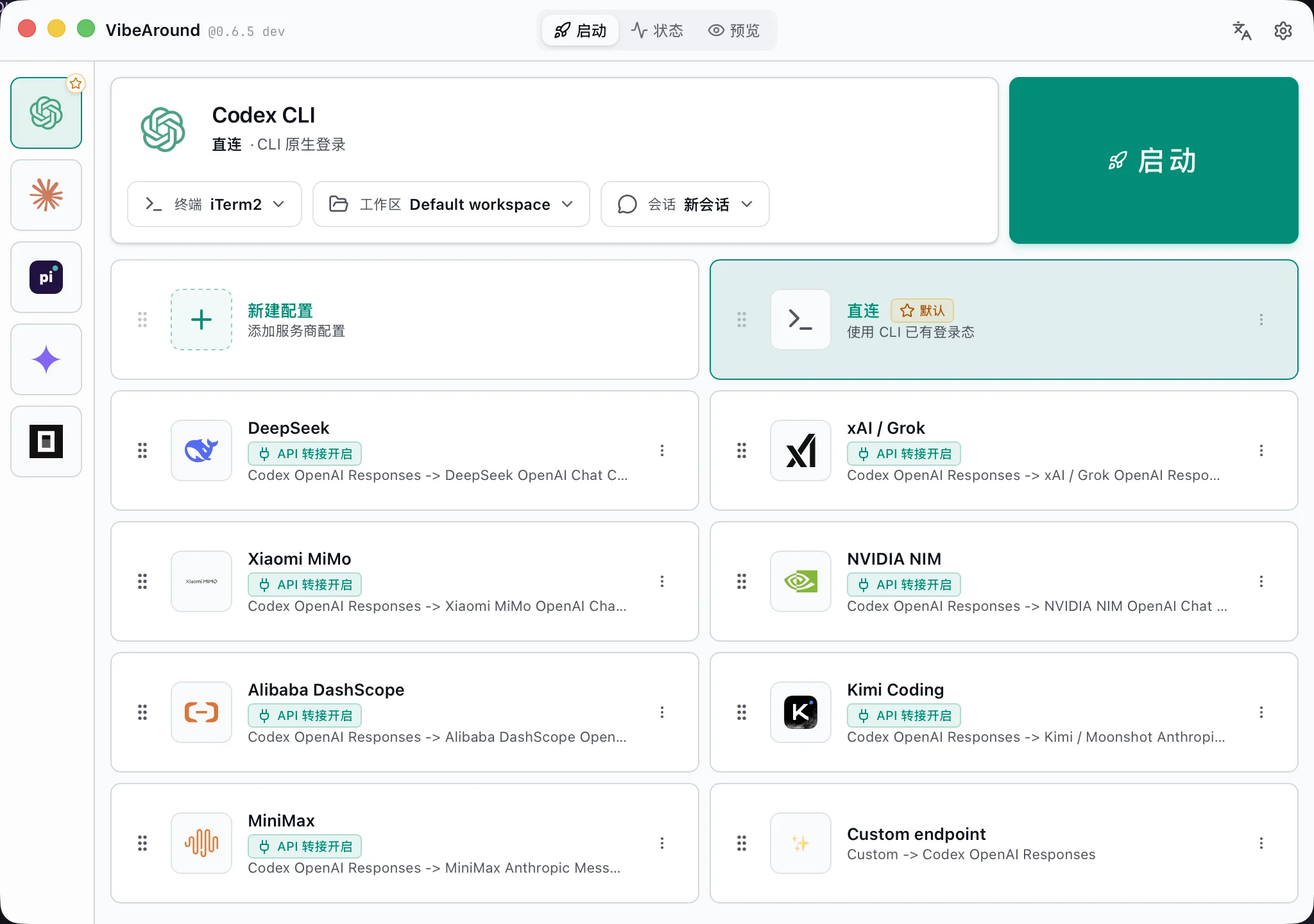
| Launch | Start an agent directly or through a provider profile; choose terminal, workspace, and new/resumed session in one place |
| Profiles | Store provider credentials, model lists, bridge routes, API-shape translations, and per-provider options |
| Workspaces | Keep project directories, session history, and launch context organized around the folder you are working in |
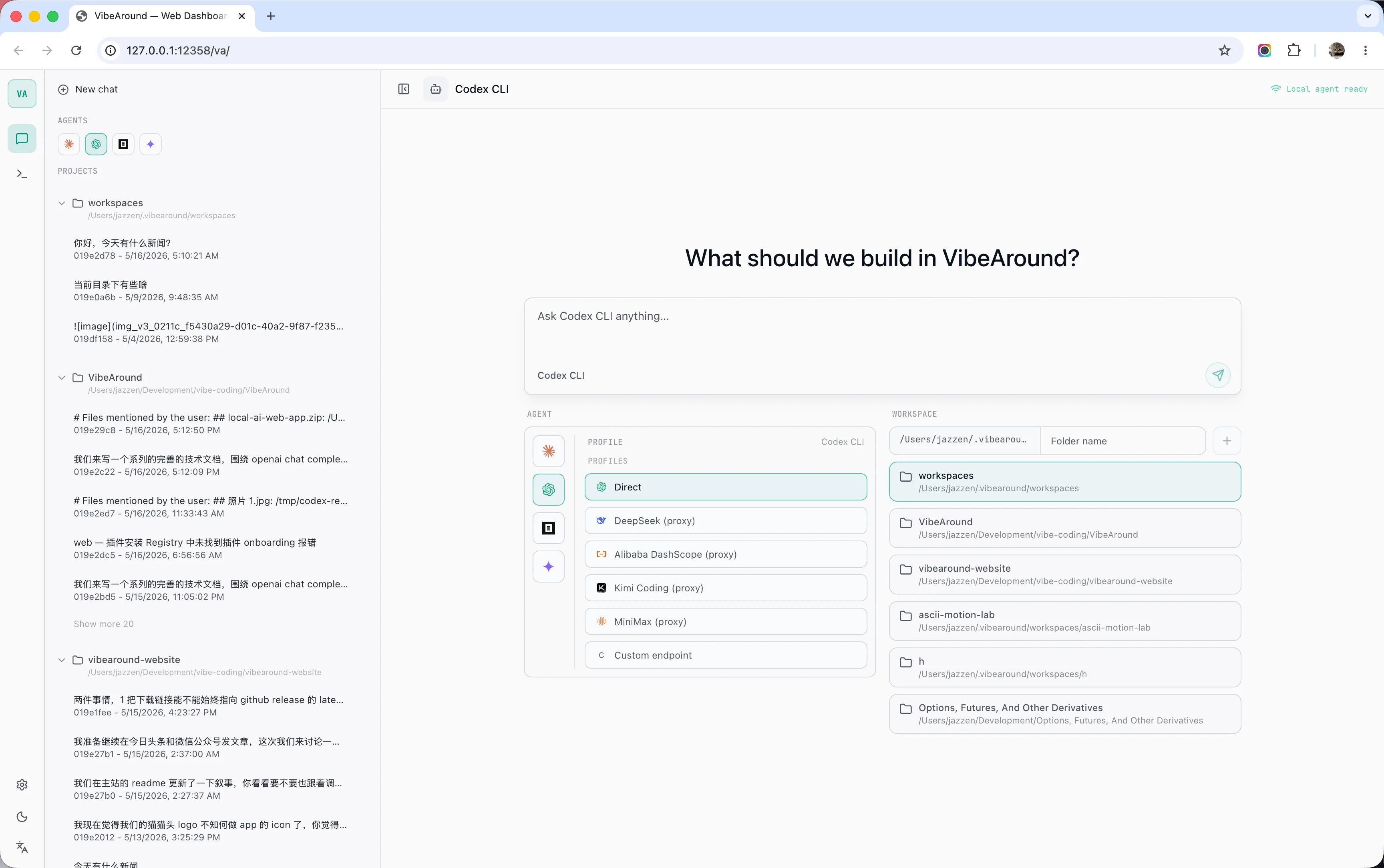
| Web Dashboard | Open Web Chat, Web Terminal, previews, runtime status, and local session views from a browser |
| Messaging Channels | Chat with local agents through Telegram, Feishu/Lark, Discord, Slack, WeChat, DingTalk, WeCom, and QQ Bot |
| Previews | Share local dev servers, Markdown, and HTML through short-lived authenticated URLs |
| Settings | Manage enabled agents, plugins, tunnel providers, proxy settings, IM verbosity, language, and update checks |
Screenshots
Quick Start
- Download the latest desktop package for your platform.
- Open VibeAround and complete onboarding.
- Enable the agent CLIs you use.
- Add provider profiles if you want VibeAround to route model traffic.
- Pick an agent, profile, terminal, workspace, and session from Launch.
- Continue from desktop, Web Chat, Web Terminal, or a configured messaging channel.
Detailed guides live in the Wiki.
Download
Latest release: VibeAround v0.6.11.
| Platform | Recommended download |
|---|---|
| macOS Apple Silicon | VibeAround_0.6.11_arm64.dmg |
| Windows x64 | Setup EXE, MSI, or portable ZIP |
| Linux x64 | AppImage or deb |
Windows and Linux packages are built by GitHub Actions. The macOS package is currently Apple Silicon only.
Core Concepts
Agents
An agent is the coding CLI VibeAround launches or attaches to. Agents run locally and communicate through stdio/ACP-style adapters where available.
| Agent | Launch | Resume / handover | Profile routing |
|---|---|---|---|
| Claude Code | Yes | Yes | Yes |
| Codex CLI | Yes | Yes | Yes |
| Pi | Yes | Yes | Yes |
| Gemini CLI | Yes | Yes | Yes |
| OpenCode | Yes | Partial | Yes |
| Cursor CLI | Direct | Yes | No |
| Kiro CLI | Direct | Yes | No |
| Qwen Code | Direct | Yes | No |
Profiles
A profile is a saved provider connection. It can be as simple as "use the native CLI login" or as specific as "launch Codex with this DeepSeek bridge route and expose these model aliases."
Profiles can include:
- provider API keys and base URLs
- endpoint/API kind selection
- OpenAI Responses, OpenAI Chat, Anthropic Messages, and Gemini route metadata
- model lists, fake IDs, upstream model mappings, and context-window metadata
- per-provider options such as DeepSeek reasoning handling
- proxy opt-in for API bridge traffic
Workspaces And Sessions
A workspace is a local project directory. A session is the agent conversation or terminal run associated with that workspace. Launch can start a new session by default or resume an existing host session when the agent supports it.
Local API Bridge
VibeAround can expose profile-scoped loopback endpoints that translate between common model API shapes:
| API shape | Common endpoint |
|---|---|
| OpenAI Responses | /v1/responses |
| OpenAI Chat Completions | /v1/chat/completions |
| Anthropic Messages | /v1/messages |
| Gemini Generate Content | /v1beta/models/{model}:generateContent |
The bridge is powered by va-ai-api-bridge.
Supported Providers
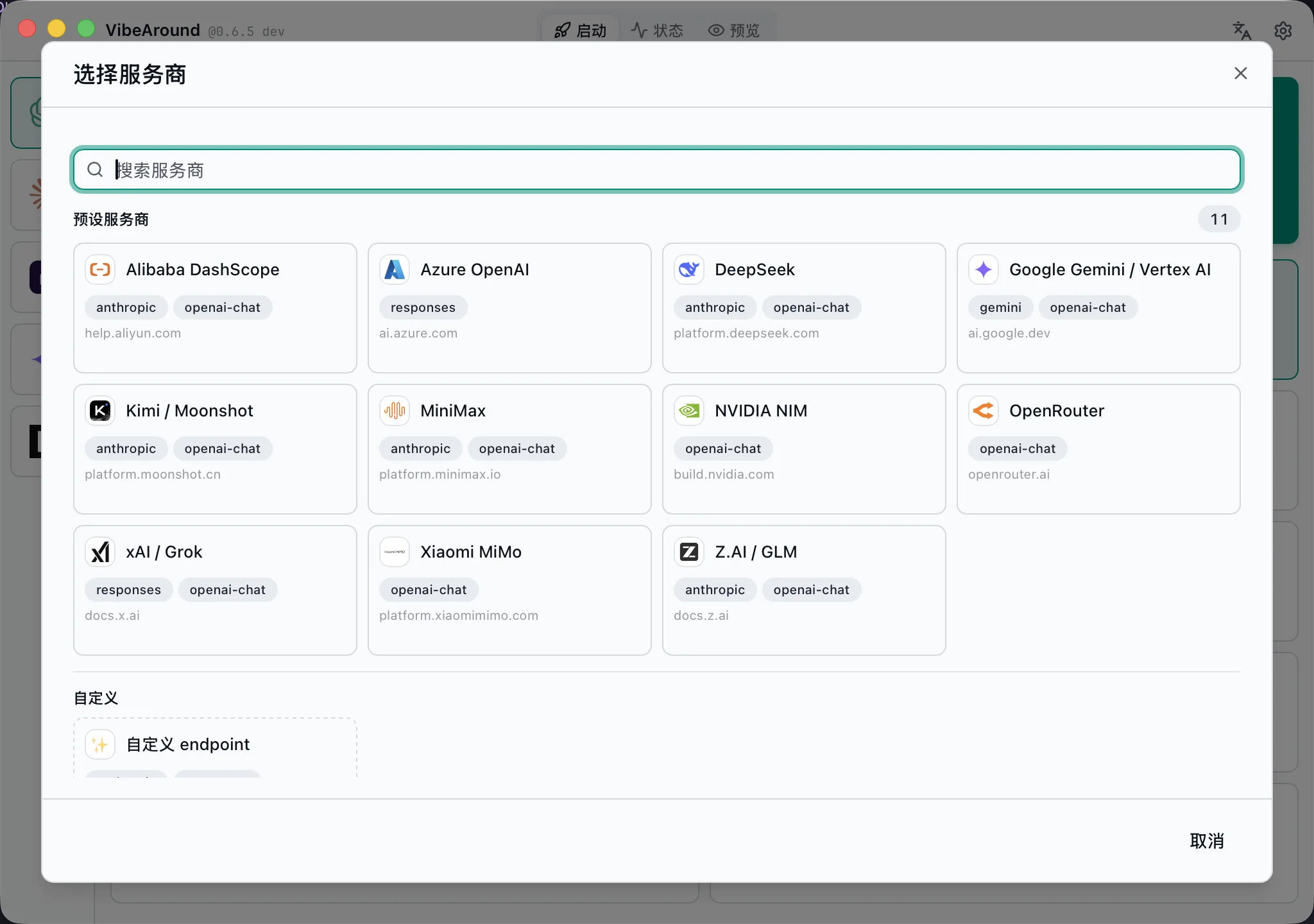
Preset profiles cover common official and compatible providers. Custom endpoints are available when your provider speaks a supported API shape.
| Provider | Notes |
|---|---|
| DeepSeek | OpenAI-compatible and bridge routes, model aliases, Claude suffix normalization |
| Alibaba DashScope | Coding Plan and Token Plan endpoints |
| Moonshot / Kimi | OpenAI-compatible and Anthropic-style bridge flows |
| MiniMax | OpenAI-compatible and Anthropic-style bridge flows |
| Xiaomi MiMo | Token Plan and regional endpoints with provider quirks handled |
| xAI / Grok | Responses and Chat variants |
| NVIDIA NIM | OpenAI-compatible Chat Completions |
| Z.AI / GLM | Built-in compatible endpoint |
| Google Gemini | Native Gemini API profile |
| OpenRouter | OpenAI-compatible profile |
| Azure OpenAI | Responses and Chat deployment routing |
| Custom endpoint | Bring your own base URL, headers, models, and API kinds |
Messaging Channels
Channel plugins are standalone Node.js packages installed and managed by VibeAround.
| Channel | Setup style | Typical use |
|---|---|---|
| Telegram | BotFather token | Personal bot and mobile chat |
| Feishu / Lark | App credentials | Team IM and enterprise bot |
| Discord | Bot token | Server and DM workflows |
| Slack | Bot/App token with Socket Mode | Workspace DM workflows |
| QR login through OpenClaw-compatible bridge | Chinese personal chat | |
| DingTalk | Stream API credentials | Enterprise chat |
| WeCom | WebSocket bot credentials | Enterprise WeChat workflows |
| QQ Bot | Guild bot credentials | QQ bot workflows |
Web, Terminal, And Previews
The dashboard exposes a browser-first control surface for local work:
- Web Chat for agent conversations, attachments, thinking/tool visibility, archived sessions, and resumed workspace sessions.
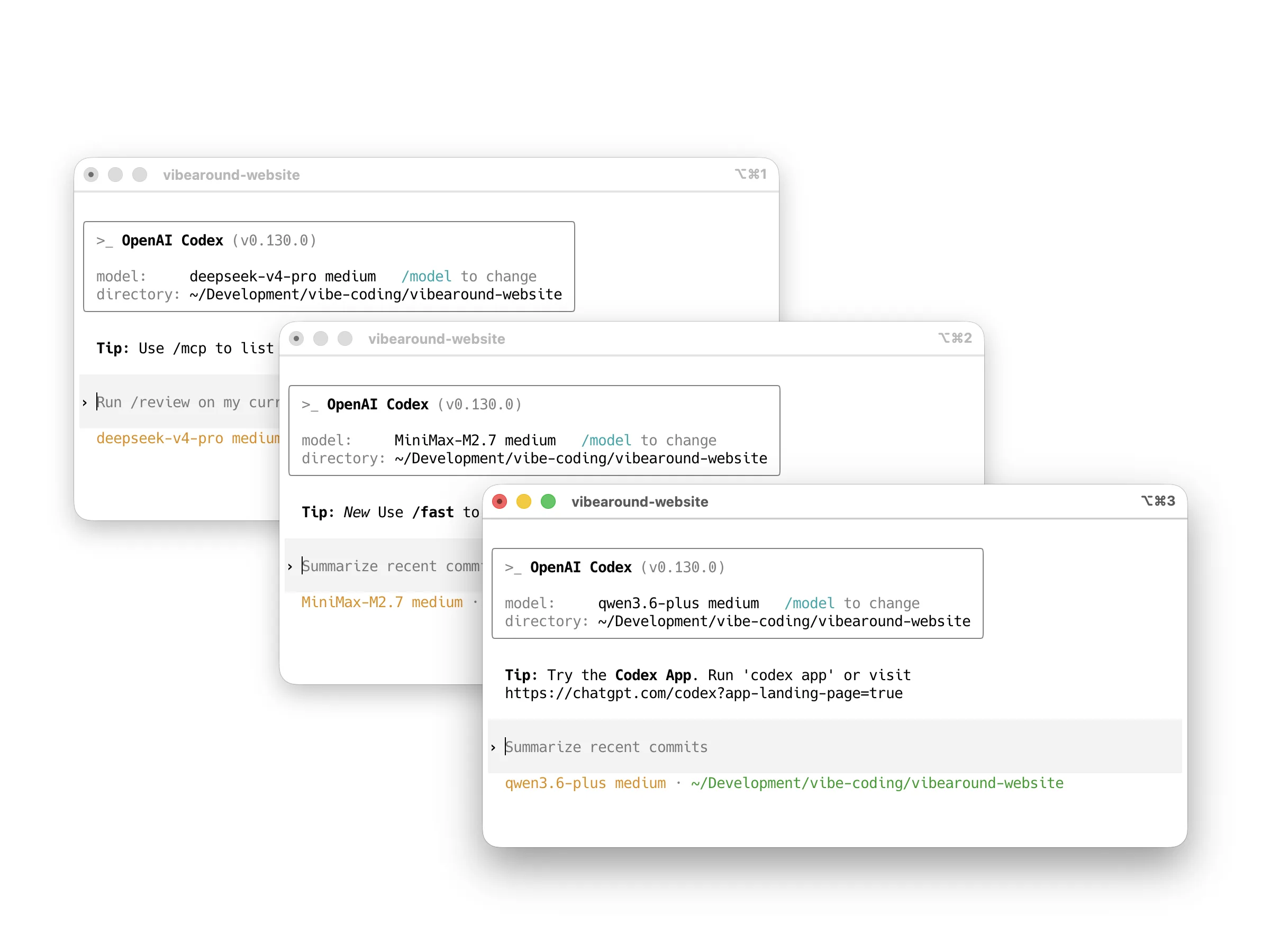
- Web Terminal for local PTY sessions and tmux-friendly remote access.
- Previews for dev servers, Markdown files, and HTML files with scoped short-lived URLs.
- Status panels for agents, channels, tunnels, and runtime health.
Security Model
VibeAround is local-first by default:
- The daemon listens on loopback unless you explicitly enable a tunnel.
- Dashboard APIs and WebSocket routes require a local auth token.
- Public tunnel URLs require browser pairing.
- Preview links are short-lived and scoped to the preview session.
- Provider credentials stay in local VibeAround settings/profile storage.
- Agent CLIs still run on your machine with your local permissions.
Develop Locally
cd src
bun install
bun run prebuild
bun run dev
Prerequisites: Rust 1.82+, Bun 1.3+, and Node.js 24 LTS recommended. macOS also needs Xcode command line tools; Linux needs the WebKitGTK/Tauri system dependencies for your distribution.
Documentation
- Setup Guide
- Launch, Profiles, And Models
- Supported Agents
- Channels
- Configuration Model
- Tunnels And Previews
- Architecture
- Build And Packaging
- FAQ And Troubleshooting
Community
Ask questions, share workflows, or tell us which agent/provider/channel should be smoother next.


WeChat group for Chinese-language discussion:
This WeChat QR code is valid until June 8, 2026. If it has expired, use Discord or GitHub Issues to ask for the latest one.