
Vikunja PWA
Unofficial third-party Vikunja client.
This project is a free, independent PWA client for the Vikunja API. It is not affiliated with, endorsed by, or maintained by the official Vikunja project or its maintainers.
Vikunja PWA is a mobile-first, installable client for self-hosted Vikunja instances. It keeps the real Vikunja API and data model, but wraps them in a faster touch-friendly shell with better task-tree handling, stronger cross-device ergonomics, and a same-origin backend for sessions and optional admin tooling.
Why This Client
- interactive Gantt planning and drag-and-drop friendly task handling across supported project views
- real project and task tree browsing instead of flattening everything into a single list
- mobile-first interaction model that still scales up to tablet and desktop layouts
- installable PWA shell with offline reopen support and browser notification setup
- same-origin backend for safer session handling, share flows, and optional CLI-backed admin actions
Current product state
The current public release target is 0.4.0. It builds on 0.3.1 and moves
the app from a drag-and-drop stabilization hotfix into a broader integration
and control-plane release: webhooks, migration imports, OpenID Connect login,
saved-filter workspaces, project views, project backgrounds, background refresh
polling, and a clearer in-app administration surface are now part of the same
product.
The main remaining release risk is testing depth rather than missing implementation. Webhooks, migration imports, and OpenID Connect still need broader real-instance validation on real providers and receivers before this release should be treated as fully baked.
- Today-first shell with Inbox, Upcoming, Projects, Search, Filters, Labels, and Settings
- nested sub-project browsing with inline parent/child task trees and continuous add flows
- list, Kanban, Table, and enhanced Gantt project views backed by the real Vikunja API
- responsive desktop and tablet shell with sidebar and inspector behavior
- collaboration flows for users, teams, project sharing, link shares, and shared-project access
- user and project webhooks with in-app event selection and per-project management
- migration tools for Todoist, Trello, Microsoft To Do, TickTick, and Vikunja export imports, with OAuth callback completion and file-upload flows
- OpenID Connect sign-in with provider discovery, redirect initiation, callback completion, and session bootstrap
- project view management with create/delete flows and seeded views from current filters
- project background management with upload/remove, Unsplash support, blur-hash previews, and project-surface rendering
- saved filters with a structured builder, advanced-clause composition, and project-style workspace integration
- expanded account/security coverage: avatar control, session management, password/email changes, data export, deletion scheduling, 2FA, CalDAV tokens, and API tokens
- full offline editing for supported task and project mutations with IndexedDB persistence and reconnect replay
- backend-managed account sessions, onboarding flows, instance-aware auth capability checks, background refresh polling, and notification preferences
- installable PWA runtime with offline reopen support, service-worker shell caching, offline queue restore, and notification setup
- optional administration features for operator status, user management, SMTP diagnostics, migration-provider configuration, dump/restore, repair, and deployment-aware apply/restart
Recent work has shifted from baseline parity to operational coherence: planning, offline resilience, external integrations, auth flexibility, and operator-facing configuration now live in the same shell instead of forcing a handoff back to the stock Vikunja frontend.
0.4.0 scope
0.4.0 is the first release where the PWA can cover the main external
integration loops directly: subscribe to Vikunja webhooks, start supported
imports, complete OIDC login, manage project backgrounds, create project views,
and work from saved filters as first-class project workspaces. It also rolls in
the recent permission/admin cleanup and security-hardening pass.
For release readiness, the remaining caveat is testing depth rather than missing implementation: the heaviest remaining manual validation is still on real webhook delivery, real OAuth migration providers, and real OIDC providers.
What's New In 0.4.0
- User webhooks are now manageable from
Settings, and project webhooks are now manageable fromProject detail, including target URL, secret, and event selection. - Migration imports are now available inside the PWA for Todoist, Trello, Microsoft To Do, TickTick, and Vikunja export flows, with OAuth callback handling and per-service status reporting.
- OpenID Connect login is now fully wired end to end: provider discovery, redirect launch, callback completion, and PWA session creation.
- Project views can now be created and deleted inside the PWA, and new views can be seeded directly from the current task-filter state.
- Project backgrounds are now supported end to end in the PWA, including upload/remove, Unsplash selection, blur-hash fallback previews, project-tree rendering, and project/task workspace backgrounds.
- Saved filters can now be created, edited, and deleted in-app, then opened as filter projects in the normal Projects workspace with the same task surfaces and drag handling as other project workspaces.
- The settings admin surface has been clarified into
Administration, with explicit operator status plus SMTP and migration-provider configuration in the same operator area. - Migration settings now keep disabled providers visible, explain why they are unavailable, and link operators directly to the provider-configuration area.
- Background refresh polling now keeps task collections and the project tree fresher after external changes, with mutation debounce and visibility-return refresh behavior.
- The audit remediation pass added raw-body limits on sensitive upload endpoints, stricter cookie-auth origin checks, shared helper cleanup, and missing token definitions.
Included in 0.4.0:
- everything from
0.3.1 - user and project webhook management
- in-app migration tools and migration-provider configuration
- end-to-end OpenID Connect login
- project view management
- project background management
- saved filter builder and filter-project workspace integration
- background external-change polling
- permission/admin cleanup and access visibility improvements
- security hardening from the audit remediation plan
Explicitly not in 0.4.0:
- webhook-driven realtime push invalidation
- a global instance-user role editor beyond the current CLI bridge surface
- full raw-query saved-filter editing parity for every possible Vikunja clause/operator combination
- app-store packaging or share-target flows
0.3.1 hotfix scope
This release is intentionally narrow. The goal for 0.3.1 is to stabilize
existing task movement behavior without widening scope or introducing a broad
drag-and-drop redesign.
What's New In 0.3.1
- Same-list task reorder in Inbox and Today now respects the actual screen sort mode, so non-manual views no longer animate a move and then snap back.
- The post-drop background refresh path now preserves a freshly moved task instead of letting stale positive positions temporarily restore the old order.
- Drag lifecycle cleanup now rebinds correctly across screen switches, fixing the case where a successful or interrupted drag on one view could leave the next view temporarily non-draggable.
- Expanded project previews in the main project tree now stay task-list-only even if the focused project view was set to Kanban.
- Regression coverage was extended around Inbox/Today DnD, stale-refresh ordering, and project preview isolation.
Included in 0.3.1:
- everything from
0.3.0-alpha - Inbox/Today reorder gating based on the real screen-aware manual-sort rules
- drag-session cleanup hardening across screen changes
- stale-refresh protection for just-moved tasks
- project preview isolation from focused Kanban view state
Explicitly not in 0.3.1:
- a full drag-and-drop rewrite
- realtime external-change polling
- permission-model cleanup or other broader roadmap items
What's New In 0.3.0-alpha
- The Gantt view was rebuilt into an interactive planner with zoom presets, richer task bars, priority and progress cues, assignee and label chips, dependency arrows, hover tooltips, and drag/resize scheduling.
- Supported task and project edits now work offline: the app stores snapshots and mutation queues in IndexedDB, applies optimistic local changes, and replays them automatically when connectivity returns.
- Kanban drag-and-drop was finished end-to-end: sort within bucket, move across buckets, drop onto a card to create a subtask, use "Move to bucket" from the task menu, and reopen or complete tasks by moving them in or out of the done bucket.
- Account/auth/security coverage expanded with instance-aware registration and password-reset gating, 2FA sign-in and management, CalDAV tokens, scoped API tokens, session inspection and revocation, password/email changes, data export, and account-deletion scheduling.
- Release readiness improved with broader smoke coverage for Gantt, offline, Kanban, and security flows plus a cleaner curated-GitHub release workflow.
Included in 0.3.0-alpha:
- everything from
0.2.x - enhanced Gantt planning with zoom, dependencies, tooltip details, and direct schedule manipulation
- offline queueing and reconnect replay for supported task/project mutations
- Kanban drag-and-drop parity across sort, bucket move, subtask drop, menu move, and done toggle
- expanded account/security settings for sessions, avatars, 2FA, CalDAV, API tokens, export, email/password changes, and deletion controls
- instance-aware auth UX that hides unsupported registration/password paths instead of presenting dead ends
- broader regression coverage around Gantt, offline sync, Kanban DnD, and settings/security flows
Explicitly not in 0.3.0-alpha:
- offline support for attachments, sharing changes, admin settings, or security-admin flows
- push-based realtime sync or background conflict resolution beyond reconnect replay
- richer post-v1 platform work like OIDC-first multi-account UX, share target flows, or app-store packaging
What's New In 0.2.1
- Expired or invalid persisted password sessions are now cleared cleanly instead of leaving the app stuck in a refresh-token failure loop.
- The stale-session path now drops back to sign-in after the first failed refresh attempt, which also avoids the follow-on
Too many requestsnoise that could appear during bootstrap.
0.2 alpha scope
The first public alpha is intentionally narrower than the full roadmap. The aim is to ship a coherent, open-source-shareable snapshot with strong core task handling, collaboration coverage, and a realistic deployment story.
What's New In 0.2.0-alpha
- Full avatar management was added, including provider switching (
Default avatar,Initials,Gravatar,Marble,Upload) and uploaded-avatar support. - Account onboarding now includes registration, forgot-password, reset-password, and reset-link handoff for single-instance deployments.
- Email delivery can now be configured from the PWA through SMTP settings, test mail diagnostics, and apply/restart support instead of requiring manual server-side edits only.
- Admin bridge access is now explicitly operator-gated, and the email/SMTP settings UI now reflects whether the current deployment is writable or read-only.
- Mail diagnostics were tightened so email test failures are reported correctly even when the Vikunja CLI exits with status
0. - The Docker release target was updated to Node 22, and the image now includes the Compose support needed for admin apply/restart flows.
- The post-0.1 stabilization work also includes task-move and completion-refresh fixes across list, Kanban, Today, and cross-project drag/drop flows.
- Smoke coverage was expanded for avatars, onboarding/auth, drag-and-drop, task detail, email admin flows, operator auth, compose apply, and mail diagnostics.
Included in 0.2.0-alpha:
- mobile-first shell with Today, Inbox, Upcoming, Projects, Search, Labels, and Settings
- nested project and task hierarchy handling
- task/project detail overlays and responsive desktop/tablet shell
- list, Kanban, Table, and Gantt project views
- collaboration suite: users, teams, sharing, link shares, and shared-project shell
- read-only offline restore and cached browsing
- browser notification capability setup plus notification-center preferences
- first-pass bulk task editing on list/tree task surfaces
- first-pass onboarding and auth flows: registration, forgot password, reset password, and reset-link handoff
- SMTP administration with operator-only bridge access, testmail diagnostics, and deploy-aware apply/restart
Explicitly not in 0.2.0-alpha:
- offline sync, queued edits, or conflict handling
- real event-driven push delivery
- richer post-v1 platform features like OIDC, share target, app-store packaging, or multi-account switching UX
Changes Since 0.2.1
Since 0.2.1, this repo gained:
- A substantially richer Gantt view with zoom presets, dependency arrows, progress-aware task bars, assignee and label rendering, hover tooltips, and direct drag/resize scheduling.
- Full offline editing for supported task and project flows, backed by IndexedDB snapshots, a reconnect replay queue, and visible pending/failed sync state in the UI.
- A fully reworked Kanban drag-and-drop model that now correctly handles sorting, cross-bucket moves, subtask drops, menu-triggered bucket moves, done-bucket completion toggles, and stale-view refreshes.
- Expanded account and security surfaces, including 2FA login and management, CalDAV tokens, scoped API tokens, active-session management, password/email changes, export/download flow, and account-deletion scheduling.
- Server-aware auth gating so registration and password-reset affordances are only shown when the connected Vikunja instance actually supports them.
- Broader regression coverage and release tooling, including stronger Gantt/offline/Kanban smoke coverage, local Docker LAN startup polish, and a cleaner curated-GitHub release workflow.
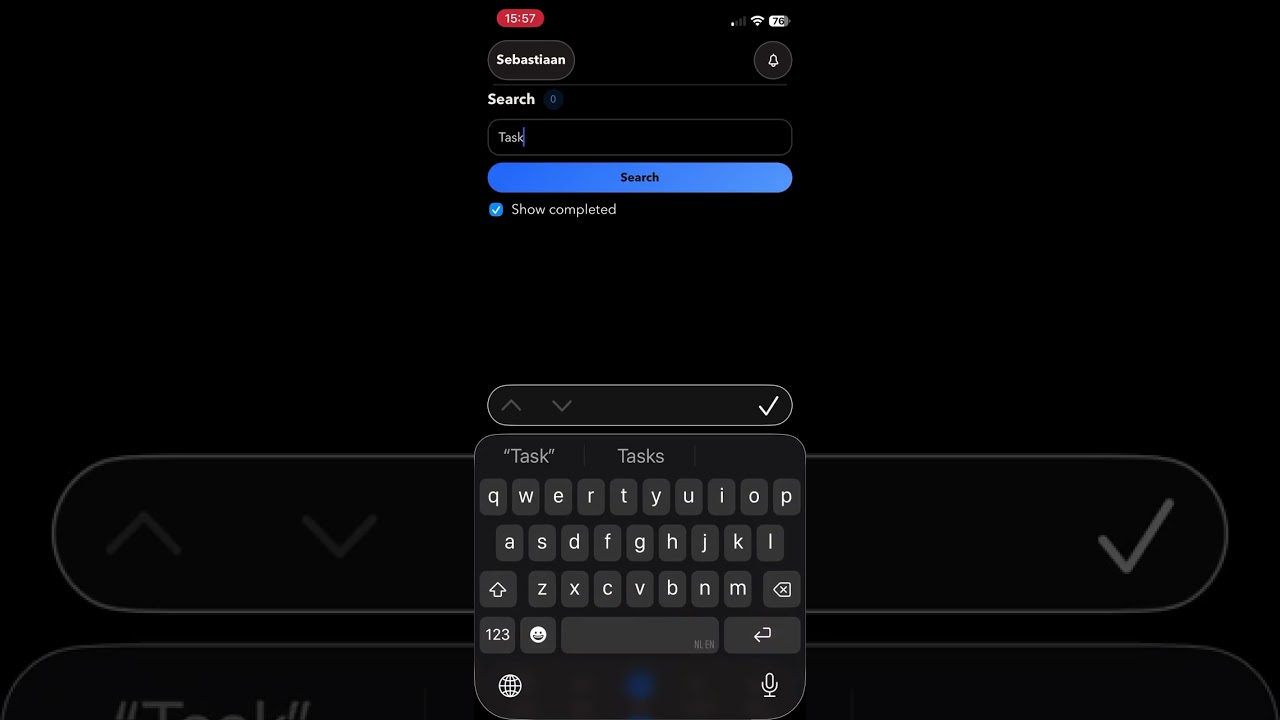
Screenshots
Demo
Enhanced Gantt

The 0.3.x Gantt view adds zoom presets, dependency arrows, richer task
bars, and direct drag/resize planning.
Mobile
| Today | Inbox | Quick Add |
|---|---|---|
 |
 |
 |
| Projects | Project Detail | Navigation |
|---|---|---|
 |
 |
 |
| Settings |
|---|
 |
Desktop
| Today | Projects | Project Detail |
|---|---|---|
 |
 |
 |
Prerequisites
- Node.js >= 20.0.0
- npm
- Optional: Docker / Docker Compose for the included container deployment example
- A reachable Vikunja instance
- Current development and CI validation run on Node 24.x
- For iPhone/iPad PWA validation: a trusted HTTPS origin and local/dev certificates
- For local UI smoke runs: Playwright Chromium installed via
npx playwright install chromium
Quick start
- Copy
.env.exampleto.env. - Set what you need:
- optionally
VIKUNJA_DEFAULT_BASE_URL - leave
VIKUNJA_DEFAULT_BASE_URLblank if you want the server field to start empty - optionally
APP_PUBLIC_ORIGIN - optionally
APP_TRUST_PROXY=truewhen the app is behind a trusted reverse proxy that setsX-Forwarded-For - optionally
APP_SESSION_STORE_PATH - optionally
APP_SESSION_KEY_PATH - optionally
HOST - optionally
PORT
- optionally
- Optional HTTPS and bridge runtime files:
- put runtime-only certs or SSH keys in
./deploy/ - these files are intentionally ignored by git and excluded from Docker image builds
- put runtime-only certs or SSH keys in
- If you want admin user management through the Vikunja CLI bridge:
- same-host Docker deployment:
VIKUNJA_BRIDGE_MODE=docker-execVIKUNJA_CONTAINER_NAMEVIKUNJA_CLI_PATH
- development from a Mac against a VM-hosted Vikunja Docker container:
VIKUNJA_BRIDGE_MODE=ssh-docker-execVIKUNJA_SSH_DESTINATION- optionally
VIKUNJA_SSH_KEY_PATH VIKUNJA_CONTAINER_NAMEVIKUNJA_CLI_PATH
- same-host Docker deployment:
- Optional development fallback only:
VIKUNJA_BASE_URLVIKUNJA_API_TOKEN- not recommended for production
- For local development, use two terminals:
npm run dev
npm run dev:react
- Open the React app:
http://127.0.0.1:4300
For a first phone test on the same Wi-Fi/LAN, open:
http://<your-mac-ip>:4300
If you keep the default HOST=0.0.0.0, the server will listen on the local network as well.
For iPhone offline-shell and browser-notification testing, use trusted HTTPS instead:
APP_PUBLIC_ORIGIN=https://<your-mac-ip>:4300
APP_HTTPS_KEY_PATH=/app/deploy/key.pem
APP_HTTPS_CERT_PATH=/app/deploy/cert.pem
COOKIE_SECURE=true
APP_TRUST_PROXY=false
Then place those files in ./deploy/, open the HTTPS origin in Safari, and add that HTTPS app to the Home Screen.
For a production-style local run:
npm run build
npm start
Docker
The included docker-compose.yml now defaults to the simplest public path:
- plain HTTP
- no HTTPS cert requirement
- no admin bridge requirement
Minimal Docker Desktop test:
- Copy
.env.exampleto.env - Optionally set
VIKUNJA_DEFAULT_BASE_URL - Leave it blank if you want a clean public/shareable benchmark with no prefilled server URL
- Run
docker compose up --build - Open
http://localhost:4300
Optional advanced Docker features stay in the same compose file and are enabled by environment variables:
- HTTPS: set
APP_HTTPS_CERT_PATH,APP_HTTPS_KEY_PATH, andAPP_PUBLIC_ORIGIN, then place the cert files in./deploy/ - same-host admin bridge: set
VIKUNJA_BRIDGE_MODE=docker-exec - remote admin bridge: set
VIKUNJA_BRIDGE_MODE=ssh-docker-execand the SSH vars, then place the SSH key in./deploy/ - operator authorization: set
[email protected] - writable SMTP/admin config:
- for local
docker-execdeployments where this PWA also runs in Docker, setVIKUNJA_ADMIN_SOURCE_HOST_PATHto the authoritative upstream Vikunja deployment directory on the host - then point
VIKUNJA_HOST_CONFIG_PATHorVIKUNJA_COMPOSE_PATHat the mounted in-container path under/app/admin-source - set
VIKUNJA_HOST_CONFIG_PATHto a persistent Vikunja config file, or - set
VIKUNJA_COMPOSE_PATHto the authoritative upstream Vikunjadocker-compose.yml
- for local
Writable SMTP Setup
If you want the SMTP form in the PWA to be editable and to support Apply & Restart,
the PWA must be able to reach the real Vikunja deployment config source.
The PWA does not write into the running Vikunja container filesystem. It writes to one of these authoritative sources instead:
- a persistent Vikunja config file via
VIKUNJA_HOST_CONFIG_PATH - the upstream Vikunja
docker-compose.ymlviaVIKUNJA_COMPOSE_PATH
Same-host Docker example
Use this when:
- the PWA runs in Docker
- Vikunja runs in Docker on the same host
- the PWA bridge mode is
docker-exec
Add these to the PWA .env:
VIKUNJA_BRIDGE_MODE=docker-exec
VIKUNJA_CONTAINER_NAME=vikunja-vikunja-1
[email protected]
VIKUNJA_ADMIN_SOURCE_HOST_PATH=/home/admin/docker/vikunja
VIKUNJA_ADMIN_SOURCE_CONTAINER_PATH=/home/admin/docker/vikunja
VIKUNJA_COMPOSE_PATH=/home/admin/docker/vikunja/docker-compose.yml
What this does:
VIKUNJA_ADMIN_SOURCE_HOST_PATHbind-mounts the real upstream Vikunja deployment directory into the PWA containerVIKUNJA_ADMIN_SOURCE_CONTAINER_PATHmakes that directory available at the same absolute path inside the PWA containerVIKUNJA_COMPOSE_PATHpoints the PWA at that mounted in-container compose file
Using the same absolute path matters when the upstream docker-compose.yml uses relative bind mounts like ./files and ./db.
That lets Apply & Restart recreate Vikunja with the correct bind-source paths.
Do not point VIKUNJA_COMPOSE_PATH at a raw host path like /home/admin/docker/vikunja/docker-compose.yml when the PWA itself runs in Docker unless that same host directory is also mounted into the PWA container at the same absolute path.
SSH bridge example
Use this when:
- the PWA runs on a workstation or separate host
- Vikunja runs on a remote Docker host
- the PWA bridge mode is
ssh-docker-exec
Add these to the PWA .env:
VIKUNJA_BRIDGE_MODE=ssh-docker-exec
VIKUNJA_SSH_DESTINATION=admin@vikunja-host
VIKUNJA_SSH_PORT=22
VIKUNJA_SSH_KEY_PATH=/app/deploy/id_ed25519
[email protected]
VIKUNJA_COMPOSE_PATH=/home/admin/docker/vikunja/docker-compose.yml
In SSH mode, VIKUNJA_COMPOSE_PATH is a remote absolute path on the Vikunja host.
You do not need /app/admin-source in this mode.
After changing .env
Rebuild and restart the PWA container:
docker compose build --no-cache
docker compose up -d
Then verify:
curl -s http://127.0.0.1:4300/health
curl -i -s http://127.0.0.1:4300/api/admin/config/mailer
The second command should return 401 Unauthorized when not logged in, which confirms the route exists.
Troubleshooting
- SMTP form is read-only:
VIKUNJA_HOST_CONFIG_PATHandVIKUNJA_COMPOSE_PATHare both unset, or the configured path is not reachable from the PWA runtime
- Flashes
No services were found in the configured Docker Compose file:- the compose file path exists in config but the file is not actually readable from the PWA process, commonly because a Docker host path was used inside a container without a bind mount
- Save works but
Apply & Restartfails:- in same-host
docker-execmode, the upstream Vikunja directory is mounted into the PWA container at a different path than the host path, so relative bind mounts in the upstream compose file cannot be recreated correctly - set
VIKUNJA_ADMIN_SOURCE_CONTAINER_PATHto the same absolute path asVIKUNJA_ADMIN_SOURCE_HOST_PATH, and pointVIKUNJA_COMPOSE_PATHat that same absolute path
- in same-host
- User administration says only authorized operator accounts may manage users:
ADMIN_BRIDGE_ALLOWED_EMAILSis unset, or the signed-in Vikunja account email is not in that allowlist
- Bridge features are unavailable:
VIKUNJA_BRIDGE_MODE, container name, SSH destination, Docker socket access, or SSH key config is missing or unreachable
The checked-in Dockerfile now builds on Node 22, which matches the current frontend toolchain requirements and keeps container builds free of Node engine warnings.
Deployment safety note:
- keep
.envas a real file on the deployment host - do not symlink
.envto another machine or workstation path - keep runtime-only certs and SSH keys local to the deployment host under
./deploy/ - if you sync the repo to another machine, exclude
.env,deploy/*.pem, and other local runtime files from the sync
CLI Bridge (Optional)
The Vikunja CLI bridge is optional. You only need it if you want to create,
edit, disable, or delete Vikunja users from inside this app, run testmail,
run doctor, or apply writable SMTP/admin-config changes. Core task, project,
sharing, offline, and notification flows all work without it.
- Why it exists: Vikunja does not expose instance user CRUD through its REST API, so this app uses the Vikunja CLI from the server side.
- Supported modes:
docker-execfor same-host deployments where the app server can reach the Vikunja container runtimessh-docker-execfor a local workstation or separate app host reaching a remote Docker host over SSH
- Authorization:
- set
ADMIN_BRIDGE_ALLOWED_EMAILSto the signed-in Vikunja account emails that may use bridge/admin routes - without that allowlist, the PWA treats bridge/admin features as unauthorized
- set
- SMTP/admin-config source modes:
- if
VIKUNJA_HOST_CONFIG_PATHis set, SMTP becomesfile-backedand the PWA can save config there - if
VIKUNJA_COMPOSE_PATHis set, SMTP becomescompose-envand the PWA manages the upstream Vikunja compose env for mailer settings - if both are unset, SMTP stays
read-only - in local
docker-execmode the path must be readable from the app process/container, which usually means mounting the authoritative host directory into/app/admin-source - in SSH mode the path is a remote absolute path on the Vikunja host
- if
- Trust implications:
docker-execimplies Docker/socket-level access on the host running the app serverssh-docker-execimplies SSH key-based access to the remote Docker host
- Without the bridge:
- user-management,
testmail, anddoctorstay unavailable - SMTP stays read-only unless
VIKUNJA_HOST_CONFIG_PATHorVIKUNJA_COMPOSE_PATHis configured locally - everything else in the app remains usable
- user-management,
Detailed operational, deployment, audit, and planning notes are intentionally kept outside this public repo.
How it works
- The browser never receives your Vikunja API token.
- The browser now talks to a same-origin Node backend that owns the Vikunja credentials/session.
- For self-hosted Vikunja, the intended path is
Settings > Accountswith username/password login. - API token mode still exists, but the token is submitted to the backend and kept out of browser storage.
- Account sessions are now stored server-side in an encrypted local file, so ordinary backend restarts keep interactive sessions.
- Admin user lifecycle actions and bridge-only administration operations run through a backend-only Vikunja CLI bridge; the browser never gets Docker or CLI access.
- Administration currently exposes operator-gated lifecycle operations plus SMTP and migration-provider config. Instance-level user roles or global permissions are not exposed by the current Vikunja CLI bridge.
- Deployment-level SMTP/admin config is only written to an explicit host config path. The running Vikunja container filesystem is never treated as the source of truth.
- Shared project links authenticate into a dedicated public/shared shell instead of the normal signed-in app shell.
- The app can also run directly over HTTPS with local certs for secure mobile PWA testing, including iPhone installed-app notification checks.
VIKUNJA_DEFAULT_BASE_URLorVIKUNJA_BASE_URLmay be either:https://vikunja.example.comhttp://vikunja.local:3456- or the full API URL ending in
/api/v1
Browser support
The app targets modern browsers with native ES2022 support. No polyfills are shipped.
Supported baseline targets:
- Chrome 100+
- Edge 100+
- Safari 16+
- Firefox 100+
- iPhone Safari in installed HTTPS PWA mode
Not supported:
- Internet Explorer
- legacy browsers without modern ES2022, service worker, or installed-PWA support
Repo layout
.
├── src/
│   ├── components/
│   ├── hooks/
│   ├── store/
│   ├── utils/
│   ├── App.tsx
│   ├── main.tsx
│   └── styles.css
├── public/
│   ├── icons/
│   ├── manifest.webmanifest
│   └── vendor/
├── tests/
│   ├── helpers/
│   └── smoke/
├── deploy/
│   └── .gitkeep
├── server/
│   ├── admin-bridge.mjs
│   ├── config.mjs
│   ├── cookies.mjs
│   ├── http.mjs
│   ├── rate-limit.mjs
│   ├── session-store.mjs
│   ├── static.mjs
│   └── vikunja-client.mjs
├── .env.example
├── .dockerignore
├── Dockerfile
├── docker-compose.yml
├── package.json
├── README.md
└── server.mjs
server.mjs: server entrypoint and route wiring. In production it servesdist/.server/: extracted Node-side helpers for config, admin bridge execution, rate limiting, static serving, HTTP utilities, and Vikunja API access.src/: React application code, store slices, utilities, and migrated screens/components.public/: static assets copied by Vite intodist/, including icons, manifest, and the kept Sortable runtime.deploy/: optional runtime-only bind-mount directory for local certs or SSH keys. Contents are git-ignored and excluded from image builds.tests/helpers/app-under-test.mjs: unified smoke harness that buildsdist/and boots the app server against it.- Internal planning, audit, and deployment documents are intentionally kept outside the public repo.
Implemented
- project tree browser with nested sub-projects
- project contents screen with both sub-projects and tasks
- task tree with inline expand/collapse
- today, projects, labels, and account settings screens
- inbox and upcoming screens
- inline global search across project and task pages
- quick-add flow that stays active after
Enter - inline subtask creation
- task and project detail overlays
- global top-header back behavior for detail overlays
- task and project favorite toggles in detail overlays
- task completion and label assignment
- task labels surfaced directly on task cards
- label detail editing
- global task query support for cross-project search and upcoming filters
- saved filter browsing, structured authoring, editing, deletion, and task loading through Vikunja pseudo-projects
- enhanced Gantt planning with zoom presets, dependency arrows, richer task bars, and direct drag/resize scheduling
- Kanban drag-and-drop across sort, bucket move, subtask drop, menu move, and done-bucket toggle flows
- offline snapshot restore plus queued supported task/project edits with reconnect replay and visible sync status
- backend-managed account sessions with
HttpOnlyapp cookies and encrypted file-backed persistence - remote Vikunja session listing/revocation for password-based connections
- account/security settings for avatars, active sessions, password/email changes, 2FA, CalDAV tokens, API tokens, export, and deletion scheduling
- instance-aware auth gating for registration and password-reset flows
- project-view-aware task loading through Vikunja list views
- task position endpoint wiring and in-app reorder prototype
- first-pass bulk task editing across list/tree task surfaces
- admin user CRUD through the backend Vikunja CLI bridge
- visible operator/bridge status in Settings plus explicit permission/access indicators for project sharing and team management
- collaboration/privacy settings for the signed-in user
- team CRUD plus team member/admin management
- project user sharing, project team sharing, and link sharing
- dedicated shared-project shell and password-protected link-share auth flow
- per-category notification-center preferences stored in Vikunja
frontend_settings - user and project webhook management
- migration imports for supported OAuth and file-based providers
- OpenID Connect login through the connected Vikunja instance
- background polling for task collections and the project tree after external changes
- operator-managed migration-provider settings, including redirect-URL helpers for PWA callback flows
- zero-date normalization so unset Vikunja dates do not render as fake
1 Janvalues
Known constraints
- This is still a prototype, not a production client.
- Vikunja supports labels on tasks, but not project labels through the upstream API route set currently used here.
- Bridge/admin routes depend on an explicit operator email allowlist configured in the deployment environment.
- The current bridge does not expose instance-user role editing, so Administration is limited to create, edit identity, enable/disable, reset password, and delete for user lifecycle management.
- The smoke suite now covers collaboration, shared-link, notification-preference, and bulk-edit flows. Continue maintaining selectors as the shell evolves.
- Offline support now includes cached reopen plus queued replay for supported task and project mutations, but attachments, sharing changes, admin config, and security-admin actions still require a live connection.
- Browser notification setup and test alerts now work on supported desktop browsers and installed HTTPS iPhone web apps. Notification-center preferences are also shipped, but event-driven push delivery is still not built yet.
- The server now exposes
/health, request/error logs, trusted-origin checks, and rate limiting on auth/session routes. - All app responses now carry baseline security headers, JSON request bodies are capped at 1 MB, and
X-Forwarded-Foris only trusted whenAPP_TRUST_PROXY=true. - For Todoist, Trello, or Microsoft To Do imports to return to the PWA instead of the stock Vikunja frontend, the redirect URL must be updated both in Vikunja and in the external provider developer app.
Testing
Install dependencies and run the local verification suite:
npm install
npm run lint
npm run build
npm run test:smoke:api
For the browser smoke pass, install Playwright Chromium once and run:
npx playwright install chromium
npm run test:smoke:ui
The full local verification command is:
npm run ci
For alpha release signoff, the manual mobile PWA regression gate is treated as covered by the normal Mac + iPhone PWA testing workflow. Run a separate iPad-specific pass only if tablet behavior becomes a hard release target.
CI is wired for both GitHub Actions and Forgejo Actions in:
.github/workflows/ci.yml.forgejo/workflows/ci.yml
Troubleshooting
- If the app is behind a trusted reverse proxy or Cloudflare Tunnel, set
APP_TRUST_PROXY=trueso same-origin mutation checks use the forwarded host and protocol. - If iPhone offline shell or browser notifications do not work, use a trusted HTTPS origin and add the app to the Home Screen from Safari.
- If admin user management is unavailable, verify the optional CLI bridge environment variables on the server. The rest of the app should still work without it.
- If UI smoke tests fail locally before the browser starts, run
npx playwright install chromium. - If the shell looks stale after a rebuild/deploy, use
Settings > App Data > Refresh app data.
Next recommended passes
- Decide how far post-v1 offline work should go beyond the current queued task/project editing milestone.
- Decide whether saved filters should eventually grow beyond the current structured builder into full raw-query editing and sidebar-level favorites management.