Table of contents
- Example view
- About project
- Getting Started
- Built with
- Updater
- Setup update server
- Testing
- Licensing
- Further improvements
- Screenshots
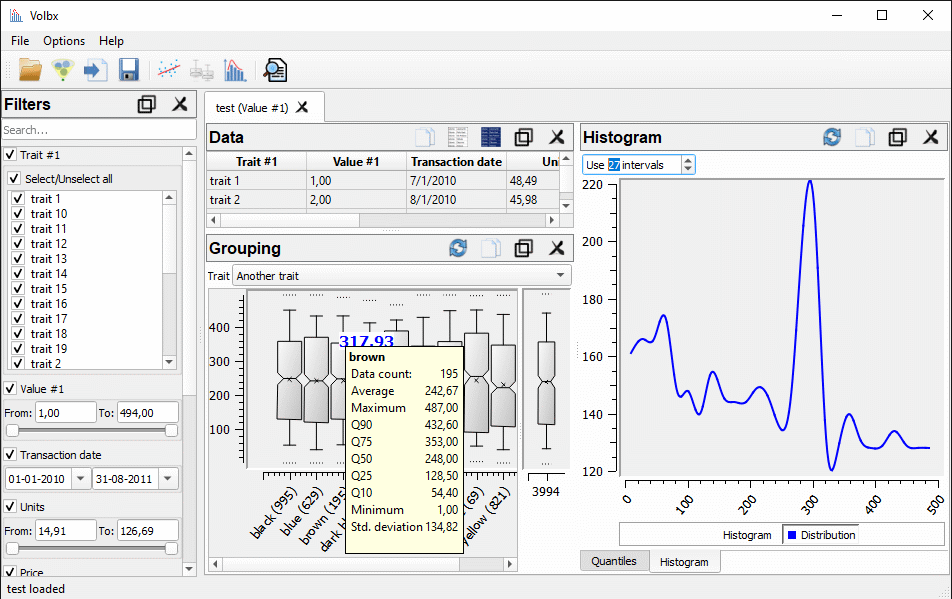
Example view
About project
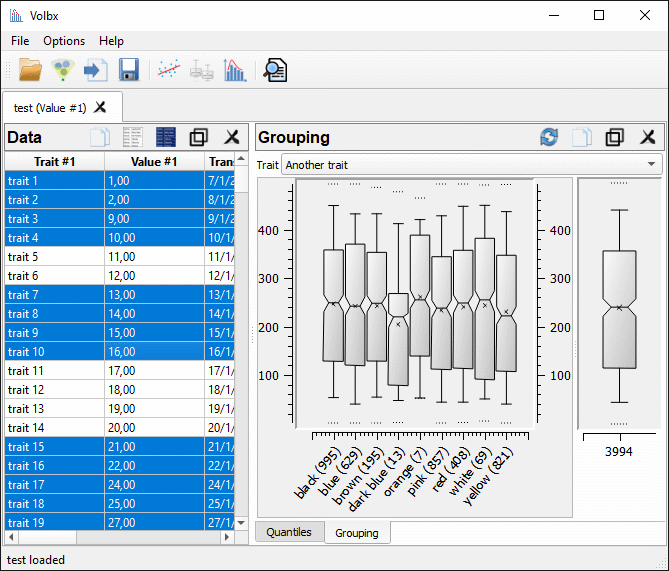
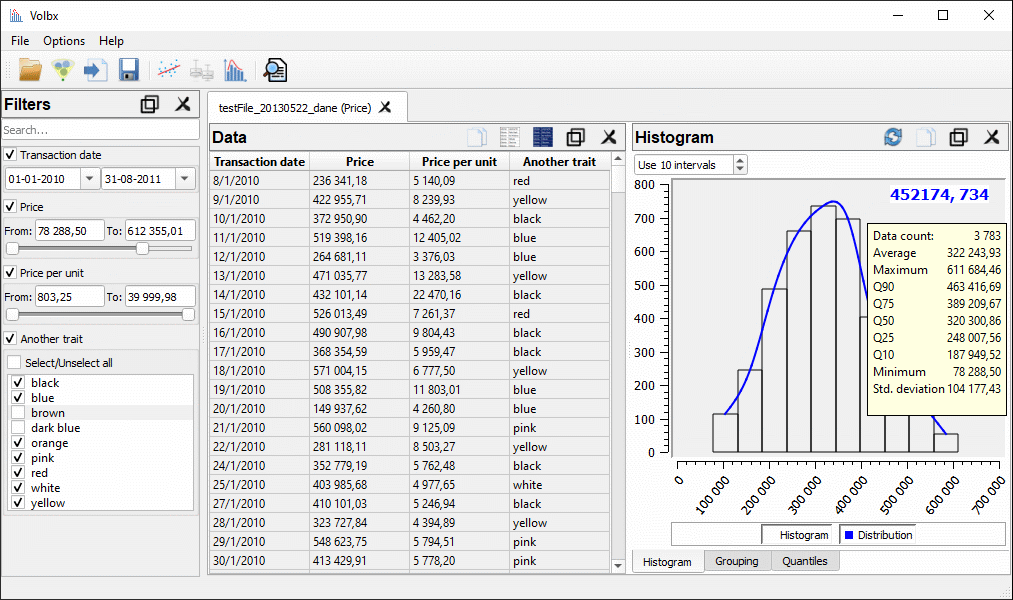
Volbx is a graphical tool used for data manipulation written in C++/Qt. User can:
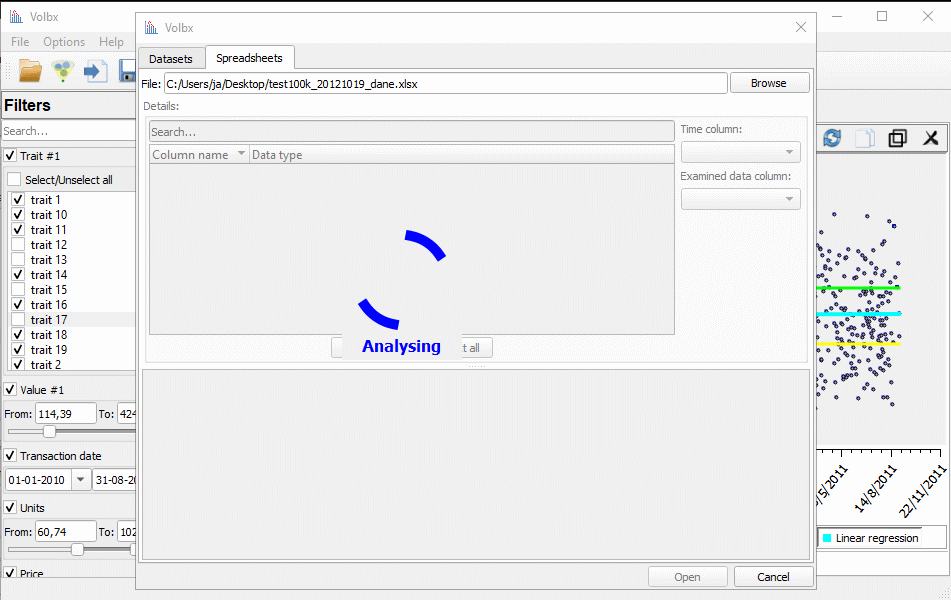
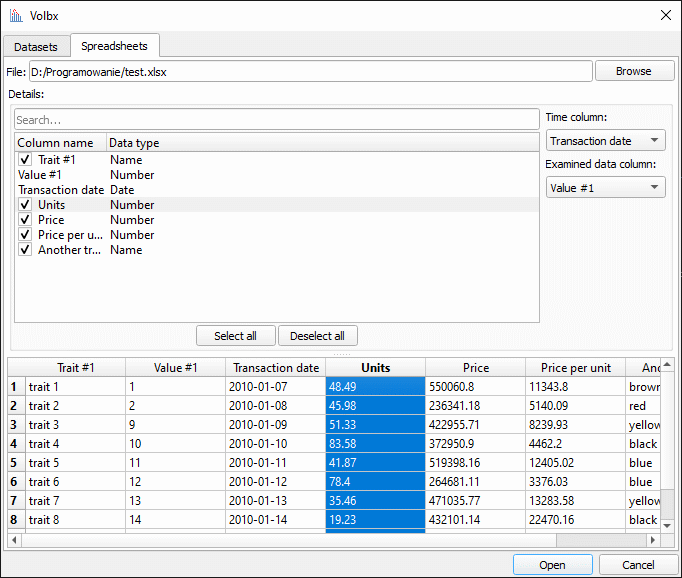
- load data - opens XLSX and ODS spreadsheet files,
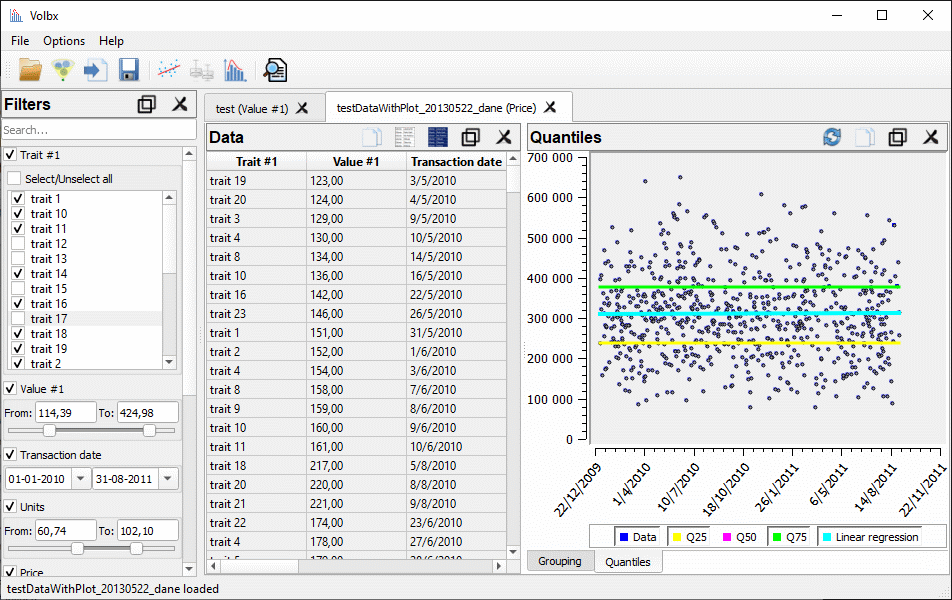
- filter data - filters panel can be used to define the data range on each column,
- select data - user can select rows on the main data table,
- visualize data - multiple types of built-in diagrams (histogram, grouping, linear regression, quantiles) which adjusts dynamically according to user actions,
- order data - each column can be ordered ascending or descending,
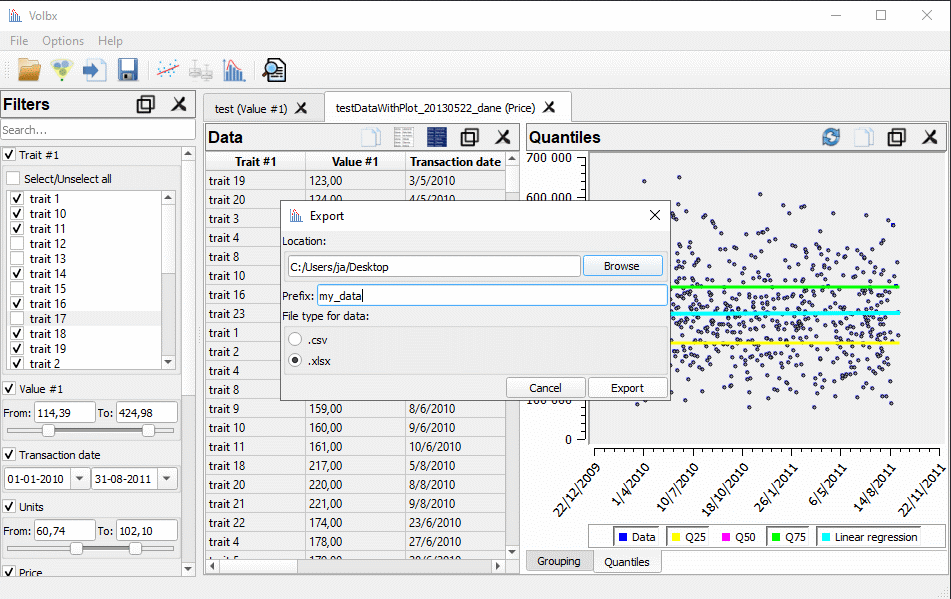
- export data - selected set of data, together with linked plots, can be exported to XLSX spreadsheet file or CSV.
The tool was originally created for real estate appraisal as it gives the possibility, for people working in that area, to estimate the past, current, and future value of analyzed properties. When the project/startup was dropped, I've decided to release a less specialized application as an open source project. Most advanced and dedicated for real estate functionalities were cut out; basic and intermediate ones stayed.
Getting Started
This section describes briefly how to setup the environment and build the project.
Prerequisites
Qt in version 6.5 or greater, a C++ compiler with C++17 support as a minimum, and CMake 3.16+.
Building
Clone and use CMake directly or via any IDE supporting it. CMake should:
- configure everything automatically,
- compile and create binaries.
As a result of compilation, binary for simulations and binary for testing should be created.
TIP: Remember to set properly the CMAKE_PREFIX_PATH env variable. It should have a Qt installation path to let CMake find_package command work.
TIP: Add qmake location to PATH variable as QWT building expects it.
Built with
| Windows | Windows | Ubuntu | |
|---|---|---|---|
| OS version | 10 22H2 | 10 22H2 | 24.04 |
| compiler | GCC 13.1.0 | MSVC 19.29 | GCC 13.2.0 |
| CMake | 3.30.2 | 3.30.2 | 3.28.3 |
| Git | 2.46.0 | 2.46.0 | 2.43.0 |
| Qt | 6.5.2 | 6.5.2 | 6.5.2 |
| Eible | 1.2.0 | 1.2.0 | 1.2.0 |
| QwtBle | 1.2.0 | 1.2.0 | 1.2.0 |
| Wble | 1.2.0 | 1.2.0 | 1.2.0 |
| QuaZip | 1.4 | 1.4 | 1.4 |
Updater
- Build target
VersionCheck. - Run
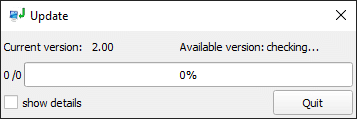
VersionCheck. - The following window should be shown:
Setup update server
- Get a domain and hosting :)
- Create a simple .php file that contains something similar to this:
<?
echo("Volbx-Update-Info\n");

echo("1.10");

chdir("current/");
foreach (glob("*") as $filename) {
    echo "\n$filename;" . filesize($filename);
}
?>
- Copy .php file to hosting.
- Create folder
currentin directory where .php file is located. - Add a new/other version of Volbx and/or updater in the
currentdirectory. - Change the code of the
Networkingnamespace in Volbx to point to the proper address. Look forQNetworkRequest Networking::getCurrentVersionRequest()andQNetworkRequest Networking::getDownloadFileRequest(const QString& file) - Compile
VersionCheckerand run it. - The application should connect to the given address and download the content of the
currentfolder.
Remarks:
- Updater is doing correctness checks using file sizes. Checksums should be used instead.
- When I've created VersionChecker I've decided to use the simplest known solution. I do not know if it is safe and 'proper' enough, but it worked for me. I'm not a web developer ;)
- Windows needs admin rights (as of ~2012) to execute files having in name strings like "update", "install" or "setup". I've picked the name
VersionCheckerto work around that problem. - On Windows OS, the updater cannot overwrite files that are being used (as of ~2012). There is a special mechanism in place for replacing used/locked files:
- close Volbx,
- run updater,
- download files,
- change not used binaries/libs,
- on next run of Volbx replace automatically used/blocked ones.
Testing
For testing purposes, the Qt Test framework is used. Build the project first. Make sure that the volbx-tests target is built. Modern IDEs supporting CMake also support running tests with monitoring of failures. But in case you would like to run it manually, go to the build/tests directory, where the binary volbx-tests should be available. Launching it should produce the following output on Linux:
Example run:
$ ./volbx-tests
********* Start testing of ConfigurationTest *********
Config: Using QtTest library 6.5.2, Qt 6.5.2 (x86_64-little_endian-lp64 shared (dynamic) release build; by GCC 10.3.1 20210422 (Red Hat 10.3.1-1)), ubuntu 24.04
PASS   : ConfigurationTest::initTestCase()
PASS   : ConfigurationTest::testSavingConfigurationFile()
PASS   : ConfigurationTest::testReadingFilledConfigurationFile()

(...)

PASS   : TestConstants::testElapsedTimeToSeconds()
PASS   : TestConstants::testGetProgressBarFullCounter()
PASS   : TestConstants::cleanupTestCase()
Totals: 9 passed, 0 failed, 0 skipped, 0 blacklisted, 0ms
********* Finished testing of TestConstants *********
As an alternative, CTest can be used to run tests from the build/tests directory:
$ ctest
Test project <path>/volbx/build/tests
    Start 1: volbx-tests
1/1 Test #1: volbx-tests ......................   Passed    0.38 sec

100% tests passed, 0 tests failed out of 1

Total Test time (real) =   0.39 sec
Licensing
Volbx is published under a LGPL license.
The project uses the following software:
| Name | License | Home | Description |
|---|---|---|---|
| Qt | LGPLv3 | https://www.qt.io/ | cross-platform application development framework |
| Eible | LGPLv3 | https://github.com/przemek83/eible | library for importing and exporting data |
| QwtBle | LGPLv3 | https://github.com/przemek83/qwtble | library of useful plots and one marker based on Qwt library |
| Wble | LGPLv3 | https://github.com/przemek83/wble | library of useful Qt widgets |
| QuaZip | LGPLv2.1 with static linking exception | https://github.com/stachenov/quazip | C++ wrapper for Minizip using Qt library |
Further improvements
- Upgrade code to use C++23.
- Increase test coverage.
Screenshots