
vue-seo-friendly-spa-template
Built using Vue 3.0.
Vue.js PWA/SPA template configured for SEO (initially scaffolded with vue-cli). You can find the React version here: react-seo-friendly-spa-template.
Features:
- TypeScript
- Custom
BackToTop.vuecomponent that usesvue-scrollto - Custom
ToggleTheme.vuecomponent that handles light/dark theme transitions - Google analytics management with
vue-gtag-next - Route meta tag management with
vue-meta - Configured to serve prerendered static HTML with
prerender-spa-plugin
Demo
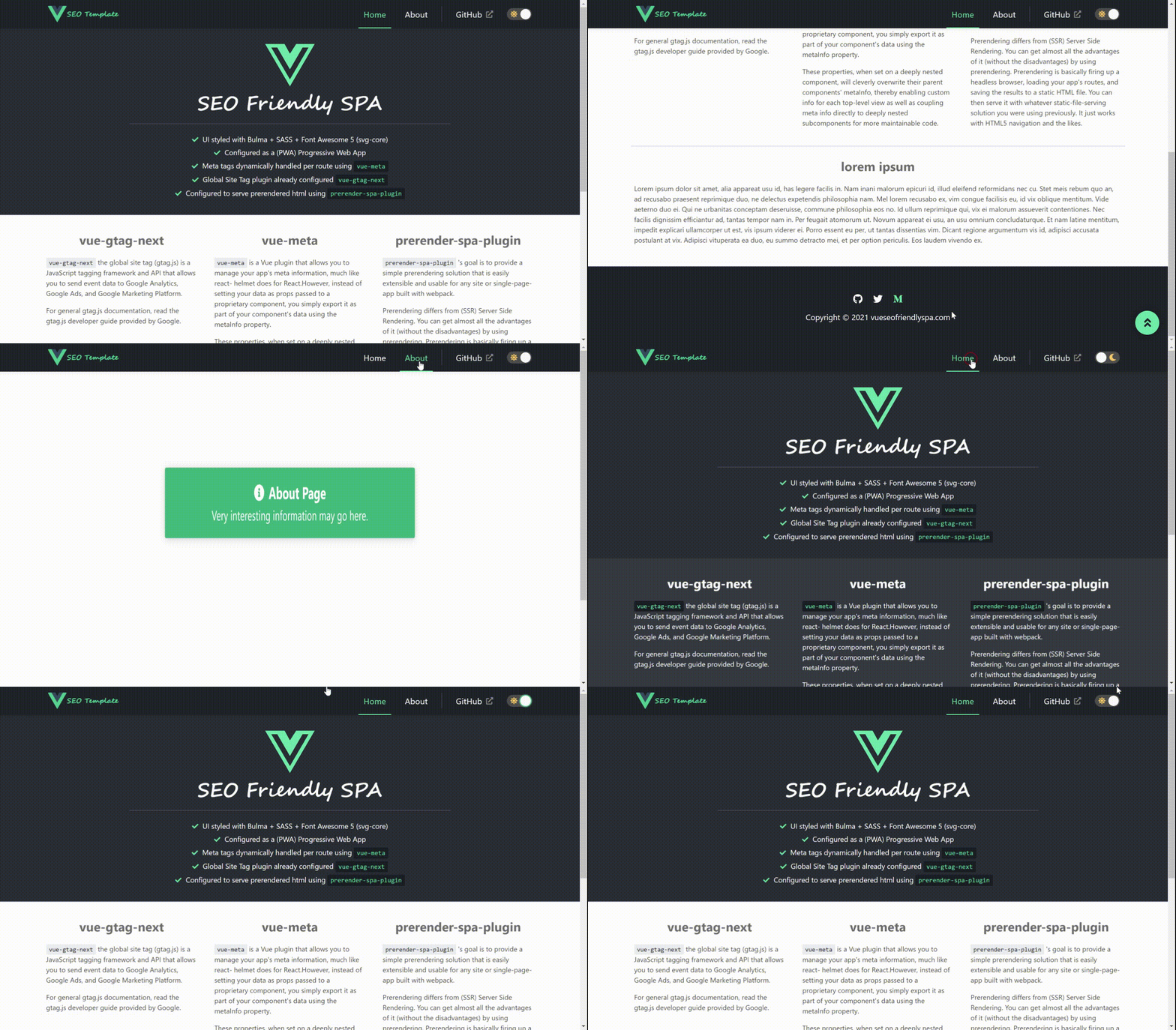
General Overview
This template reflects some of the setup I went through when experimenting with the creation of my own static front-end personal site that was to be hosted on Netlify (using GitHub as a repository/pipeline). You can find that experiment live here. After playing around with this process I figured I'd build a higher-level abstraction of that project for quick re-use in the future.
Technology Stack Overview
vue-cli
initial scaffolding
vue-meta
vue-meta - plugin that allows you to manage your app's meta information, much like react-helmet does for React. However, instead of setting your data as props passed to a proprietary component, you simply export it as part of your component's data using the metaInfo property.
I have meta data configured to be handled via a simple, reusable compostion (@/composables/useMetaRoute.ts) - simply import and execute this composable function in the setup function of your component and it will attempt to resolve any meta data definitions you configure for that route:
useMetaRoute.ts
import { useRoute } from 'vue-router';
import { useMeta, type MetaSourceProxy } from 'vue-meta';

export default function useMetaRoute(): MetaSourceProxy {
  const route = useRoute();
  const { title, description } = route?.meta ?? {};
  const url = window?.location.href || 'unknown';

  const { meta } = useMeta({
    title,
    description,
    link: {
      rel: 'canonical',
      href: url
    },
    og: {
      url,
      title,
      description
    }
  });

  return meta;
}
About.vue
<script setup lang="ts">
  import { Alert } from '@/components';
  import { useMetaRoute } from '@/composables';

  useMetaRoute();
</script>
vue-gtag-next
vue-gtag-next - The global site tag (gtag.js) is a JavaScript tagging framework and API that allows you to send event data to Google Analytics, Google Ads, and Google Marketing Platform.
Inititial plugin configuration found in config/vue-gtag.config.ts and then hooked up in the setup function of the application's root component (App.vue).
vue-gtag.config.ts
import type { Options } from 'vue-gtag-next';

const isEnabled = true;
const isProduction = process.env.NODE_ENV === 'production';
const useDebugger = isEnabled && !isProduction;

export const VUE_GTAG_OPTIONS: Options = {
  isEnabled,
  useDebugger,
  property: {
    id: 'UA-000000-01',
    params: {
      send_page_view: false,
    }
  }
};
App.vue
<script setup lang="ts">
  import { watch, unref } from 'vue';
  import { useRouter } from 'vue-router';
  import { useGtag } from 'vue-gtag-next';
  import { useActiveMeta } from 'vue-meta';

  const router = useRouter();
  const { pageview } = useGtag();
  const activeMeta = useActiveMeta();

  function trackPageView() {
    setTimeout(() => {
      const { currentRoute, getRoutes } = router;
      const { path } = unref(currentRoute);
      const isValidPath = getRoutes().some((x) => x.path === path);

      if (isValidPath) {
        pageview(path);
      }
    }, 10);
  }

  watch(
    () => activeMeta,
    () => trackPageView(),
    { deep: true }
  );
</script>
prerender-spa-plugin
prerender-spa-plugin - Prerenders static HTML in a single-page application. This is a more straightforward substitue for SSR (Server Side Rendering) and the primary benefit is SEO.
Configured in the app as follows:
vue.config.js
const path = require("path");
const cheerio = require("cheerio");
const PrerenderSPAPlugin = require("prerender-spa-plugin-next");
const PuppeteerRenderer = require("@prerenderer/renderer-puppeteer");

module.exports = {
  lintOnSave: false,

  // define port
  devServer: {
    port: "3000",
    hot: true,
  },

  configureWebpack: (config) => {
    if (process.env.NODE_ENV !== "production") {
      return {};
    }

    return {
      performance: {
        hints: false,
      },
      plugins: [
        // https://github.com/chrisvfritz/prerender-spa-plugin
        new PrerenderSPAPlugin({
          staticDir: config.output.path,
          routes: ["/", "/about"],
          renderer: PuppeteerRenderer,
          postProcess(context) {
            if (context.route === "/404") {
              context.outputPath = path.join(config.output.path, "/404.html");
            }

            // Add 'data-server-rendered' attribute so app knows to hydrate with any changes
            const $ = cheerio.load(context.html);
            $("#app").attr("data-server-rendered", "true");
            context.html = $.html();

            return context;
          },
        }),
      ],
    };
  }
};
Remainder of the configuration takes place in vue.config.js file where the plugin is added and configured. In the postProcess callback I am editing the prerendered content using cheerio so you can load the raw prerendered html string into a usable document and modify it using JQuery-like syntax, rather than parsing a long string and calling .replace().
Note: I found that dynamically adding the data-server-rendered='true' attribute in the postProcess (rather than hard-coding in the index.html file) seems to work well - this lets the client know that this nodes contents was served as prerendered content and to hydrate the HTML with updates, rather than re-render/replace.
Scripts
Project setup
npm install
Compiles and hot-reloads for development
npm run serve
Compiles and minifies for production
npm run build
Lints and fixes files
npm run lint
- Run the linter (configured in the tslint.json file found in the root of this project)
Generate sitemap.xml file
npm run sitemap
- This command will execute code in the sitemap-generator.js. Using the sitemapUrl parameter defined in that file (should reflect your registered domain name) a sitemap.xml is generated and persisted under the 'public' folder - this file is referenced in the robots.txt file. This uses the
sitemap-generatorpackage.