









vue2-admin-lte (Demo)
AdminLTE of Admin control panel template Based on Vuejs 2.x Front-end Framework.
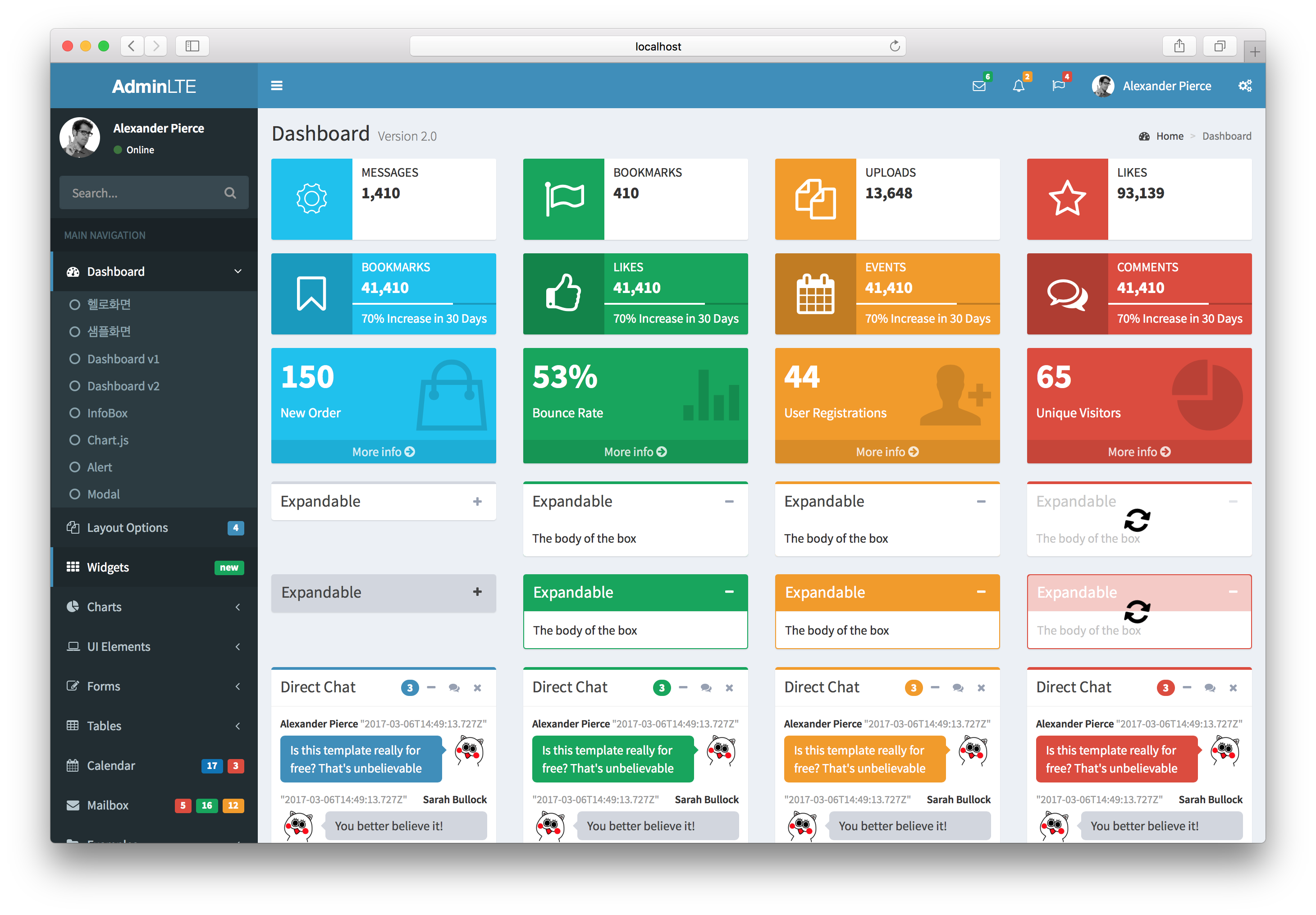
Documentation
Demo Build Setup
# install dependencies
npm install

# serve with hot reload at localhost:8080
npm run dev

# build for production with minification
npm run build

# build for production and view the bundle analyzer report
npm run build --report

# run unit tests: coming soon
# npm run unit

# run e2e tests: coming soon
# npm run e2e

# run all tests: coming soon
# npm test
How to use
First, install vue2-admin-lte via npm.
$ npm i --save vue2-admin-lte
append alias config in webpack
module.exports = {
  resolve: {
    alias: {
      'va': 'vue2-admin-lte/src'
    }
  }
}
import css and javascript files
// css files
import 'va/lib/css'

// js files
import 'va/lib/script'
use the components in .vue
<template>
  <va-button
    name="Primary"
    theme="primary"
    size="btn-lg"
    :isFlat="true"
  ></va-button>
</template>

<script>
import VAButton from 'va/components/VAButton.vue'
export default {
  name: 'Button',
  components: {
    'va-button': VAButton
  }
}
</script>
Example
<template>

  <va-direct-chat
    :talkList="talkList"
    :badgeCount="3"
    theme="primary"
    title="Direct Chat"
    placeholder="Type Messages ..."
  ></va-direct-chat>

</template>


<script>
import VADirectChat from '../path/to/components/VADirectChat.vue'

export default {
  name: 'App',
  data () {
    return {
      talkList: [
        {
          name: 'Alexander Pierce',
          date: new Date(),
          profileImage: 'http://path/to/image',
          message: `Is this template really for free? That's unbelievable`,
          isMine: false
        },
        {
          name: 'Sarah Bullock',
          date: new Date(),
          profileImage: 'http://path/to/image',
          message: `You better believe it!`,
          isMine: true
        }
      ]
    }
  },
  components: {
    'va-direct-chat': VADirectChat
  }
}

</script>
how to start mock server
node ./mock-server/index.js
how to use Vuex
// /vuex/store.js
import Vue from 'vue'
import Vuex from 'vuex'

import * as actions from './actions'
import * as getters from './getters'
import modules from './modules'

Vue.use(Vuex)

export default new Vuex.Store({
  actions,
  getters,
  modules,
  strict: process.env.NODE_ENV !== 'production'
})
Contributing to Vue2 AdminLTE
The following is a set of guidelines for contributing to Vue2 AdminLTE.
Submitting Issues
You can create an issue here.
If you can, please include:
- The version, name of Browser you are using
- The operating system you are using
Other things that will help resolve your issue:
- Screenshots or gif
- dev tools or an alert
- Perform a search to see if a similar issue has already been submitted
Submitting Pull Requests
- Include screenshots and animated gif in your pull request whenever possible.
- Use short, present tense commit messages.
links
https://medium.com/@sergiturbadenas/creating-adminlte-vue-components-part-0-e735e3218f86 https://medium.com/@sergiturbadenas/creating-adminlte-vue-components-part-1-designing-api-component-7a34ff64fb9c https://qiita.com/ultrasevenstar/items/e5e8dfecc92077aa7736