
Emacs Minor Mode for WakaTime
wakatime-mode is an automatic time tracking extension for Emacs using WakaTime.
Installation
-
Configure
wakatime-modein yourinit.elfile usinguse-package(this automatically installs it from MELPA):(use-package wakatime-mode :ensure t :config (global-wakatime-mode 1)) -
Restart Emacs. wakatime-mode will automatically download the latest
wakatime-cliinto~/.wakatime/on first launch, and check for updates at most every 4 hours. To use a specific binary instead, setwakatime-cli-pathto its absolute path (or installwakatime-cliinto your$PATH, e.g.brew install wakatime-clion macOS). -
Enter your api key in your
init.elor~/.wakatime.cfgfile (config file format). -
Use Emacs with wakatime-mode turned on and your time will be tracked for you automatically.
-
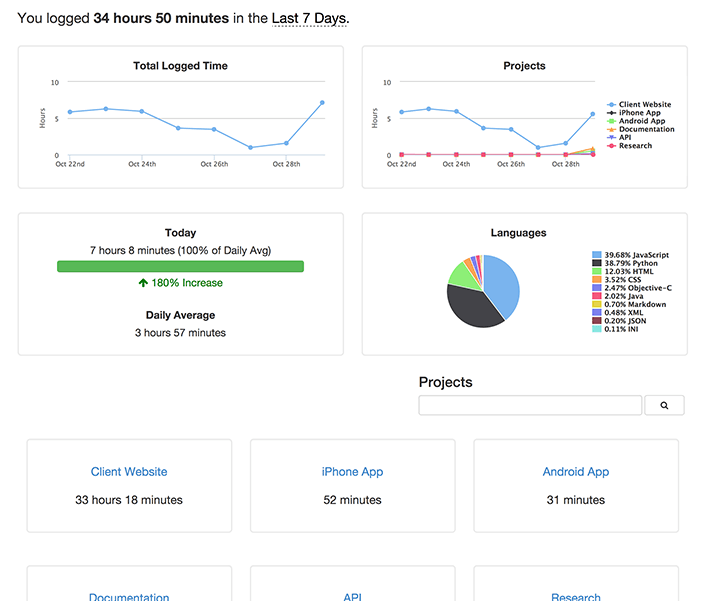
Visit http://wakatime.com to see your logged time.
Screen Shots
Usage
Enable WakaTime for the current buffer by invoking M-x wakatime-mode. If you wish to activate it globally, run M-x global-wakatime-mode.
Configuration
Set variable wakatime-api-key to your API key.
By default wakatime-cli-path is nil, which tells wakatime-mode to look for an existing wakatime-cli on your $PATH and otherwise auto-download the latest wakatime-cli release into ~/.wakatime/. Set wakatime-cli-path to an absolute path to use a specific binary. Auto-update checks run at most every wakatime-update-check-interval seconds (4 hours by default).
Troubleshooting
To be sure heartbeats are getting sent, turn on debug mode by adding this line to your ~/.wakatime.cfg file:
debug = true
Then run tail -f ~/.wakatime/wakatime.log and make sure you see a 201 response code from the WakaTime API.