

WatchMyBirds
AI-powered bird detection and classification from live camera streams
Quickstart • Documentation • RPi Appliance • Contributing





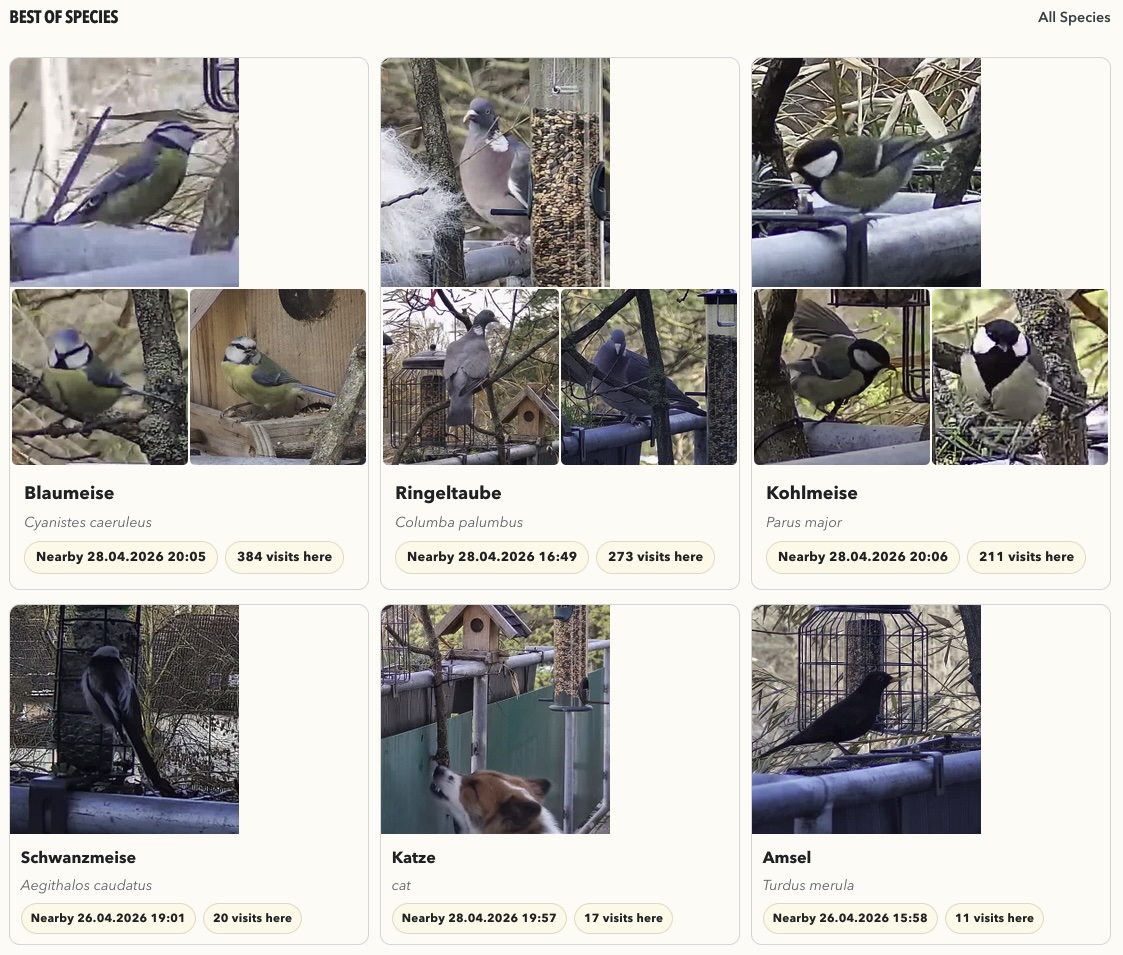
Highlights
- 🎯 Real-time detection — Multi-stage AI pipeline (detection + classification)
- 📊 Analytics dashboard — Activity patterns, species statistics, temporal insights
- 🍓 Raspberry Pi ready — Pre-built images with WiFi setup
- 🐳 Docker support — One-command deployment on any server
- 🔒 Hardened by default — Systemd sandboxing, session auth, no root required
Features
- ⭐ Favorites & cover images — Mark your best shots as favorites; they become species cover images
- 📹 Live stream — Low-latency WebRTC live view via go2rtc relay with multi-viewer support
- 📖 Species encyclopedia — Wikipedia descriptions for every detected species
- ✅ Review queue — Triage new detections — keep, reclassify, or trash in one swipe
- 🗑️ Trash & restore — Soft-delete with easy restore — nothing lost by accident
- 🎥 ONVIF discovery & PTZ control — Implements ONVIF-based IP camera discovery and PTZ control from the UI
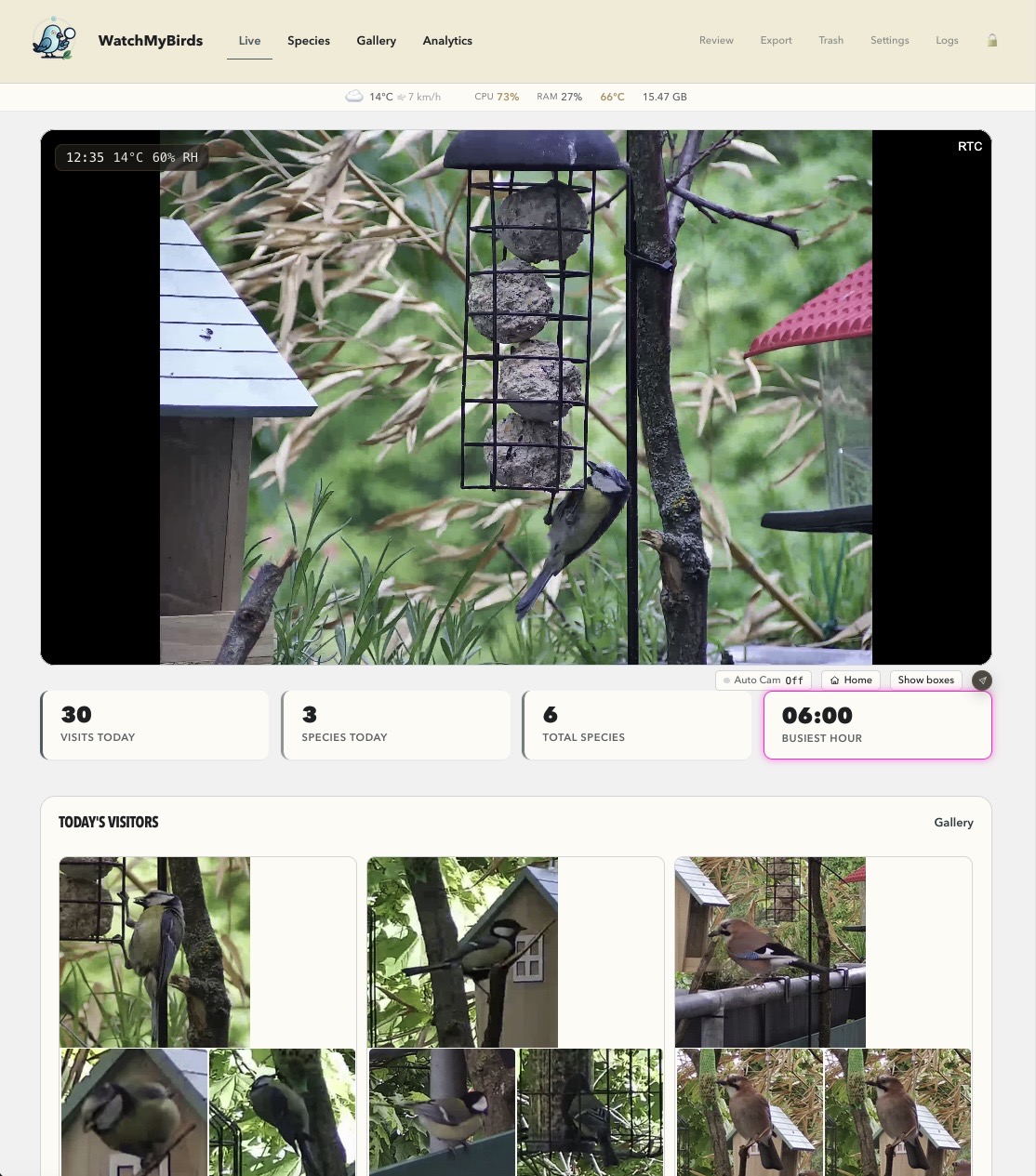
Requirements
- Python 3.12+ or Docker 20.10+
- Raspberry Pi 4 or 5 with 4 GB RAM minimum
- USB webcam or IP camera (RTSP/HTTP)
Quickstart
Docker (Recommended)
git clone https://github.com/arminfabritzek/WatchMyBirds.git
cd WatchMyBirds
cp docker-compose.example.yml docker-compose.yml
docker-compose up -d
Streaming default: The Docker stack starts WatchMyBirds + go2rtc together using host networking for WebRTC compatibility.
Before first start:
- Set
CAMERA_URL— the app resolves relay/direct mode automatically. - Replace
EDIT_PASSWORDwith your own value. - Leave
TELEGRAM_ENABLED=Falseunless you also set real Telegram credentials.
Good to know:
go2rtc.yamlis synchronized in the mounted output folder (/output/go2rtc.yamlin app,/config/go2rtc.yamlin go2rtc).- Bridge networking is also supported — the app falls back to ffmpeg-based streaming if WebRTC is unavailable. See
docker-compose.example.ymlfor details.
Local Development
python -m venv venv && source venv/bin/activate
pip install -r requirements.txt
python main.py
Recommended local/runtime target: Python 3.12. The Raspberry Pi pipeline now starts from a Trixie Lite golden image and bakes CPython 3.12 into that shared base once before downstream image builds create the app virtualenv.
App available at: http://localhost:8050
Screenshots
| Species Summary | Analytics Dashboard |
|---|---|
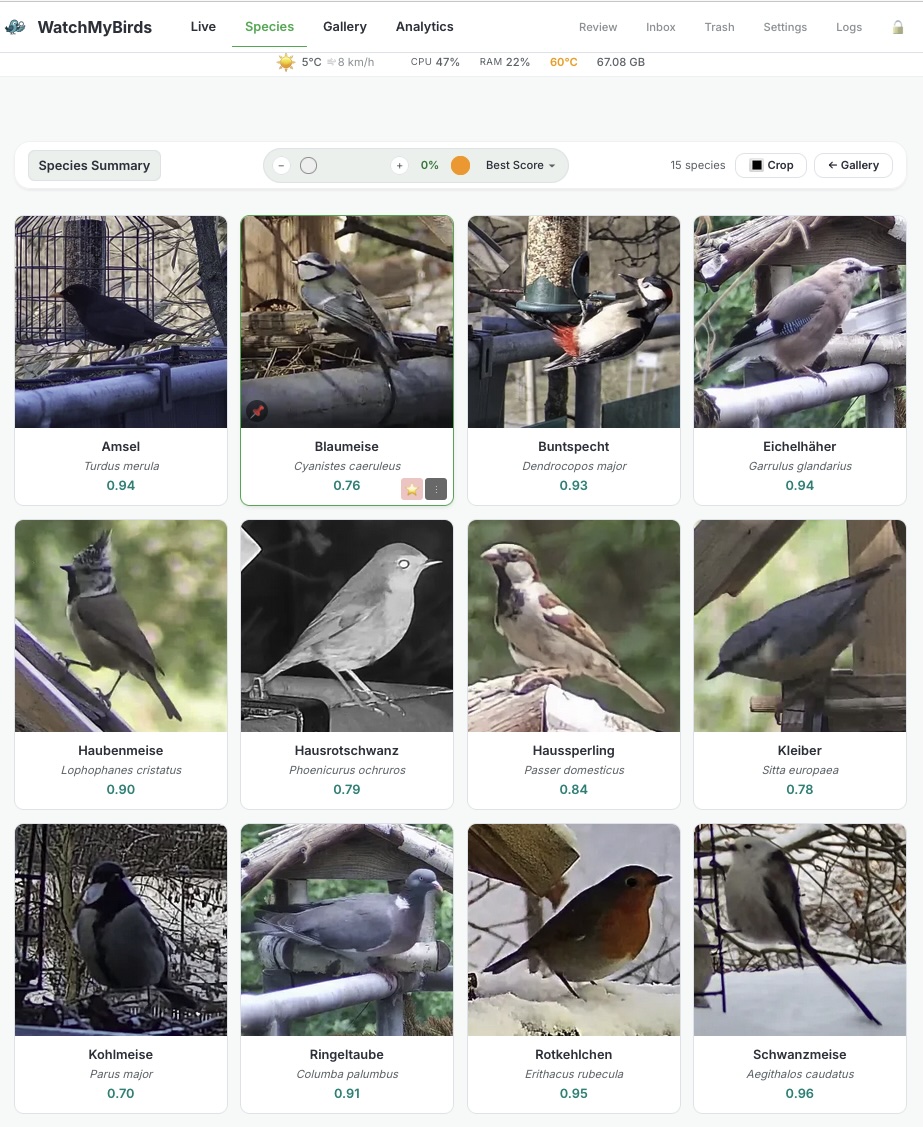 |
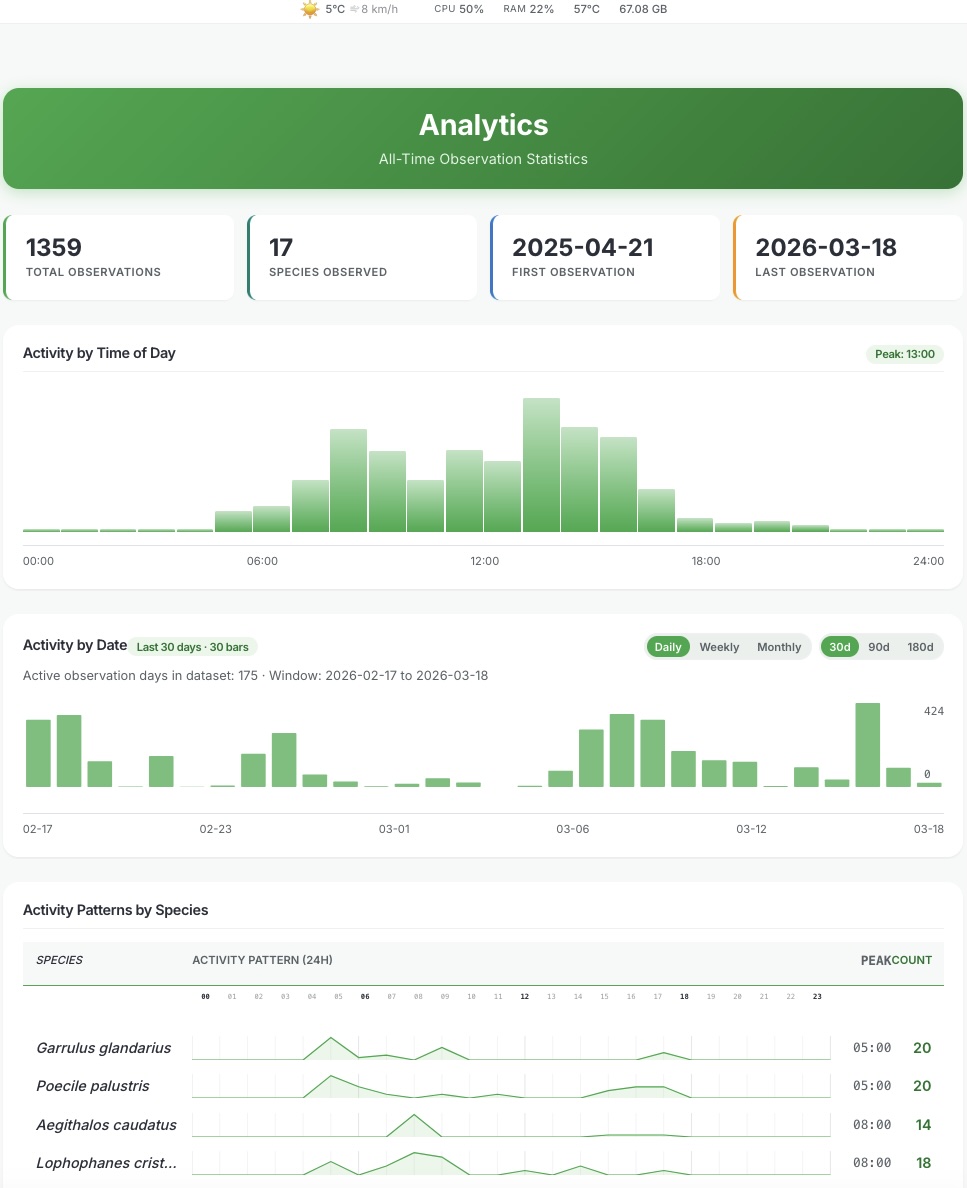 |
| Best of Species |
|---|
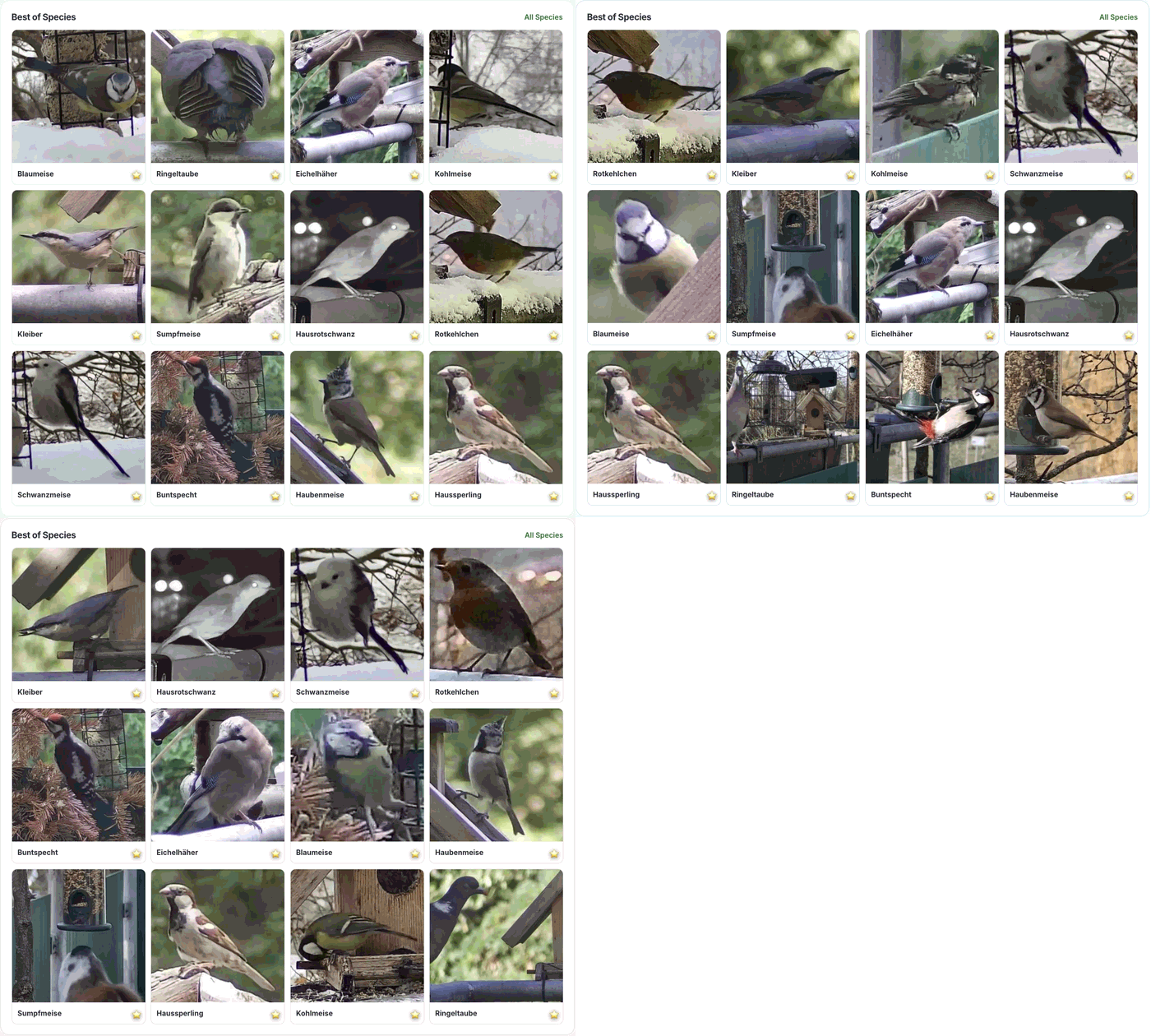 |
Documentation
| Document | Description |
|---|---|
| Architecture | System design and data flow |
| Invariants | Core rules that must never be violated |
| Security Policy | Hardening measures and vulnerability reporting |
| RPi Setup | Raspberry Pi appliance guide |
| Configuration | All settings explained |
Raspberry Pi Appliance
WatchMyBirds runs as a standalone appliance on Raspberry Pi with pre-built OS images.
First Boot
- Flash the image to SD card (use Raspberry Pi Imager)
- Boot the Pi — it creates an Access Point if no WiFi is configured:
- SSID:
WatchMyBirds-XXXX - Password:
watchmybirds
- SSID:
- Connect to AP and open http://192.168.4.1:8050/setup
- Enter your WiFi credentials and choose an admin password for protected pages
- Device reboots into client mode
- Access at http://watchmybirds.local:8050
Public pages stay available without login. Settings, review, delete, and other protected actions use the admin password you set during first setup.
See rpi/README.md for detailed setup instructions.
Performance
Measured with a 2560 x 1920 RTSP stream. Times vary with resolution, scene complexity, and number of detected birds.
| Detection | Classification (per bird) | Full cycle (1 bird) | |
|---|---|---|---|
| Raspberry Pi 5 (8 GB) | ~450–500 ms | ~300–400 ms | ~1.5–2.0 s |
| Raspberry Pi 4 (4 GB) | ~3.8–5.3 s | ~5.0–7.0 s | ~10–11 s |
ℹ️ The Raspberry Pi 5 (4 GB) is untested but will most likely run with performance close to the 8 GB variant — inference is compute-bound, not RAM-bound at this workload.
💡 Classification time scales linearly with the number of birds in the frame. A scene with 10 birds on an RPi 5 takes ~3–5 s total — on an RPi 4 the same scene would take well over a minute.
⚠️ RPi 4 numbers are measured per-cycle on a 2560×1920 RTSP stream with the current YOLOX-S detector and the active classifier (observed single-cycle pipelines 9993–11224 ms with 1 bird; DET 3821–5240 ms, CLS 5035–6982 ms per bird). The RPi 4 still works for low-traffic feeders, but for responsive live use the RPi 5 is strongly recommended.
Configuration
Configuration is loaded from environment variables and settings.yaml:
| Variable | Default | Description |
|---|---|---|
CAMERA_URL |
"" |
User-facing camera RTSP/HTTP URL |
STREAM_SOURCE_MODE |
auto |
Source policy: auto, relay, direct |
OUTPUT_DIR |
/output |
Storage for images and database |
EDIT_PASSWORD |
watchmybirds |
UI authentication password; Raspberry Pi appliances require you to replace this during first setup |
DETECTION_INTERVAL_SECONDS |
2.0 |
Pause between detection cycles |
Full reference: docs/CONFIGURATION.md
Privacy
WatchMyBirds runs entirely on your device. Nothing about your bird activity, images, or detections ever leaves it.
The only optional outbound traffic is an anonymous daily heartbeat (off by default) that helps count active installations — eight fields, no IP, no location, EU-only storage, raw rows deleted within 24 hours. You can opt in, opt out, rotate your ID, or firewall-block the endpoint at any time.
Full details, including what is sent, what is never sent, where the data
lives, and how to control it: docs/PRIVACY.md
(or visit /privacy in your running install).
Contributing
Contributions are welcome! Please:
- Open an issue to discuss major changes
- Keep pull requests focused and well-scoped
- Follow existing code style
See CONTRIBUTING.md for contribution guidance and docs/CONTRIBUTING.md for the detailed setup and workflow notes.
Community & Research Use
WatchMyBirds aims to support citizen science and ecological monitoring.
Possible use cases include:
- 🏡 Backyard bird monitoring
- 🌿 Biodiversity observation
- 🎓 Educational projects
- 🔬 Ecological research setups
- 📈 Long-term wildlife monitoring
The system is designed to run locally on affordable hardware to make wildlife observation accessible to a wide community.
Third-Party Tools & Data Sources


Data Sources
- Wikipedia — Species descriptions and images. Text and media available under CC BY-SA 4.0.
- Open-Meteo — Weather data via the Open-Meteo API, available under CC BY 4.0.
- iNaturalist — Localized common-name enrichment for the extended bird species catalog. See
docs/EXTENDED_SPECIES_CATALOG_POLICY.mdfor taxonomy policy.
Software & Tools
- Label Studio — Annotation tool by HumanSignal, Inc. Used through the Label Studio Academic Program (free access to Enterprise Cloud for non-commercial teaching and research).
- go2rtc — WebRTC/RTSP relay for low-latency camera streaming. Licensed under MIT.
Star History
License
This project is licensed under the Apache-2.0 License. See LICENSE for details.
Third-party components — This application integrates third-party services, models, and data sources that are governed by their own licenses and terms of use. See NOTICE and the Third-Party Tools & Data Sources section for details.