
Waydir
A cross-platform file manager with dual-pane navigation, tabs, and network drives. Built on Flutter with a native Rust core.
Native Rust core • Flutter UI • Keyboard-first



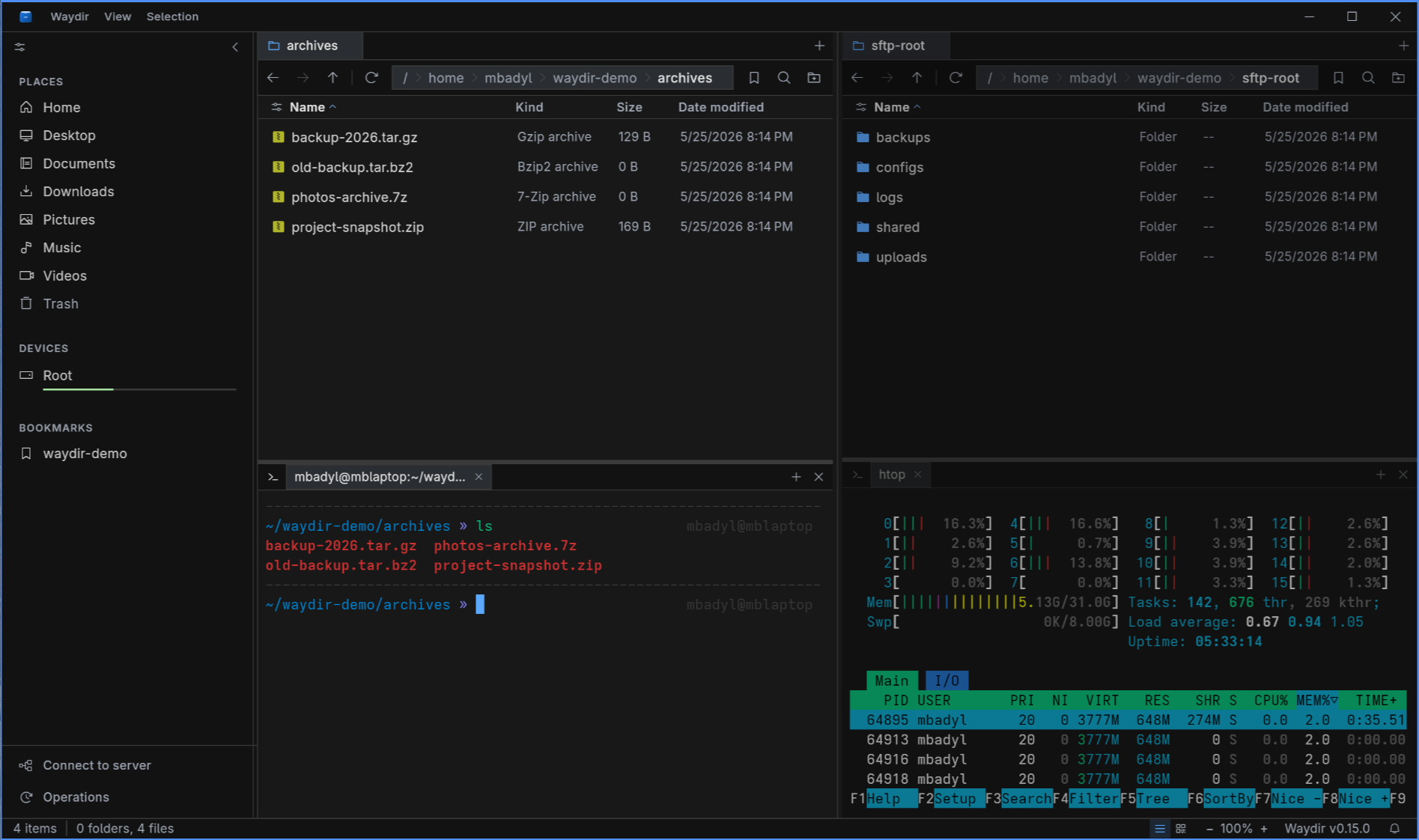
See it in action
Keyboard-driven navigation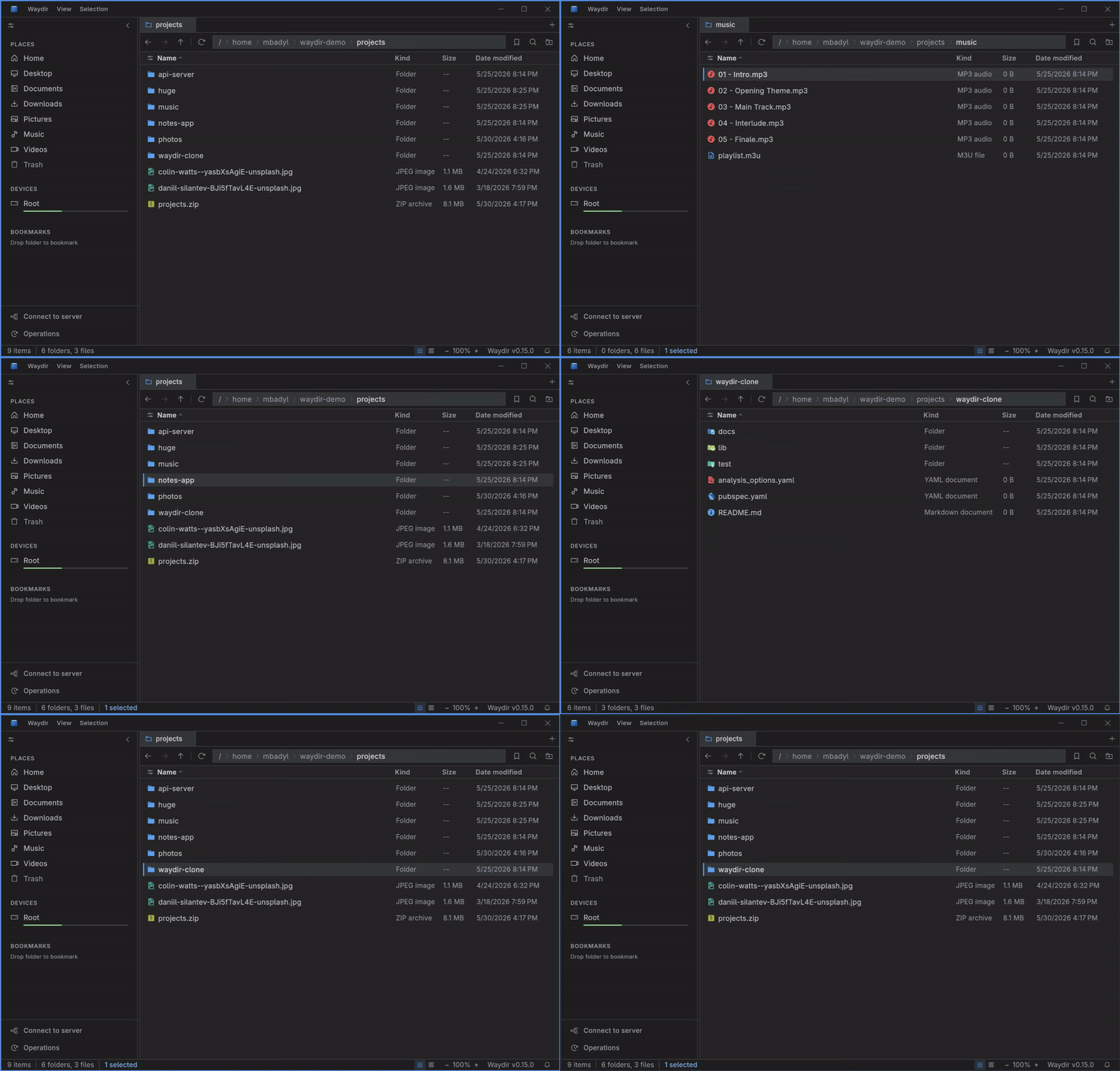
|
Dual-pane copy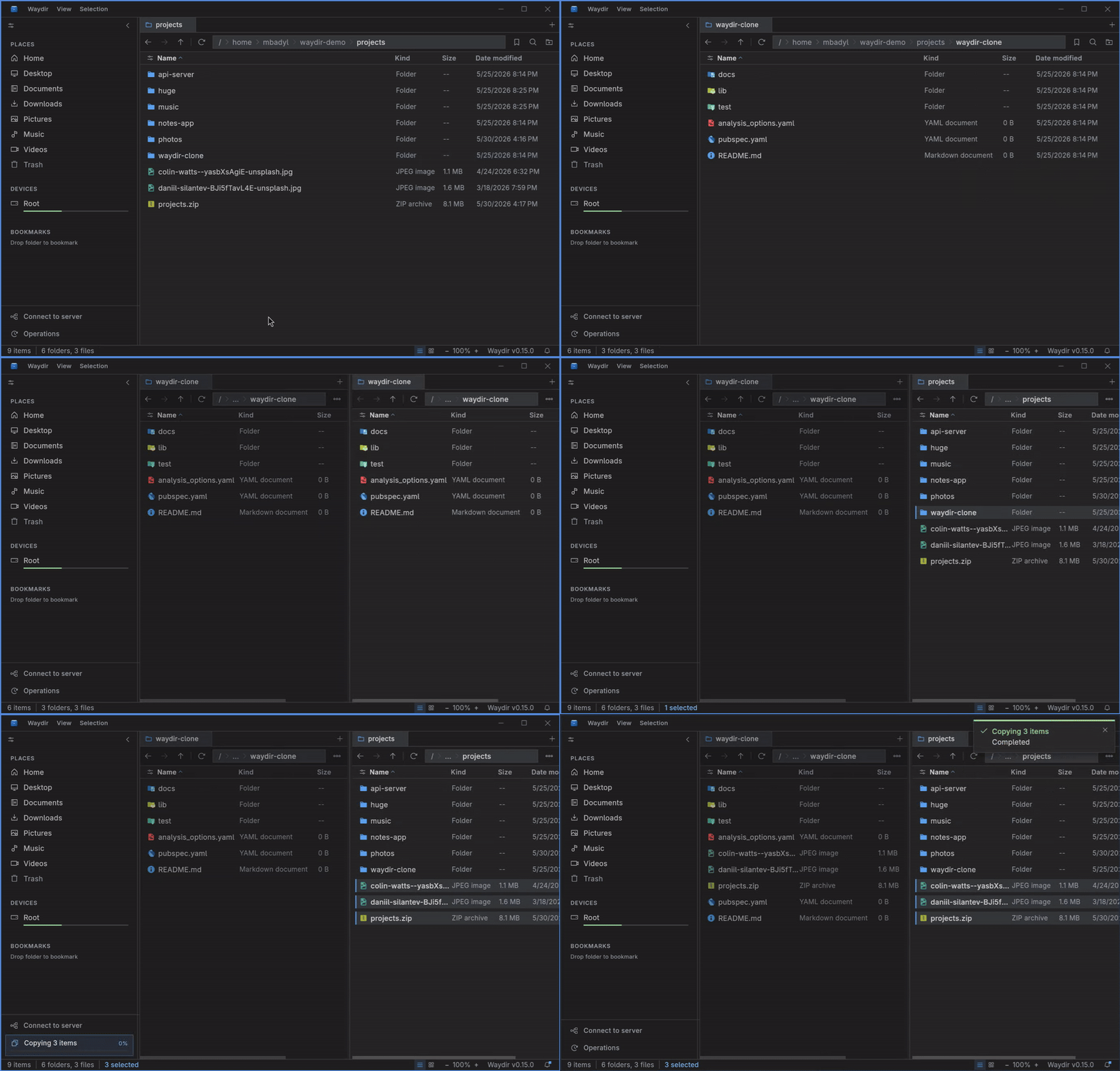
|
Quick Look preview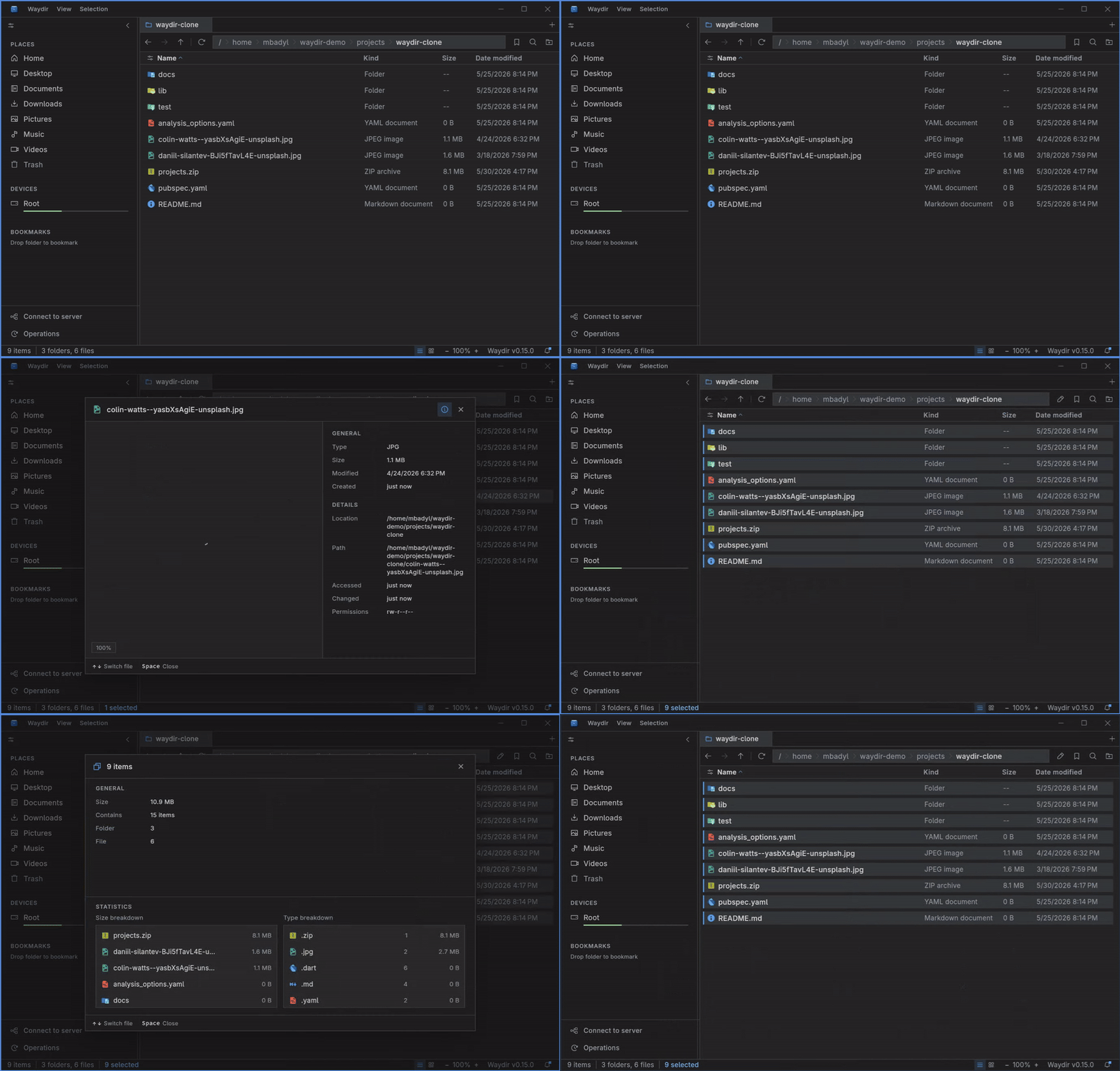
|
Live recursive search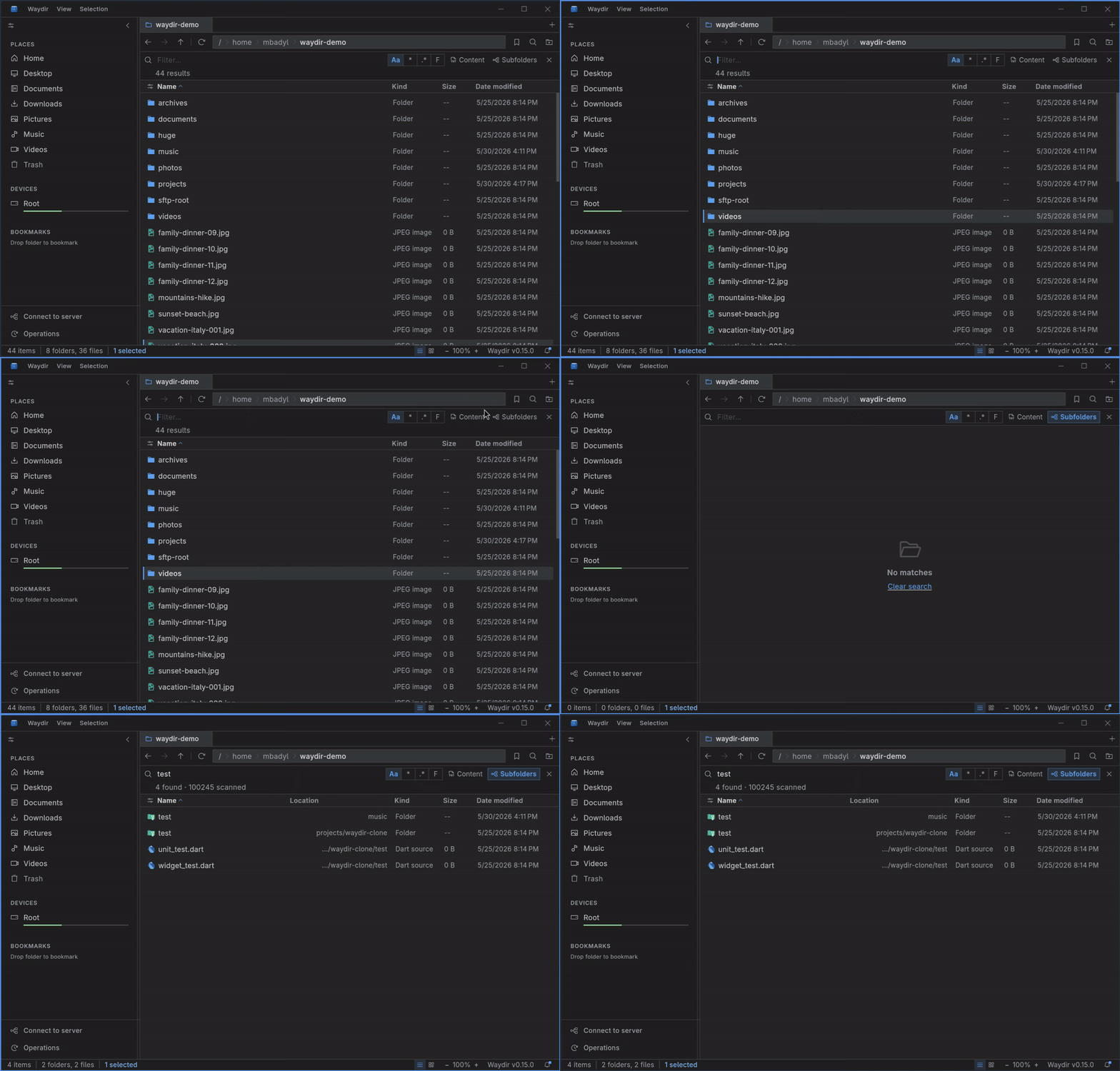
|
Browse remote files over SFTP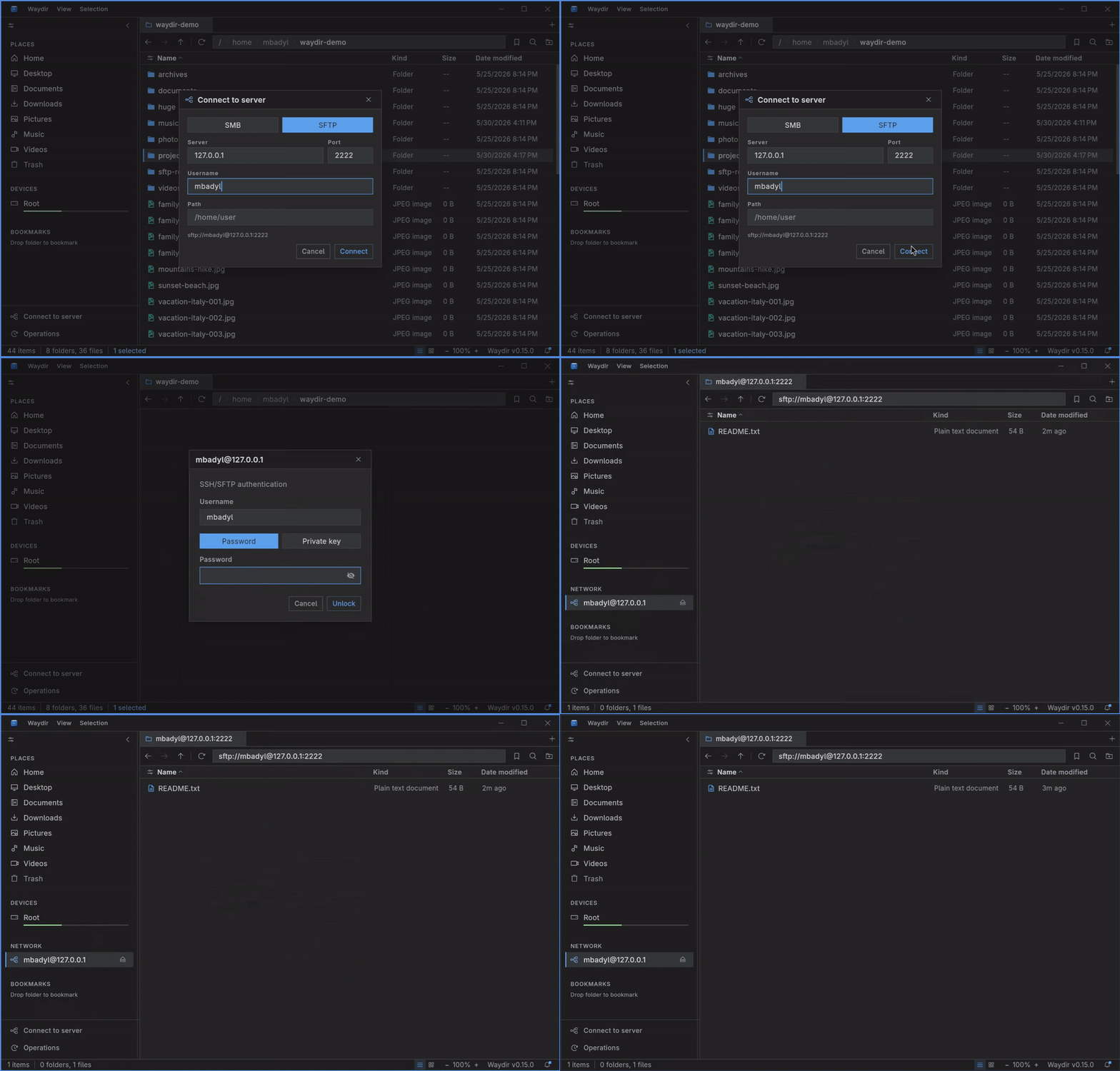
|
Archiving and browsing archives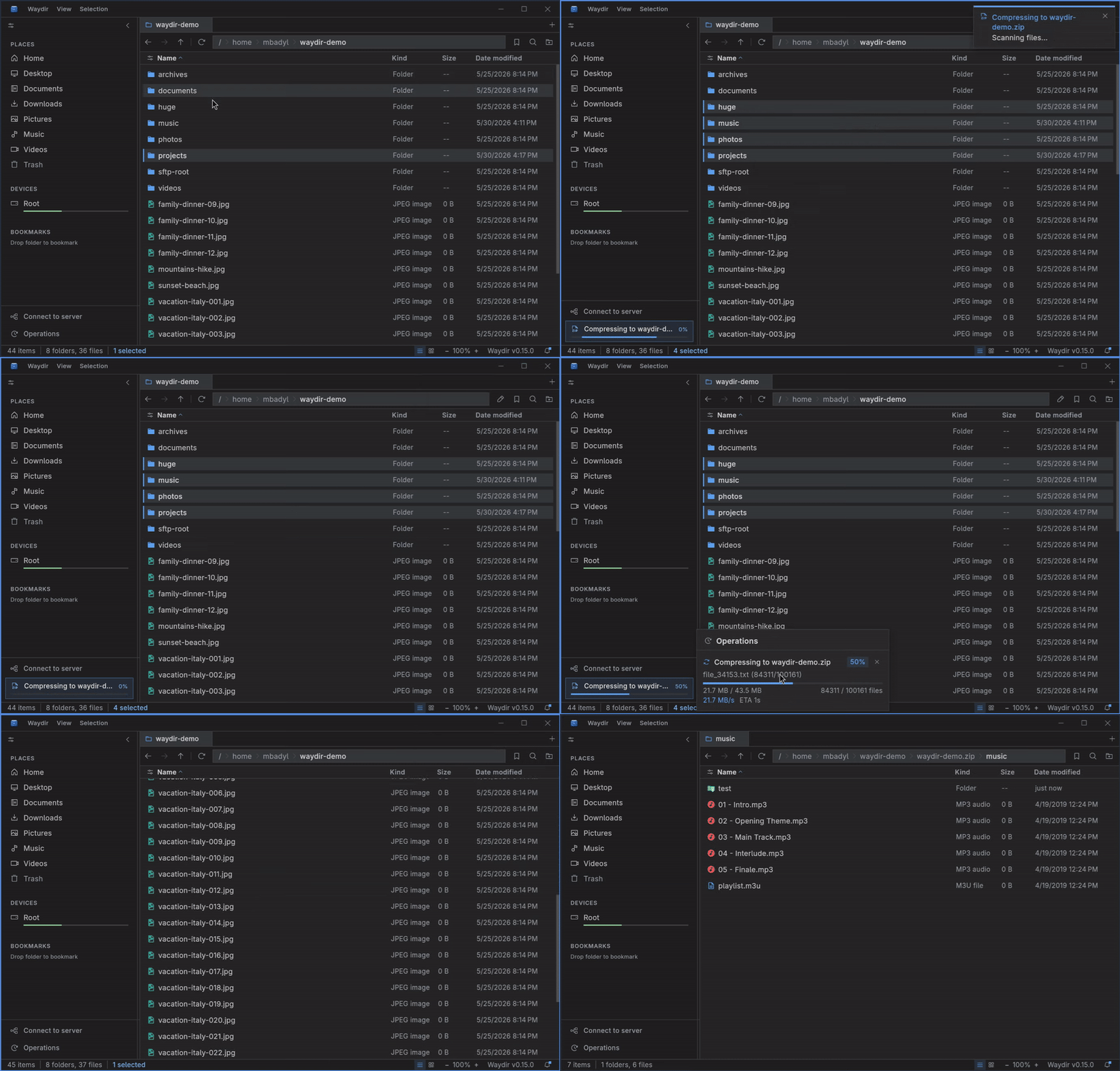
|
Built-in terminal per pane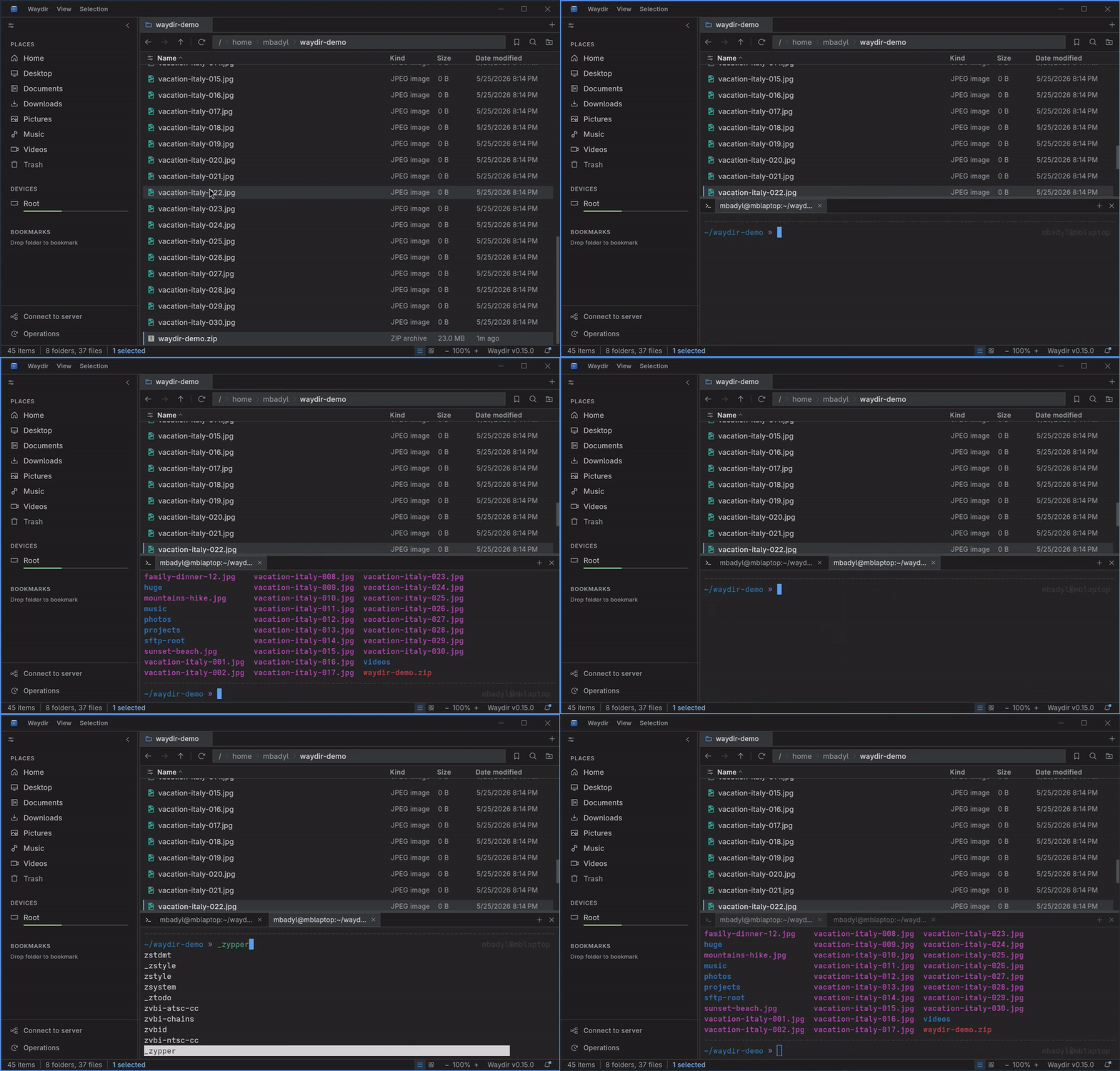
|
Tabs per pane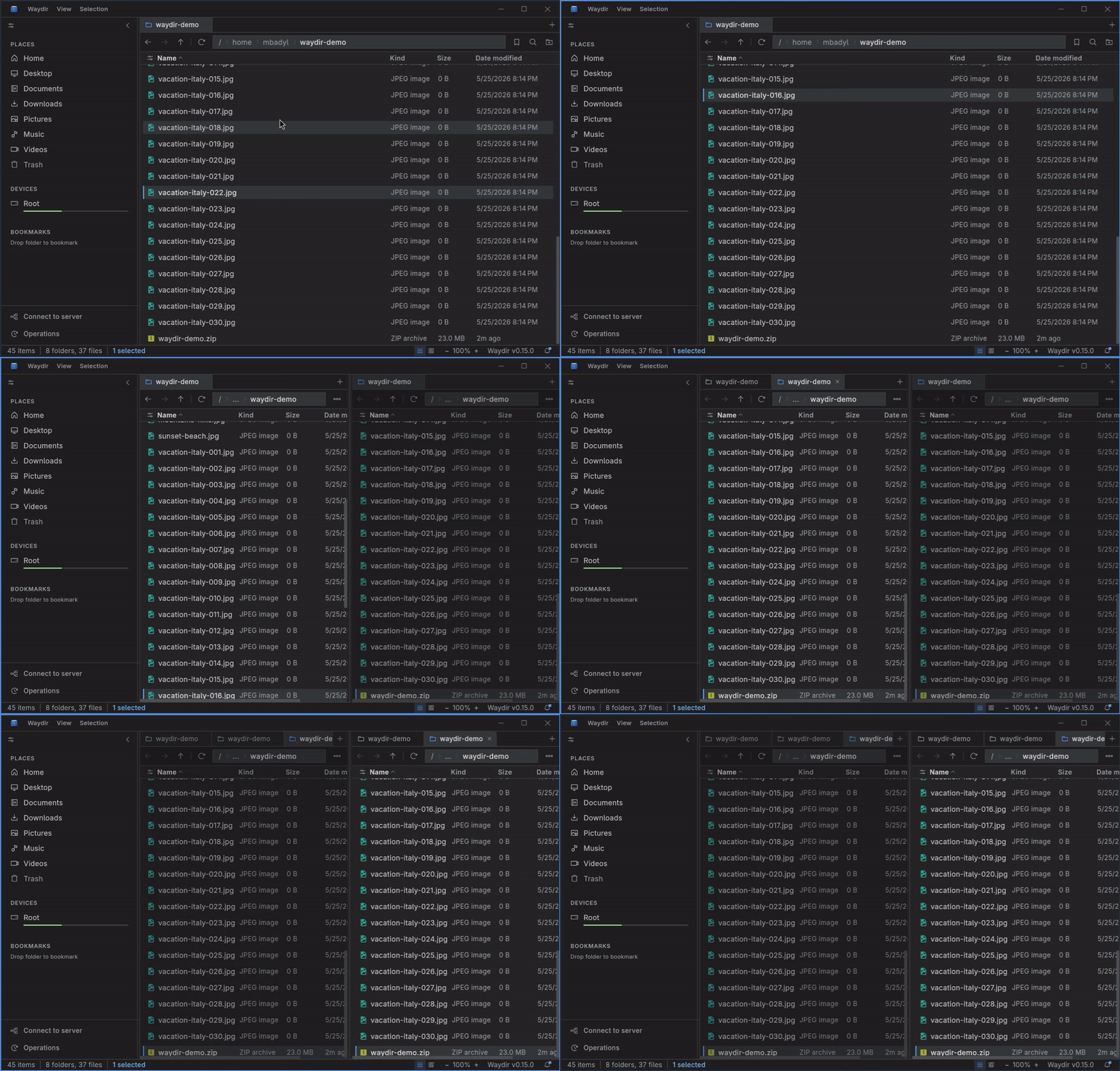
|
Filter search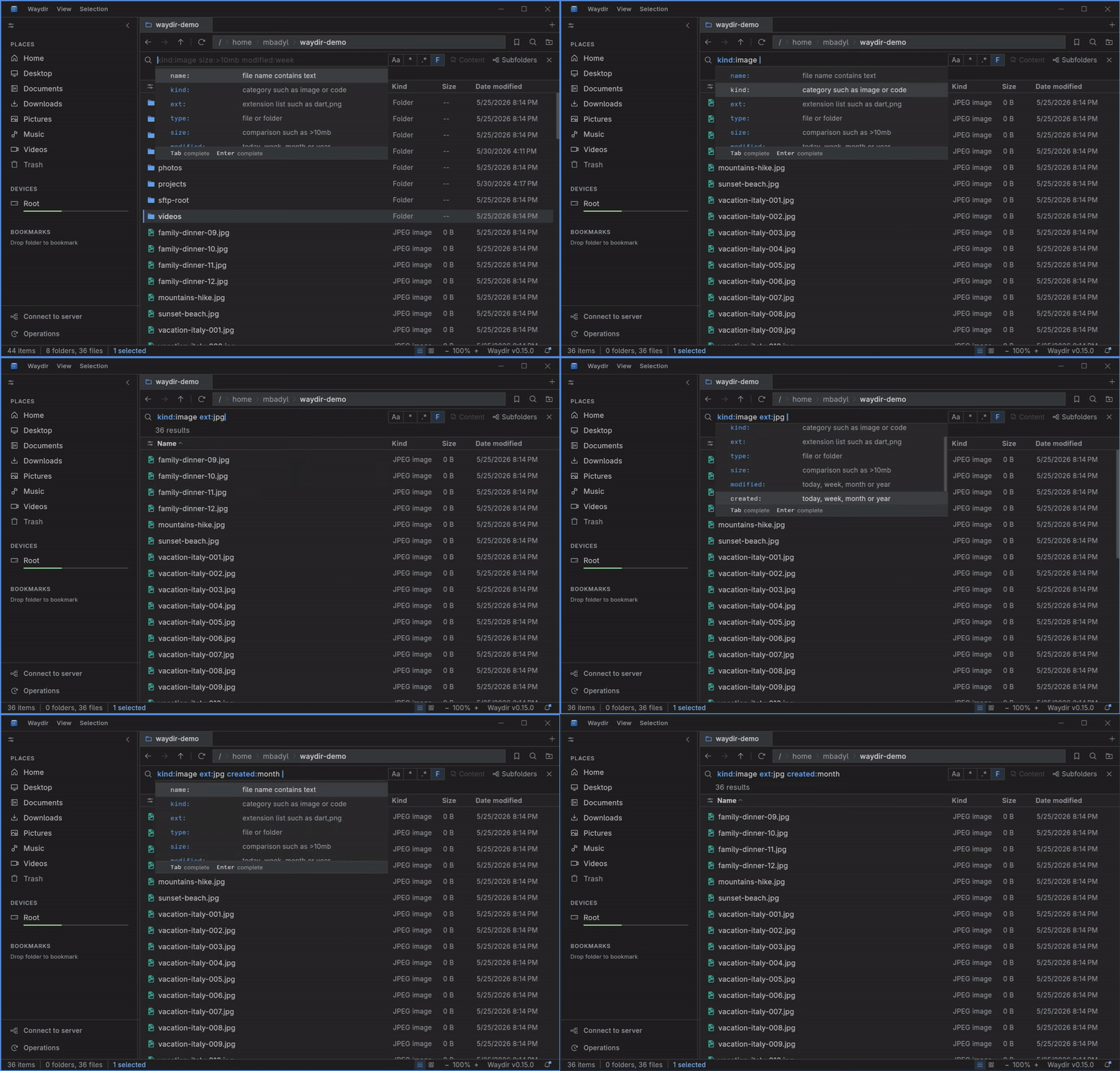
|
Customization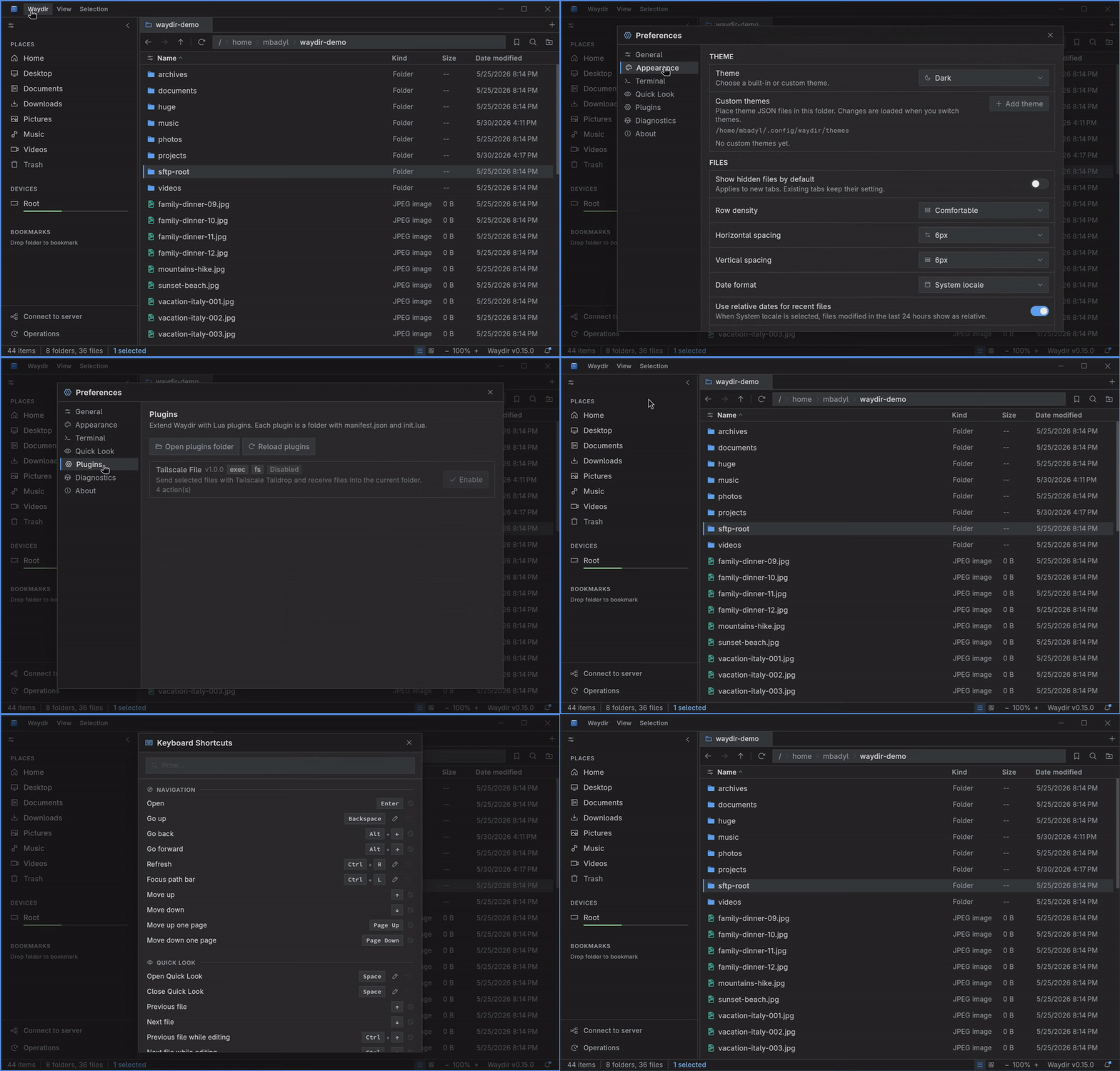
|
✨ Highlights
Native Rust coreListing, recursive search and trash run in a native Rust library, off the UI thread. 100k-file directories open without freezing. |
Keyboard-firstEvery operation has a shortcut. Dual panes, tabs, navigation, copy, move, search - all without leaving the keyboard. |
Network-nativeSMB and SFTP appear in the sidebar as drives. Browse, search, copy and Quick Look remote files like they're local. |
Dual panes, tabs, bookmarksSide-by-side panes with independent tabs and pinned locations. Built for moving files between places. |
🦀 How it works
Three layers, each doing what it's good at:
- Flutter UI for rendering and input. Reactive state via the
signalspackage. - Dart isolates for long-running operations: copy, move, delete, network transfers.
- Rust core (
waydir_core, loaded via FFI) for the heavy filesystem work: directory listing, recursive search, trash.
Persistence sits on drift + sqlite3. The UI thread does no I/O.
📦 Install
Grab the latest build from the Releases page. Waydir is distributed as native desktop packages and portable archives; pick the asset that matches your OS and CPU architecture.
Ubuntu / Debian
Recommended - package repository (auto-updates via apt upgrade):
curl -1sLf 'https://dl.cloudsmith.io/public/waydir/waydir-project/setup.deb.sh' | sudo -E bash
sudo apt install waydir
Or grab a single .deb from Releases:
sudo dpkg -i waydir-*.deb
Fedora / RHEL
Recommended - package repository (auto-updates via dnf upgrade):
curl -1sLf 'https://dl.cloudsmith.io/public/waydir/waydir-project/setup.rpm.sh' | sudo -E bash
sudo dnf install waydir
Or grab a single .rpm from Releases:
sudo rpm -i waydir-*.rpm
openSUSE
Recommended - package repository (auto-updates via zypper update):
curl -1sLf 'https://dl.cloudsmith.io/public/waydir/waydir-project/setup.rpm.sh' | sudo -E bash
sudo zypper install waydir
Or grab a single .rpm from Releases:
sudo rpm -i waydir-*.rpm
Other Linux
Portable builds from Releases run on any distro:
# AppImage (portable, no install)
chmod +x waydir-*.AppImage && ./waydir-*.AppImage

# Portable tarball
tar -xzf waydir-*-linux-x64.tar.gz && ./waydir
Package builds integrate with your desktop launcher. AppImage and tarball builds are portable and can be launched from any folder.
Package repository hosting is graciously provided by Cloudsmith, the only fully hosted, cloud-native, universal package management solution.
Windows
.exe installer or portable .zip. Run the installer, or unpack the archive
and launch waydir.exe.
macOS
.dmg package - drag Waydir to your Applications folder.
⚠️ macOS is not regularly tested. Linux and Windows are the primary development and testing targets. macOS builds come from the same codebase but expect rough edges - please report any issues.
🎯 Features
Navigation & layout
- Dual-pane mode with independent tabs in each pane
- Sidebar with favorites, devices, and pinned bookmarks
- A keyboard shortcut for every action
File operations
- Copy, move and delete with conflict resolution and live progress
- Trash-safe delete, cancellable mid-flight
- Clipboard integration; ZIP and TAR archives browsable in place
Network drives
- SMB and SFTP from the sidebar: mount, unmount, reconnect
- Remote files act like local ones: search, copy, preview, "Open with"
- Pooled connections, off-thread transfers, fine-grained progress
Search & preview
- Recursive search that streams results as it scans (substring, regex, glob)
- Quick Look on
Spacefor images, text and code - Per-type default apps and "Open with" picker
Terminal
- Embedded terminal per pane, opening in the current directory
- Toggle with `Ctrl+`` without leaving the keyboard
- Real PTY backed by Rust, runs your usual shell
Customization & integrations
- Light, Dark and Nord themes; custom themes via JSON
- Configurable density, sort, hidden files and date format
- Lua plugins for context actions, toolbar buttons, status bars, the top Plugins menu and shortcuts
- Git status bar with branch switching and stash management
🔌 Plugins
Plugins let you add small workflow actions without rebuilding Waydir. They are
plain Lua folders with a manifest.json and an init.lua; drop one into the
plugins folder, then reload from Preferences -> Plugins.
Plugin actions can appear in the selection context menu, background context
menu, top Plugins menu, location toolbar, keybindings, and compact global or
per-pane status bars. They run in a sandbox and request explicit permissions for
external commands (exec) or file operations (fs).
Start with docs/plugins.md or the working examples in docs/examples/plugins/. Fuller plugin documentation is available at waydir.dev/docs/plugins.
🔧 Build from source
Requirements: Flutter 3.35+, Dart 3.10+, Rust stable (rustup).
waydir_core (Rust) handles directory listing, search and delete - there is no Dart fallback.
git clone https://github.com/Waydir/Waydir.git
cd waydir
flutter pub get
cargo build --release --manifest-path rust/waydir_core/Cargo.toml
flutter run -d linux
The Rust build must be
--releaseand commands run from the repo root. Rebuild and restart the app after editingrust/waydir_core(no hot reload). For packaged builds usescripts/build_waydir_core.sh(Windows:scripts/build_waydir_core_windows.ps1).
Release binary
flutter build linux # or: windows / macos
🤝 Contributing
PRs are welcome. Before opening one:
dart format .flutter analyze- must be clean.flutter test- must be green.
CI runs the same three on every PR (see .github/workflows/). Keep commits focused; small PRs land faster than big ones.
If you're picking up something non-trivial, open an issue first so we can sync on the approach.