
WhatsBox
A file upload service that uses WhatsApp's media storage infrastructure. Files are uploaded to WhatsApp servers without being sent to anyone, leveraging WhatsApp's 2GB file limit and 30-day media retention.
Features
- Large File Support: Upload files up to 2GB using WhatsApp's media infrastructure
- Chunked Uploads: Resume interrupted uploads using the tus protocol
- Deduplication: SHA256-based file deduplication saves storage
- Password Protection: Optionally protect files with a password
- Auto-Expiry: Files automatically expire after 30 days (configurable)
- Download Limits: Set maximum download count per file
- Real-time Stats: Track uploads, downloads, and bandwidth usage
- Background Jobs: Automatic cleanup of expired files and stale uploads
Screenshots
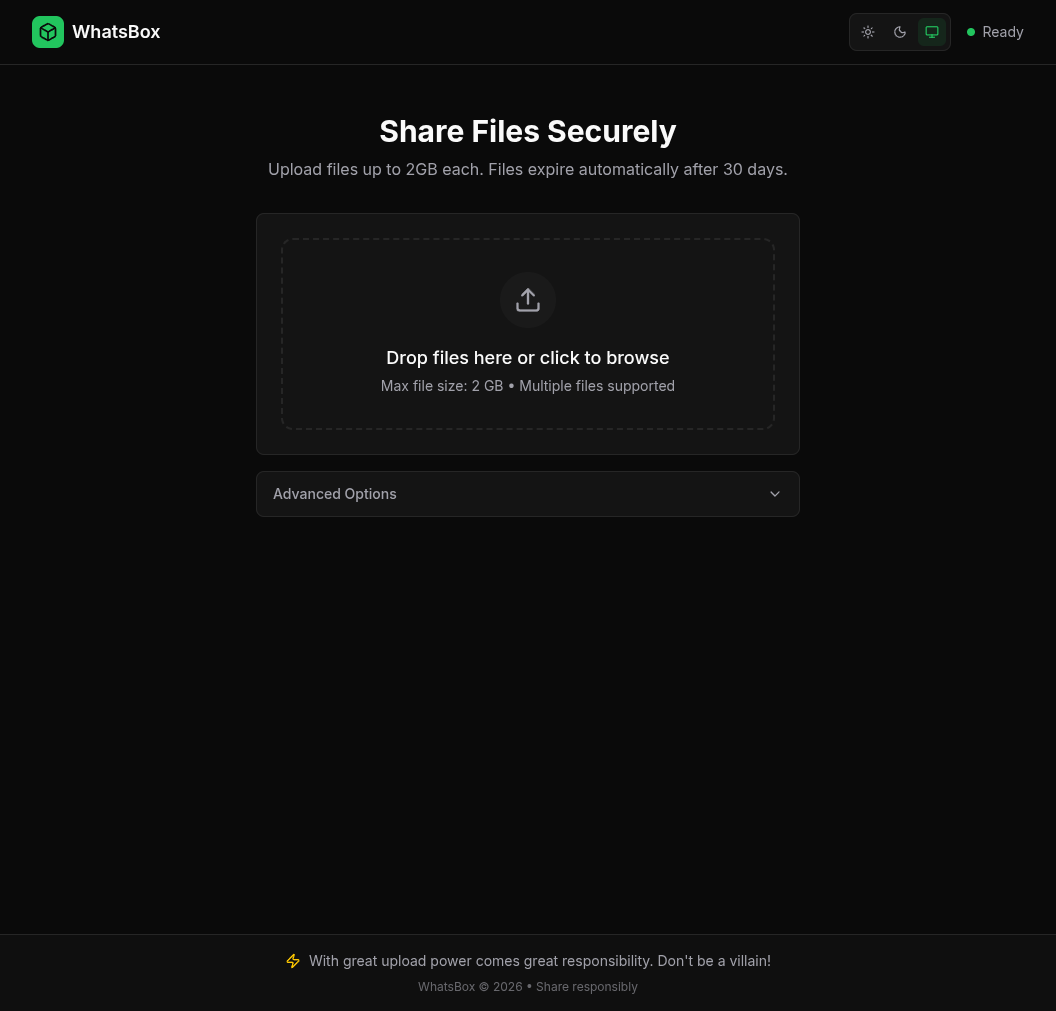
Homepage
Quick Start
Using Docker Compose (Recommended)
# Clone the repository
git clone https://github.com/salman0ansari/whatsbox.git
cd whatsbox

# Start the service
docker compose up -d

# View logs
docker compose logs -f
Building from Source
# Build
go build -o whatsbox ./cmd/server

# Run
./whatsbox
Configuration
Configuration is done via environment variables. Copy .env.example to .env and modify as needed:
| Variable | Default | Description |
|---|---|---|
PORT |
3000 |
Server port |
HOST |
0.0.0.0 |
Server host |
DATABASE_PATH |
./data/whatsbox.db |
SQLite database path |
WA_SESSION_PATH |
./data/wa_session.db |
WhatsApp session database |
TEMP_DIR |
./data/temp |
Temporary upload directory |
MAX_UPLOAD_SIZE |
2147483648 |
Max upload size (2GB) |
DEFAULT_EXPIRY_DAYS |
30 |
Default file expiry |
MAX_EXPIRY_DAYS |
30 |
Maximum allowed expiry |
SHORT_ID_LENGTH |
6 |
Length of file IDs |
LOG_LEVEL |
info |
Log level (debug, info, warn, error) |
LOG_FORMAT |
json |
Log format (json, console) |
SHUTDOWN_TIMEOUT |
30s |
Graceful shutdown timeout |
API Reference
Health Endpoints
Health Check
GET /health
Returns 200 OK if the service is running.
Readiness Check
GET /ready
Returns 200 OK if the service is ready (WhatsApp connected).
Admin Endpoints
Get QR Code
GET /api/admin/qr
Returns a QR code image for linking WhatsApp. Scan this with your WhatsApp app.
Get Status
GET /api/admin/status
Returns WhatsApp connection status and account info.
Logout
POST /api/admin/logout
Disconnects and removes the WhatsApp session.
Stats Endpoints
Get Real-time Stats
GET /api/admin/stats
Returns current upload/download counts, active transfers, and storage info.
Get Hourly Stats
GET /api/admin/stats/hourly?hours=24
Returns hourly aggregated statistics.
Get Daily Stats
GET /api/admin/stats/daily?days=30
Returns daily aggregated statistics.
File Endpoints
Upload File
POST /api/files
Content-Type: multipart/form-data
Form fields:
file(required): The file to uploaddescription: Optional descriptionpassword: Optional password protectionmax_downloads: Optional download limitexpires_in: Expiry time in seconds
Response:
{
  "id": "xK9mP2",
  "filename": "document.pdf",
  "mime_type": "application/pdf",
  "file_size": 1048576,
  "download_url": "/api/files/xK9mP2/download",
  "expires_at": "2026-03-02T00:00:00Z"
}
List Files
GET /api/files?limit=20&offset=0
Get File Metadata
GET /api/files/:id
Download File
GET /api/files/:id/download
X-Password: optional-password
Delete File
DELETE /api/files/:id
Chunked Upload (tus Protocol)
For large files, use the tus protocol for resumable uploads.
Create Upload
POST /api/upload
Tus-Resumable: 1.0.0
Upload-Length: 1048576
Upload-Metadata: filename dGVzdC50eHQ=,description SGVsbG8gV29ybGQ=
Get Upload Offset
HEAD /api/upload/:id
Tus-Resumable: 1.0.0
Upload Chunk
PATCH /api/upload/:id
Tus-Resumable: 1.0.0
Upload-Offset: 0
Content-Type: application/offset+octet-stream

[binary data]
Cancel Upload
DELETE /api/upload/:id
Architecture
whatsbox/
├── cmd/server/          # Application entry point
├── internal/
│   ├── config/          # Configuration management
│   ├── database/        # SQLite database and models
│   ├── handlers/        # HTTP handlers
│   ├── jobs/            # Background job scheduler
│   ├── logging/         # Structured logging
│   ├── middleware/      # HTTP middleware
│   ├── stats/           # Real-time stats collector
│   ├── utils/           # Utilities
│   └── whatsapp/        # WhatsApp client wrapper
├── Dockerfile
├── docker-compose.yml
└── .env.example
How It Works
-
Authentication: On first start, scan the QR code from
/api/admin/qrwith your WhatsApp app to link the account. -
Upload: When a file is uploaded, it's sent to WhatsApp's servers as media. The returned
DirectPathandMediaKeyare stored in the database. -
Download: When downloading, the file is fetched from WhatsApp servers using the stored credentials and streamed to the client.
-
Expiry: WhatsApp media URLs expire after ~30 days. Background jobs mark expired files and clean up stale data.
Limitations
- Files are limited to 2GB (WhatsApp's maximum)
- Files expire after 30 days (WhatsApp's media retention policy)
- Requires a dedicated WhatsApp account
- Single-account mode (one WhatsApp account per instance)
License
MIT