Home
Softono
whisper-money

whisper-money

Open source TypeScript
1K
Stars
89
Forks
5
Issues
5
Watchers
5 days
Last Commit

About whisper-money

Whisper Money

Deutsch | Español | français | 日本語 | 한국어 | Português | Русский | 中文

# Whisper Money [![CC BY-NC 4.0][cc-by-nc-shield]][cc-by-nc] **The most secure way to understand your finances.** Whisper Money is a privacy-first personal finance application that helps you track, categorize, and understand your spending—all while keeping your financial data encrypted and secure. > 🎮 **Try the Demo:** Experience Whisper Money with our [demo account](https://whisper.money/login?demo=1) - no registration required! > 💬 **Join our Community:** Whether you're a user looking for help or a developer wanting to contribute, we'd love to have you in our [Discord server](https://discord.gg/m8hUhx6D9D)! Share feedback, ask questions, discuss new features, or just hang out with fellow privacy enthusiasts. ## Features - 🔐 **Privacy-first** — Your data is never shared with third parties. You own it - 🏦 **Bank account management** — Track multiple accounts in one place - 📊 **Transaction categorization** — Automatic and manual categorization - 🤖 **Automation rules** — Set up rules to auto-categorize transactions - 📈 **Financial insights** — Understand your spending patterns ## Tech Stack - **Backend:** Laravel 12, PHP 8.4 - **Frontend:** React 19, Inertia.js v2, TypeScript - **Styling:** Tailwind CSS v4 - **Database:** MySQL - **Cache/Queue:** Redis - **Testing:** Pest v4 ## Running Locally ### Quick Start (Recommended) The easiest way to get started is using our automated setup script: ```bash bash <(curl -fsSL https://whisper.money/setup.sh) ``` After installation, just visit **** in your browser. ### Manual Setup If you prefer to set up manually: 1. **Clone the repository:** ```bash git clone https://github.com/whisper-money/whisper-money.git cd whisper-money ``` 1. **Run the setup script:** ```bash whispermoney install ``` ### Available Commands > **Important:** You must run `whispermoney install` before using any other command. If you skip the install step, commands like `start` will not work. Once installed, you can use the `whispermoney` command for common tasks: ```bash # Start all services whispermoney start # Stop all services whispermoney stop # Upgrade to latest version whispermoney upgrade # Interactive menu whispermoney ``` ### Development Server For active development with hot reloading: ```bash composer run dev ``` This will concurrently start: - PHP development server (via [Portless](https://portless.sh) HTTPS proxy) - Queue worker - Log viewer (Pail) - Vite dev server The application will be available at ****. In git worktrees, the branch name is automatically prepended (e.g. `https://fix-ui.dev.whisper.money.localhost`). ## Running with Docker (Production Image) For testing the production Docker image locally: 1. **Copy the production environment file:** ```bash cp .env.production.example .env ``` 1. **Start the services:** ```bash docker compose -f docker-compose.production.yml up -d ``` The application will be available at `http://localhost:8080`. To use a different port, set `APP_PORT`: ```bash APP_PORT=3000 docker compose -f docker-compose.production.yml up -d ``` ## Deploying to Coolify Whisper Money can be easily deployed to [Coolify](https://coolify.io) using our Docker Compose template. ### Quick Deploy 1. In Coolify, create a new resource and select **Docker Compose** 2. Choose **Empty Compose File** as the source 3. Paste the contents from our template: 👉 **[whisper-money.yaml](https://raw.githubusercontent.com/whisper-money/whisper-money/main/templates/coolify/whisper-money.yaml)** 4. Deploy! The template includes: - Whisper Money application container - MySQL 8.0 database with health checks - Persistent volumes for data and storage - Auto-generated database credentials ### Required Environment Variables | Variable | Description | | ---------------- | ---------------------------------------------------------- | | `RESEND_API_KEY` | Email service API key (for password resets, notifications) | > **Note**: `APP_KEY` and `APP_URL` are auto-configured. The container generates an `APP_KEY` on first startup if not provided. ### Optional Environment Variables | Variable | Default | Description | | ----------------------- | ------- | -------------------------------------------------- | | `DRIP_EMAILS_ENABLED` | `true` | Enable drip emails (welcome, onboarding, feedback) | | `HIDE_AUTH_BUTTONS` | `false` | Hide login/register buttons on landing page | | `SUBSCRIPTIONS_ENABLED` | `false` | Enable Stripe subscriptions | | `STRIPE_KEY` | - | Stripe publishable key | | `STRIPE_SECRET` | - | Stripe secret key | | `STRIPE_WEBHOOK_SECRET` | - | Stripe webhook signing secret | ## Star History [![Star History Chart](https://api.star-history.com/svg?repos=whisper-money/whisper-money&type=date&legend=top-left)](https://www.star-history.com/#whisper-money/whisper-money&type=date&legend=top-left) ## License This work is licensed under a [Creative Commons Attribution-NonCommercial 4.0 International License][cc-by-nc]. [cc-by-nc]: https://creativecommons.org/licenses/by-nc/4.0/ [cc-by-nc-shield]: https://img.shields.io/badge/License-CC%20BY--NC%204.0-lightgrey.svg

Platforms

Web Self-hosted

Languages

TypeScript

Whisper Money

Deutsch | Español | français | 日本語 | 한국어 | Português | Русский | 中文

Whisper Money

[![CC BY-NC 4.0][cc-by-nc-shield]][cc-by-nc]

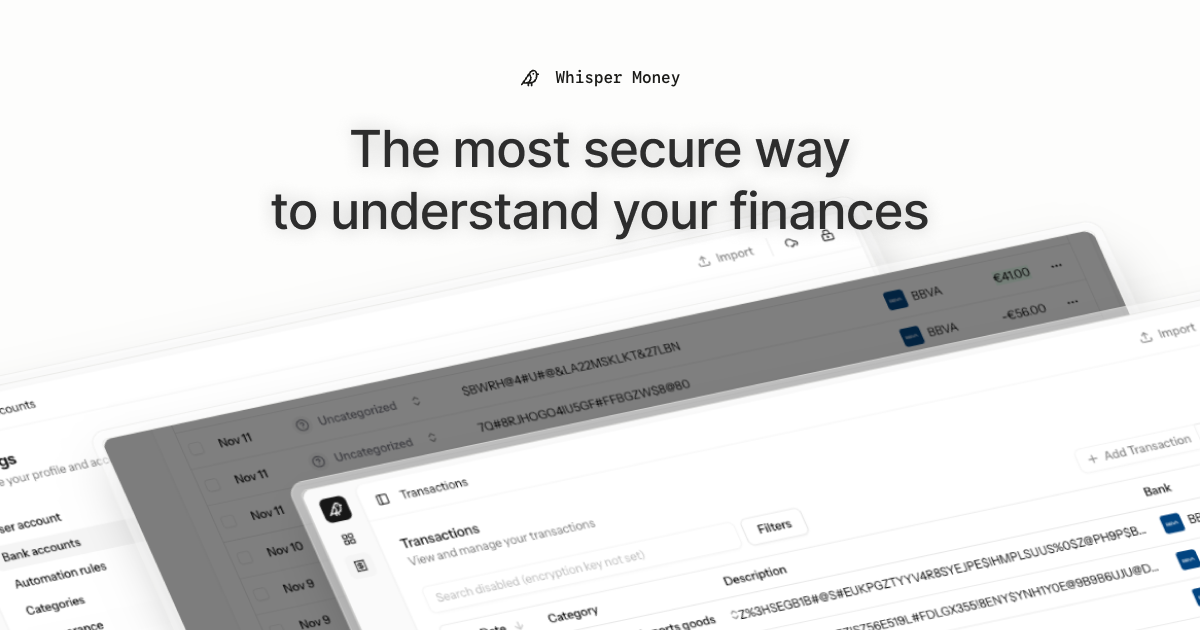
The most secure way to understand your finances.

Whisper Money is a privacy-first personal finance application that helps you track, categorize, and understand your spending—all while keeping your financial data encrypted and secure.

🎮 Try the Demo: Experience Whisper Money with our demo account - no registration required!

💬 Join our Community: Whether you're a user looking for help or a developer wanting to contribute, we'd love to have you in our Discord server! Share feedback, ask questions, discuss new features, or just hang out with fellow privacy enthusiasts.

Features

  • 🔐 Privacy-first — Your data is never shared with third parties. You own it
  • 🏦 Bank account management — Track multiple accounts in one place
  • 📊 Transaction categorization — Automatic and manual categorization
  • 🤖 Automation rules — Set up rules to auto-categorize transactions
  • 📈 Financial insights — Understand your spending patterns

Tech Stack

  • Backend: Laravel 12, PHP 8.4
  • Frontend: React 19, Inertia.js v2, TypeScript
  • Styling: Tailwind CSS v4
  • Database: MySQL
  • Cache/Queue: Redis
  • Testing: Pest v4

Running Locally

Quick Start (Recommended)

The easiest way to get started is using our automated setup script:

bash <(curl -fsSL https://whisper.money/setup.sh)

After installation, just visit https://whisper.money.localhost in your browser.

Manual Setup

If you prefer to set up manually:

  1. Clone the repository:
git clone https://github.com/whisper-money/whisper-money.git
cd whisper-money
  1. Run the setup script:
whispermoney install

Available Commands

Important: You must run whispermoney install before using any other command. If you skip the install step, commands like start will not work.

Once installed, you can use the whispermoney command for common tasks:

# Start all services
whispermoney start

# Stop all services
whispermoney stop

# Upgrade to latest version
whispermoney upgrade

# Interactive menu
whispermoney

Development Server

For active development with hot reloading:

composer run dev

This will concurrently start:

  • PHP development server (via Portless HTTPS proxy)
  • Queue worker
  • Log viewer (Pail)
  • Vite dev server

The application will be available at https://dev.whisper.money.localhost. In git worktrees, the branch name is automatically prepended (e.g. https://fix-ui.dev.whisper.money.localhost).

Running with Docker (Production Image)

For testing the production Docker image locally:

  1. Copy the production environment file:
cp .env.production.example .env
  1. Start the services:
docker compose -f docker-compose.production.yml up -d

The application will be available at http://localhost:8080.

To use a different port, set APP_PORT:

APP_PORT=3000 docker compose -f docker-compose.production.yml up -d

Deploying to Coolify

Whisper Money can be easily deployed to Coolify using our Docker Compose template.

Quick Deploy

  1. In Coolify, create a new resource and select Docker Compose
  2. Choose Empty Compose File as the source
  3. Paste the contents from our template: 👉 whisper-money.yaml
  4. Deploy!

The template includes:

  • Whisper Money application container
  • MySQL 8.0 database with health checks
  • Persistent volumes for data and storage
  • Auto-generated database credentials

Required Environment Variables

Variable Description
RESEND_API_KEY Email service API key (for password resets, notifications)

Note: APP_KEY and APP_URL are auto-configured. The container generates an APP_KEY on first startup if not provided.

Optional Environment Variables

Variable Default Description
DRIP_EMAILS_ENABLED true Enable drip emails (welcome, onboarding, feedback)
HIDE_AUTH_BUTTONS false Hide login/register buttons on landing page
SUBSCRIPTIONS_ENABLED false Enable Stripe subscriptions
STRIPE_KEY - Stripe publishable key
STRIPE_SECRET - Stripe secret key
STRIPE_WEBHOOK_SECRET - Stripe webhook signing secret

Star History

Star History Chart

License

This work is licensed under a Creative Commons Attribution-NonCommercial 4.0 International License.
