
WordPress UIkit Starter Theme
A WordPress starter theme for developers using the frontend framework UIkit.
NOTICE: This theme is still in development. You might miss some features.
- Issues - Report bugs
Theme Features
- Full responsive theme
- Two-level dropdown navigation with offcanvas-navigation for smaller devices
- Main sidebar on the right side and horizontal footer sidebar with auto-columns
- Support for featured image in posts
- Gallery-tag support with UIkit slideshow and gallery
- Header-image support
Screenshot
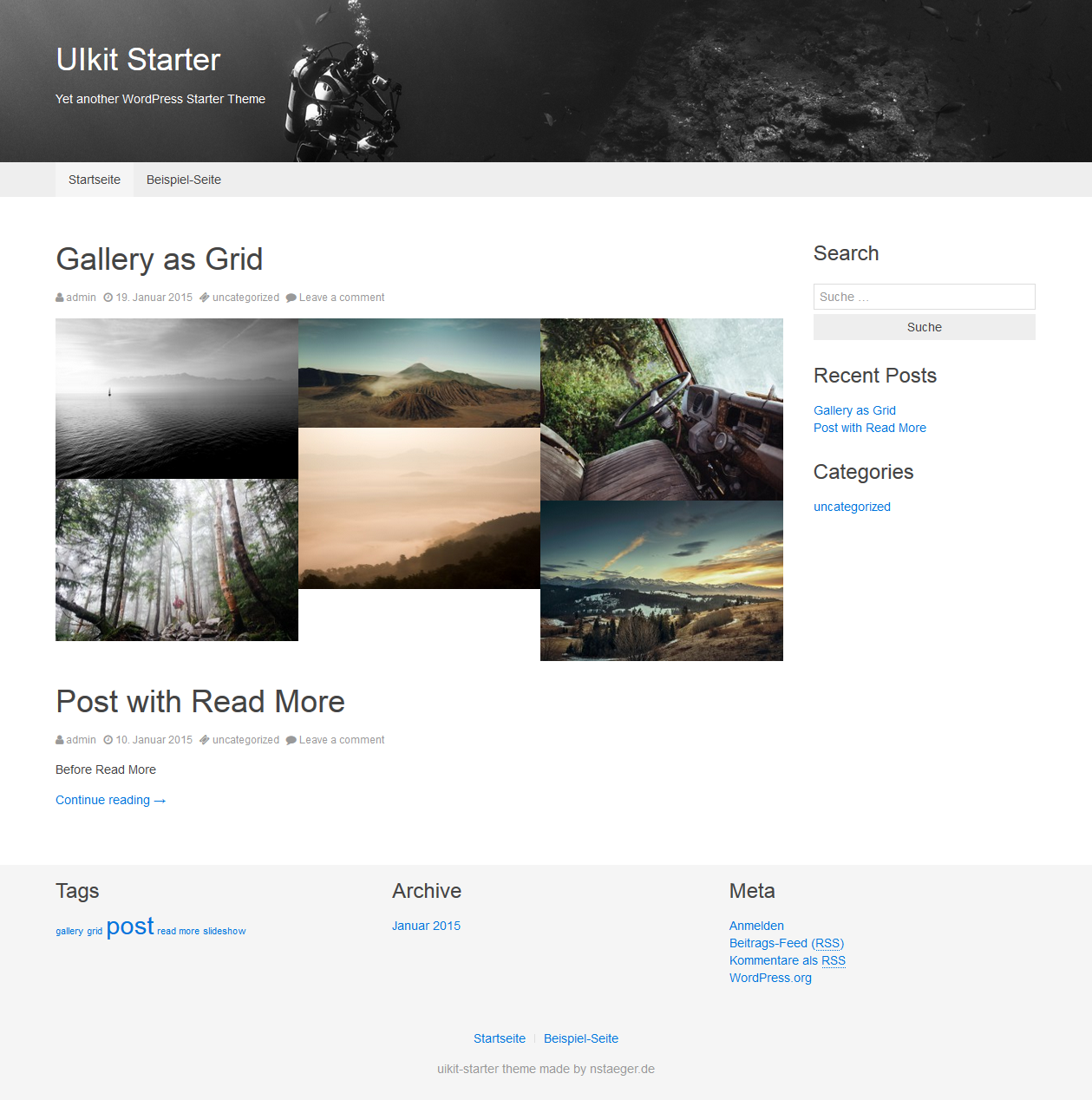
Getting started
git clone [email protected]:nstaeger/WordPress-UIkit-Starter-Theme.gitinto thewp-content/themesfolder of your WordPress-installation.- Go to the WordPress administration-panel and activate the theme.
Developers
You will need Git, Node, Bower and Gulp installed, before you start. It is also recommended, to have a running installation of WordPress.
Before you start, follow these steps.
git clone [email protected]:nstaeger/WordPress-UIkit-Starter-Theme.gitinto thewp-content/themesfolder of your WordPress-installation.cd WordPress-UIkit-starter-themenpm install
Bower
This theme uses Bower to manage its dependencies like jQuery and UIkit. You can get the latest versions of those by running bower install in the themes folder.
Gulp
You can use Gulp to compile the less files and other stuff. Here are a few tasks, that come with the theme:
gulp compile-lessCompiles the UIkit and theme-specific Less files into your CSS folder.gulp copy-fontCopies the UIkit font files to thefontsdirectory.gulp minify-jsMinifies all JS-files to anall.min.js.gulp watchWatches theless/-folder for changes. If changes are made, the CSS-file will be recompiled.