
WOWY E-commerce Platform 🛍️
A full-featured e-commerce platform built with Django, featuring a robust admin panel and modern user interface.
WOWY is a modern, full-featured e-commerce platform built with Django 4.x, designed to provide a seamless shopping experience for both customers and administrators. This comprehensive solution offers robust product management with multi-image support, real-time cart operations, and wishlist functionality, alongside a powerful admin dashboard for detailed analytics and reporting. The platform features a clean, responsive design that works flawlessly across all devices, while incorporating essential e-commerce capabilities like PDF invoice generation, dynamic category management, and detailed sales tracking. With its focus on user experience and administrative efficiency, WOWY provides everything needed to run a successful online store, from comprehensive product catalogs to advanced customer engagement tools, all backed by a solid Django foundation.
Live: Demo
📸 Screenshots
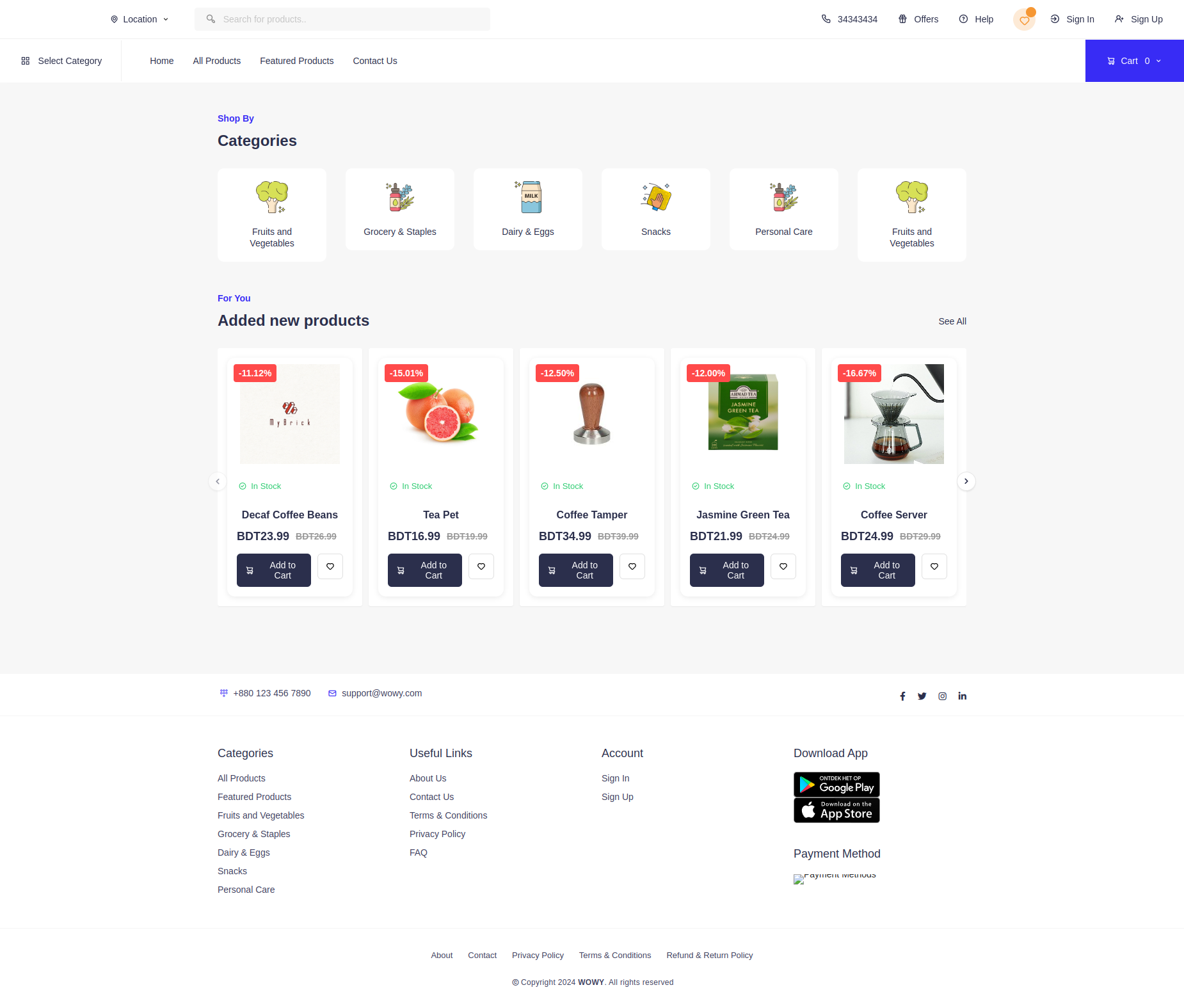 Home page with product listings and category navigation
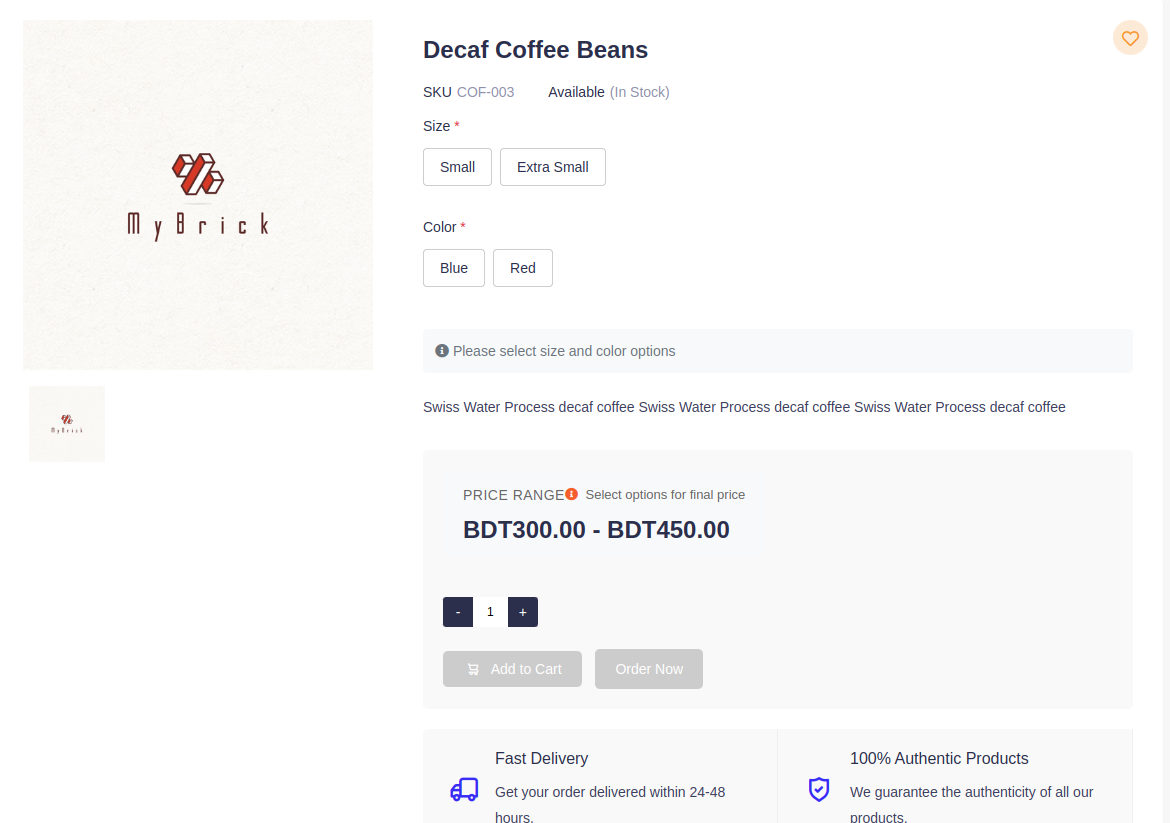 Product variant page
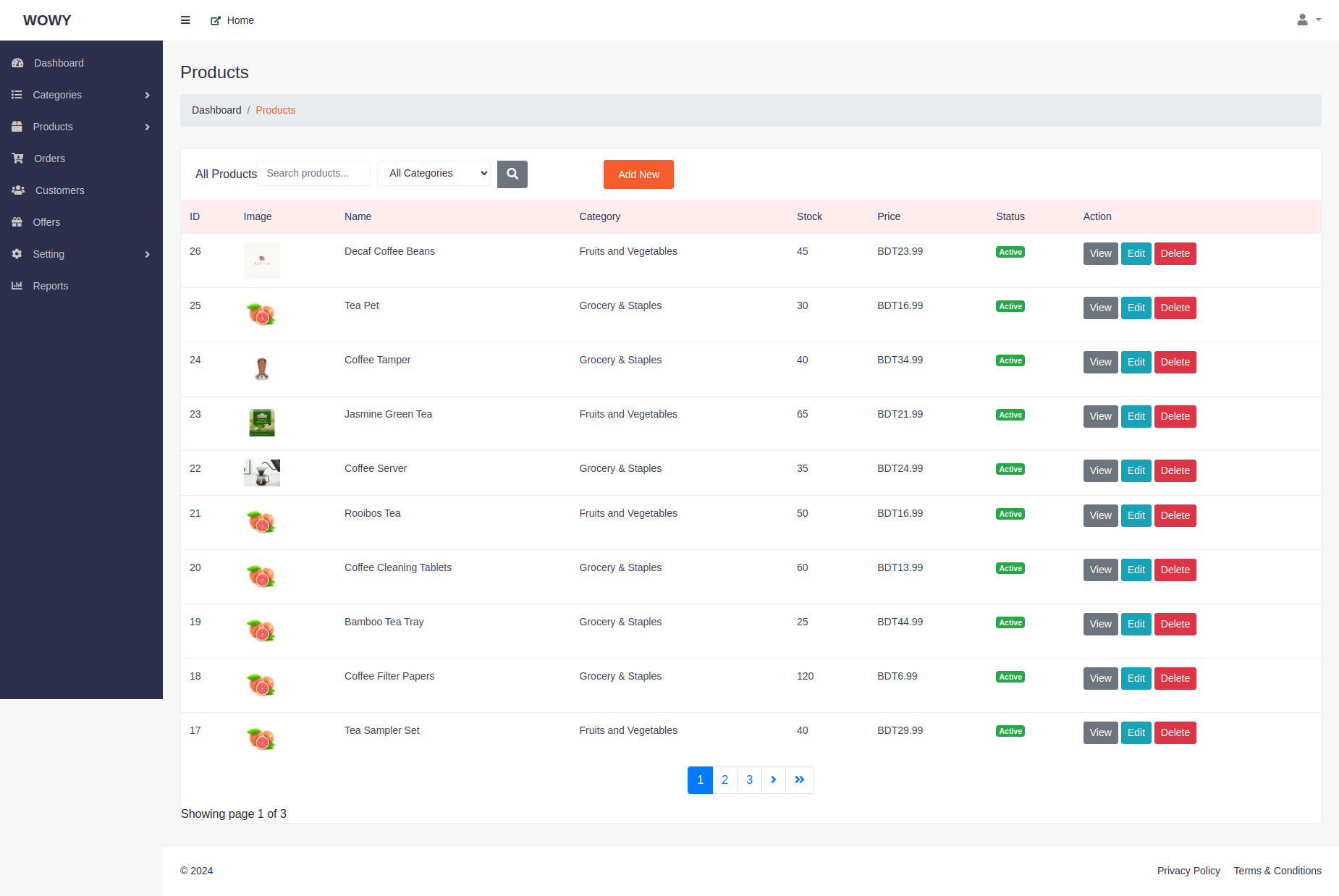 Admin products page
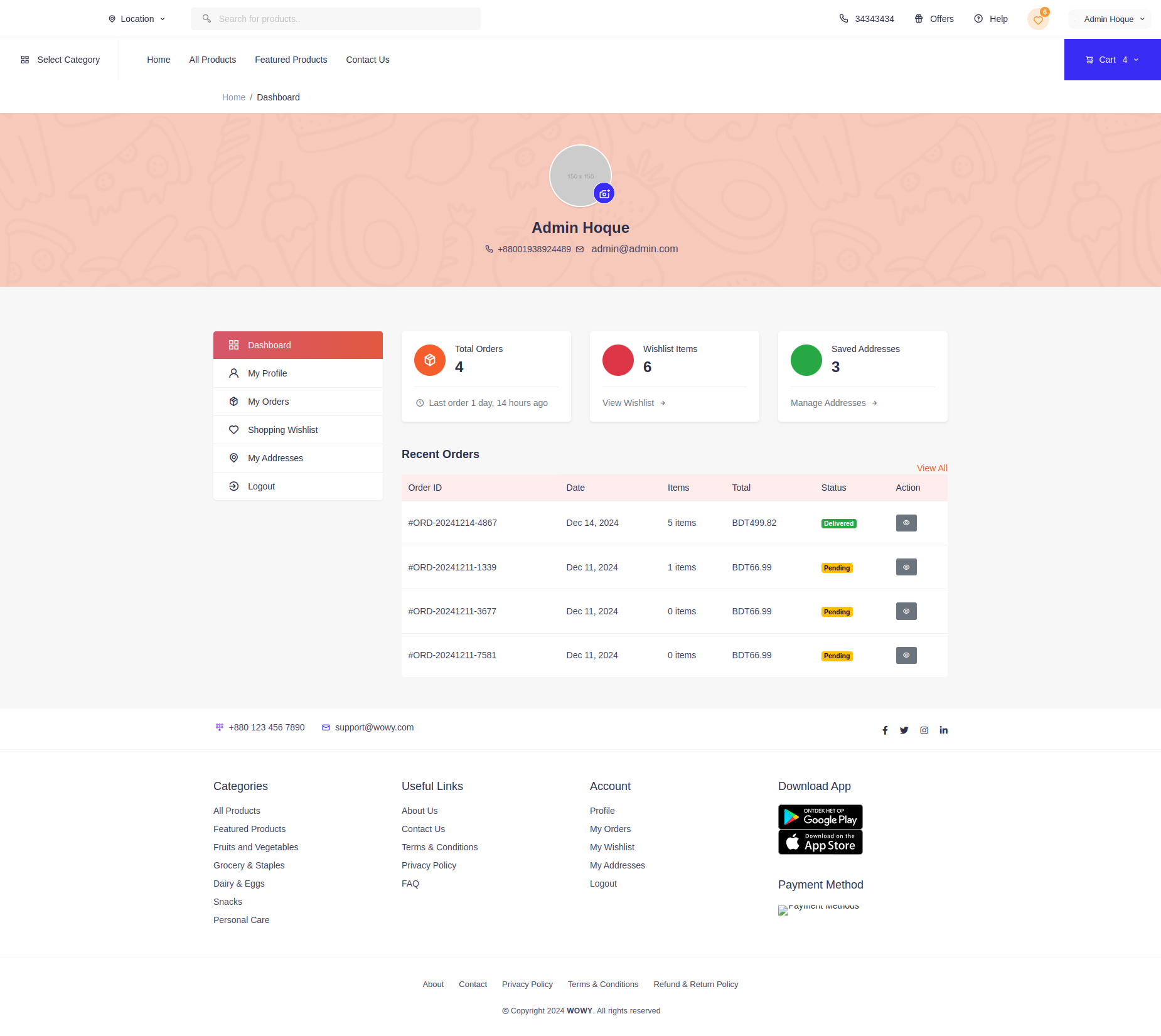 User dashboard
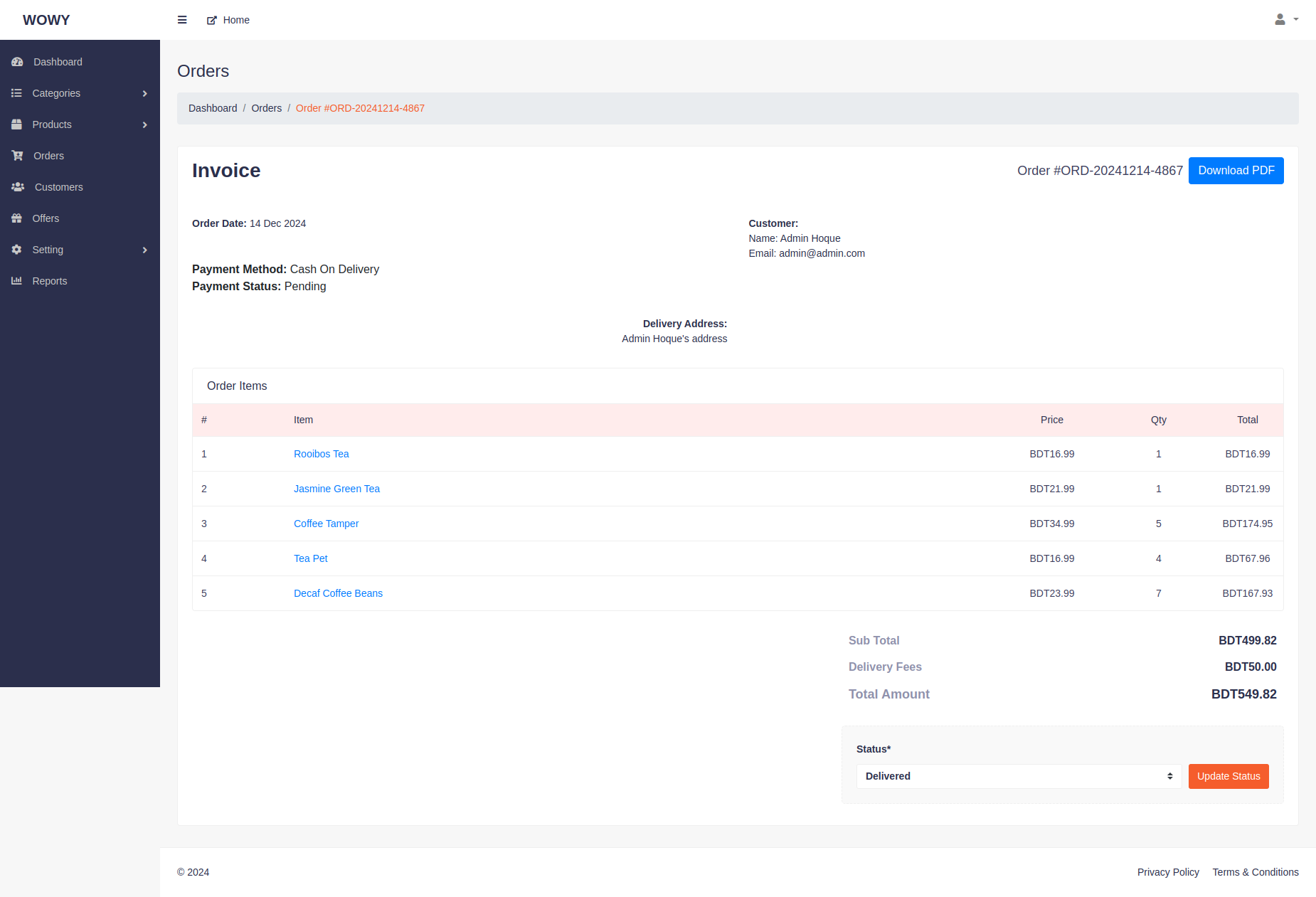 Admin orders page
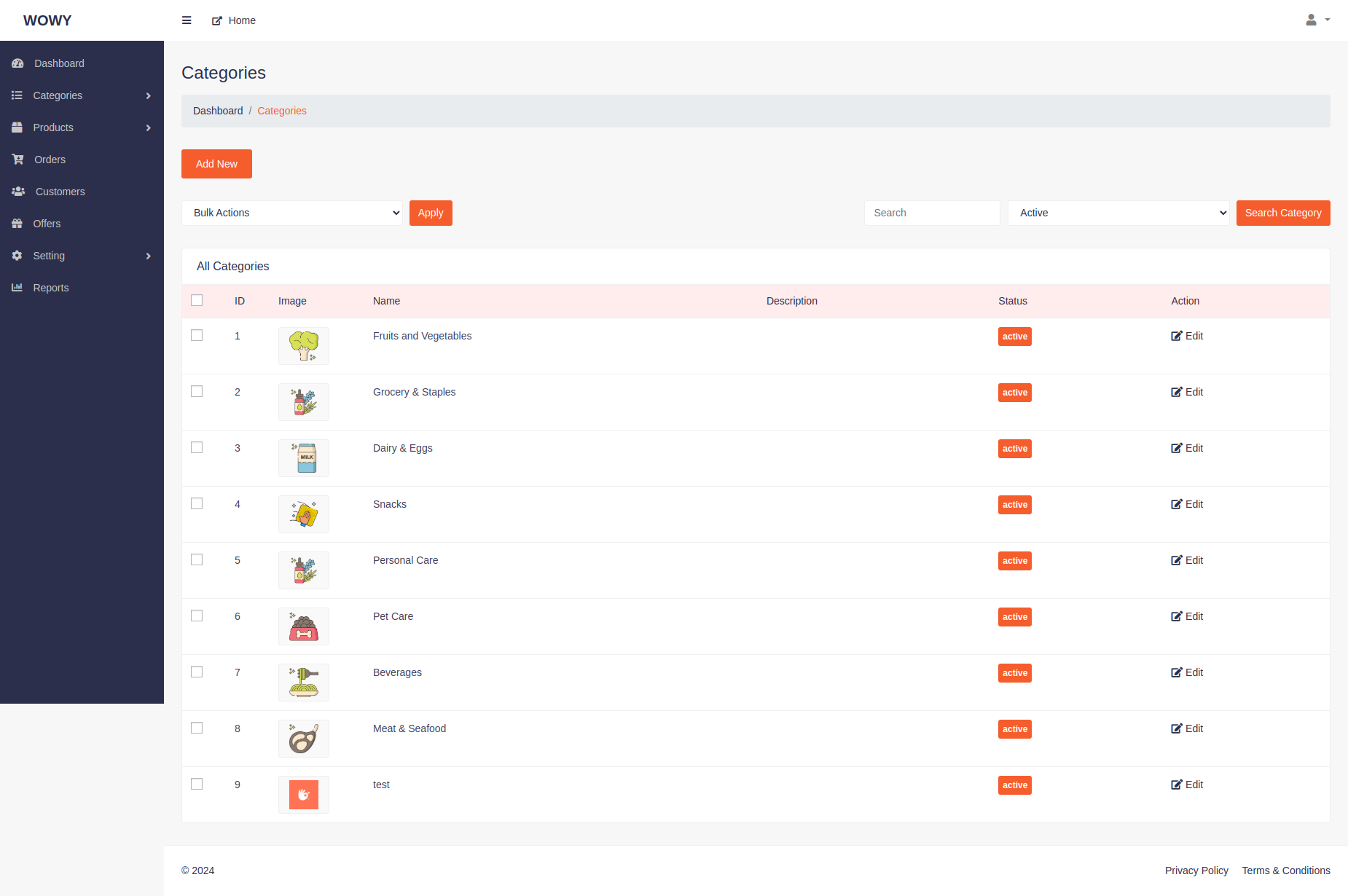 Admin categories page
🌟 Features
Product Management
- ✨ Comprehensive product catalog
- 📸 Multiple product images with primary image support
- 🏷️ Category management
- 💰 Price and discount management
- 📦 Stock tracking
- 🔍 Advanced product search and filtering
Order Management
- 🛒 Shopping cart functionality
- 📋 Order tracking and history
- 📄 PDF invoice generation
- 📊 Order status management
- 🚚 Delivery tracking
User Management
- 👥 Customer accounts and profiles
- 📝 User registration and authentication
- 💝 Wishlist functionality
- 📍 Multiple shipping address support
- 🔐 Secure password management
Admin Dashboard
- 📊 Sales analytics and reporting
- 📈 Revenue tracking
- 👥 Customer analytics
- 📦 Product performance metrics
- 💳 Payment method analysis
Payment Integration
- 💳 Stripe payment gateway integration
- 💸 Secure payment processing with 3D Secure support
- 🏦 Multiple payment methods (Credit Card, Cash on Delivery)
- 💰 Automatic payment status tracking
- 🔐 Secure key management with djstripe
Site Configuration
- ��️ General settings management
- 📧 Email configuration
- 💰 Currency settings
- 🎨 Site appearance customization
Reporting System
- 📊 Sales reports
- 📈 Product performance analysis
- 👥 Customer insights
- 💳 Payment method analytics
- 📉 Custom date range filtering
Product Variant System
The system supports product variants with different sizes and colors. This allows for better inventory management and more flexible product offerings.
Features
-
Variant Management
- Add multiple variants per product
- Support for size and color combinations
- Individual pricing per variant
- Separate stock tracking for each variant
- SKU management for variants
-
Admin Interface
- Easy variant creation and editing
- Bulk variant management
- Stock level monitoring
- Price range display
-
Shopping Experience
- Size and color selection
- Dynamic price updates
- Stock availability check
- Clear variant options display
- Cart integration with variants
Usage
-
Creating Product Variants
- Go to Admin > Products > View Product - Click "Manage Variants" - Add variants with size/color combinations - Set price and stock for each variant -
Managing Stock
- Stock is tracked per variant - Out-of-stock variants are automatically disabled - Low stock warnings in admin panel -
Shopping Cart
- Variants are added to cart separately
- Price is determined by selected variant
- Stock check during checkout
API Endpoints
-
GET /products/api/variant/- Get variant details by product_id, size, and color
- Returns price, stock, and variant ID
-
POST /cart/api/add/- Add variant to cart
- Requires product_id, variant_id, and quantity
Technical Details
-
Variant model includes:
- Size (optional)
- Color (optional)
- SKU
- Price
- Stock level
- Product reference
-
Frontend uses:
- Dynamic variant selection
- Real-time price updates
- Stock availability checks
- Cart integration
🛠️ Tech Stack
Backend
- Python 3.x
- Django 4.x
- Django REST Framework
- PostgreSQL/Sqlite
Frontend
- HTML5
- CSS3
- JavaScript
- jQuery
- Bootstrap
Tools & Libraries
- ReportLab (PDF generation)
- Pillow (Image processing)
- Django Crispy Forms
- Django Debug Toolbar
Payment Gateways
- Stripe
- PayPal // not added yet
Development Tools
- Git
- VS Code
- Black (Code formatting)
- Flake8 (Code linting)
📦 Installation
- Clone the repository
git clone https://github.com/manjurulhoque/wowy.git wowy
cd wowy
- Create and activate virtual environment
python -m venv venv
source venv/bin/activate  # Linux/Mac
venv\Scripts\activate     # Windows
- Install dependencies
pip install -r requirements.txt
- Configure environment variables
cp .env.example .env
# Edit .env with your settings:
# DATABASE_URL=postgresql://user:password@localhost:5432/dbname
# SECRET_KEY=your-secret-key
# DEBUG=True
- Run migrations
python manage.py makemigrations
python manage.py migrate
- Create superuser
python manage.py createsuperuser
- Run development server
python manage.py runserver
Visit http://localhost:8000/admin to access the admin panel.
🔧 Configuration
Environment Variables
DEBUG: Set to False in productionSECRET_KEY: Django secret keyDATABASE_URL: Database connection stringALLOWED_HOSTS: Comma-separated list of allowed hostsSTRIPE_PUBLIC_KEY: Stripe public keySTRIPE_SECRET_KEY: Stripe secret key
Email Settings
EMAIL_BACKEND = 'django.core.mail.backends.smtp.EmailBackend'
EMAIL_HOST = 'your-smtp-server'
EMAIL_PORT = 587
EMAIL_USE_TLS = True
EMAIL_HOST_USER = '[email protected]'
EMAIL_HOST_PASSWORD = 'your-password'
🚀 Deployment
Production Deployment
- Set DEBUG=False in .env
- Configure your web server (Nginx/Apache)
- Set up SSL certificate
- Configure static files serving
- Set up database backup
💻 Development
Code Style
We use Black for code formatting and Flake8 for linting:
black .
flake8
Running Tests
python manage.py test
Making Migrations
python manage.py makemigrations
python manage.py migrate
📝 Documentation
API Documentation
API documentation is available at /api/docs/ when running in debug mode.
Model Documentation
Product: Product managementOrder: Order processingUser: User managementCategory: Product categorizationCart: Shopping cart functionalityWishlist: User wishlist management
🤝 Contributing
- Fork the repository
- Create your feature branch (
git checkout -b feature/AmazingFeature) - Commit your changes (
git commit -m 'Add some AmazingFeature') - Push to the branch (
git push origin feature/AmazingFeature) - Open a Pull Request
📜 License
This project is licensed under the MIT License - see the LICENSE file for details.
👥 Authors
- Rumi - Initial work - Manjurul Hoque Rumi
🙏 Acknowledgments
- Icons by Unicons
- Admin template inspiration from AdminLTE
- Django community
- All contributors who have helped this project
📞 Support
For support, email [email protected]
🔄 Project Status
Project is: in development
🗺️ Roadmap
- Mobile app integration
- Advanced analytics dashboard
- Multi-language support
- Marketplace functionality
- Advanced SEO features
🚀 Setup Instructions
Basic Setup
- Clone the repository
git clone https://github.com/manjurulhoque/wowy.git gambo
cd gambo
- Create and activate virtual environment
python -m venv venv
source venv/bin/activate  # Linux/Mac
venv\Scripts\activate     # Windows
- Install dependencies
pip install -r requirements.txt
- Configure environment variables
cp .env.example .env
# Edit .env with your settings:
# DATABASE_URL=postgresql://user:password@localhost:5432/dbname
# SECRET_KEY=your-secret-key
# DEBUG=True
- Run migrations
python manage.py makemigrations
python manage.py migrate
- Create superuser
python manage.py createsuperuser
- Run development server
python manage.py runserver
Visit http://localhost:8000/admin to access the admin panel.
Stripe Integration Setup
- Install required packages:
pip install stripe djstripe
- Add to INSTALLED_APPS:
INSTALLED_APPS = [
    ...
    'djstripe',
]
- Configure Stripe in Django Admin:
- Access Django Admin
- Go to DJ Stripe > API Keys
- Add two API keys:
- Type: Secret (from Stripe Dashboard)
- Type: Publishable (from Stripe Dashboard)
- Stripe Configuration in Settings:
STRIPE_LIVE_MODE = False  # Change to True in production
DJSTRIPE_WEBHOOK_SECRET = "whsec_xxx"  # Get from Stripe Dashboard
DJSTRIPE_FOREIGN_KEY_TO_FIELD = "id"
- Webhook Setup (Production):
- Create webhook endpoint in Stripe Dashboard
- Point to:
https://yourdomain.com/webhook/stripe/ - Add webhook secret to DJSTRIPE_WEBHOOK_SECRET
Payment Flow
- Customer selects items and proceeds to checkout
- Chooses payment method (Stripe or Cash on Delivery)
- For Stripe:
- Card details collected securely
- Payment intent created
- Order created upon successful payment
- Order confirmation and invoice generation
Deployment
Using Docker to deploy
⌨️ with ❤️ by Manjurul Hoque Rumi