We provide expert installation service for this software. Our team will install, configure, and secure Yard Godot on your server. plans start at just $30.
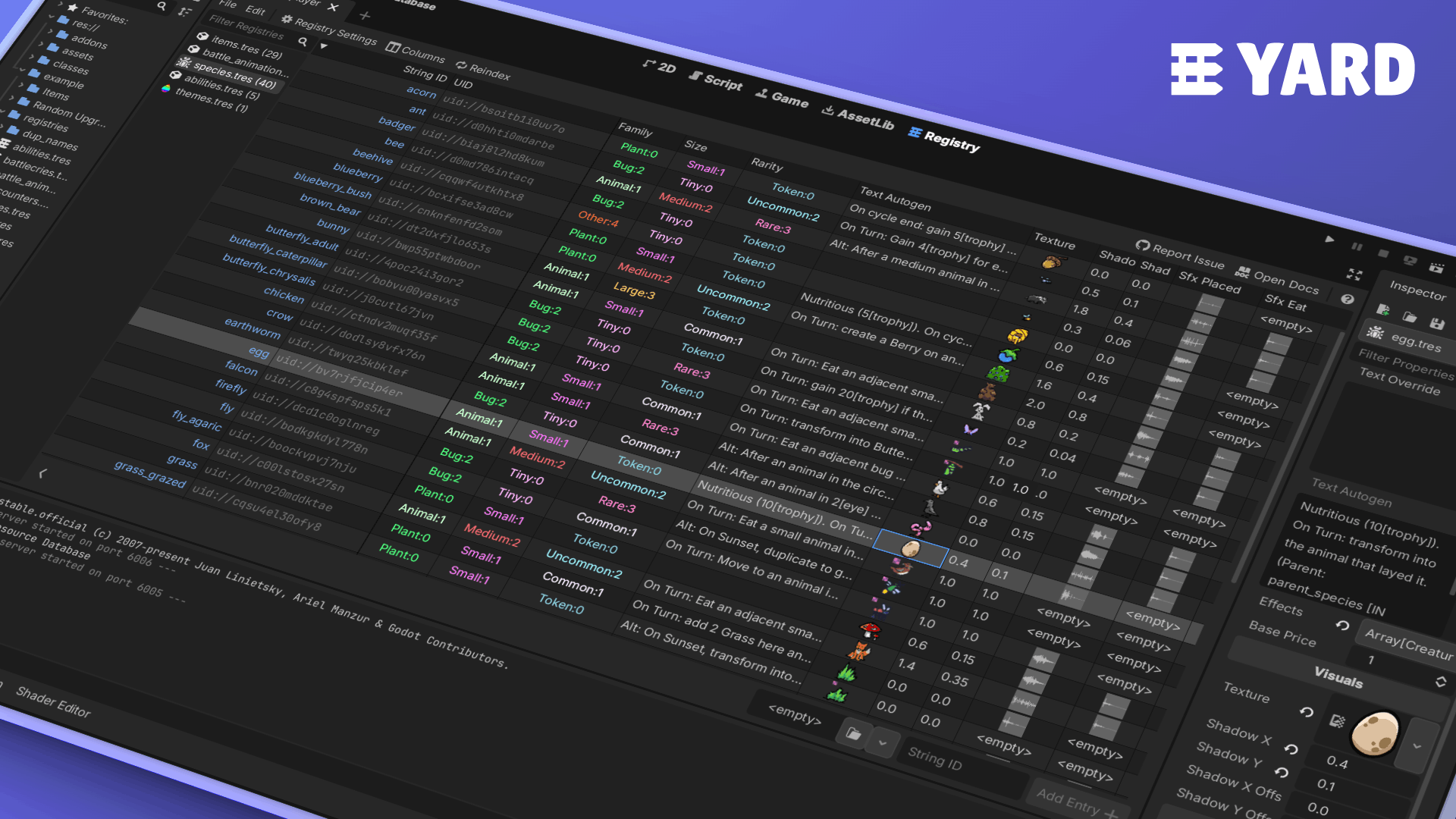
A table-based resource editor. The YARD editor tab lets you create and manage registries: catalogues of resources, optionally restricted to a class. Each registry provides a spreadsheet-like view of your resources and their properties.
A lightweight runtime API. At runtime, a Registry is just a small .tres file holding UIDs and string IDs. It contains only the mapping, never the resources themselves. You control when loading happens, and how.
Features
🏷 Stable string IDs that survive file moves, with no autoload boilerplate to maintain
🔒 Restrict a registry to a class so only matching resources can be added
🔄 Sync a registry from a directory (recursively or not), with entries staying in sync as files appear or disappear
🥧 Bake a property index in the editor for zero-cost runtime filtering by property value
📦 Load entries individually, all at once (blocking), or asynchronously via threaded loading
⚡ All expensive operations happen in the editor, leaving no runtime overhead beyond what you explicitly request
Installation
Copy the addons/yard folder into your project's addons/ directory
Enable the plugin in Project > Project Settings > Plugins
Usage
Creating a registry
Open the Registry tab in the editor, click File > New Registry, and configure:
Class restriction: only resources of this class (or its subclasses) will be accepted
Scan directory: the registry will stay in sync with resource files in this folder
Indexed properties: property names to bake into the index for runtime filtering
Adding entries
If a scan directory is set, entries are managed automatically. Otherwise, you can add entries manually in two ways:
Drag and drop resources from the FileSystem dock into the registry table. They must match the class restriction.
Create a new resource on the spot using the resource picker at the bottom of the table. When you press Add Entry, it creates and saves the file, then immediately registers it.
Inspector dropdown with @export_custom
Registry.PROPERTY_HINT_CUSTOM enables a dropdown in the inspector for any StringName, String, Array[StringName], or Array[String] property, populated with the string IDs of a given registry.
@export_custom(Registry.PROPERTY_HINT_CUSTOM, "res://data/item_registry.tres") var item: StringName
Loading entries at runtime
const ENEMIES: Registry = preload("res://data/enemy_registry.tres")

# Load a single entry by string ID
var skeleton: Resource = ENEMIES.load_entry(&"skeleton")

# Load all entries at once (blocking)
var all_enemies: Dictionary[StringName, Resource] = ENEMIES.load_all_blocking()

# Load all entries via background threads
var tracker: RegistryLoadTracker = ENEMIES.load_all_threaded_request()
To look up the string ID of an already-loaded resource:
var string_id := ENEMIES.get_string_id_of(loaded_resource)
Querying entries through the property index
Set up indexed properties in Registry Settings and press Reindex to bake the index. At runtime, queries run without loading any resource.
# Single property (exact value or predicate)
var legendaries := WEAPONS.filter(&"rarity", Rarity.LEGENDARY)
var high_level  := WEAPONS.filter(&"level", func(v): return v >= 10)

# AND query across multiple properties (exact values or predicates)
var forest_without_boss := ROOMS.where({
	&"biome": Biome.FOREST,
	&"tier": func(t): return t != RoomData.Tier.Boss,
})
Properties support dot notation for nested resources: &"weapon.rarity" resolves the rarity property of the subresource stored in weapon.
The full Registry API is documented in the in-editor class reference: Help > Search Help > Registry.
How the property index works its magic
The index is simply a nested dictionary stored inside the registry .tres file: