
📣 Oikos is now Yuvomi
This project was renamed from Oikos to Yuvomi to avoid a trademark conflict with an unrelated product of the same name. Nothing about the app changes — same code, same data, same maintainer.
- Old links (
github.com/ulsklyc/oikos) automatically redirect here.- The Docker image moved to
ghcr.io/ulsklyc/yuvomi; the oldghcr.io/ulsklyc/oikoskeeps working for now — please update at your convenience.- Your existing data and settings are fully preserved on upgrade.
New home: https://yuvomi.cloud/ · Questions? Open a discussion.
Yuvomi
The self-hosted family planner. Private, offline-capable, and beautiful.





| 14 modules |
· | 19 languages |
· | 0 trackers |
· | AES-256 optional DB encryption |
· | MIT license |
|
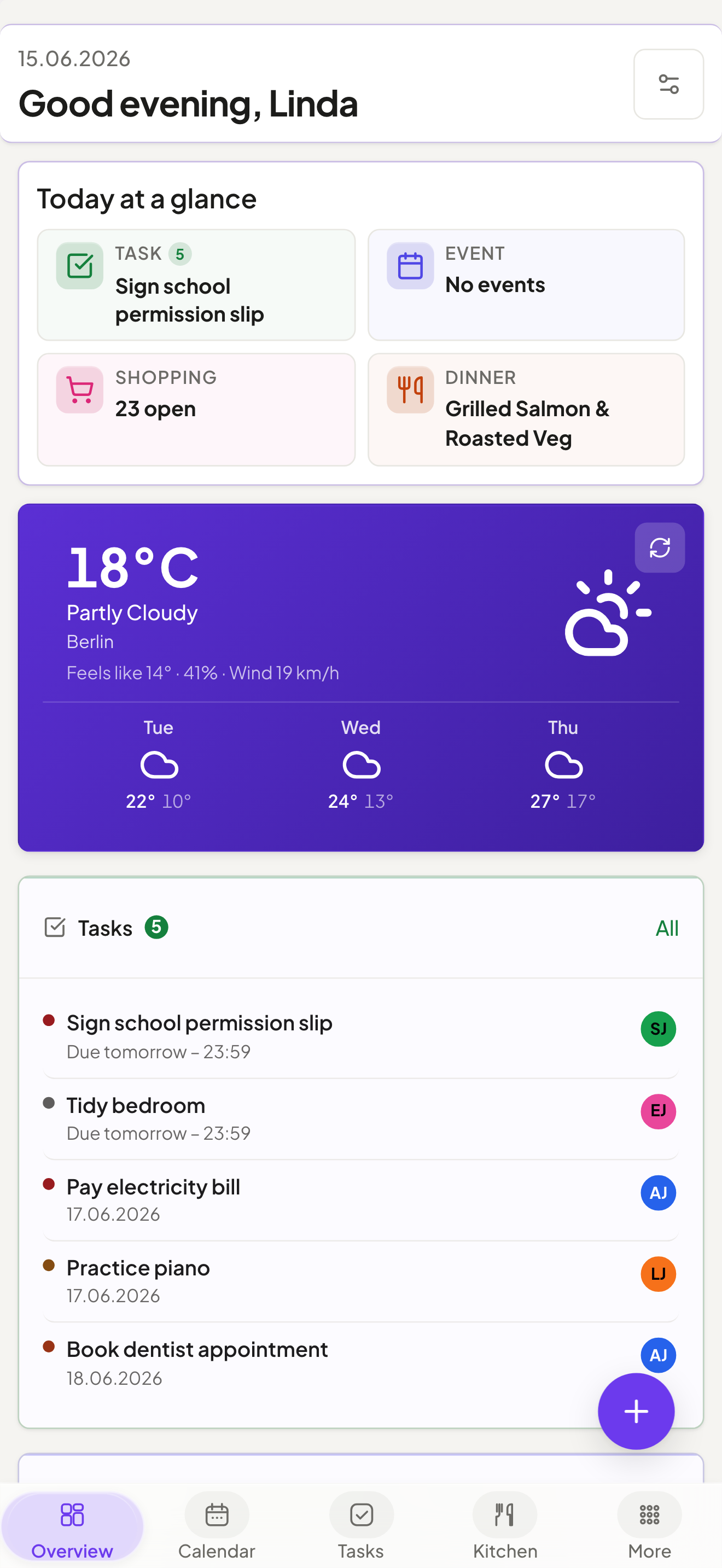
Mobile PWA |
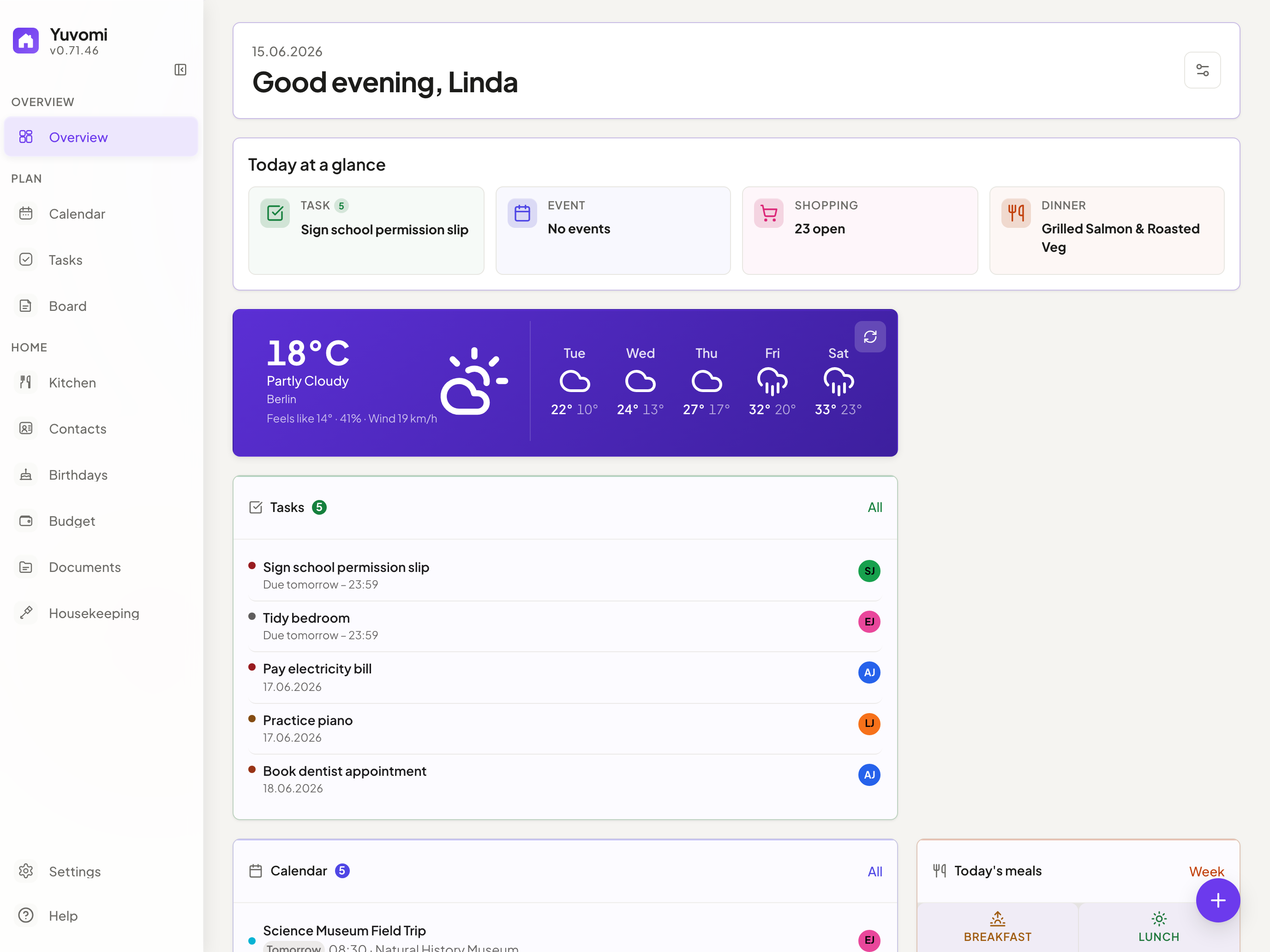
Yuvomi keeps your household organized — tasks, groceries, meals, calendar, budget, and more — in one private place, without cloud accounts or subscriptions. Runs as a Docker or Podman container on any home server or NAS, including rootless Podman on SELinux-enabled RHEL/Fedora/CentOS Stream systems. A polished, mobile-first PWA makes it feel native on every device.
Each module is independent. Use what fits, skip what doesn't.
App screenshots
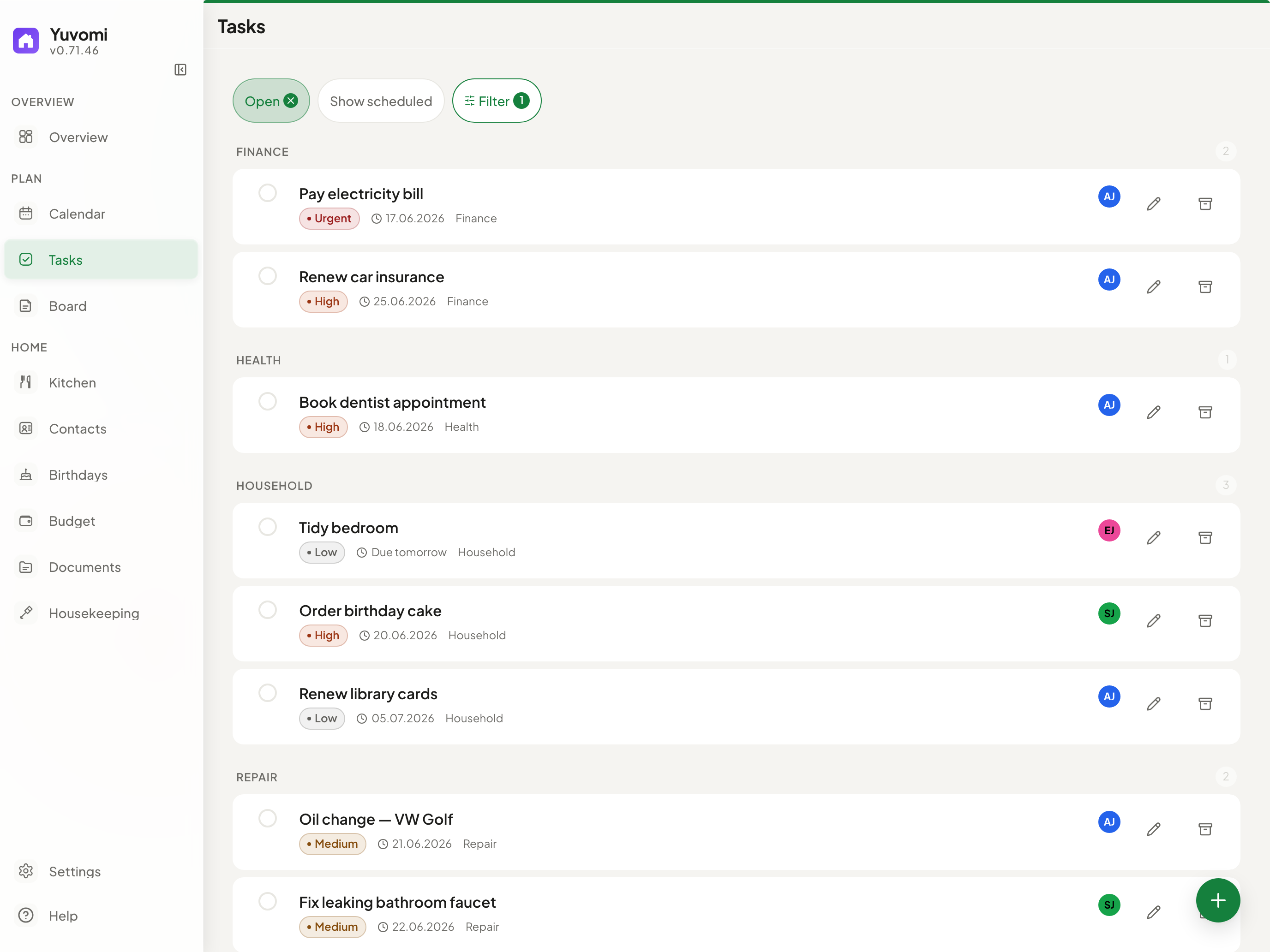
Tasks — Kanban board, recurring schedules, multi-assignment |
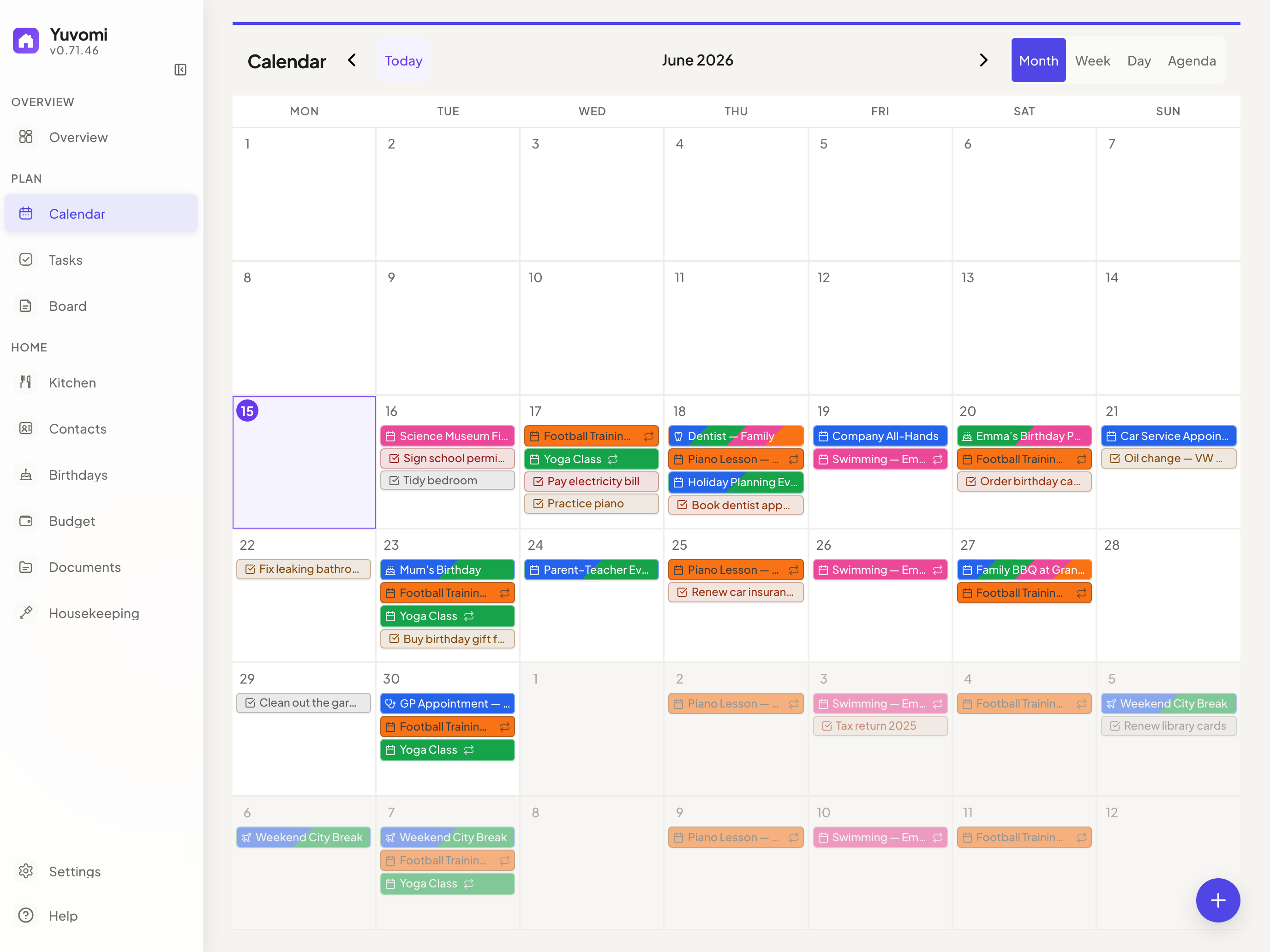
Calendar — Google OAuth, iCloud, CalDAV, ICS subscriptions |
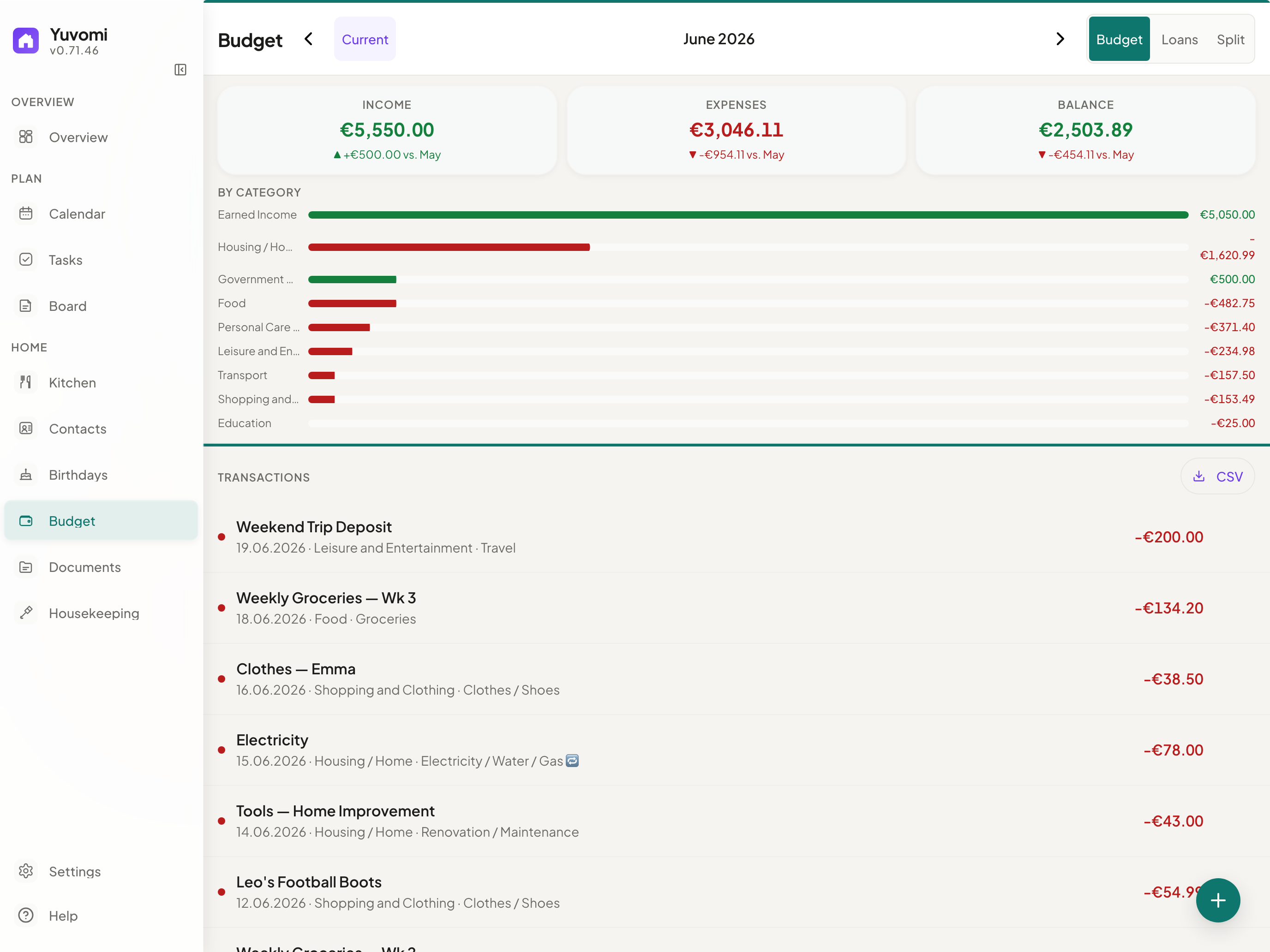
Budget — Income, expenses, split costs, CSV export |
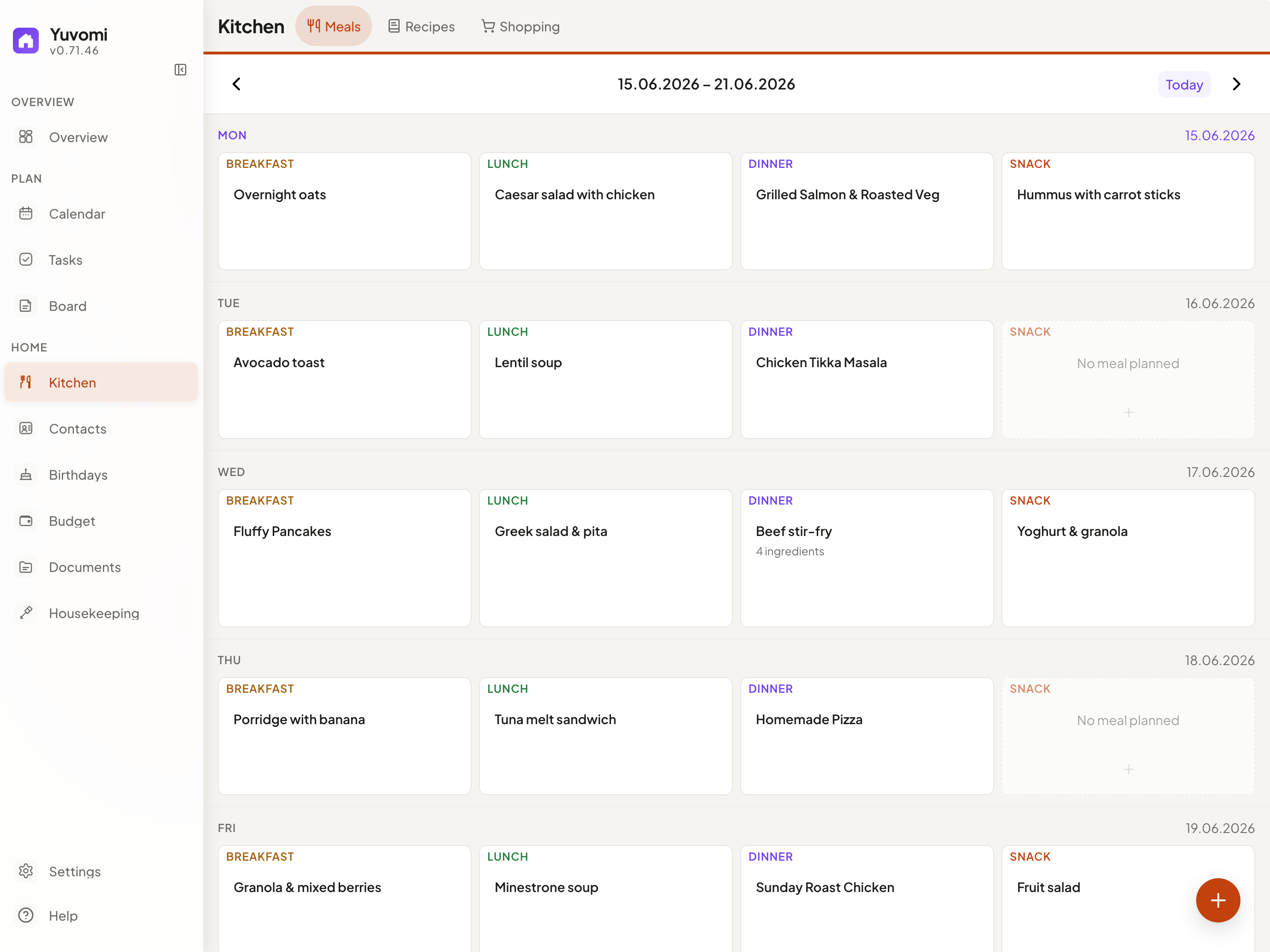
Meals — Weekly planner, recipes, one-click shopping export |
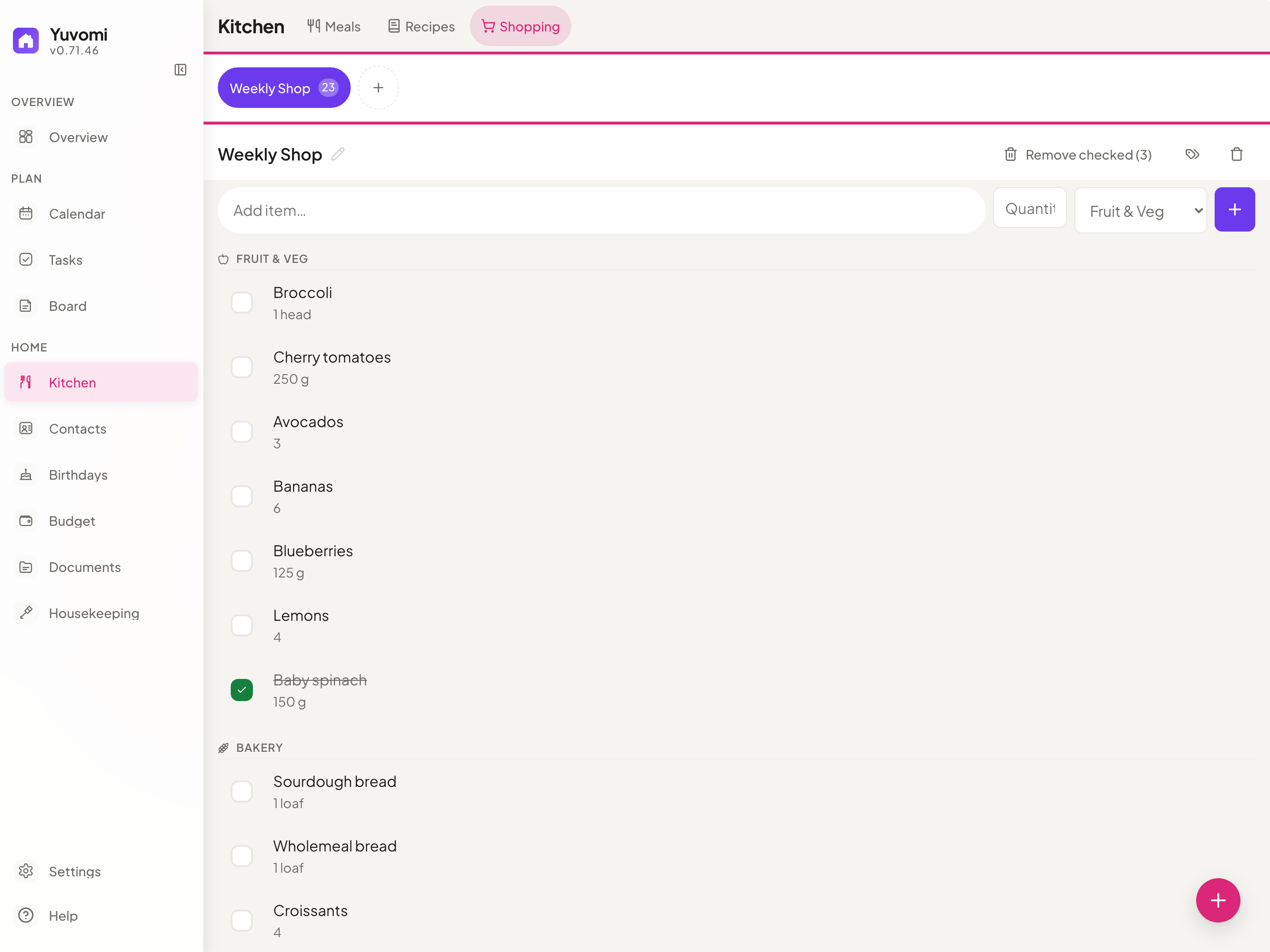
Shopping — Shared lists, aisle groups, swipe gestures |
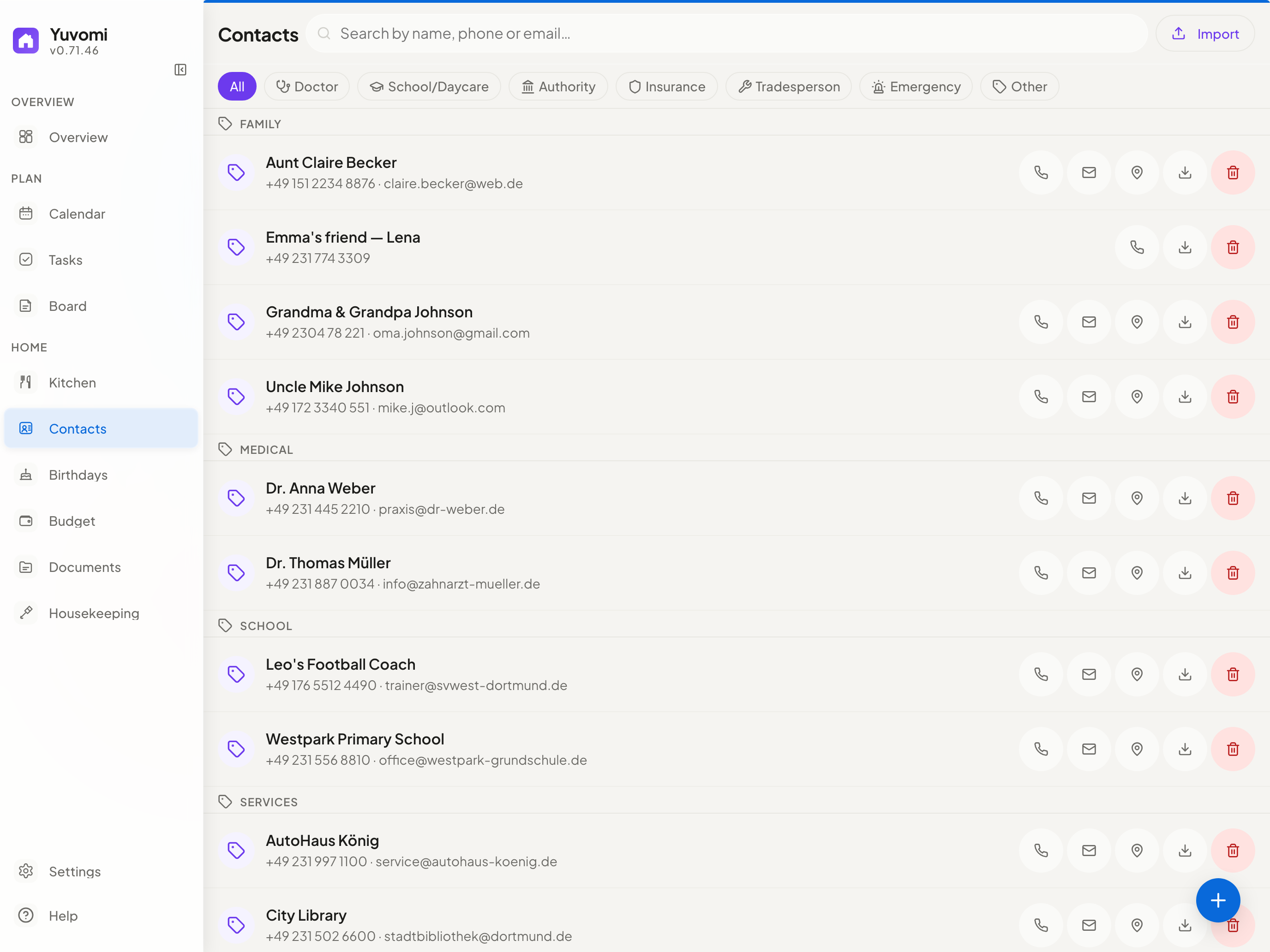
Contacts — Family directory, CardDAV sync |
Modules
| Module | What it does | |
|---|---|---|
 |
Tasks | Shared tasks with deadlines, priorities, subtasks, recurring schedules, multi-member assignment, Kanban, and mobile bulk controls. Optional CalDAV import of Apple Reminders. |
 |
Shopping | Collaborative lists organized by aisle. Touch-safe quick add, swipe gestures, and meal-plan import in one tap. Optional CalDAV import. |
 |
Meals | Weekly drag-and-drop planner with multiple items per slot. Direct export to shopping list. |
 |
Recipes | Create, duplicate, and scale recipes. Pre-fill meal slots or save any planned meal as a recipe. |
 |
Calendar | Google Calendar (OAuth) and CalDAV sync (iCloud, Nextcloud, Radicale). ICS subscriptions, recurring events, file attachments, public & school holiday overlays (OpenHolidays), month and agenda views. |
 |
Documents | Upload and organize family files. Folders, tags, per-document visibility controls, in-browser preview, drag-and-drop. New files, including calendar attachments, can optionally use WebDAV storage; Paperless-ngx and Papra (DMS) linking and uploads are supported. |
 |
Budget | Income, expenses, recurring entries, trend charts, CSV export. Split Expenses with automatic debt simplification. |
 |
Housekeeping | Manage household staff — schedules, check-in/out, daily or hourly billing, chores, supply requests. |
 |
Notes & Contacts | Colored sticky notes with Markdown. Contact directory with CardDAV sync. |
 |
Birthdays | Birthday tracker with automatic calendar events, age display, and custom reminders. |
 |
Family | Member profiles with roles, photos, phone, email, and birthday — synced to Contacts and Birthdays. |
 |
Reminders | Time-based notifications on tasks and calendar events with in-app badge counter. |
 |
API Tokens | Named Bearer / X-API-Key tokens for integrations. OpenAPI 3.0 spec included. |
 |
Backup | Manual and scheduled database backup and restore, with automatic pre-restore rollback. Optional WebDAV upload target (Nextcloud, ownCloud, Hetzner, etc.). |
WebDAV document storage needs its own backup. SQLite/database backups contain document metadata and links, but not document binaries stored on WebDAV. Back up the WebDAV target separately. WebDAV targets configured in the admin UI must resolve to public network addresses. For a trusted LAN or loopback target, set
DOCUMENT_STORAGE_WEBDAV_URLthrough the deployment environment.
Design & technology
- Disciplined Liquid Glass UI — readable work surfaces, subtle translucent navigation, spring animations, and module-tinted overlays — built in pure CSS, no framework
- PWA — installable on any device, works offline, refreshes release-bound caches reliably, and stays responsive from phone to desktop with a persistent five-destination mobile bar, configurable favorites, and tuned touch targets
- Privacy first — fully self-hosted, optional SQLCipher AES-256 database encryption (enabled in the recommended Docker setup), zero telemetry
- SSO / OpenID Connect — optional single sign-on via any OIDC provider (Authentik, Keycloak, Google, Microsoft Entra) configured with four env vars; Authorization Code + PKCE flow
- Zero build step — pure ES modules, no bundler, no transpiler, no framework
- Multilingual — 19 languages with automatic locale detection (de, en, es, fr, it, sv, el, ru, tr, zh, ja, ar, hi, pt, uk, pl, nl, cs, vi)
Install anywhere
Web installer (recommended)
A localized setup wizard — 18 languages — that runs in your browser. Auto-detects Docker or Podman, configures HTTPS, SSO, and scheduled backups, then starts the container and creates your admin account.
git clone https://github.com/ulsklyc/yuvomi.git && cd yuvomi
node tools/installer/install-server.js
Open http://localhost:8090. Requires Node.js 18+ on the host.
Docker / Podman
Pre-built image:
curl -O https://raw.githubusercontent.com/ulsklyc/yuvomi/main/docker-compose.yml
curl -O https://raw.githubusercontent.com/ulsklyc/yuvomi/main/.env.example
cp .env.example .env          # set SESSION_SECRET and DB_ENCRYPTION_KEY
docker compose up -d
Build from source:
git clone https://github.com/ulsklyc/yuvomi.git && cd yuvomi
cp .env.example .env
docker compose up -d --build
Open http://localhost:3000. The first visit walks you through creating your admin account.
Podman (RHEL / Fedora / CentOS Stream): Both installers auto-detect Podman and use
podman-compose.ymlwith SELinux:Zlabels. For a manual start:podman compose -f podman-compose.yml up -d. Rootless systemd autostart:tools/quadlet/oikos.container.
NAS & home servers
| TrueNAS SCALE | Apps → Discover Apps → search Yuvomi → Install | No terminal required. Community Apps Catalog. Version updates via Renovate. |
| Umbrel | App Store → search Yuvomi → Install | One-click install. Everything stays on your Umbrel. |
| Unraid | Apps → search Yuvomi → Apply | Community Applications template. Set SESSION_SECRET during install. |
New to Docker or Podman? The Installation Guide covers engine setup, HTTPS/reverse proxy, backups, and troubleshooting step by step.
Tech stack


-F7DF1E?style=flat-square&logo=javascript&logoColor=black)


Documentation
Installation · Spec & data model · Modules · Contributing · Security · Privacy for self-hosters · Changelog · Backlog
If you self-host Yuvomi in a GDPR context (EU/EEA, processing other people's data), read docs/PRIVACY-FOR-SELFHOSTERS.md before going live: it covers third-country assessments for every external service (weather, CalDAV/CardDAV, OIDC, WebDAV backup and document storage), data-processing-agreement notes, log-retention guidance, and a records-of-processing template.
License
MIT — see LICENSE.
Built with care for families who value privacy and simplicity.