
Zero BTC Screen
Bitcoin (or any other currency) stock price for your RPi Zero
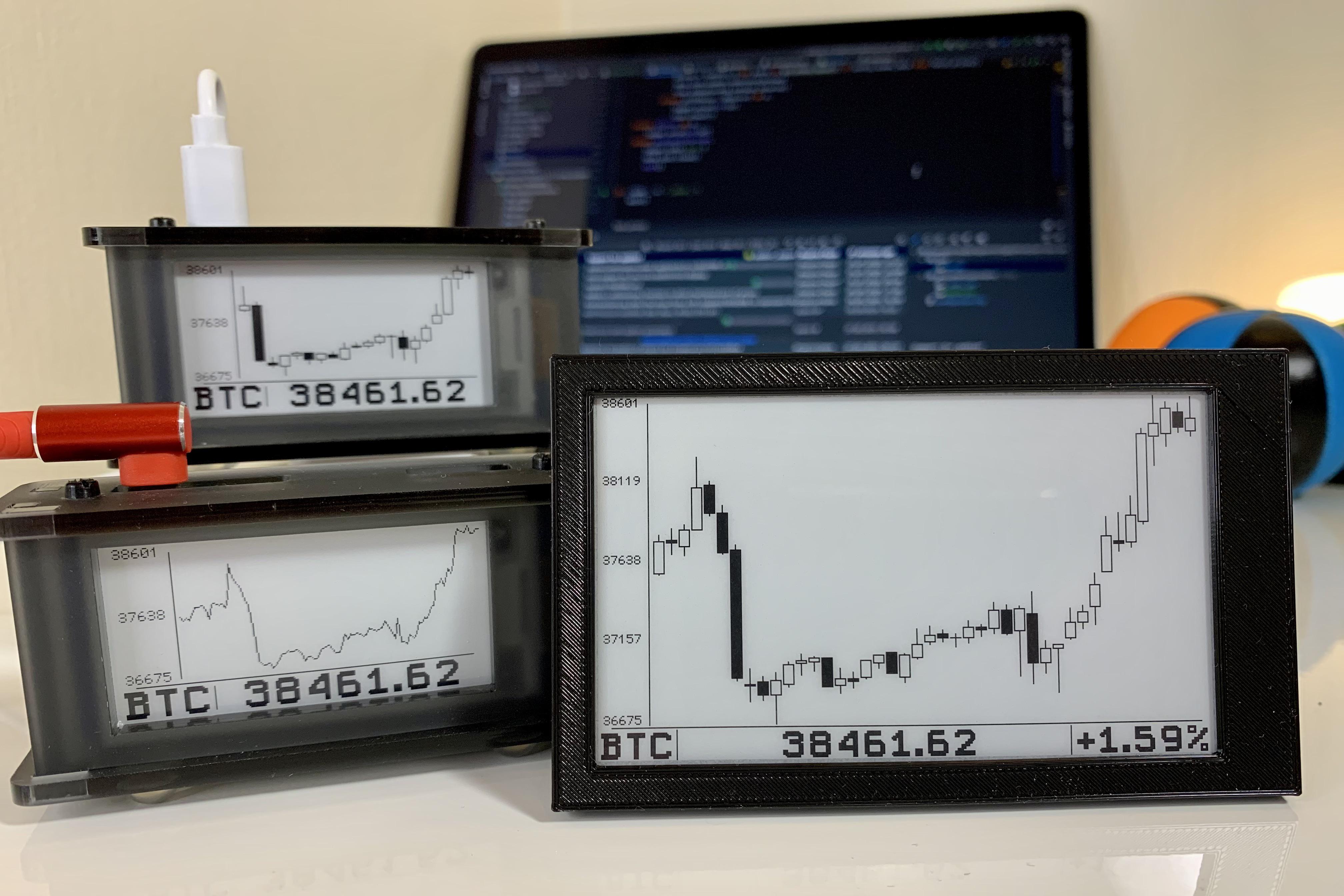
Hardware
Platform
- Raspberry Pi Zero W
- Raspberry Pi 3b+
- Raspberry Pi 4
- Any other modern RPi
Supported displays
- Waveshare eInk types:
- epd2in13v2
- epd2in13v3
- epd2in13bv3
- epd2in7
- epd3in7
- inkyWhat (Red, Black, White)
- Virtual (picture)
Installation
-
Turn on SPI via
sudo raspi-configInterfacing Options -> SPI -
Install dependencies
sudo apt update sudo apt-get install python3-pip python3-numpy git pip3 install RPi.GPIO spidev pillow -
Install drivers for your display (you don't need to install both)
- If you have a Waveshare display
git clone https://github.com/waveshare/e-Paper.git ~/e-Paper pip3 install ~/e-Paper/RaspberryPi_JetsonNano/python/- If you have an Inky wHAT display
pip3 install inky[rpi] -
Download Zero BTC Screen
git clone https://github.com/dr-mod/zero-btc-screen.git ~/zero-btc-screen -
Run it
python3 ~/zero-btc-screen/main.py
Screen configuration
The application supports multiple types of e-ink screens, and an additional "picture" screen.
To configure which display(s) to use, configuration.cfg should be modified. In the following example an e-ink epd2in13v2 and "picture" screens are select:
[base]
console_logs             : false
#logs_file               : /tmp/zero-btc-screen.log
dummy_data               : false
refresh_interval_minutes : 15
# Price pair from Coinbase e.g. BTC-EUR or ADA-GBP
currency                 : BTC-USD

# Enabled screens or devices
screens : [
    epd2in13v2
#    epd2in13v3
#    epd2in13bv3
#    epd2in7
#    epd3in7
    picture
#    inkyWhatRBW
  ]

# Configuration per screen
# This doesn't make any effect if screens are not enabled above
[epd2in13v2]
mode : candle

[epd2in13v3]
mode : candle

[epd2in13bv3]
mode : line

[epd2in7]
mode : candle

[epd3in7]
mode : candle

[picture]
filename : /home/pi/output.png

[inkyWhatRBW]
mode : candle
Autostart
To make it run on startup you can choose from 2 options:
- Using the rc.local file
sudo nano /etc/rc.local- Add one the following before
exit 0
conversely, you can run in/usr/bin/python3 /home/pi/zero-btc-screen/main.py &screenyou can install it withsudo apt-get install screensu - pi -c "/usr/bin/screen -dm sh -c '/usr/bin/python3 /home/pi/zero-btc-screen/main.py'" - Using the system's services daemon
-
Create a new service configuration file
sudo nano /etc/systemd/system/btc-screen.service -
Copy and paste the following into the service configuration file and change any settings to match your environment
[Unit] Description=zero-btc-screen After=network.target [Service] ExecStart=/usr/bin/python3 -u main.py WorkingDirectory=/home/pi/zero-btc-screen StandardOutput=inherit StandardError=inherit Restart=always User=pi [Install] WantedBy=multi-user.target -
Enable the service so that it starts whenever the RPi is rebooted
sudo systemctl enable btc-screen.service -
Start the service and enjoy!
sudo systemctl start btc-screen.serviceIf you need to troubleshoot you can use the logging configurations of this program (mentioned below). Alternatively, you can check to see if there is any output in the system service logging.
sudo journalctl -f -u btc-screen.service
-
Support the project
If you would like to support this project and and keep me caffeinated, you can do it here:
