
Zeroback

An open-source Convex-style backend you deploy to your own Cloudflare account. Real-time queries, mutations, type-safe codegen — all running on Cloudflare Workers, Durable Objects, and SQLite.
📖 Why Zeroback — the backstory
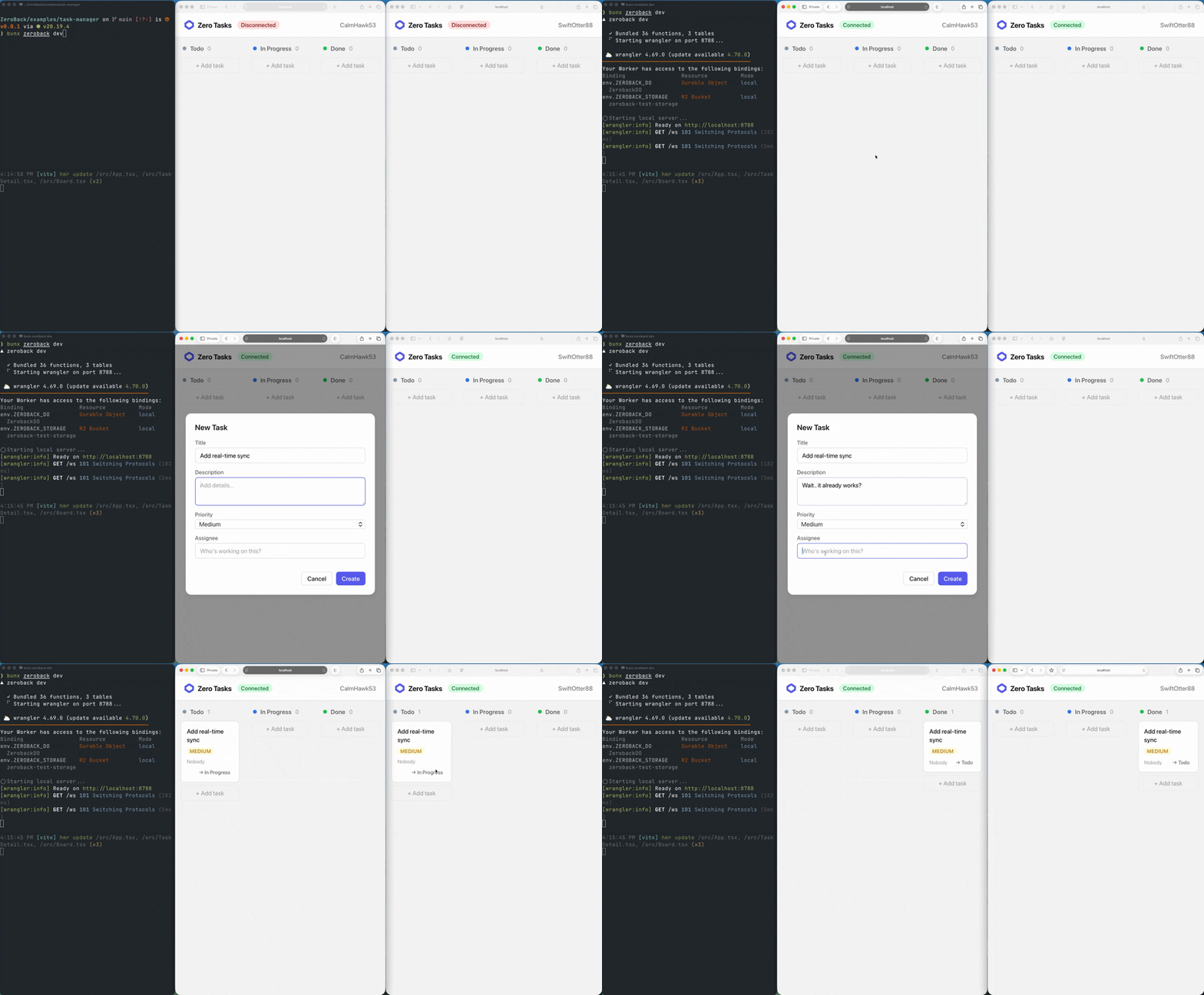
Get Started
npx @zeroback/cli init my-app
cd my-app
npm install @zeroback/server
zeroback dev
Edit zeroback/schema.ts and zeroback/tasks.ts, and you have a real-time backend. Add @zeroback/client and @zeroback/react when you're ready to connect your frontend.
Why Zeroback?
Convex introduced a great developer experience: define your backend as plain TypeScript functions, get real-time subscriptions and a type-safe client for free. Zeroback brings that same model to Cloudflare's edge infrastructure — giving you full control over your data and deployment.
- Your Cloudflare account — data lives in your Durable Objects, not a third-party service
- Real-time subscriptions — queries re-run and push updates over WebSocket when data changes
- Type-safe codegen — generated
apiobject gives you end-to-end type safety from database to UI - Optimistic concurrency control — mutations are checked for conflicts before committing
- Database indexes — declare indexes in your schema, query them with
.withIndex()for efficient lookups - Full-text search — declare search indexes in your schema, query with
.search()for relevance-ranked results powered by SQLite FTS5 - Count queries — efficient
SELECT COUNT(*)via.count()on any query — no need to fetch all documents - Pagination — built-in cursor-based pagination with
.paginate() - Authentication — built-in auth via better-auth with email/password and social providers (Google, GitHub).
defineAuth()in your schema,useAuth()in React,ctx.authin functions - Branded
Id<T>type — IDs are typed per-table (Id<"tasks">) for compile-time safety across your entire stack - Single Durable Object — all state, transactions, and WebSocket connections in one place for strong consistency
- Offline support — opt-in IndexedDB persistence for instant cached renders, offline reads, and mutation replay
- SSR support — preload queries server-side with
preloadQueryfor instant hydration without a loading flash
Quick Start
1. Scaffold a new project
npx @zeroback/cli init my-app
cd my-app
npm install @zeroback/server
2. Define your schema
// zeroback/schema.ts
import { defineSchema, defineTable, v } from "@zeroback/server"

export const schema = defineSchema({
  tasks: defineTable({
    text: v.string(),
    isCompleted: v.boolean(),
  }),
})
3. Write your functions
// zeroback/tasks.ts
import { query, mutation, v } from "./_generated/server"

export const list = query({
  args: {},
  handler: async (ctx) => {
    return await ctx.db.query("tasks").order("desc").take(50)
  },
})

export const create = mutation({
  args: {
    text: v.string(),
  },
  handler: async (ctx, args) => {
    await ctx.db.insert("tasks", { text: args.text, isCompleted: false })
  },
})

export const toggle = mutation({
  args: {
    id: v.id("tasks"),
  },
  handler: async (ctx, args) => {
    const task = await ctx.db.get(args.id)
    if (!task) throw new Error("Task not found")
    await ctx.db.patch(args.id, { isCompleted: !task.isCompleted })
  },
})
4. Use in React
First, install the client package:
npm install @zeroback/react
Then use them in your React app:
import { ZerobackClient, ZerobackProvider, useQuery, useMutation } from "@zeroback/react"
import { api } from "../zeroback/_generated/api"

const client = new ZerobackClient("ws://localhost:8788/ws")

function Tasks() {
  const tasks = useQuery(api.tasks.list)
  const create = useMutation(api.tasks.create)
  const toggle = useMutation(api.tasks.toggle)

  return (
    <div>
      {tasks?.map((task) => (
        <p key={task._id} onClick={() => toggle({ id: task._id })}>
          {task.isCompleted ? "✅" : "⬜"} {task.text}
        </p>
      ))}
      <button onClick={() => create({ text: "New task" })}>
        Add Task
      </button>
    </div>
  )
}

function App() {
  return (
    <ZerobackProvider client={client}>
      <Tasks />
    </ZerobackProvider>
  )
}
5. Start development
zeroback dev
This will:
- Analyze your
zeroback/directory for schema and function definitions - Generate type-safe code in
zeroback/_generated/ - Start a local Cloudflare Worker with Durable Objects
- Watch for changes and rebuild automatically
Architecture
┌───────────────────────────────────────────────────────────┐
│  React App                                                │
│  useQuery(api.tasks.list)                                 │
│  useMutation(api.tasks.create)                            │
└────────────────────────┬──────────────────────────────────┘
                         │ WebSocket
┌────────────────────────▼──────────────────────────────────┐
│  Cloudflare Worker                                        │
│  Routes requests to Durable Object                        │
│ ┌───────────────────────────────────────────────────────┐ │
│ │  ZerobackDO (Durable Object)                          │ │
│ │                                                       │ │
│ │  ┌──────────────┐ ┌──────────────┐ ┌───────────────┐  │ │
│ │  │ User         │ │ Transaction  │ │ Subscription  │  │ │
│ │  │ Functions    │ │ Store        │ │ Manager       │  │ │
│ │  │ (bundled)    │ │ (OCC)        │ │ (realtime)    │  │ │
│ │  └──────────────┘ └──────────────┘ └───────────────┘  │ │
│ │                                                       │ │
│ │  ┌─────────────────────────────────────────────────┐  │ │
│ │  │  SQLite (Durable Object Storage)                │  │ │
│ │  │  documents + indexes + scheduled jobs           │  │ │
│ │  └─────────────────────────────────────────────────┘  │ │
│ └───────────────────────────────────────────────────────┘ │
└───────────────────────────────────────────────────────────┘
Single Durable Object. Everything — queries, mutations, subscriptions, and WebSocket connections — runs inside one Durable Object instance. This gives you strong consistency without distributed coordination, but it also means your app is bound by the limits of a single DO.
User functions run in-process. Your zeroback/ functions are bundled into the worker and executed directly inside the Durable Object — no inter-service RPCs.
Limits of a single Durable Object
Zeroback runs entirely within one Cloudflare Durable Object. This keeps the architecture simple and strongly consistent, but comes with inherent platform constraints:
| Limit | Value | Notes |
|---|---|---|
| Concurrent WebSocket connections | ~1,000 | Self-imposed (MAX_CONNECTIONS). The real bottleneck is the single-threaded CPU — each message is processed sequentially |
| SQLite storage | 10 GB | Cloudflare Durable Object storage limit |
| CPU per request | 30s (Workers paid plan) | Each mutation/query must complete within this budget |
| Single-threaded execution | 1 core | All queries, mutations, and subscription invalidations share one thread |
For many apps (internal tools, collaborative docs, moderate-traffic SaaS), these limits are more than enough. If you need to scale beyond a single DO, you would need to shard across multiple Durable Objects — this is not built-in today.
Packages
| Package | Description |
|---|---|
@zeroback/server |
Define schemas, queries, mutations. Database reader/writer, query builder, filter DSL |
@zeroback/client |
WebSocket client with auto-reconnect, subscription management, mutation queue, IndexedDB persistence. Also exports preloadQuery for SSR. |
@zeroback/react |
ZerobackProvider, useQuery, useMutation, useAction, usePaginatedQuery, useQueryWithStatus, useConnectionState, usePreloadedQuery, useAuth |
@zeroback/solid |
Solid.js bindings: ZerobackProvider, createQuery, createQueryWithStatus, createMutation, createAction, createPaginatedQuery, createConnectionState |
@zeroback/values |
Validator library (v.string(), v.number(), v.object(), etc.) for schema and args |
@zeroback/cli |
zeroback init, zeroback dev, zeroback deploy, zeroback codegen, zeroback run, zeroback reset — scaffold, develop, deploy |
Documentation
- Schema & Validators —
defineSchema,defineTable,v.*validators, indexes, search indexes - Functions — queries, mutations, actions, internal functions, HTTP actions, cron jobs, codegen
- Database — reading, writing, QueryBuilder, filters, indexes, pagination, full-text search
- Client SDK —
ZerobackClient, subscriptions, optimistic updates, persistence - React Hooks —
useQuery,useMutation,useAction,usePaginatedQuery - Solid.js —
createQuery,createMutation,createAction,createPaginatedQuery - CLI —
zeroback init,zeroback dev,zeroback deploy,zeroback codegen,zeroback run,zeroback reset - Authentication — better-auth integration, email/password and social providers,
ctx.authin functions - Scheduling —
scheduler.runAfter,scheduler.runAt, cron jobs - File Storage — upload, serve, and manage files via Cloudflare R2
- Deployment — deploy to Cloudflare Workers
- How It Works — real-time subscriptions, OCC, type-safe codegen
Project Structure
your-project/
├── zeroback/                      # Your backend code
│   ├── schema.ts             # Table definitions
│   ├── tasks.ts              # Query & mutation functions
│   └── _generated/           # Auto-generated (don't edit)
│       ├── api.ts            # Typed API references
│       ├── server.ts         # Typed query/mutation factories
│       └── dataModel.ts      # TypeScript types for tables
├── src/                      # Your frontend code
│   └── App.tsx
├── wrangler.toml             # Scaffolded by zeroback init, user can customize
├── package.json
└── .zeroback/
    └── entry.ts              # Scaffolded by zeroback init, user can customize
Both wrangler.toml and .zeroback/entry.ts are scaffolded once by zeroback init and owned by the user — you can customize them freely. The entry file imports from zeroback/_generated/manifest.ts (regenerated on every build), which wires your functions and schema to the @zeroback/server/runtime.
The wrangler.toml at project root points to .zeroback/entry.ts as the Worker entry point. Wrangler's bundler (esbuild) handles all import resolution from there.
Development
Prerequisites
Running Locally
# Install dependencies
bun install

# Start the backend (from your app directory)
zeroback dev

# In another terminal, start the frontend
cd examples/task-manager
bun run dev
Open http://localhost:5173 to see the example task manager app.
Testing
Zeroback includes an end-to-end test suite that starts a local dev server and exercises the full stack over WebSocket:
# Run the E2E test suite
bun run test

# Watch mode
bun run test:watch
Tests cover mutations, index queries, pagination, real-time subscriptions, multi-client scenarios, argument validation, and document structure.
Deployment
Deploy your Zeroback backend to Cloudflare with a single command:
zeroback deploy
This runs codegen and then wrangler deploy. You can pass flags through to wrangler:
zeroback deploy --dry-run                    # codegen only, skip deploy
zeroback deploy -- --env production          # pass flags to wrangler
Then point your client to the production URL:
const client = new ZerobackClient("wss://your-worker.your-subdomain.workers.dev/ws");
Building Packages
bunx tsc --build
License
MIT