
zlib
A CLI for Z-Library.




English | 中文
Features
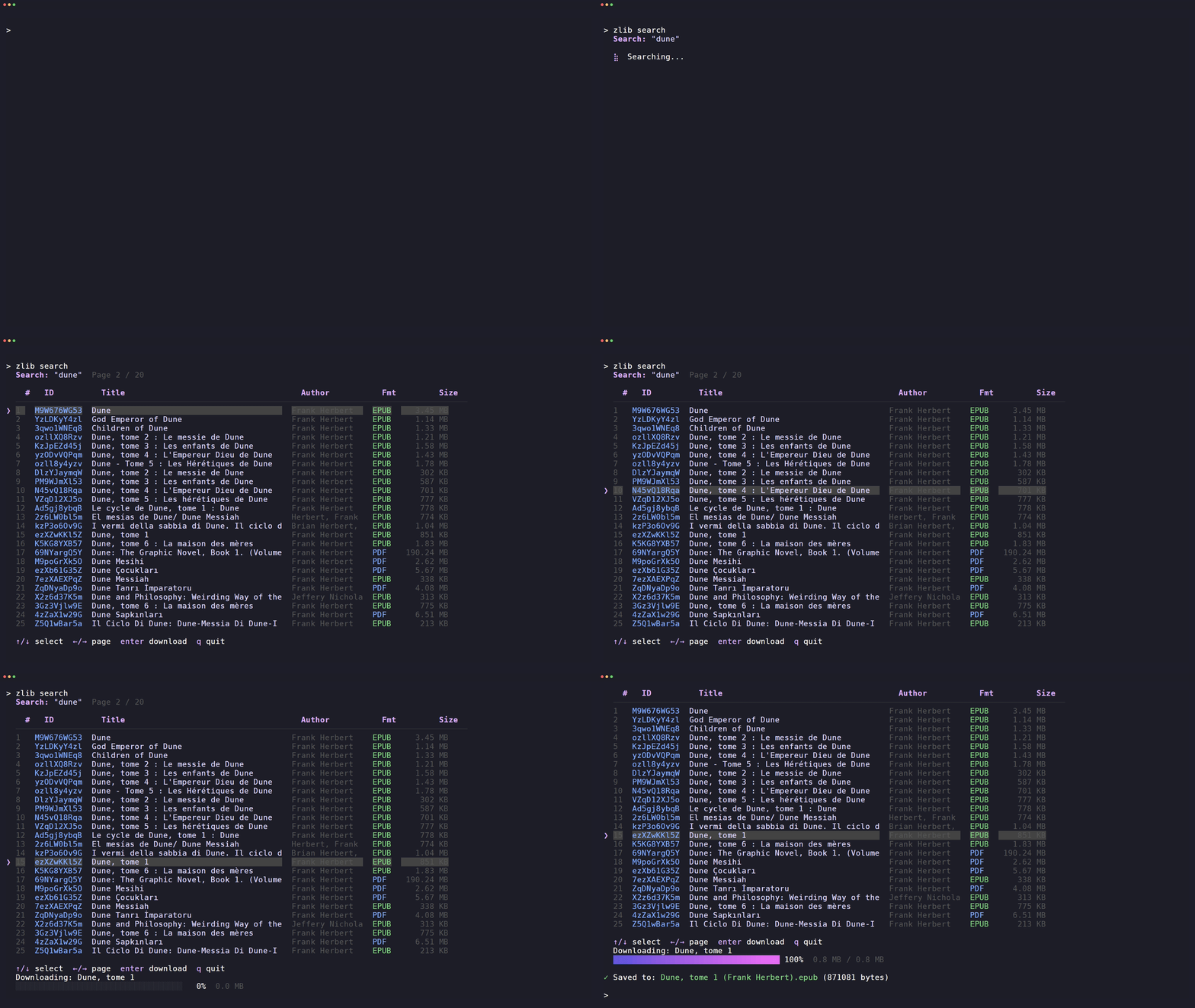
- 🔍 Interactive search — browse results with
↑/↓, switch pages with←/→ - 📥 Book download — by book ID, from search results, with live progress
- 📚 Download history — paginated history browser with download support
- 📖 Send to Kindle — deliver files to your Kindle address
- 🕒 Usage profile — view daily download quota
- 🎨 Themes — mocha, dracula, tokyo, nord, gruvbox
- 🌐 Proxy & custom domain support for restricted networks
Install
Homebrew (macOS / Linux):
$ brew install heartleo/tap/zlib
winget (Windows):
$ winget install heartleo.zlib
curl (macOS / Linux):
$ curl -fsSL https://raw.githubusercontent.com/heartleo/zlib/main/install.sh | sh
Prebuilt binaries — download from GitHub Releases:
| Platform | Archive |
|---|---|
| Linux x86_64 | zlib_<version>_linux_x86_64.tar.gz |
| Linux arm64 | zlib_<version>_linux_arm64.tar.gz |
| macOS x86_64 | zlib_<version>_darwin_x86_64.tar.gz |
| macOS arm64 | zlib_<version>_darwin_arm64.tar.gz |
| Windows x86_64 | zlib_<version>_windows_x86_64.zip |
| Windows arm64 | zlib_<version>_windows_arm64.zip |
Go install (requires Go 1.25+):
$ go install github.com/heartleo/zlib/cmd/zlib@latest
Build from source:
$ git clone https://github.com/heartleo/zlib
$ cd zlib
$ go build -o zlib ./cmd/zlib
Quick Start
$ zlib login
$ zlib search        # interactive mode
$ zlib search "dune" # static table
Commands
login

$ zlib login
$ zlib login --email [email protected] --password secret
Saves session to ~/.config/zlib/session.json.
logout
$ zlib logout
search

Without arguments, opens an interactive picker:
- type a query and confirm
- browse results with
↑/↓ - switch pages with
←/→ - press
Enterto download
$ zlib search # interactive mode
$ zlib search "dune" --page 2 # static table
download
$ zlib download Gz31nyAV5E
$ zlib download Gz31nyAV5E --dir ./books --send-to-kindle
Press Ctrl+C to cancel.
Incomplete files are removed automatically.
history
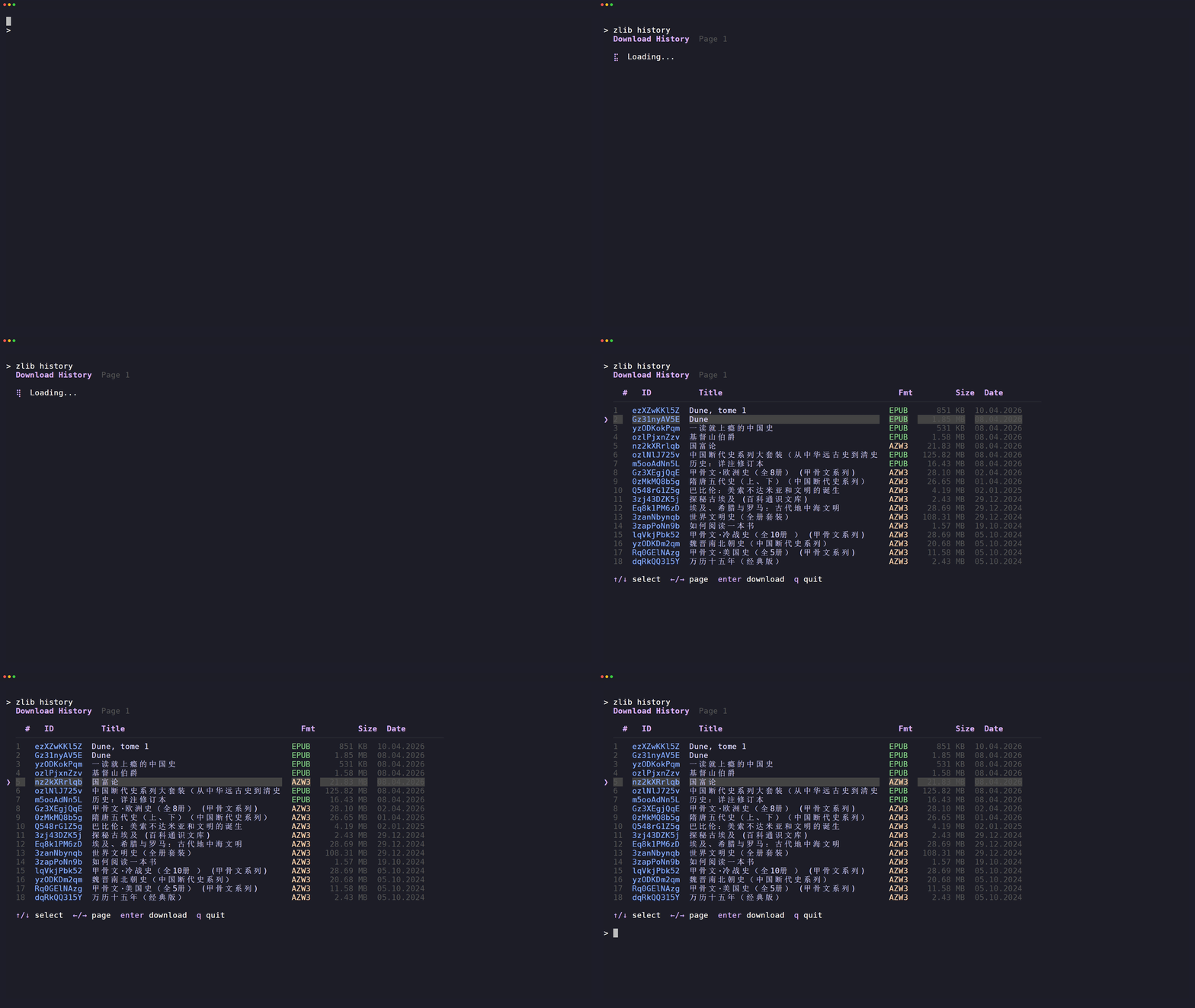
Without flags, opens an interactive history browser:
- browse with
↑/↓, switch pages with←/→ - press
Enterto re-download
$ zlib history
$ zlib history --download Gz31nyAV5E --dir ./books
$ zlib history --format epub
profile
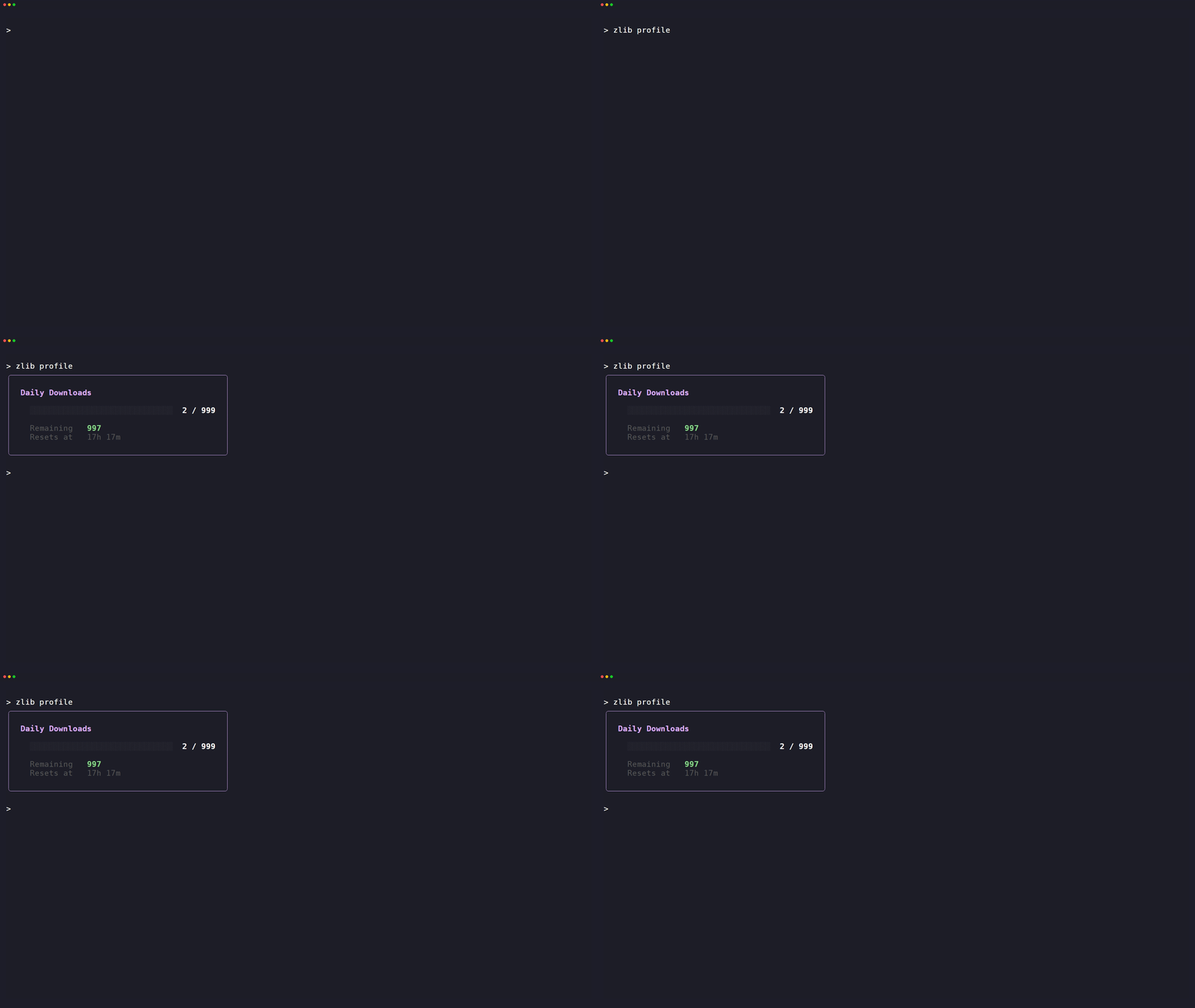
$ zlib profile
kindle
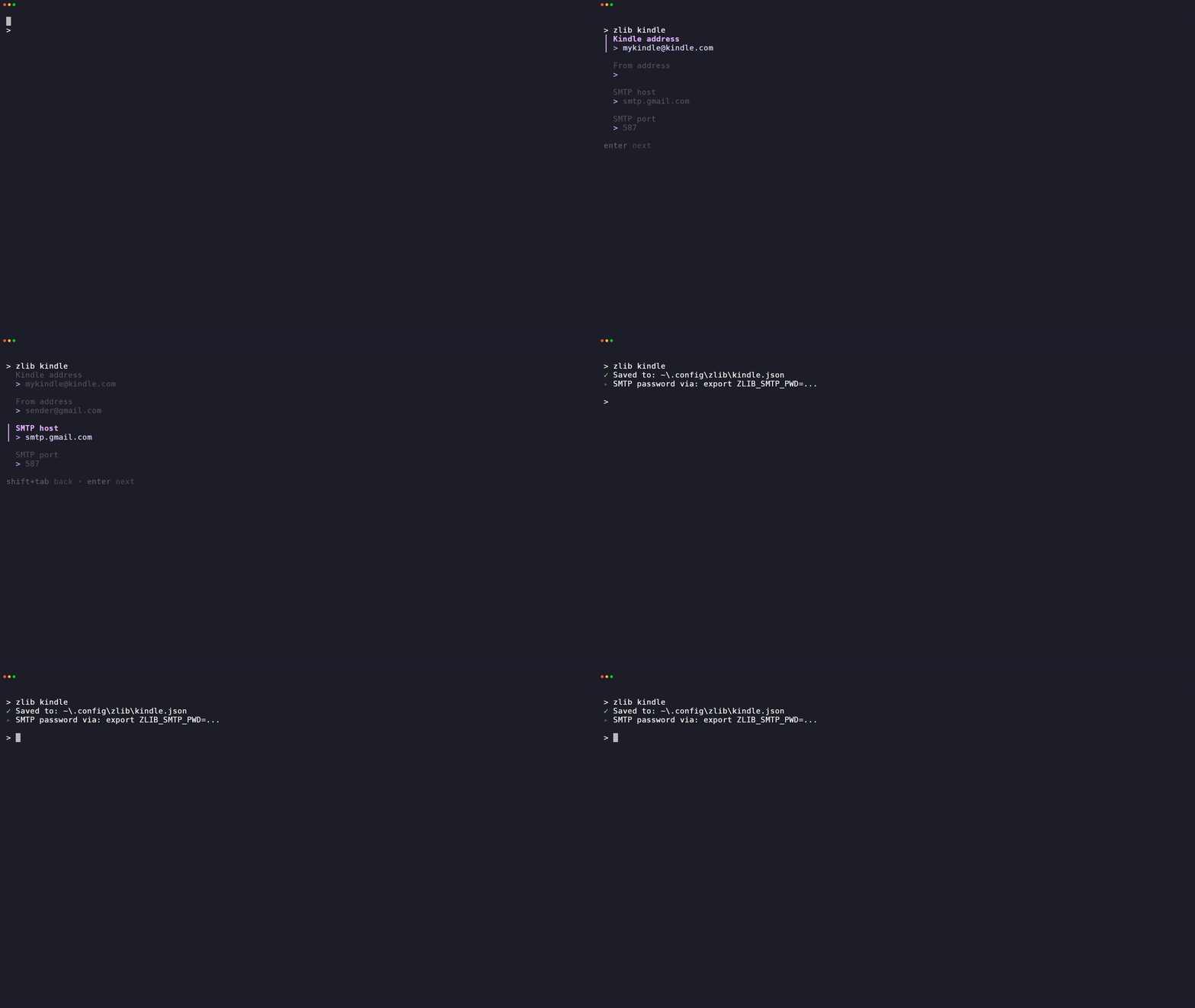
Configure Kindle delivery settings:
- recipient Kindle address
- sender address
- SMTP host and port
SMTP password is never stored on disk — set ZLIB_SMTP_PWD instead.
$ zlib kindle                  # configure
$ zlib kindle send             # pick a file interactively
$ zlib kindle send ./dune.epub # send a local file
Supported formats: EPUB PDF MOBI TXT DOC DOCX RTF HTML
theme
$ zlib theme           # show current
$ zlib theme nord      # set globally
Available: mocha · dracula · tokyo · nord · gruvbox
Configuration
Create a .env file in the working directory, or set environment variables directly:
| Variable | Description |
|---|---|
ZLIB_DOMAIN |
Override the default Z-Library domain |
ZLIB_PROXY |
Proxy URL, e.g. http://127.0.0.1:7890 |
ZLIB_SMTP_PWD |
SMTP password for Kindle delivery |
ZLIB_THEME |
Override theme without changing config |