



zPhal介绍
Open-sourced blog system for building high performance experience base on Phalcon framework.
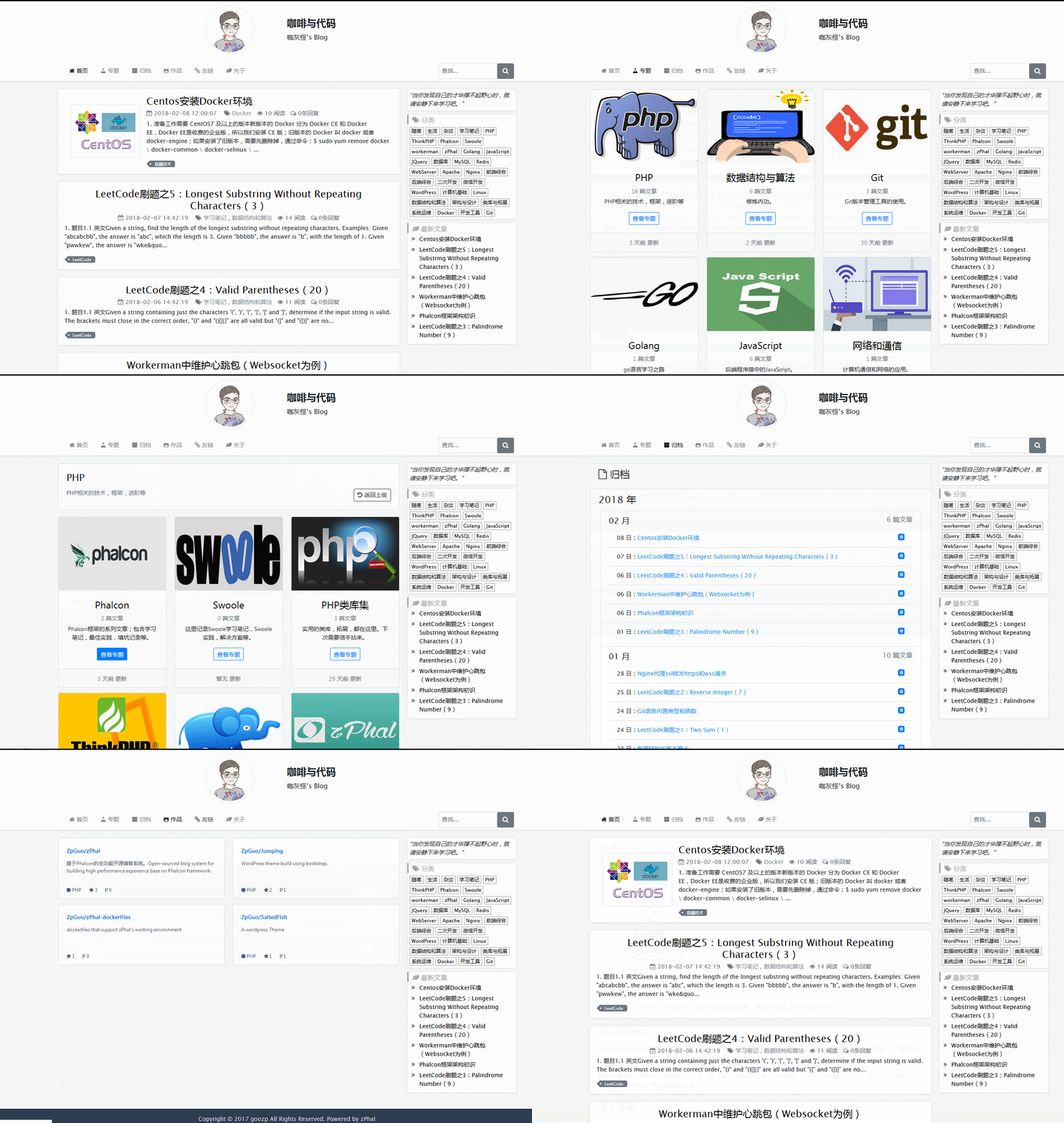
基于Phalcon开发的开源博客系统。
运行环境
环境要求
- PHP 7.0+
- Phalcon 3.0.0+
- MySQL
- Nginx or Apache
- Redis
- Composer
使用Docker搭建环境(推荐)
因为依赖Redis等,推荐用Docker统一进行管理,更加方便。
这里有ZPhal对应的docker-file供参考:https://github.com/ZpGuo/zPhal-dockerfiles
安装
下载
下载项目release的压缩文件或者clone项目。
运行Composer
项目依赖composer;进入项目根目录,执行:
composer update
导入数据库
创建数据库,并导入初始数据库;SQL文件位于schema目录下,zphaldb.sql。
环境配置
复制根目录下的.env.example文件并命名为.env文件;打开文件,修改配置为你环境对应的配置。
Webserver配置
webserver可以使用Apache或者nginx。
Apache服务器;项目中已经有.htaccess文件;
对于Nginx服务器,下面是一个供参考的配置:
server {
    listen        80;
    server_name www.zphal.com zphal.com;

    ##########################
    # In production require SSL
    # listen 443 ssl default_server;

    # ssl on;
    # ssl_session_timeout  5m;
    # ssl_protocols  SSLv2 SSLv3 TLSv1;
    # ssl_ciphers  ALL:!ADH:!EXPORT56:RC4+RSA:+HIGH:+MEDIUM:+LOW:+SSLv2:+EXP;
    # ssl_prefer_server_ciphers   on;

    # These locations depend on where you store your certs
    # ssl_certificate        /var/nginx/certs/default.cert;
    # ssl_certificate_key    /var/nginx/certs/default.key;
    ##########################

    root /data/www/zPhal/public;
    index index.php index.html index.htm;

    charset utf-8;
    client_max_body_size 100M;
    fastcgi_read_timeout 1800;

    location / {
        # Matches URLS `$_GET['_url']`
        try_files $uri $uri/ /index.php?_url=$uri&$args;
    }

    location ~ \.php$ {
        try_files $uri =404;

        #fastcgi_pass  unix:/var/run/php/php7.0-fpm.sock;
        fastcgi_pass  php-fpm:9000;

        fastcgi_index /index.php;

        include fastcgi_params;
        fastcgi_split_path_info       ^(.+\.php)(/.+)$;
        fastcgi_param PATH_INFO       $fastcgi_path_info;
        fastcgi_param PATH_TRANSLATED /data/www/zPhal/public/$fastcgi_path_info;
        fastcgi_param SCRIPT_FILENAME /data/www/zPhal/public/$fastcgi_script_name;
    }

    location ~ /\.ht {
        deny all;
    }

    location ~* \.(js|css|png|jpg|jpeg|gif|ico)$ {
        expires       max;
        log_not_found off;
        access_log    off;
    }
}
开始使用
一切准备就绪,就可以开始使用了。
在项目路劲后加/admin可进入后台登录页面;初始账号为admin,密码为admin(线上环境请不要再使用初始账号,可以在后台进行修改)。