
NVIDIA DGX Spark Sunshine Streaming Setup

One-command installer that sets up Sunshine + a virtual X11 display on NVIDIA DGX Spark (GB10), so you can stream the desktop with Moonlight without a monitor attached.
🙌 Contributor Shoutouts
Huge thanks to the community members whose pull requests made this project better:
- @charlielockyer-rice — multiple merged PRs that shaped the installer:
- @DingPF — #14: BusID domain fix, DFP connector, and CSRF protection
- @NorseGaud — #6: Tailscale uninstall support
Quick Start
git clone https://github.com/seanGSISG/dgx-spark-sunshine-setup.git
cd dgx-spark-sunshine-setup
./install.sh
sudo reboot
./after-install.sh
Non-interactive install
For unattended runs (CI, Ansible, a one-shot remote command), pass -y / --yes
(or export NONINTERACTIVE=1). Every prompt takes its default; defaults are
overridable via environment variables:
# Headless, fully unattended, with explicit choices
NONINTERACTIVE=1 INSTALL_MODE=headless RESOLUTION=2560x1440 REFRESH_RATE=120 \
CODEC=hevc BITRATE_MBPS=100 EDID_SOURCE=bundled \
ENABLE_AUTOSTART=1 ENABLE_AUTOLOGIN=1 INSTALL_TAILSCALE=0 \
./install.sh -y

# Simplest form — take every default (monitor mode)
./install.sh -y
| Env var | Default | Values / notes |
|---|---|---|
INSTALL_MODE |
monitor |
monitor or headless |
RESOLUTION |
2560x1440 |
e.g. 3840x2160, 1920x1080 |
REFRESH_RATE |
120 |
Hz |
CODEC |
hevc |
hevc, av1, h264 |
BITRATE_MBPS |
100 |
20–300 |
EDID_SOURCE |
bundled |
bundled or custom (set CUSTOM_EDID_PATH) |
ENABLE_AUTOSTART |
1 |
enable the sunshine user service on login |
ENABLE_AUTOLOGIN |
1 headless / 0 monitor |
GDM autologin + disable Wayland |
INSTALL_TAILSCALE |
0 |
install/configure Tailscale |
CSRF_ALLOWED_ORIGINS |
auto-detected | comma-separated https:// Web UI origins (LAN/Tailscale/host) |
Run ./install.sh --help for the full flag/env reference.
Then open Sunshine Web UI and pair Moonlight:
https://<YOUR_DGX_IP>:47990- Moonlight client: https://moonlight-stream.org
Overview
What the Installer Does
- Creates backups in
~/.sunshine-setup-backups/ - Installs Sunshine (ARM64 .deb)
- Installs EDID to
/etc/X11/4k120.edid - Generates
/etc/X11/xorg.confusing NVIDIACustomEDID - Writes Sunshine config to
~/.config/sunshine/sunshine.conf - Installs a systemd user service for Sunshine
- Optionally enables autostart and attempts to enable lingering (
sudo loginctl enable-linger $(whoami)) - Optionally offers to install/configure Tailscale
Requirements
- DGX Spark (GB10), Ubuntu 24.04
- X11 desktop session on the DGX (Sunshine captures an X session on
:0)- For headless operation, you typically need desktop auto-login so a session exists after reboot
Tested On
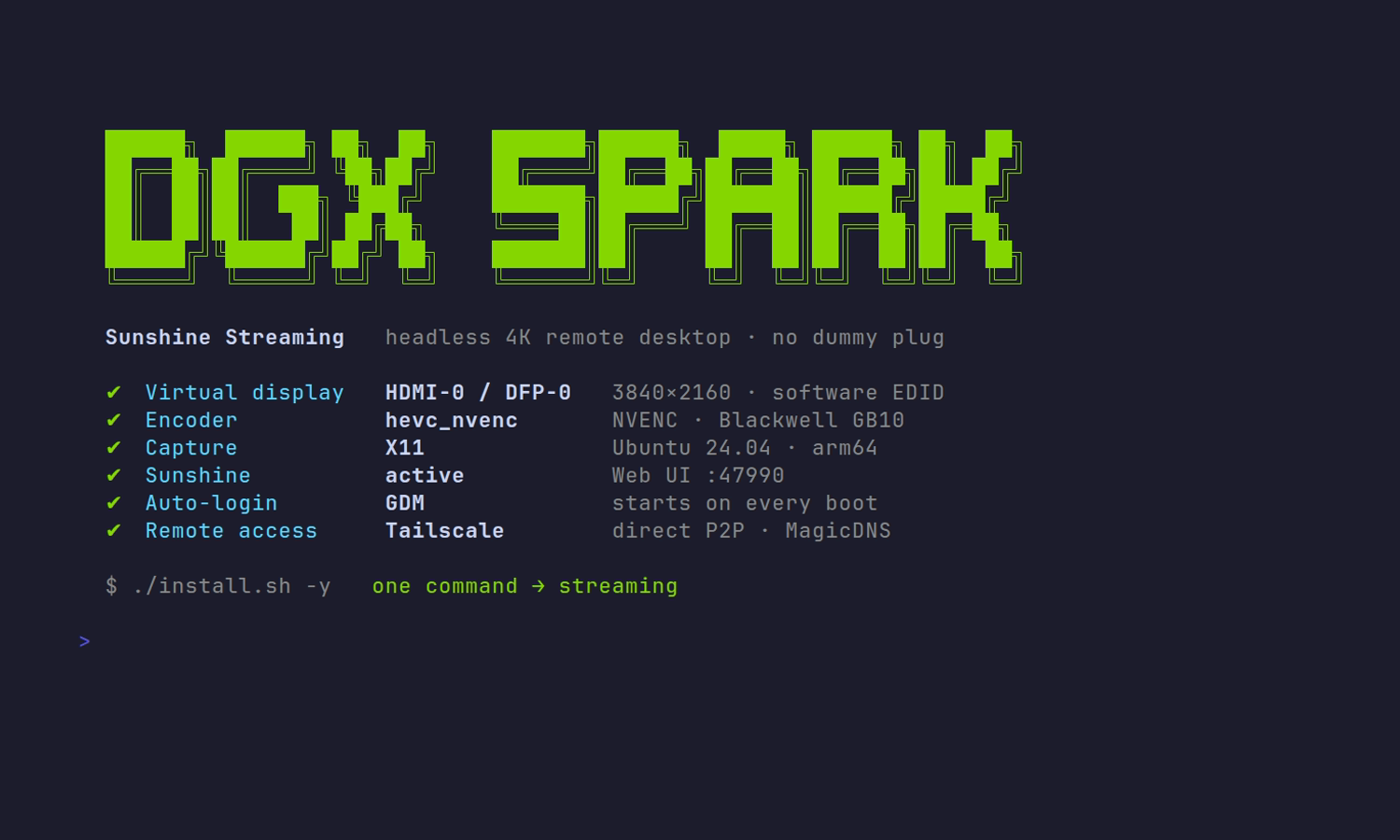
Last verified working on 2026-06-02 with a headless, non-interactive install:
| Component | Version |
|---|---|
| System | NVIDIA DGX Spark (GB10, 128 GB unified LPDDR5x) |
| OS | DGX OS / Ubuntu 24.04.4 LTS (Noble), arm64 |
| Kernel | 6.17.0-1014-nvidia |
| NVIDIA driver | 580.142 |
| Sunshine | 2026.516.143833 |
| Profile | headless · 2560x1440@120 · HEVC · 100 Mbps · bundled Samsung Q800T EDID |
Hardware Limitation (GB10)
GB10 has a ~165 MHz pixel clock limit. Practical impact: 4K@120Hz won't work; 4K@60Hz and 1440p@120Hz do.
Note: GB10 PCI domain & Xorg BusID
On the GB10 the GPU sits in a non-zero PCI domain (e.g. 000f:01:00.0,
shown by nvidia-smi as 0000000F:01:00.0). The Xorg BusID "PCI:bus:dev:func"
string has no way to express a PCI domain, so a generated BusID like
PCI:1:0:0 points at the wrong (domain-0) address and X finds no device. For
single-GPU systems the installer omits BusID and lets the NVIDIA driver
auto-detect the GPU. Symptom if this is wrong: the autologin Xorg session dies
with (EE) No devices detected / no screens found, GDM falls back to the
greeter, and Sunshine never starts (it can't bind :47990).
Repository Structure
dgx-spark-sunshine-setup/
├── install.sh              # Main installation script
├── after-install.sh        # Post-reboot configuration
├── uninstall.sh            # Removal script
├── setup.md                # Detailed setup guide
├── edid/                   # EDID files for virtual displays
├── img/                    # Documentation images
└── templates/              # Configuration templates
    ├── xorg.conf.template
    ├── sunshine.conf.template
    ├── sunshine.service
    ├── sunshine-override.conf
    ├── tailscale-autoconnect.service
    └── tailscale-autoconnect.env.template
Technical Details
Virtual Display Technology
This setup uses NVIDIA's proprietary CustomEDID option in xorg.conf to create a virtual display without a physical monitor. The EDID (Extended Display Identification Data) file tells the GPU what resolutions and refresh rates the "monitor" supports.
Key differences from other approaches:
- No kernel parameters needed - Works with NVIDIA's proprietary driver
- No dummy HDMI plug required - Completely virtual
- Persistent across reboots - Configured in X11, not runtime
Hardware Encoding
Sunshine is configured to use NVIDIA's NVENC hardware encoder, which:
- Offloads video encoding from CPU to dedicated GPU hardware
- Achieves high quality at high bitrates with minimal performance impact
- Supports HEVC, H.264, and AV1 codecs
- Uses negligible VRAM (~100-200 MB)
Performance Impact
When idle (not streaming):
- CPU: ~0%
- GPU: ~0%
- Memory: ~100 MB
When actively streaming 1440p @ 120Hz:
- CPU: ~5-10% (one core)
- GPU: ~10-20% (encoding only)
- Memory: ~200 MB
- Network: Based on your selected bitrate
Configuration
X Session Environment (DISPLAY/XAUTHORITY)
The Sunshine user service needs access to your X session. Don't hardcode XAUTHORITY in the systemd override; instead, export it into the systemd user manager at session start:
dbus-update-activation-environment --systemd DISPLAY XAUTHORITY
systemctl --user show-environment | grep -E 'DISPLAY|XAUTHORITY'
If you want it to run every login, ~/.xprofile is a simple option on many desktops.
Tailscale (Optional)
During install you can choose to install Tailscale.
- The installer can enable
tailscaledand optionally runsudo tailscale up - It can also install an optional boot-time unit
templates/tailscale-autoconnect.servicethat runstailscale upon boot- Default is safe: it does not disable DNS and does not include tags
- If you want Tailscale SSH later, set
TS_UP_EXTRA_ARGS="--ssh"in/etc/default/tailscale-autoconnect
Disable key expiry for the Spark in the Tailscale admin console (device →
…→ Disable key expiry). Otherwise the node's key expires (~every 90 days) and drops off the tailnet, locking you out remotely until you re-authenticate at the console.
iPad / SSH Setup
See setup.md for a step-by-step guide for:
- Configuring everything from another computer via SSH
- Configuring using only an iPad (Moonlight + Safari + SSH)
Troubleshooting
Web UI: "CSRF protection blocked request from origin"
Sunshine 2026.516+ rejects browser requests whose Origin isn't allow-listed,
so the UI loads but every action fails. The installer auto-fills
csrf_allowed_origins with the host's LAN/Tailscale IPs, hostname, and (if
Tailscale is up) its MagicDNS name. If you reach the UI by a different address
(new IP, reverse proxy, extra hostname), add it:
# ~/.config/sunshine/sunshine.conf — comma-separated, https:// prefixes
csrf_allowed_origins = https://192.168.1.50:47990,https://myhost.example.ts.net:47990
systemctl --user restart sunshine
localhost is always allowed; there is no way to disable the check.
Sunshine Service Status
systemctl --user status sunshine
journalctl --user -u sunshine -n 200 --no-pager
Managing over SSH:
systemctl --usercommands need the user runtime directory to find the session bus. If they fail with "Failed to connect to bus" or report the service as not found, export it first:export XDG_RUNTIME_DIR=/run/user/$(id -u) systemctl --user restart sunshine
Black Screen / Capture Issues
- Ensure a graphical session exists on the DGX (
DISPLAY=:0). If nobody logs in, there may be nothing to capture - Ensure the systemd user environment has
XAUTHORITY:
systemctl --user show-environment | grep -E 'DISPLAY|XAUTHORITY'
- Black screen with only a mouse cursor (Sunshine connects, but the desktop is blank): the virtual display isn't attaching, so X has no real framebuffer. Check the screen size and connectors:
DISPLAY=:0 XAUTHORITY=/run/user/1000/gdm/Xauthority xrandr --query
If you see current 8 x 8 (or 640x480) and every output disconnected, the
custom EDID is being forced onto a connector that doesn't exist. On the GB10
the real heads are DFP-0 (HDMI / Internal TMDS) and DFP-1..4 (USB-C
DisplayPort) — not TV-0. The installer forces the EDID onto DFP-0; a
healthy box shows HDMI-0 connected primary 3840x2160.
Autostart After Reboot
Systemd user services may require lingering.
sudo loginctl enable-linger $(whoami)
loginctl show-user $(whoami) --property=Linger
Policy note: loginctl enable-linger is governed by PolicyKit (org.freedesktop.login1.set-user-linger). If PolicyKit is missing/restrictive, it may fail with "Access denied"; sudo loginctl ... is the fallback.
Low Performance / Stuttering
If streaming is choppy or low quality:
# Check GPU utilization
nvidia-smi

# Monitor encoding performance
journalctl --user -u sunshine -f | grep -i "encoder\|fps"

# Adjust bitrate in ~/.config/sunshine/sunshine.conf
# Lower bitrate for unstable connections
# Increase bitrate for LAN with stable gigabit connection
Gotcha: No YUV 4:4:4 Chroma on GB10 (NV12-only encode path)
Moonlight's YUV 4:4:4 toggle will fail with "this computer is not
supported." This is not a client/decoder problem — it's the host. The
GB10's NVENC silicon can do HEVC/AV1 4:4:4, but Sunshine's X11-capture → CUDA →
NVENC pipeline on this box only produces 4:2:0 (NV12) surfaces. You'll see this
in ~/.config/sunshine/sunshine.log:
Error: cuda::cuda_t doesn't support any format other than AV_PIX_FMT_NV12
When the client requests 4:4:4 the host has no matching surface to hand back, so
negotiation fails. The KMS capture path (which can feed other pixel formats) is
disabled on Ubuntu 24.04 due to the AppArmor unprivileged_userns issue (see
capture = x11 note in sunshine.conf), so 4:4:4 is effectively unreachable as
configured.
Why it matters: 4:4:4 is the single biggest win for text/code clarity — 4:2:0 subsampling blurs colored text (syntax highlighting, red error text) and anti-aliased font edges.
Workaround for crisp text without 4:4:4: on a fast LAN, brute-force it with bitrate. At 150–200 Mbps (set in the Moonlight client) and native, 1:1 resolution, there are enough bits to re-encode chroma cleanly every frame and the 4:2:0 artifacts on text become nearly invisible. Use HEVC and 60 fps (plenty for a static desktop; lower fps = more bits/frame = sharper). This is the recommended "coding, not gaming" profile.
Remote Streaming Capped / Laggy over Tailscale (relay vs direct)
When streaming over Tailscale, you want a direct (peer-to-peer) connection, not a relay (DERP) one. Relay routes traffic through Tailscale's servers — extra latency and throttled throughput — and is only a fallback when direct P2P can't be established. Check while a stream is active:
tailscale status   # look for 'direct <ip>:<port>' vs 'relay "den"' next to the peer
tailscale netcheck # 'UDP: true' and 'MappingVariesByDestIP: false' favor direct
If you're stuck on relay, the usual cause is a firewall blocking UDP. Allow outbound UDP 41641 (and don't block UDP generally) on the network so Tailscale can punch a direct path. There is no benefit to forcing relay — direct is always preferable for low-latency, full-bandwidth streaming.
On the same LAN, skip Tailscale entirely. Connecting via the MagicDNS name
(e.g. spark) resolves to the 100.x Tailscale IP, so traffic still rides the
WireGuard tunnel — ChaCha20 encrypt/decrypt overhead on both ends and a reduced
(~1280-byte) MTU — even though the peer is one hop away. Add the host in Moonlight
by its raw LAN IP (e.g. 10.10.10.15) for the lowest latency and full
2.5GbE throughput, and keep the MagicDNS entry as a separate host for when you're
away from home.
Credentials Reset
If you forgot Sunshine username/password:
# Stop Sunshine
systemctl --user stop sunshine

# Remove credentials file
rm ~/.config/sunshine/sunshine_state.json

# Start Sunshine
systemctl --user start sunshine

# Reconfigure at https://localhost:47990
Connectivity
curl -k https://localhost:47990
sudo ufw status
Advanced Usage
Backups
All backups are automatically created in ~/.sunshine-setup-backups/ with timestamps:
~/.sunshine-setup-backups/YYYYMMDD-HHMMSS/
├── xorg.conf                    # Original X11 configuration
├── *.edid                       # Original EDID files
├── sunshine/                    # Original Sunshine configuration
└── sunshine-override.conf       # Original systemd override
To restore a backup:
# Navigate to backup directory
cd ~/.sunshine-setup-backups/YYYYMMDD-HHMMSS/

# Restore xorg.conf
sudo cp xorg.conf /etc/X11/xorg.conf

# Restore Sunshine config
cp -r sunshine/* ~/.config/sunshine/

# Reboot
sudo reboot
Custom EDID Files
If the bundled Samsung Q800T EDID doesn't work for your use case:
-
Extract EDID from your monitor (on another system):
# Linux cat /sys/class/drm/card0-HDMI-A-1/edid > my-monitor.bin # Windows (use tools like Custom Resolution Utility) -
Run installer and select "custom EDID" option
-
Provide path to your .bin file
Note: Custom EDIDs must respect GB10's 165 MHz pixel clock limitation.
Changing Configuration
To change resolution, codec, or bitrate after installation:
- Edit
~/.config/sunshine/sunshine.conf - Restart Sunshine:
systemctl --user restart sunshine
For display resolution changes, you'll need to:
- Obtain a compatible EDID file
- Replace
/etc/X11/4k120.edid - Reboot
Uninstalling
Run the uninstaller as your normal user (do not run it under sudo):
./uninstall.sh
Or manually remove the installation:
# Stop and disable Sunshine
systemctl --user stop sunshine
systemctl --user disable sunshine

# Remove Sunshine
sudo apt-get remove sunshine

# Restore original configurations from backup
cd ~/.sunshine-setup-backups/YYYYMMDD-HHMMSS/
sudo cp xorg.conf /etc/X11/xorg.conf

# Reboot
sudo reboot
Contributing
This is a community project for DGX Spark users. Contributions welcome!
Reporting Issues
Please include:
- DGX OS version (
cat /etc/dgx-release) - NVIDIA driver version (
nvidia-smi) - Selected configuration (resolution, codec, bitrate)
- Relevant logs (
journalctl --user -u sunshine)
Pull Requests
Improvements to the installer, documentation, or EDID files are welcome.
Resources
Official Documentation
- Sunshine GitHub: https://github.com/LizardByte/Sunshine
- Sunshine Docs: https://docs.lizardbyte.dev/projects/sunshine/
- Moonlight: https://moonlight-stream.org
- NVIDIA DGX Spark: https://docs.nvidia.com/dgx/dgx-spark/
Related Projects
- DGX Spark Playbooks: https://github.com/NVIDIA/dgx-spark-playbooks
- DGX Spark Portal: https://build.nvidia.com/spark
EDID Resources
- Linux TV EDID Repository: https://git.linuxtv.org/v4l-utils.git/tree/utils/edid-decode/data
- EDID Decode Tool:
apt-get install edid-decode
License
This project is licensed under the MIT License - see the LICENSE file for details.
Acknowledgments
- Sunshine/Moonlight Team - For the excellent streaming protocol
- NVIDIA - For DGX Spark hardware and driver support
- Linux TV Project - For the EDID database
- Community Contributors - For testing and feedback, with special thanks to @DingPF, @charlielockyer-rice, and @NorseGaud (see Contributor Shoutouts)