
DSS
Disaggregated Storage Solution
What is DSS
DSS is a rack-scalable, very high read-bandwidth-optimized, Amazon S3-compatible object storage solution developed by Samsung. It utilizes a disaggregated architecture, enabling independent scaling of storage and compute. It features an end-to-end KV semantic communication stack, entirely eliminating the legacy software storage stack. All storage communication uses the NVMeOf-KV-RDMA protocol introduced and open sourced by Samsung. With zero-copy transfer, it achieves high end-to-end performance. The DSS client-side stack includes a high performance wrapper library for simple application integration. Applications utilizing the DSS client library eliminate the need for bucket semantics, key distribution and load balancing between server-side S3 endpoints.
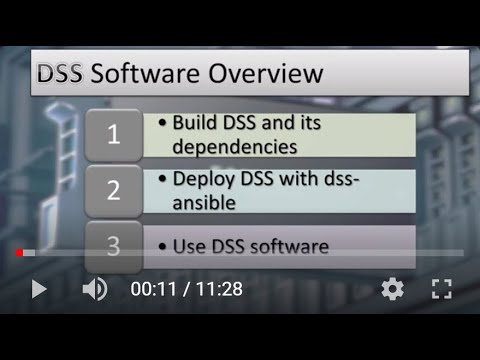
How to build, deploy, and use DSS software
DSS Performance
S3 Benchmark results:
| v1.0.0 | v2.0.0 (S3-over-RDMA) | v3.0.0 (Write Optimization) | |
|---|---|---|---|
| PUT (GB/s) | 12 | 12 | 65 |
| GET (GB/s) | 112 | 160 | 162 |
Results are aggregated with the following specification:
- 4-node Dell R7525 Cluster
- 16x Samsung PM1733 3.84TB NVMe drives per Node
- 4x Dual-port 100g Mellanox CX-5 NIC per node
- Dual-socket AMD EPYC 7742 64-Core Processors
- 1TB DIMM per Node
Build DSS - Docker
DSS is optimally built via Docker using the scripts documented below.
Build All - Docker
Build all of the DSS artifacts and its dependency artifacts using one script:
./scripts/docker/build_all.sh
Build Dependencies - Docker
Optionally, build only the dependencies artifacts:
./scripts/docker/build_aws-sdk.sh
./scripts/docker/build_kernel.sh
./scripts/docker/build_mlnx-tools.sh
Build DSS Artifacts - Docker
Optionally, build only the DSS artifacts:
./scripts/docker/build_dss-sdk.sh
./scripts/docker/build_minio.sh
./scripts/docker/build_dss-client.sh
./scripts/docker/build_datamover.sh
Build DSS
Alternatively, DSS can be built natively, but all dependencies must be installed first.
Prerequisites
Operating system requirements
DSS build and runtime is presently supported on CentOS 7.8.
Note about CentOS 7 Deprecation
CentOS 7 has reached end-of-life.
As such, the YUM repositories that enable dependency download on CentOS 7 are no longer available.
However, you may work around this situation with the following steps:
sed -i s/mirror.centos.org/vault.centos.org/g /etc/yum.repos.d/*.repo
sed -i s/^#.*baseurl=http/baseurl=http/g /etc/yum.repos.d/*.repo
sed -i s/^mirrorlist=http/#mirrorlist=http/g /etc/yum.repos.d/*.repo
When installing some dependencies, this process may need to be repeated to ensure you have access to the archived dependencies.
Build package dependencies
Install the following packages / modules to build DSS and its external dependencies:
sudo yum install epel-release centos-release-scl-rh -y
sudo yum install bc bison boost-devel cmake cmake3 cppunit-devel CUnit-devel devtoolset-11 dpkg \
  elfutils-libelf-devel flex gcc gcc-c++ git glibc-devel gmp-devel golang jemalloc-devel Judy-devel \
  libaio-devel libcurl-devel libmpc-devel libuuid-devel make man-db meson mpfr-devel ncurses-devel \
  numactl-devel openssl openssl-devel patch pulseaudio-libs-devel python3 python3-devel python3-pip \
  rdma-core-devel redhat-lsb-core rpm-build \
  snappy-devel tbb-devel wget zlib-devel -y
sudo python3 -m pip install pybind11==2.11.1 gcovr==5.0
NOTE: User-built AWS-SDK-CPP RPM must be installed on the build machine.
On initial build:
- Build AWS-SDK-CPP:
./scripts/build_aws-sdk.sh - Install the resulting AWS-SDK-CPP RPM:
sudo yum install ./dss-ansible/artifacts/aws-sdk-cpp-*.rpm -y - Run the
build_all.shscript:./scripts/build_all.sh
Once the AWS RPM is installed, only the build_all.sh script needs to be run on subsequent builds.
Dependency artifacts for kernel, aws-sdk-cpp, and mlnx-tools are staged under rpmbuilder and workspace directories of your home directory by default. By leaving them in-place, re-build of these upstream components will be skipped on subsequent builds.
Optional: Build individual components
DSS Dependency build scripts:
- Build aws-sdk-cpp:
./scripts/build_aws-sdk.sh - Build kernel:
./scripts/build_kernel.sh - Build mlnx-tools:
./scripts/build_mlnx-tools.sh - Install aws-sdk-cpp:
yum install dss-ansible/artifacts/aws-sdk-cpp-1.9-0.x86_64.rpm -y
DSS individual components:
- Build dss-sdk:
./scripts/build_dss-sdk.sh - Build dss-minio:
./scripts/build_minio.sh - Build dss-client:
./scripts/build_dss-client.sh - Build dss-datamover:
./scripts/build_datamover.sh
Deploy DSS
Blogs and Papers
DSS: High I/O Bandwidth Disaggregated Object Storage System for AI Applications