
🌐 gdCEF - Chromium Embedded Framework for Godot 4


Integrate a fully functional web browser into your Godot 4.2+ games for Linux, Windows (and for macOS, we need contributors!). This GDExtension wraps the Chromium Embedded Framework (CEF) API, allowing you to display web content in 2D and 3D scenes using GDScript.
⚠️ Godot 3 users: Please use the godot-3.x branch instead.
🎥 Click the picture to watch the YouTube video "I made my own Browser" by FaceDev!
📁 Repository Structure
📦gdCEF
 ┣ 📜 build.py              ⬅️ Python3 script for compiling the project
 ┣ 📦 cef_artifacts         ⬅️ Folder with CEF and gdCEF artifacts created by build.py
 ┣ 📂 demos                 ⬅️ Several examples of usage of gdCEF
 ┣ 📂 doc                   ⬅️ Several documents to teach you how to use gdCEF
 ┣ 📂 gdcef                 ⬅️ C++ code source of the gdextension (to be compiled)
 ┃ ┣ 📂 browser             ⬅️ Code for the CEF main process (libgdcef used by CEF)
 ┃ ┣ 📂 subprocess          ⬅️ Code for the CEF secondary process (gdCefRenderProcess used by libgdcef)
 ┃ ┣ 📂 patches             ⬅️ Patch files to apply to the CEF source code
 ┃ ┗ 📂 tests               ⬅️ Unit tests
 ┗ 📂 thirdparty            ⬅️ Downloaded packages by build.py
   ┣ 📂 cef_binary          ⬅️ CEF distribution used to build dependencies (downloaded)
   ┗ 📂 godot-cpp           ⬅️ Godot C++ API and bindings (downloaded)
⚡ Quick Start
🛠️ Option 1: Compile from Source
python3 -m pip install -r requirements.txt
python3 build.py
The cef_artifacts folder will be created at the project root with all necessary files.
Depending on your computer but count around 15 min to compile:
- download and compile godot-cpp.
- download and compile CEF.
- compile gdCEF.
📦 Option 2: Download Prebuilt Binaries from GitHub
- ⬇️ Download the latest release from GitHub Releases.
- 📁 Extract and copy the
cef_artifactsfolder into your Godot project. - ✅ Done! The
.gdextensionfile is already included in the folder.
🎮 Option 3: Download Prebuilt Binaries from Godot Asset Lib
- 🏛️ Open the Godot editor, and click the "AssetLib" button.
- 🔎 In the search bar, type
gdcef. - 📁 Download the
cef_artifactsfolder into your Godot project. Be sure to have clicked on "Ignore asset root". - ⚠️ Godot does not preserve file attributes. Call
cd cef_artifacts/linux/ && chmod +x *.so gdCefRenderProcessto restore them. - ✅ Done! The
.gdextensionfile is already included in the folder.
📝 Hello gdCEF World!
- Create a gdCEF node in your scene graph.
- Create a TextureRect in your scene graph.
- Create a gdscript with the following basic content:
extends GDCEF

func _ready():
    $CEF.initialize({})
    var browser = $CEF.create_browser("https://godotengine.org", $TextureRect, {})
⚠️ This minimal example needs more code to have a usable browser in your game. See the Getting Started Guide for detailed instructions.
📚 Documentation
| Document | Description |
|---|---|
| Getting Started | 🚀 How to integrate gdCEF in your project |
| API Reference | 📑 Complete GDScript API documentation |
| Installation | 🔧 Detailed compilation instructions |
| FAQ | ❓ Common questions and troubleshooting |
| Architecture | 🏗️ How CEF works internally |
| Design Details | 🗂️ Repository organization and build system |
| Gallery | 🖼️ Gallery of projects using gdCEF |
🎲 Demos
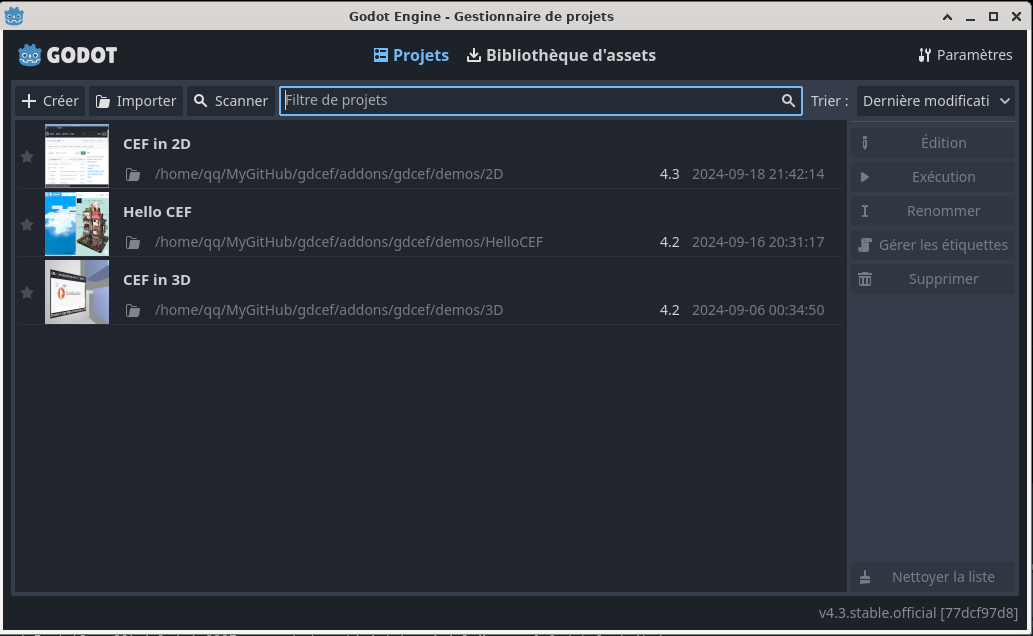
Ready-to-use demos are included in the demos/ folder:
| Demo | Description |
|---|---|
| Hello CEF | 👋 Minimal example to start with |
| 2D Demo | 🌟 Full-featured browser with tabs, showcasing most of the API |
| 3D Demo | 🌀 Browser in a 3D scene with spatial audio |
| JS Bindings | 🔗 JavaScript to GDScript communication |
🏆 Alternatives
| Project | Description |
|---|---|
| godot_wry | 🦀 WebView in Rust |
| GodotWebView | 🧩 Qt-based solution |
| GodotChrome | 🤖 Android/Godot 3 |
⚖️ License
This project is licensed under the MIT License.
⚠️ Note: CEF uses LGPL third-party libraries. See the FAQ for licensing implications.