
Godot God Rays Plugin

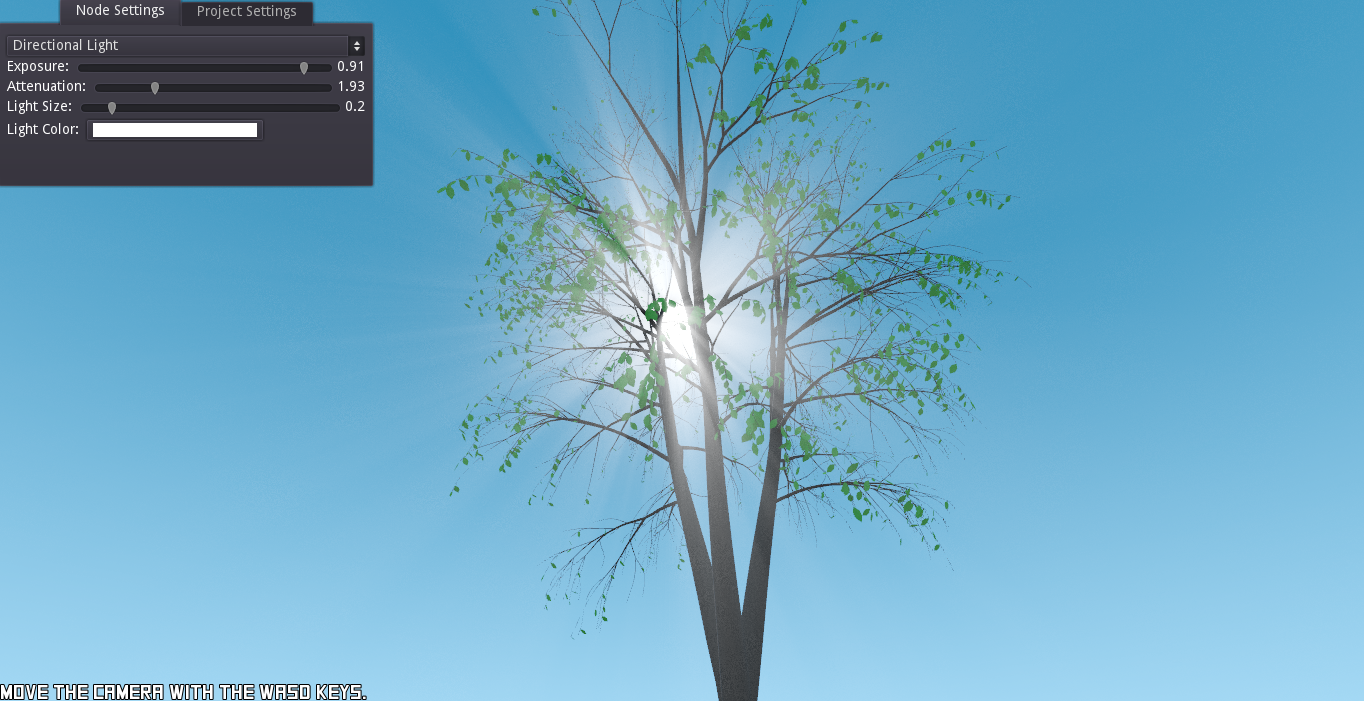
This is a plugin made for Godot 3.2. It contains a node to create a real-time volumetric effect for video games. This is a post-processing effect, so the performance hit depends on the size of the screen/viewport.
Installation
First you download it (duh :P). Then to get the plug-in into your Godot game project, just copy the addons/SIsilicon.vfx.godrays folder and paste it into your project's own addons folder. If you don't have such a folder, make one. Then open up your project, go into ProjectSettings -> Plugins tab. The plug-in should appear there. All that's left to do now is to just set its status to Active and you should be good to go. You need to set it to active in this demo project too.
Usage
The GodRays node creates a, you guessed it, god rays post-processing effect. It's made to be used with either a DirectionalLight or an OmniLight, but nothing's stopping you from using it on a SpotLight(It won't take the shape of its cone though). Just create a node as a child of your light and you're all set!
Properties
This node has minimal properties and is easy to customize.
Exposure: How bright the god rays are. Setting it to0will turn off the effect to save on performance.Attenuation: The "shape" of the god rays. You'll have to play with this a bit to know what it does.Light Size: The visual size of the light source. ForDirectionalLightsa value of1will lead to the light covering half the screen, whileOmniLightsmultiply this by theirrangeand are attenuated with distance.
Project Settings
There'll also be new parameters in the Project Settings under Rendering/Quality.
Sample Number: The number of samples used to render the god rays. More samples lead to a more accurate result, but also is more CPU heavy.Dither Amount: The amount of noise to use on the effect. This can help counter aliasing artifacts caused by a low sample count.Use PCF5: Whether to use more depth samples in the effect for filtering. This can make it look smoother. Disclaimer: it doesn't smooth noise from dithering.
Sky Shader
This plugin also works with Lexpartizan's Godot Sky Shader. All you have to do is add the GodRays node as a child of the Sky.tscn node. The clouds in the sky will then affect the god rays.