Home Assistant Custom Button Cards
This repository contains templates for a modern and responsive Home Assistant dashboard.
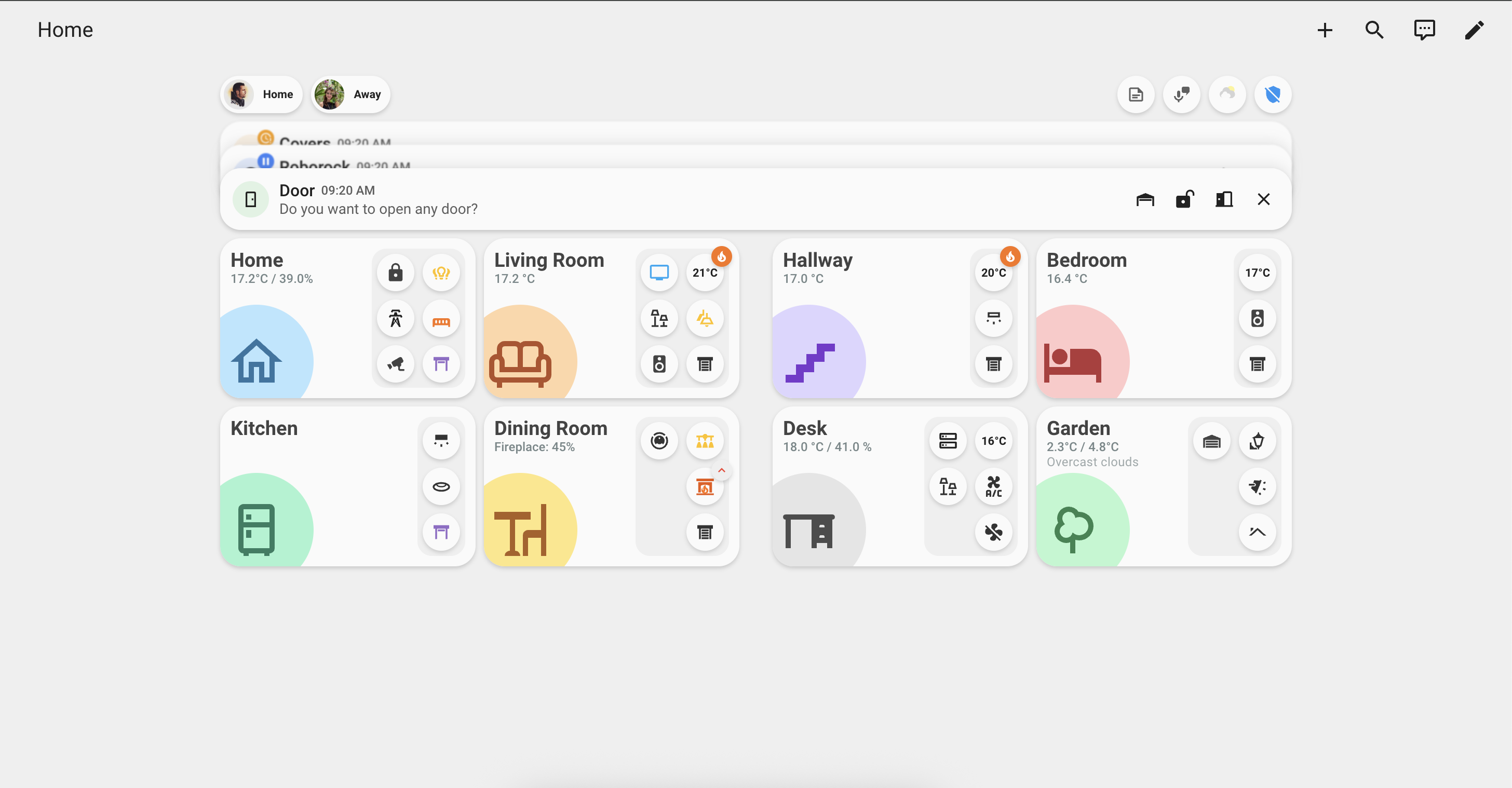
Available Cards
Stacked Notification Card
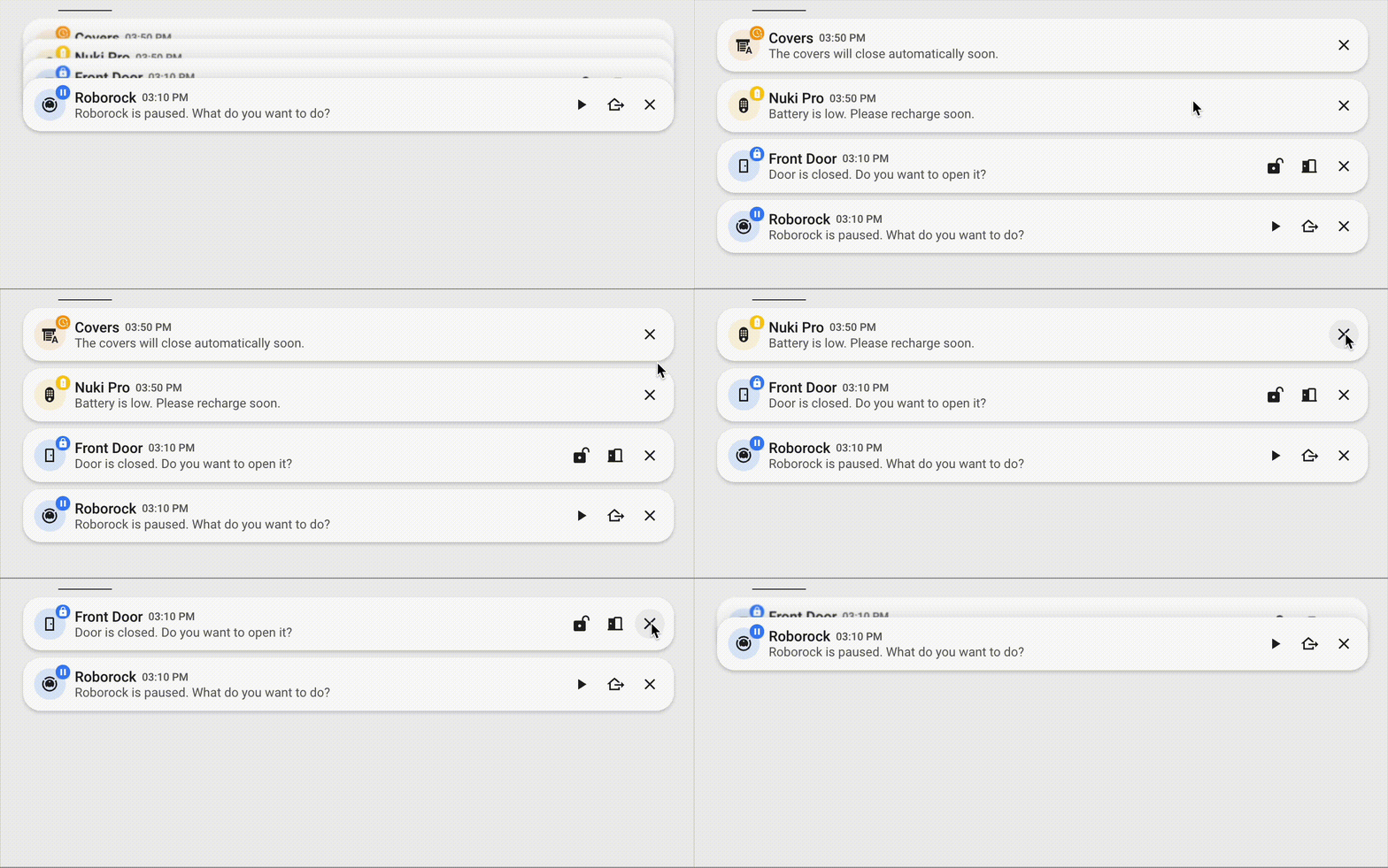
Notifications that stack and expand on hover or touch. They support multiple actions and auto-close.
Features:
- Stacking Behavior: Multiple notifications stack vertically, with only the top one fully visible. Hovering or touching expands all notifications for easy access.
- Customizable Display: Includes customizable icon, title, message, and timestamp (shows time if today, date and time otherwise).
- Badges: Optional badges on notifications (e.g., warning icons or custom values) for additional context.
- Multiple Actions: Each notification can have multiple action buttons (e.g., play, pause, dismiss).
- Close Button: Built-in close button to manually dismiss notifications.
- Responsive Design: Adapts to different screen sizes with smooth transitions and hover effects.
Room Card
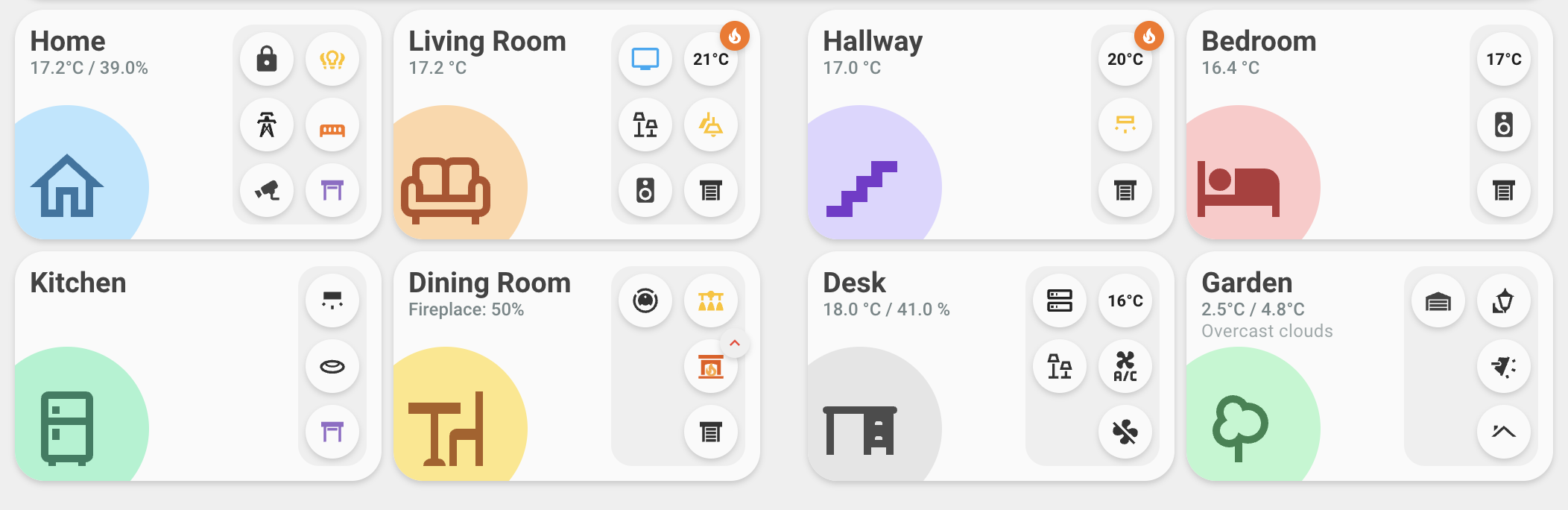
A card for controlling multiple devices in a single room, with multiple actions available, configurable badges and more!
Features:
- Room Overview: Displays room name, icon, current state (e.g., temperature/humidity), and optional sub-state.
- Customizable Appearance: Configurable background colors for the card and icon, allowing personalization to match your theme.
- Action Columns: Actions are organized in vertical columns, each containing multiple buttons for device control.
- Flexible Actions: Supports various tap actions such as toggle, more-info, navigate to other views, or call services.
- Badge Support: Actions can have badges indicating status (types: success, info, warning, error, white) with icons or values, and support custom background and text colors for full customization.
🚀 Setup
-
Be sure to have
button-cardandcard-modinstalled. You can get them via HACS. -
Copy the content of the
templatesdirectory and paste it into the top of your Dashboard yaml. You can access this by clicking Edit dashboard -> three dots -> Raw configuration editor.⚠️ WARNING: Be sure you do not delete the views key below the templates. This is basically your dashboard configuration and deleting it will delete your UI.
It should look something like this:
button_card_templates:
    room_card_action:
    ...
    room_card:
    ...
    notification_card:
    ...
    notification_card_action:
    ...

views: ...
🧩 Using the Templates
Once you set up the templates, you can create cards that use them.
type: custom:button-card
template: room_card
name: Kitchen
See the card_examples directory for full card configurations.
🎨 Themes
If you like how this dashboard looks, you can find the themes I'm using in the themes folder.
-
Copy the Theme Files: Copy the theme files (e.g.,
minimalist-desktop.yaml,minimalist-mobile.yaml) into athemesdirectory in your Home Assistantconfigfolder. -
Update
configuration.yaml: Edit yourconfiguration.yamlfile to enable the themes and point to the directory. Add the following lines:frontend: themes: !include_dir_merge_named themes -
Restart and Select Theme: After saving
configuration.yamland restarting Home Assistant, the new themes will be available in your user profile settings.
🙏 Contributing
Feel free to open an issue or submit a pull request if you have ideas for improvements or new templates.
❤️ Support My Work
If you find these templates useful, you can support my work by buying me a coffe / beer!