

A simple, open-source Point of Sale (POS) system built with Laravel and FilamentPHP. You can also use Laravel Easy POS as a lightweight and effective invoice generator for your services — not just products.
It is ready with Filament v4. Please check it and feel free to share your feedback at [email protected]
Features 🛠️
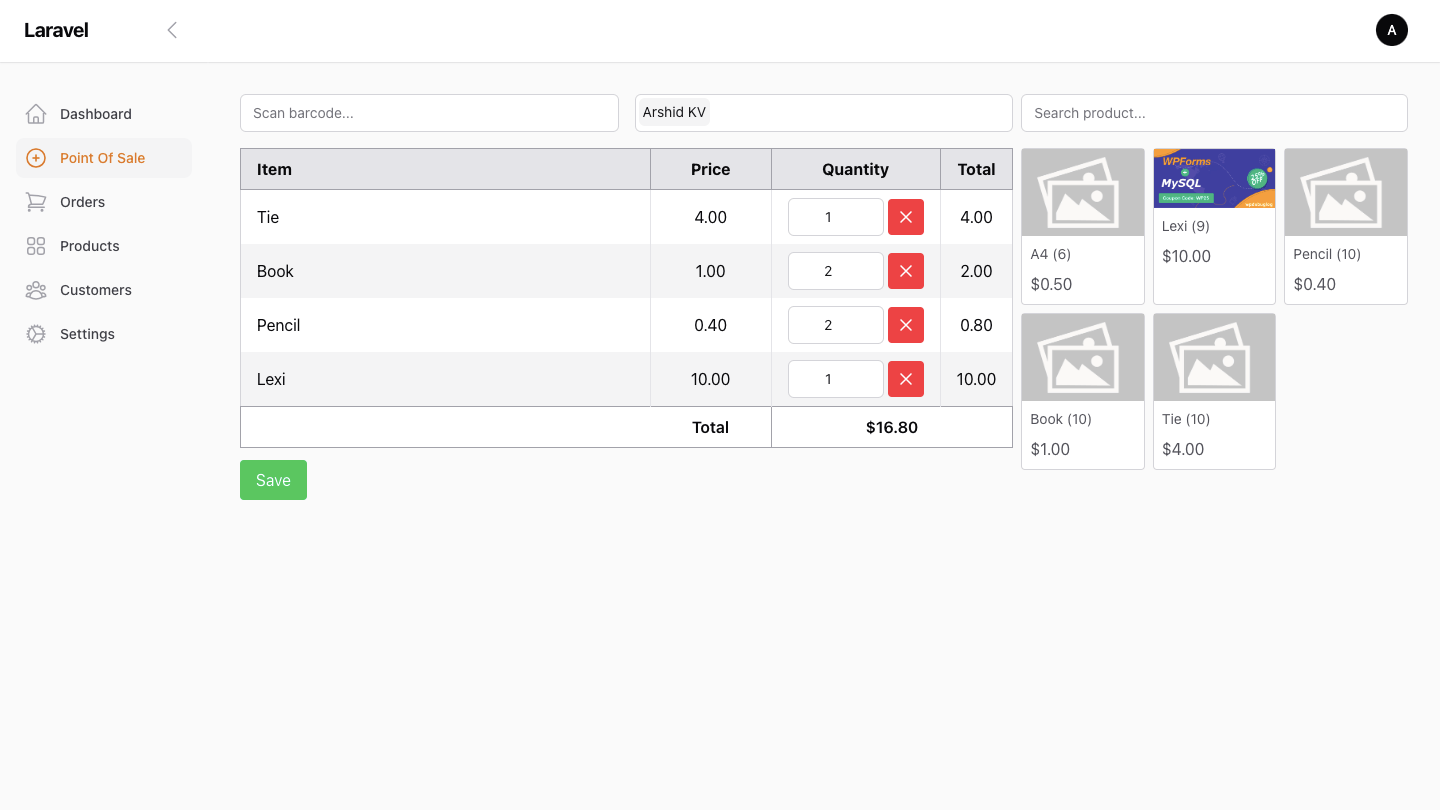
- ✅ Easy-to-use POS interface
- ✅ Built with Laravel & FilamentPHP
- ✅ Secure authentication & user management
- ✅ Inventory & product management
- ✅ Sales tracking & reports
- ✅ Responsive UI
🧾 Direct Thermal Printing Feature
🖨️ Direct Print Options
- 🖨️ Windows Desktop printing (Bluetooth / USB / WiFi)
- 📱 Android printing (Bluetooth / USB / WiFi)
📲 Download Thermal Print Bridge (Android)
Turn your phone into a powerful POS printer bridge in seconds.
✅ Supports Bluetooth, USB, and WiFi printers
⚡ Fast & reliable ESC/POS printing
🔌 Works with most POS systems

✔ Free to try • ⚡ Setup in minutes • 🔒 No login required
📩 Need help or have questions?
Feel free to contact: [email protected]
🚀 Demo Available:
Live Demo : https://filament-pos.phpbolt.com/
Username: [email protected]
Password: pass@123
Demo Service Invoice: View Sample Invoice
⭐ Show your support!
If you find this project helpful, please consider giving it a star on GitHub
Installation & Custom Invoice Template Service
We offer a hassle-free installation service for Laravel Easy POS for just $29. Need a custom invoice template? We can design one for an additional price!
✅ Services Offered:
- Installation & Setup – $29
- Custom Invoice Template – Additional cost (contact us for pricing)
- ESC/POS Thermal Print option (Android/Windows)
- Configuration assistance & basic troubleshooting
- 📩 Contact Us:
- ✉️ Email: [email protected]
- 💬 Discord: arshidkv12
- 🌐 Website: wpdebuglog.com/contact/
Get in touch today, and let us handle the setup for you! 🚀
POS Interface
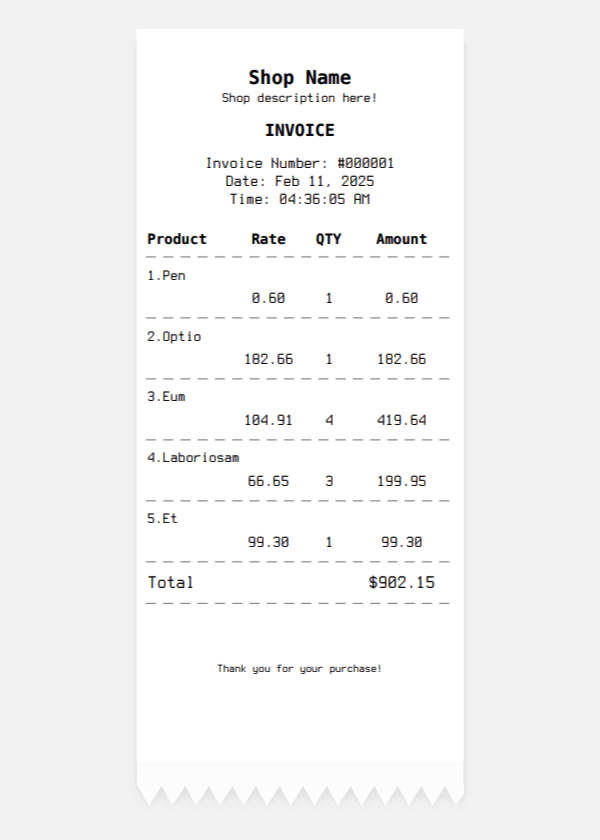
Invoice
It supports thermal printing.
🛠️ How to Use as an Invoice Generator
Install the application
Follow the standard installation process in the setup section.
Add your services as “products”
For example:
- Service Name: Deep Cleaning - 2BHK
- Price: 499
- Description: Full deep-clean for 2BHK apartment
Create a new sale or transaction
- Go to the POS dashboard
- Select the service (like “Deep Cleaning - 2BHK”)
- Enter quantity (usually 1)
- Add customer info if needed
Print or download the invoice
- After checkout, you can Print the receipt
- Or use PDF export if integrated
Installation Guide 🏗️
Web Install
-
Download the zip file https://filament-pos.phpbolt.com/laravel-easy-pos.zip
-
Upload the file to public_html folder.
Point the domain name to public_html/public folder.
-
Edit
.envfile -
Navigate your-domain.com/install
Local Install
- Clone the repository:
git clone https://github.com/mailmug/laravel-easy-pos.git
cd laravel-easy-pos
- Install dependencies:
composer install
npm install
npm run build
- Update .env file
DB_CONNECTION=mysql
DB_DATABASE=your_database
DB_USERNAME=your_username
DB_PASSWORD=your_password
APP_URL=http://localhost
- Copy .env file
cp .env.example .env
php artisan key:generate
- Run the application:
php artisan serve
Navigate to the home page, and it will automatically add the demo data.
Username: [email protected]
Password: pass@123
✅ That's it! No further commands needed. The installation is automatic. 🎉 Navigate the website.
Contribute 🤝
We ❤️ contributions! Feel free to submit issues or pull requests.
- Fork the repo
- Create a new branch
- Commit your changes
- Open a Pull Request
License 📜
This project is licensed under the GPL-3.0 License.
💡 Built with Laravel & FilamentPHP – Making POS Simple! 🚀
Let me know if you want to add anything specific! 😃