




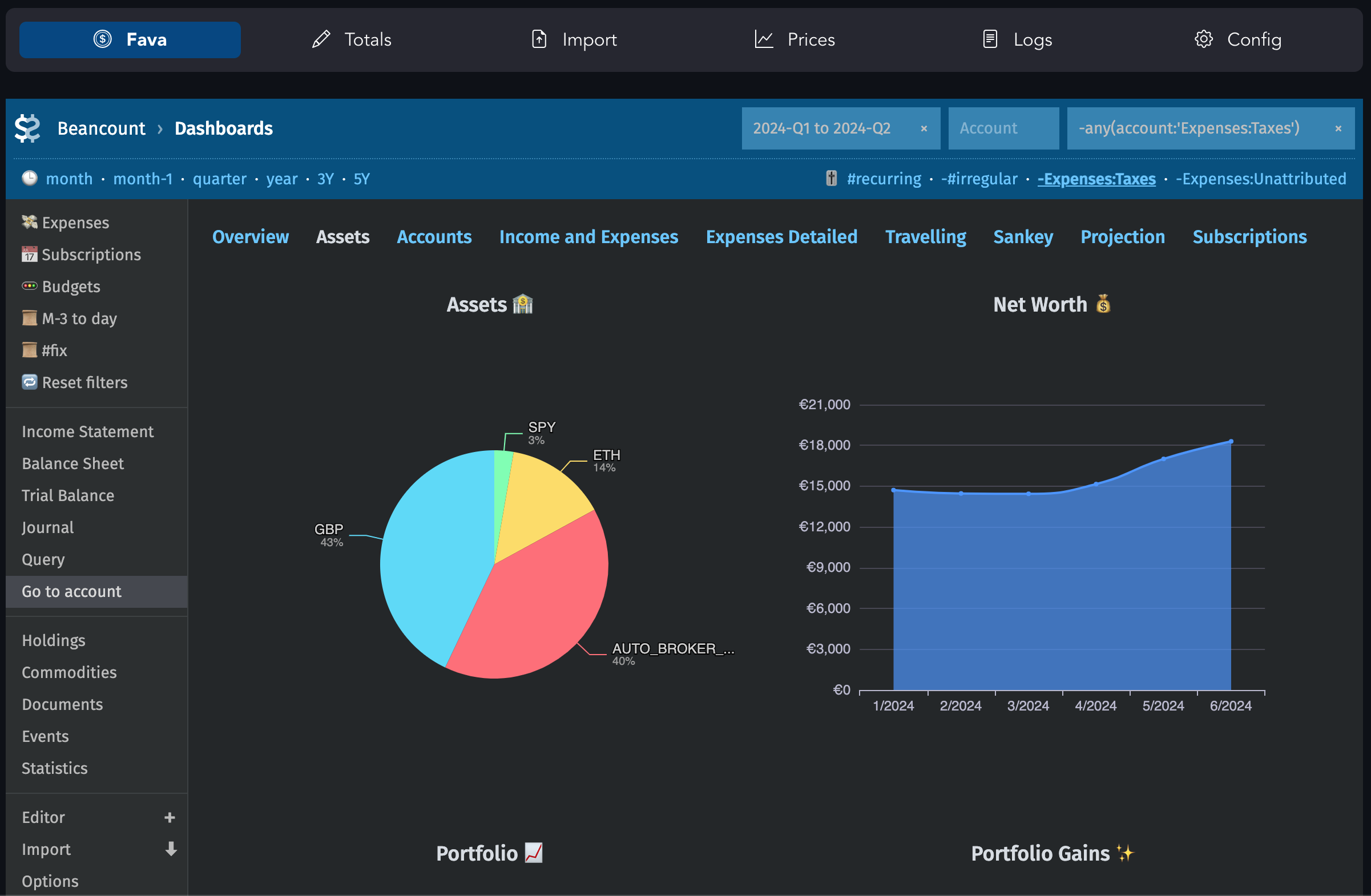
Lazy Beancount is Beancount accounting system packaged in Docker with batteries included:
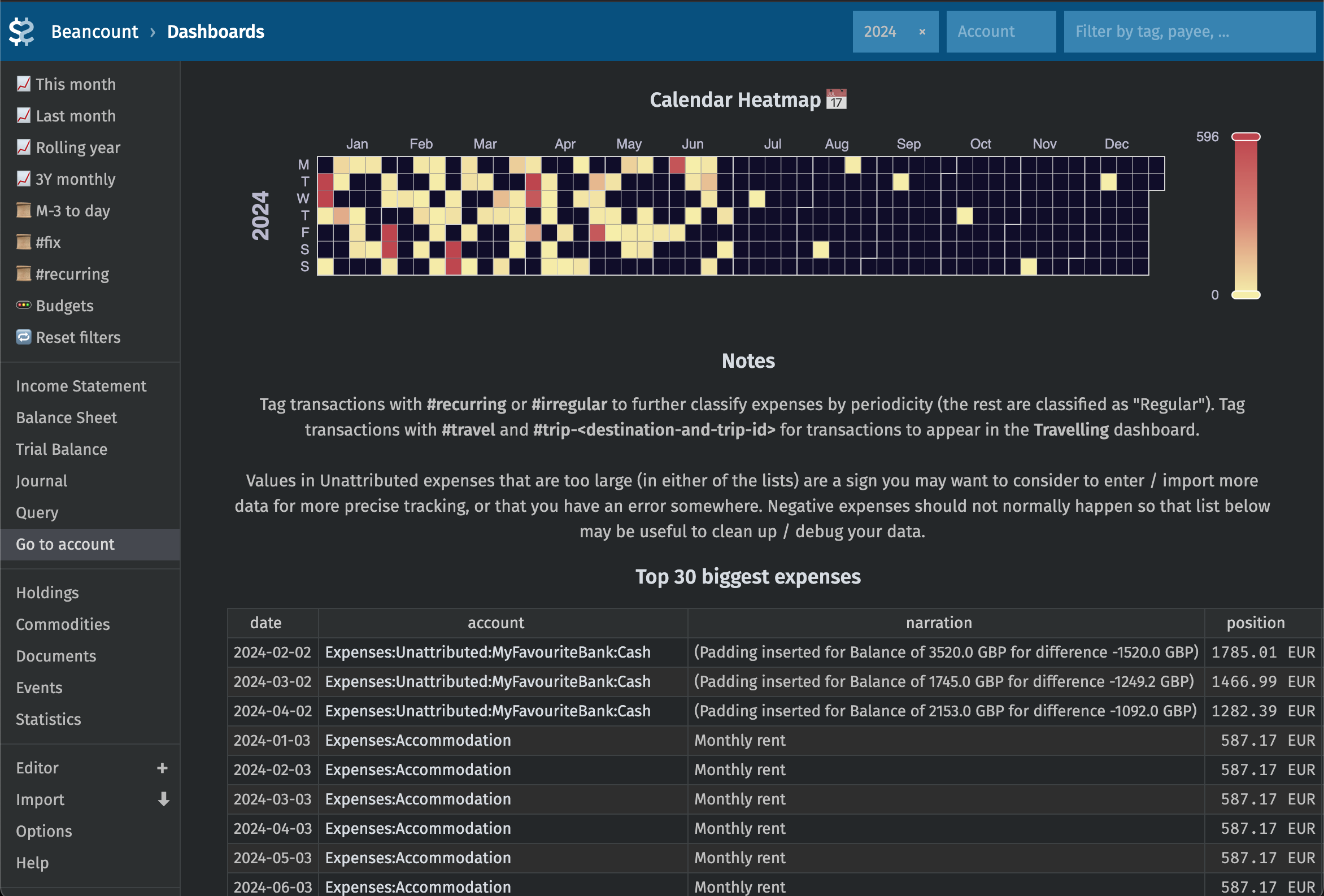
- Fava with fava-dashboards
- and filter presets feature
- Multiple currencies and auto-conversions between them. Currency rates and commodity prices fetching via fava-currency-tracker
- Balance management via BeanTab spreadsheet-like interface
- Other pre-installed plugins:
- collections:
- beancount-lazy-plugins (valuation, filter_map, balance_extended, currency_convert, and more)
- beancount_reds_plugins (rename_accounts, effective_date, zerosum, and more),
- autobean (stock_split, share, and more)
- large plugins: fava-dashboards, fava-portfolio-returns, fava_investor
- smaller ones: beancount_share, beancount_interpolate, generate_base_ccy_prices, fava-git, fava-lazy-beancount
- collections:
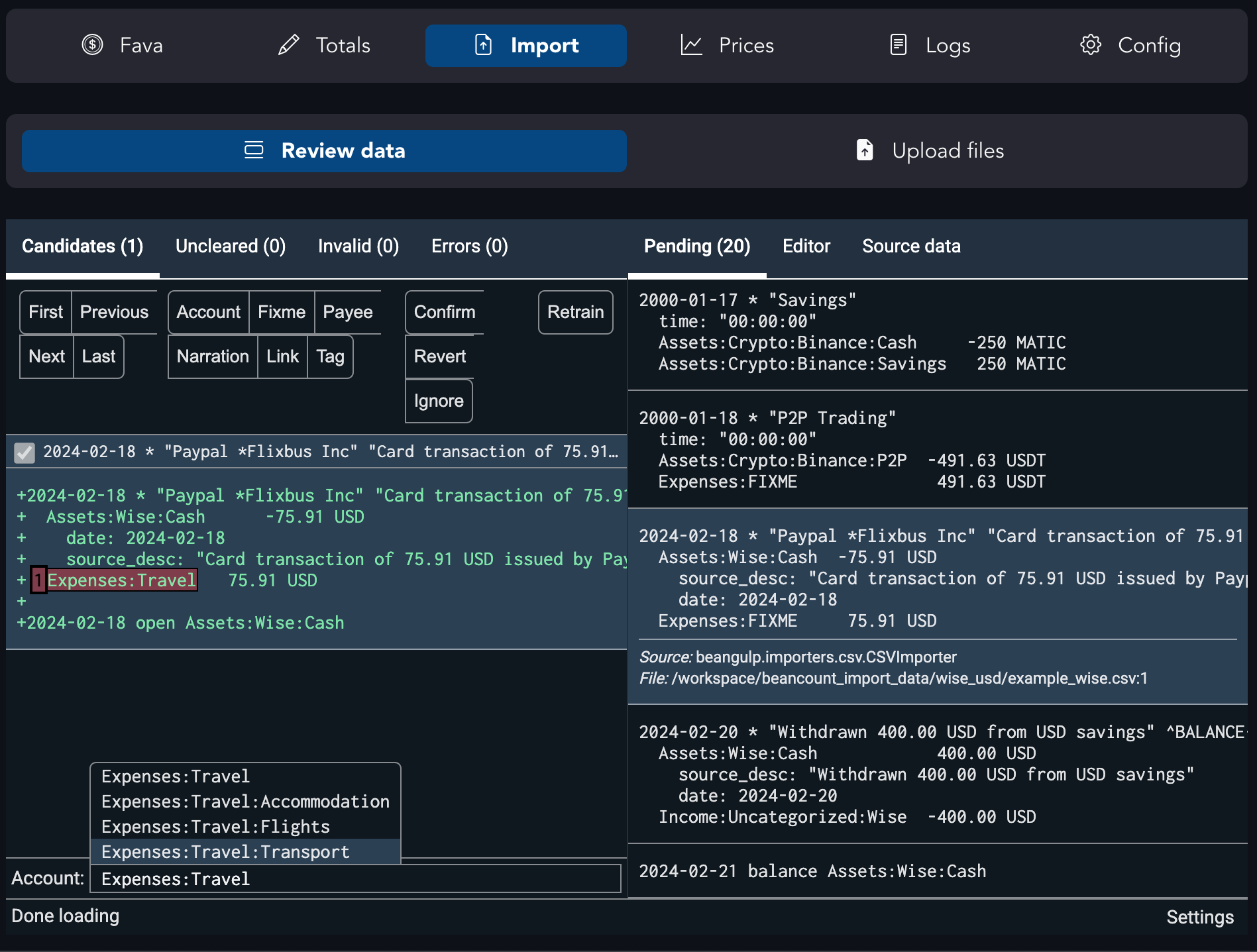
- Beancount-import for automatic transaction categorisation and review UI:
- Importers set up to work out of the box:
- Wise, Monzo, Revolut, IBKR (Evernight/beancount-importers, uabean)
- more importers can be integrated/enabled on request
- configuration for multiple accounts via YAML config file
- UI for statement file upload
- Importers set up to work out of the box:
- Extensive configuration example with comments, including common useful shortcuts and solutions to common problems
- All tested together (manually) in a coherent setup
with the goal to enable gradual and incremental migration of personal finances into Beancount.
Full guide is located at https://lazy-beancount.xyz/. The approach follows these principles:
- Some of the values should be tracked precisely (e.g. net worth)
- Other things are an approximation (e.g. in expenses breakdown, unclassified or some misclassified entires are allowed – but discoverable)
- Data entry should be automated or easy
- It should be possible to track things to any level of precision that you choose
Screenshots





⚙️ Setup
🐳 Docker-compose: recommended
Make sure you have Docker installed first. Then:
git clone https://github.com/Evernight/lazy-beancount

cd lazy-beancount/example_data
env UID=$(id -u) GID=$(id -g) docker compose up
This will pull repository with the example and config templates, and also pull and run the latest version of the package from the Docker Hub. The service will start at http://localhost:8777/ by default.
Fava is also available on port 5003, importer interface is available on port 8101 (ports are overridable via config in docker-compose.yml).
On Mac you can also remove user parameter from docker-compose.yaml and just use docker compose up
Update image to the latest version from time to time using docker compose pull
🐳 Docker
You can pull image from the public repository:
docker pull vandereer/lazy-beancount:latest
or build it yourself:
git clone https://github.com/Evernight/lazy-beancount
cd lazy-beancount

docker build . -t vandereer/lazy-beancount:latest
To start, run:
./lazy_beancount.sh example_data
Use ./lazy_beancount.sh data_beantab when you want to start adding your own data under the data_beantab directory (data will be deprecated/replaced in the future).
Commands are available in the container as:
docker exec -it lazybean bean-price example_data/main.bean -i --date=2024-01-05
You can also run container using Podman, adding "podman" as an additional argument to the lazy_beancount.sh script (e.g. lazy_beancount.sh data podman).
Extra dependencies
Additional vandereer/lazy-beancount:extra image exists that will contain more optional dependencies defined in requirements-extra.txt
🐍 Local development: conda/venv
If you want to be able to upgrade individual packages and experiment with other (and your own) plugins or additional importers, use venv or conda to make sure you run correct dependencies. Conda is used in the example as it's a little bit easier to manage Python versions with it compared to venv.
First, clone this repository into your desired location
git clone https://github.com/Evernight/lazy-beancount
cd lazy-beancount
Install conda
brew install miniconda
Then create and activate the environment
conda create -n lazy-beancount-env python=3.12.11
conda activate lazy-beancount-env
Install required packages in the environment
pip3 install -r requirements.txt
Run Fava on your ledger from the repository folder
fava main.bean
Go to http://127.0.0.1:5000 and explore Fava.
Note
I'd not recommend exposing the ports, various system and data through a public server unless you really know what you're doing. This setup has not been developed and tested for security and authentication when run as a public service. If you're interested in self-hosting Lazy Beancount, vote for the feature or feel free to contribute ideas and code.
🙏 Acknowledgements
This is mostly an integration project and would not have been possible without all of the great code from authors and contributors of all the repositories mentioned above, the Beancount and plain text accounting community. Please support, star and otherwise contribute to respective projects.
🔗 Similar projects
See also:
💬 Feedback and contributions
- Feel free to create an issue or contribute a fix.
- lazy-beancount.xyz has giscus connected to enable commenting directly at pages.
- matrix chat for small questions.