
MiniBug - Issue Tracker and To-do List
MiniBug is a barebones, simple issue tracker and to-do list. It is a Windows desktop single-user application.
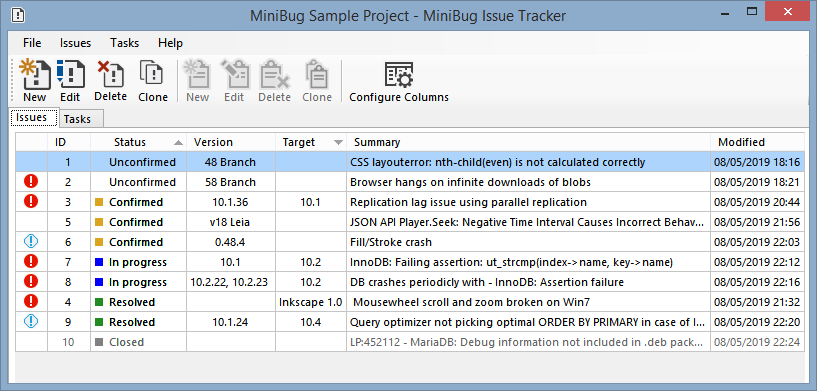
MiniBug does not use a database to store data: instead the application stores each project in a .json file. This means that if you need to work on projects, in different computers, you can share a MiniBug project between computers, by putting the .json file in something like Dropbox.
Features
- Issues: create, edit, delete, clone
- Tasks: create, edit, delete, clone
- Show/hide/sort columns
- Some user defined settings
- Export issues and tasks to CSV format
Sample project
I've made a small sample project, with bugs and tasks copied from some applications' public bug trackers (Inkscape, Firefox, MariaDB and Kodi).
Download the file minibug-MiniBug Sample Project.json and open it in MiniBug.
Getting Started
Prerequisites
- Microsoft Windows 7 (maybe it works on older versions but I haven't tested)
- Microsoft .NET Framework 4.6.1
How To Use
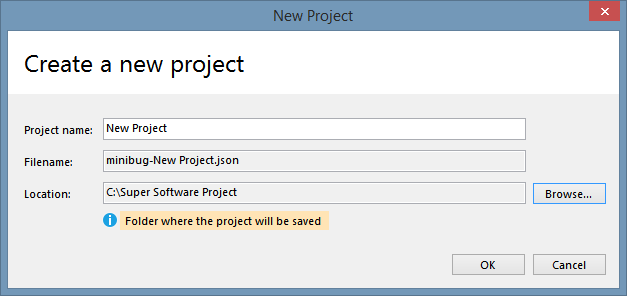
First you need to create a new project (File > New Project), define a project name and choose a location to save it:
Next you can start adding issues and tasks:
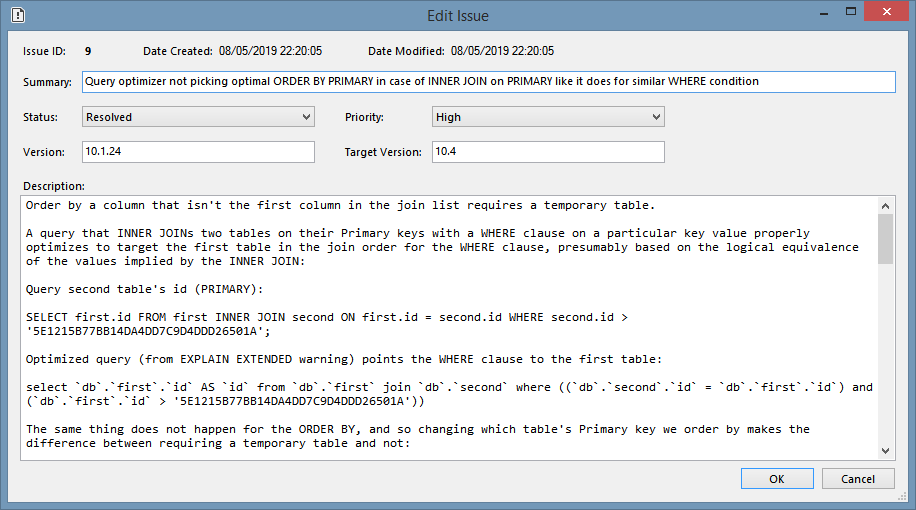
- issues are bugs/problems
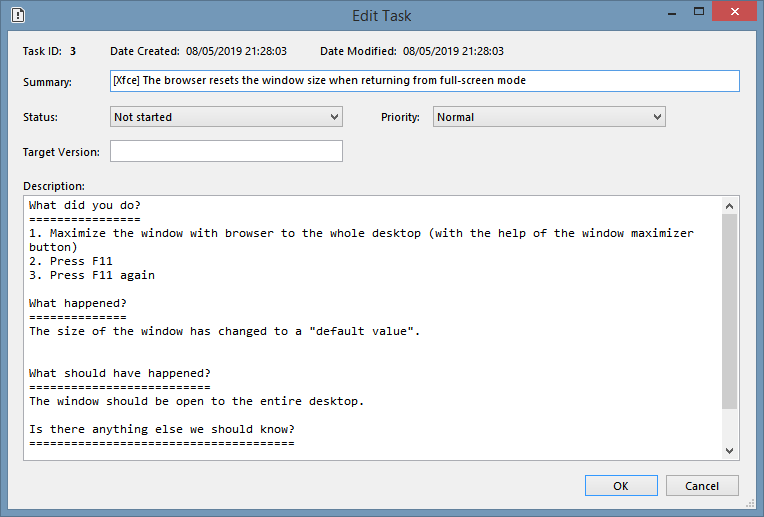
- tasks are items in a to-do list
Issues
Tasks
Settings
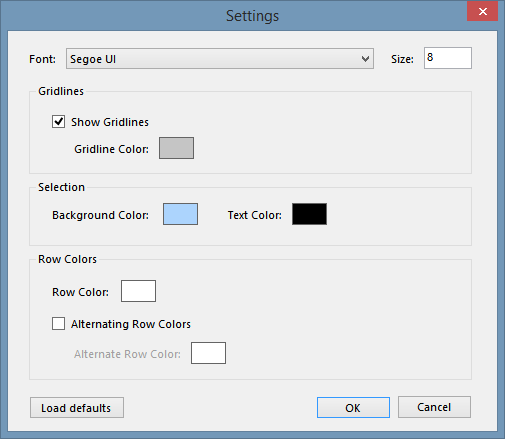
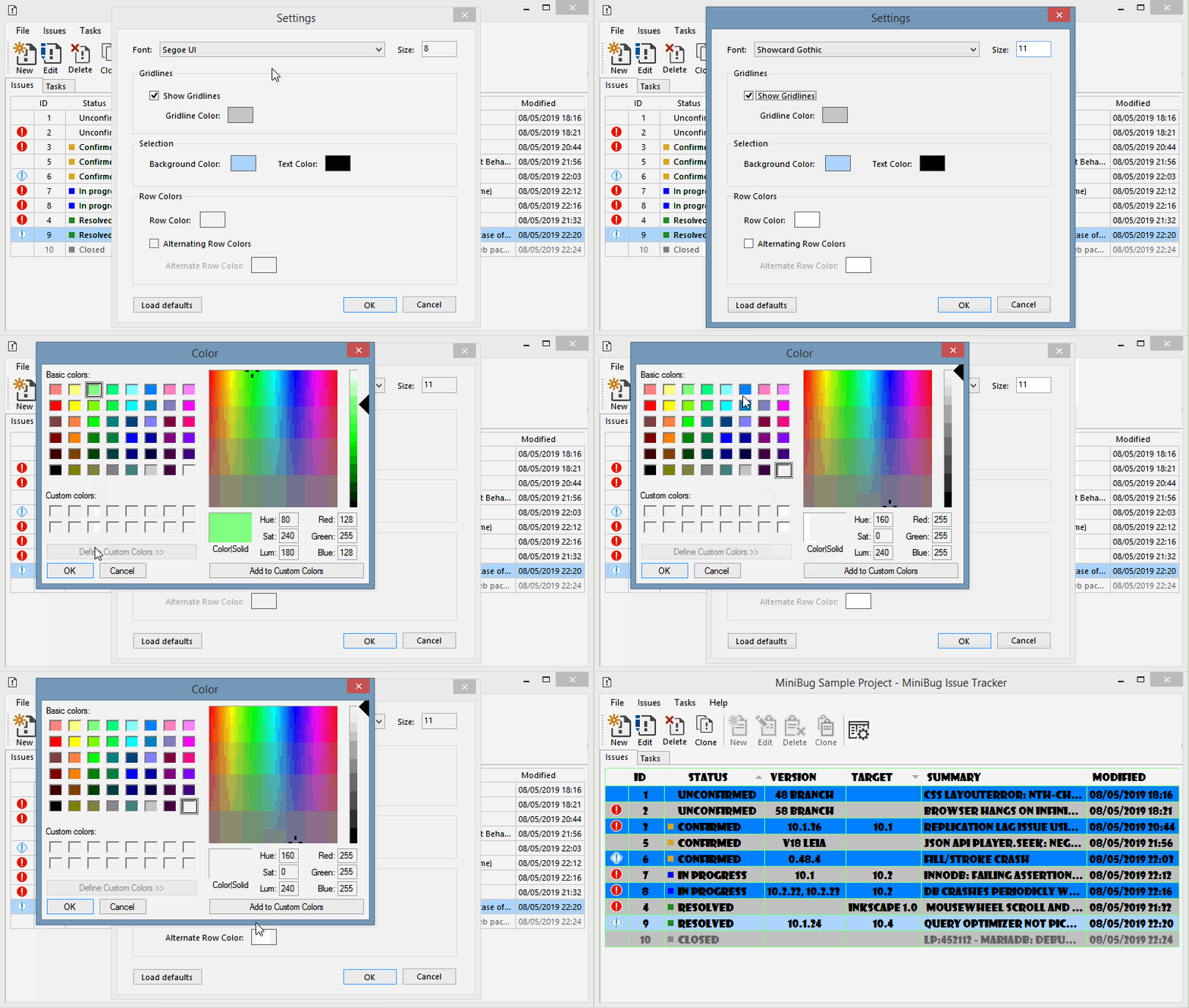
The user can modify some settings (File > Settings) in order to customize the look and feel of the application:
Settings in action:
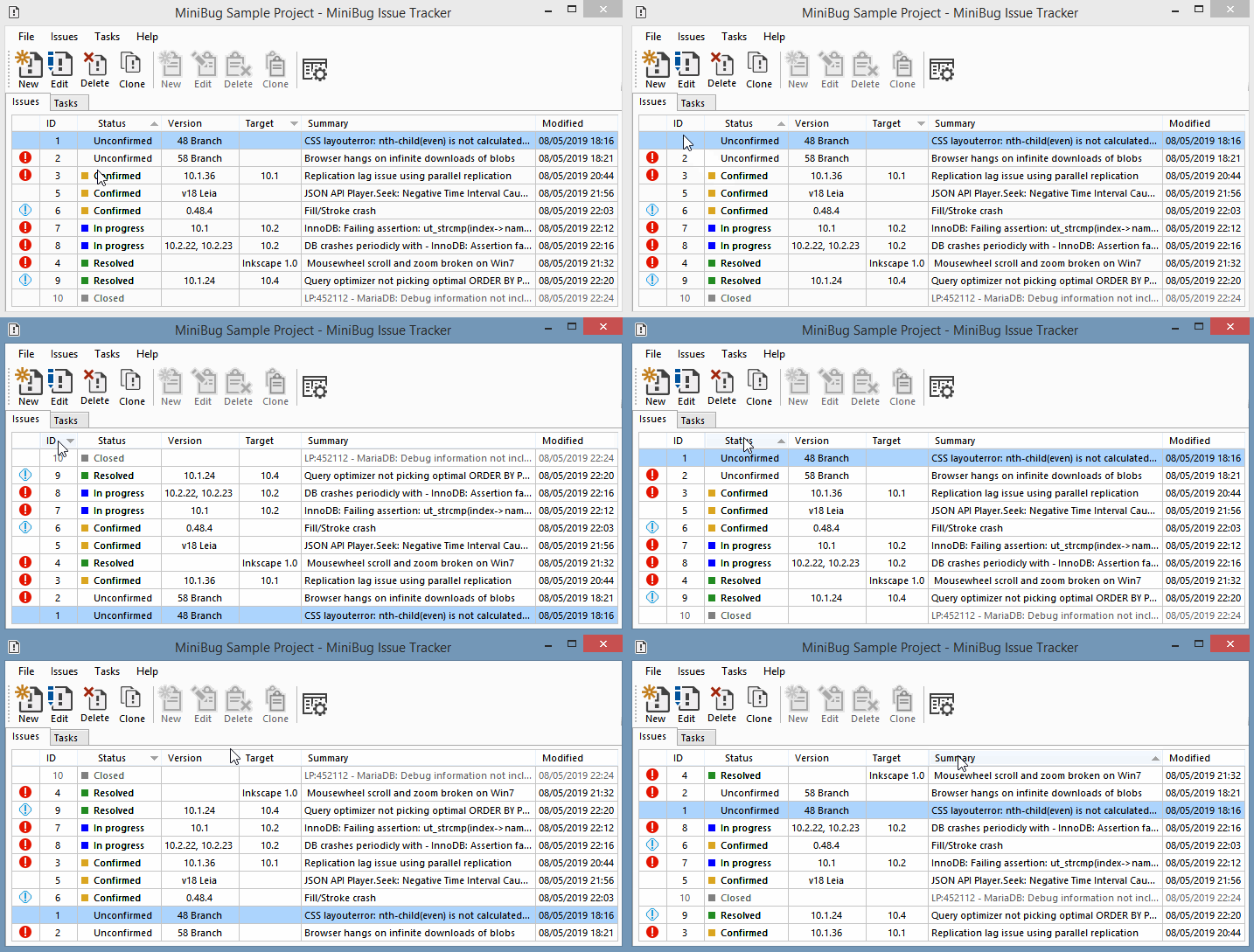
Sorting
You can sort the grid rows in two ways:
- by clicking on a column header:
- by using the Configure Columns window:
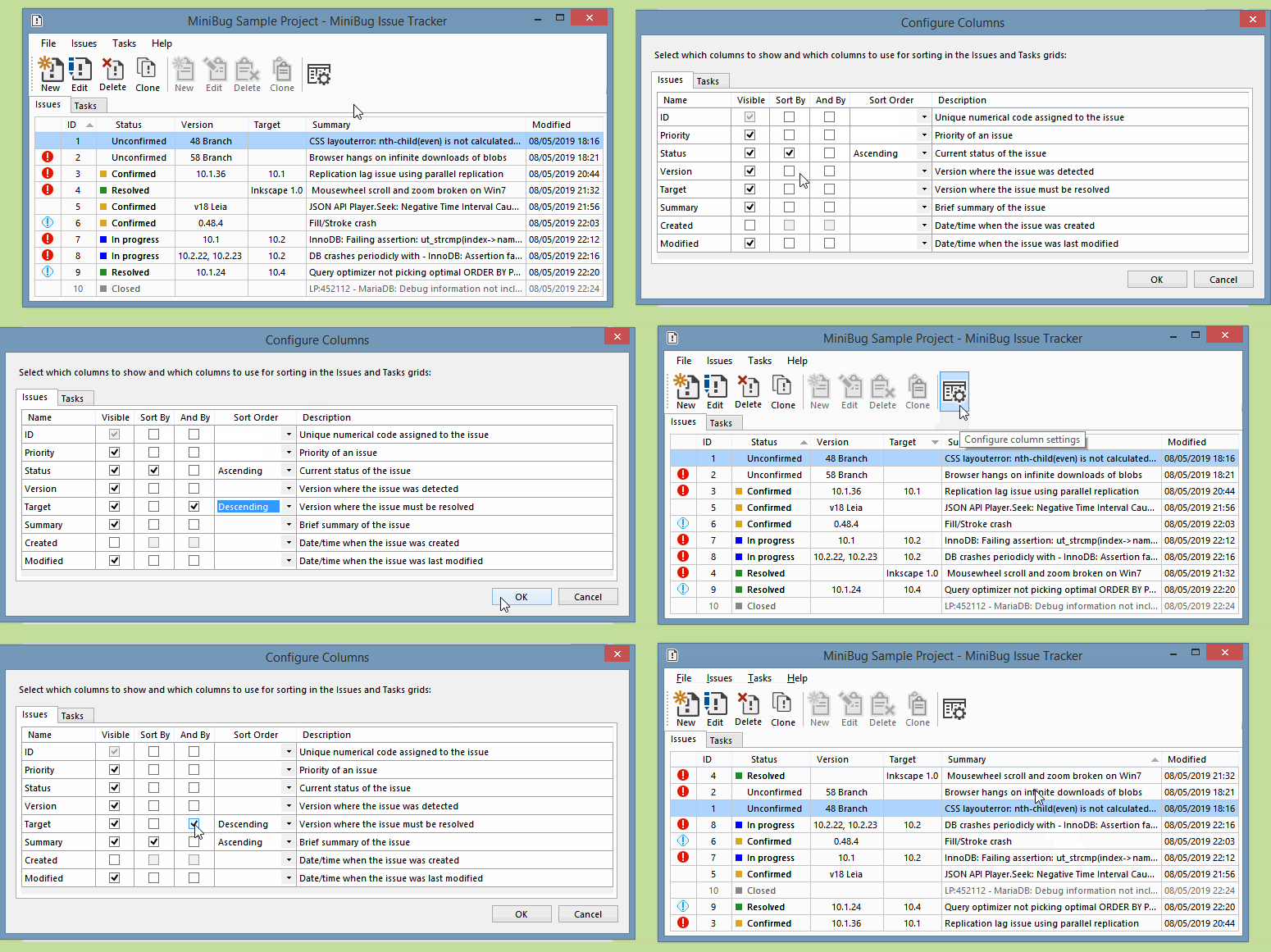
Using the second method you can sort by up to two columns and with different criteria (ascending or descending).
Column visibility
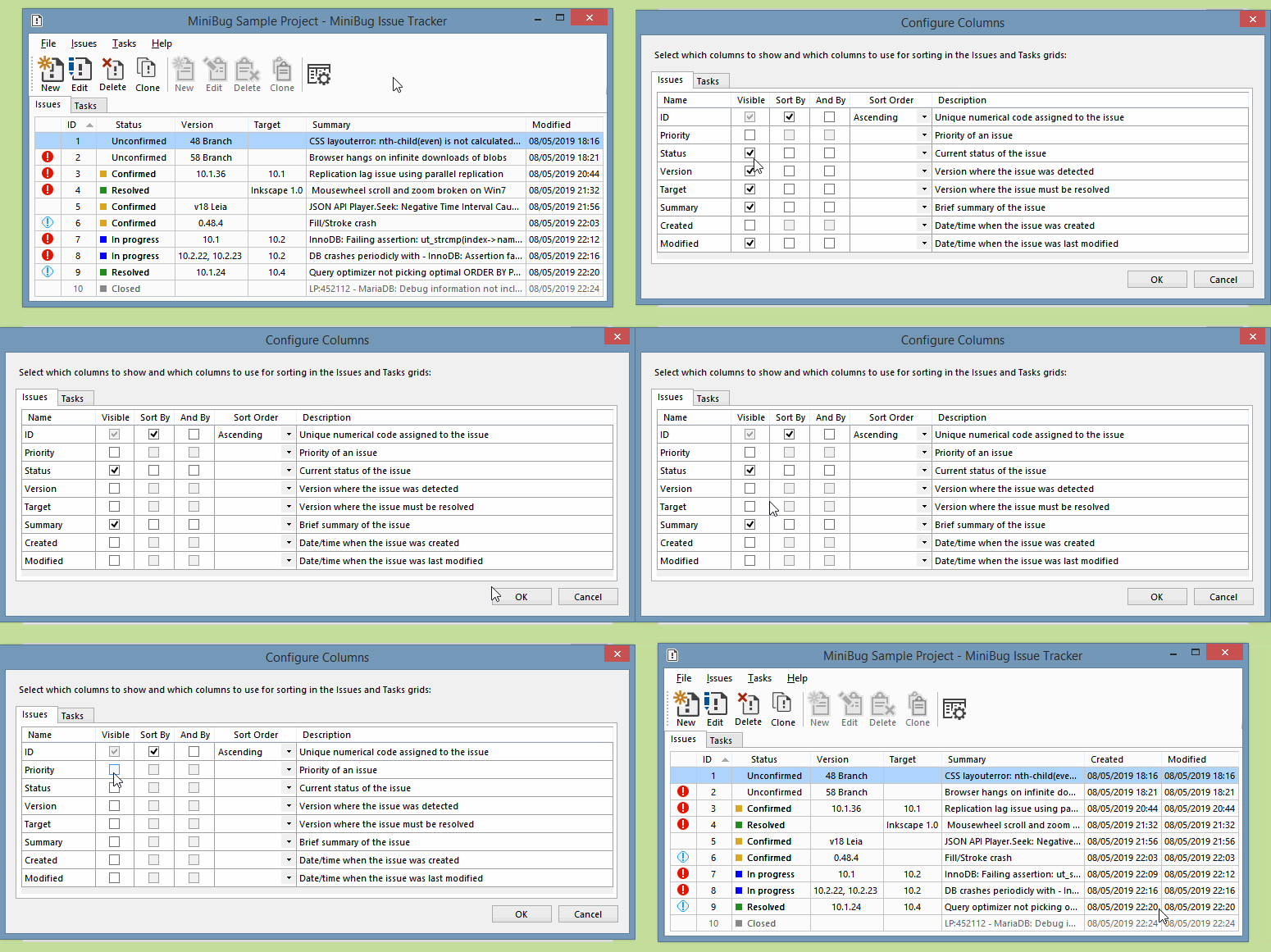
You can show/hide any column (except the ID column, which is always visible), using the Configure Columns window:
Exporting
You can export a project's issues and tasks to CSV (comma separated values) files:
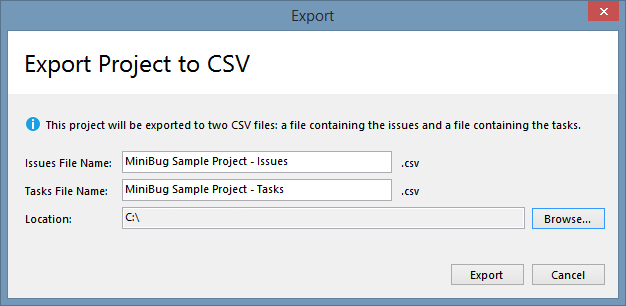
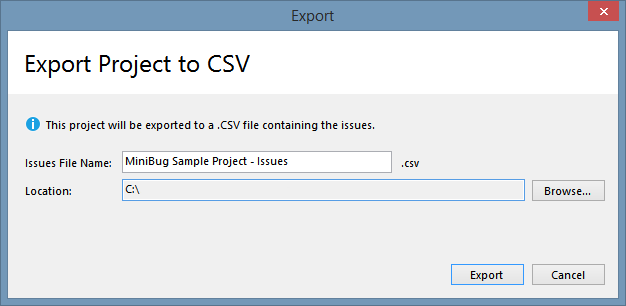
Because issues and tasks have a slightly different structure, they are exported to separate files. If a project only has issues or tasks, only one file will be generated:
License
This project is licensed under the MIT License - see the LICENSE.md file for details.
Acknowledgments
This project uses the following libraries: